Use compliance reports

Operations Manager automations can trigger Compliance Plans to run reports in the same way that workflows can be triggered to run jobs.

Automations for Compliance Plans function nearly the same as automations for workflows, with one exception: Manual and Schedule triggers for Compliance Plans do not have form data inputs, whereas Compliance Plans do accept form data.

Create a compliance report automation

1

Open the Create Automation dialog

Click the (+) icon button in the top-left toolbar of Operations Manager. The Create Automation dialog appears.

2

Select the automation type

Select Compliance Report as the automation type and click Create. Once created, automations for Compliance Plans cannot be changed from one type to another.

Create Automation dialog
1

Select a compliance report

Choose which Compliance Report to automate from the Compliance Report dropdown and click Save Changes.

Compliance Report dropdown

You can determine the type of automation shown in the Automations list on the left side of Operations Manager by the presence of an icon. Compliance Report automations have a document icon to their left. Workflow automations have no icon.

Compliance Report automation icon in the Operations Manager side navigation menu

Automations collection

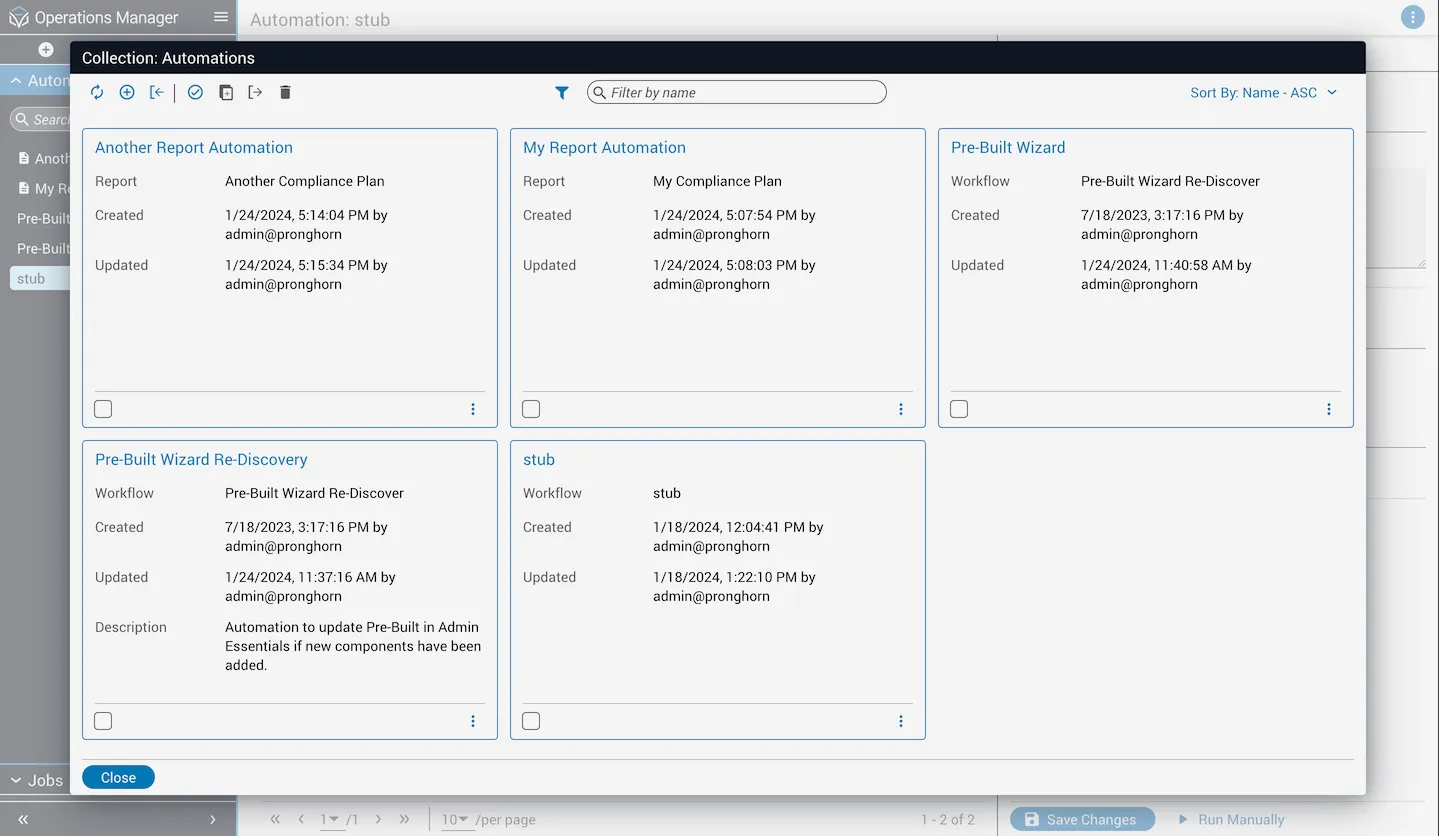
When viewing the Automations collection, both Workflow and Compliance Plan automations are shown by default.

Automations collection in Operations Manager

Filter by automation type

1

Open the filter menu

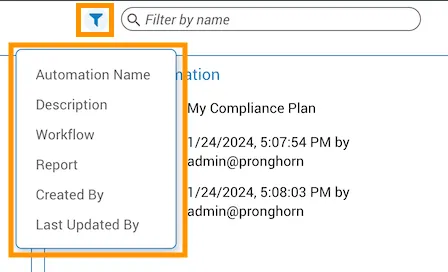
Hover over the Filter icon button to the left of the search field at the top of the collection dialog. A popover menu appears with several filter options.

Filtering a collection

Filter by workflow or report

Choose Workflow or Report from the filter popover menu to filter the Automations collection by type.

Filter by type

You can narrow results further by filtering for a specific report or workflow. Choose Filter by report or Filter by workflow in the dropdown at the top after selecting the appropriate filter type. A list of compliance plans or workflows displays. If the list is too long, filter it using the text box within the dropdown.

Filter by a specific report

Create automations for specific workflows or reports

If you filter by a specific workflow or compliance plan and no existing automations exist for that resource, a Create Automation button displays in the center of the collections dialog.

Create Automation button

Clicking Create Automation opens the Create Automation dialog with the previously selected filter options pre-filled.

Create Automation dialog with pre-filled options

Clicking Create from this dialog takes you to the newly created automation with the selected compliance report or workflow already associated.