setObjectKey
The setObjectKey task allows you to set a property with a value. You can access the property through its path, which is an array. The path identifies the property to change or process (modify).
This task modifies an object. The basic idea is that a value can be set by passing the object, a path, and the value that will be used to set the property. If the property does not exist (is undefined), a path to it will be created.
Potential use cases
With this task, you can change an item of data in a key value by specifying the path to the key. If a key is non-existent, this task can create the specified key in the object.
For example, given a data object like this:
By using setObjectKey, you can set a new key value for user such as experience ("senior", "junior", "entry"), or another demographic value such as location ("USA", "Canada", "Australia").
Consider another scenario: sometimes you may get a complex object back from an API endpoint with nested levels of data where a query may fail if the expected parameter is absent. You could use setObjectKey to set deeply nested properties on an object without needing to check if each key in the path already exists. The task sets the needed value without requiring you to manually verify each key’s presence.
Properties
Example 1
In the example shown below, all the incoming property variables (obj, path, value) are required. The selected reference task (used to define the data source) for each variable is job.
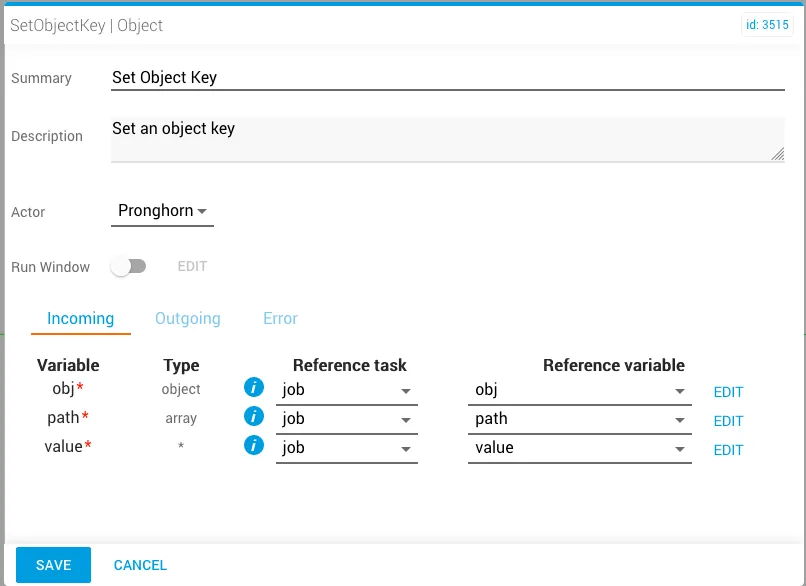
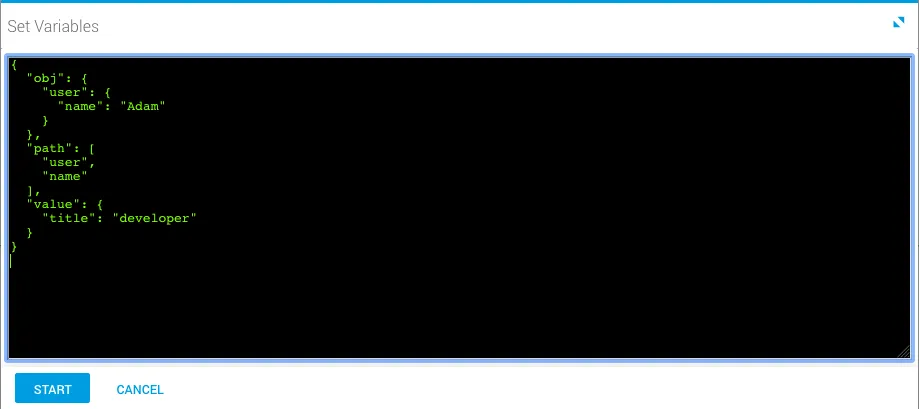
The job variables for setObjectKey are manually set prior to running the workflow.
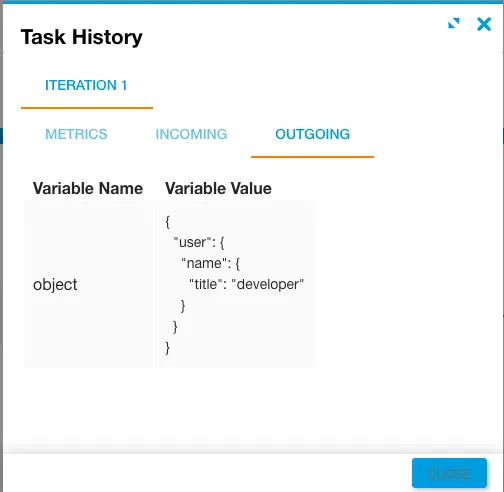
After running the workflow, the Outgoing tab in Task History (accessed from Jobs in Operations Manager) displays the result of executing the task. Notice the object was modified and the path now includes "title": "developer" as a set property value.
Example 2
In this example, notice the job variables that were set prior to running the workflow.
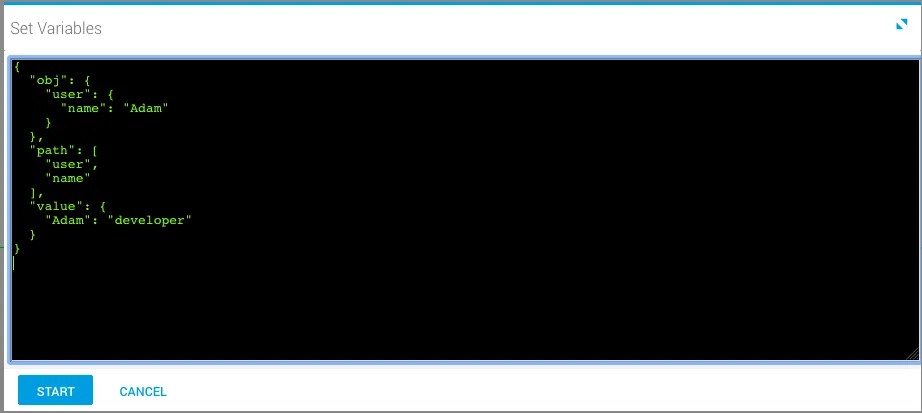
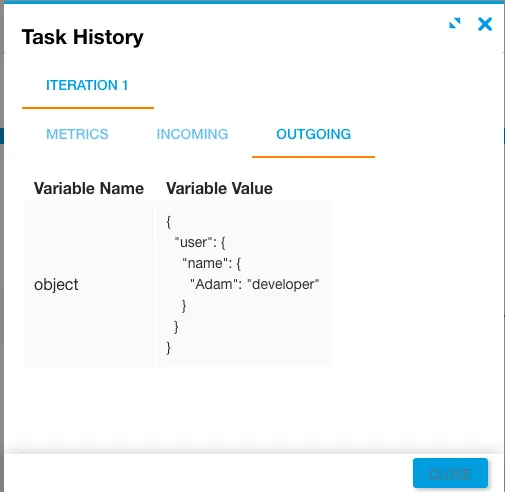
After running the workflow, the modified object is returned with "Adam":"developer" as a set property in the given path.