Use child job looping in workflows
Itential has reverted the deprecation of the forEach task, allowing it to remain in the platform. As a best practice, Itential recommends using a child job loop.
In workflow design, there are scenarios where a childJobLoop is preferable to a forEach task. Using childJobLoop improves workflow readability and promotes modularity by centralizing looping logic rather than duplicating it across multiple workflows. It also provides a cleaner way to run sequential and parallel loops through a child job task.
Convert a forEach task to a child job loop
The main components of the conversion are:
- Moving the looped task into its own child workflow.
- Replacing the forEach task with a child job task that iterates over the array.
- Mapping the input and output variables of the child job.
Create a child workflow
Create a new workflow containing only the tasks that were being looped in the forEach task. Cloning the original workflow and removing non-looping tasks is often the easiest approach.
Pass inputs directly to a child job (basic example)
Parent workflow
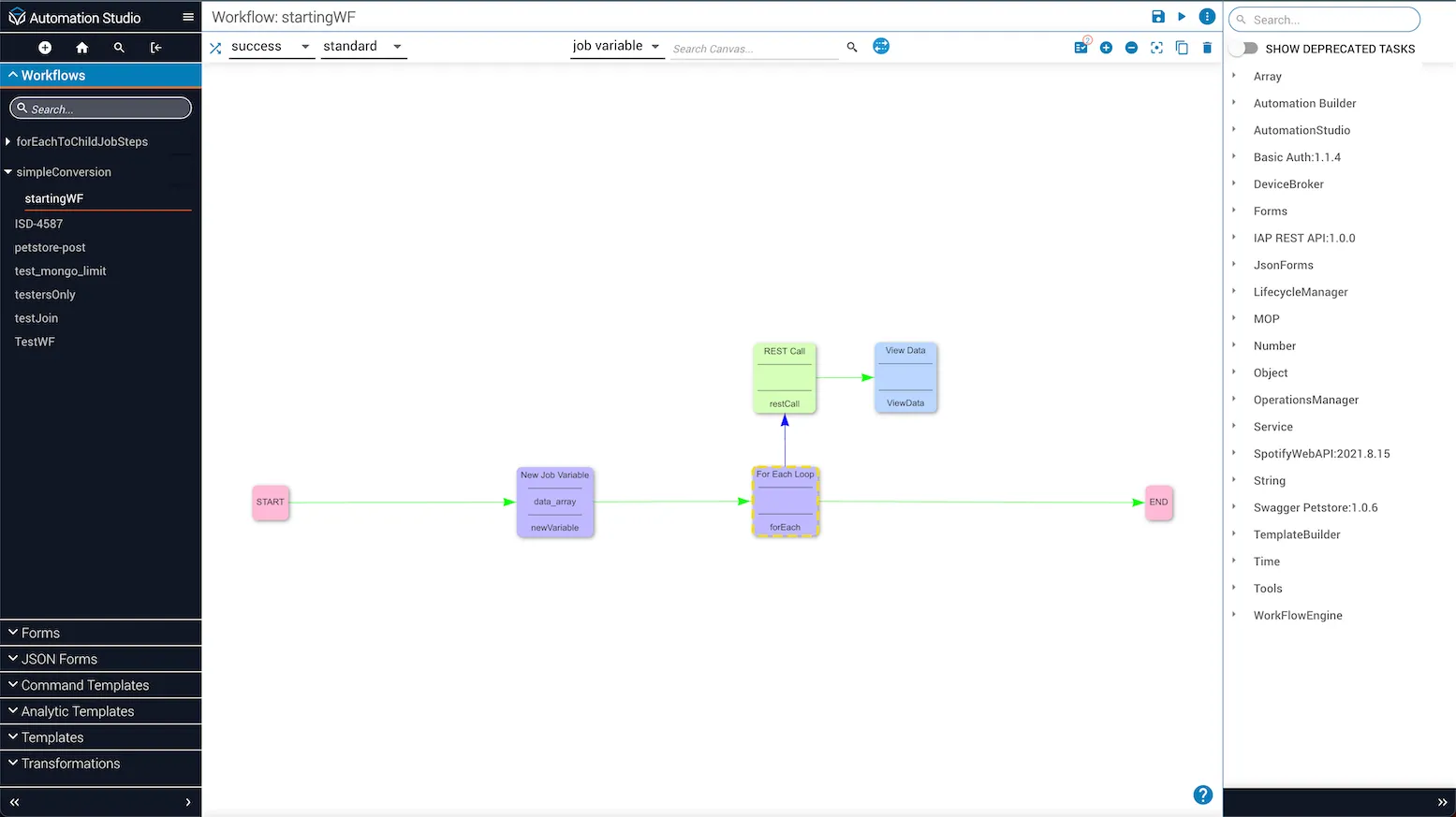
In the starting workflow, the forEach task iterates over an array [1,2,3]. For each iteration, the task makes a REST call to an API endpoint.
Create the child workflow
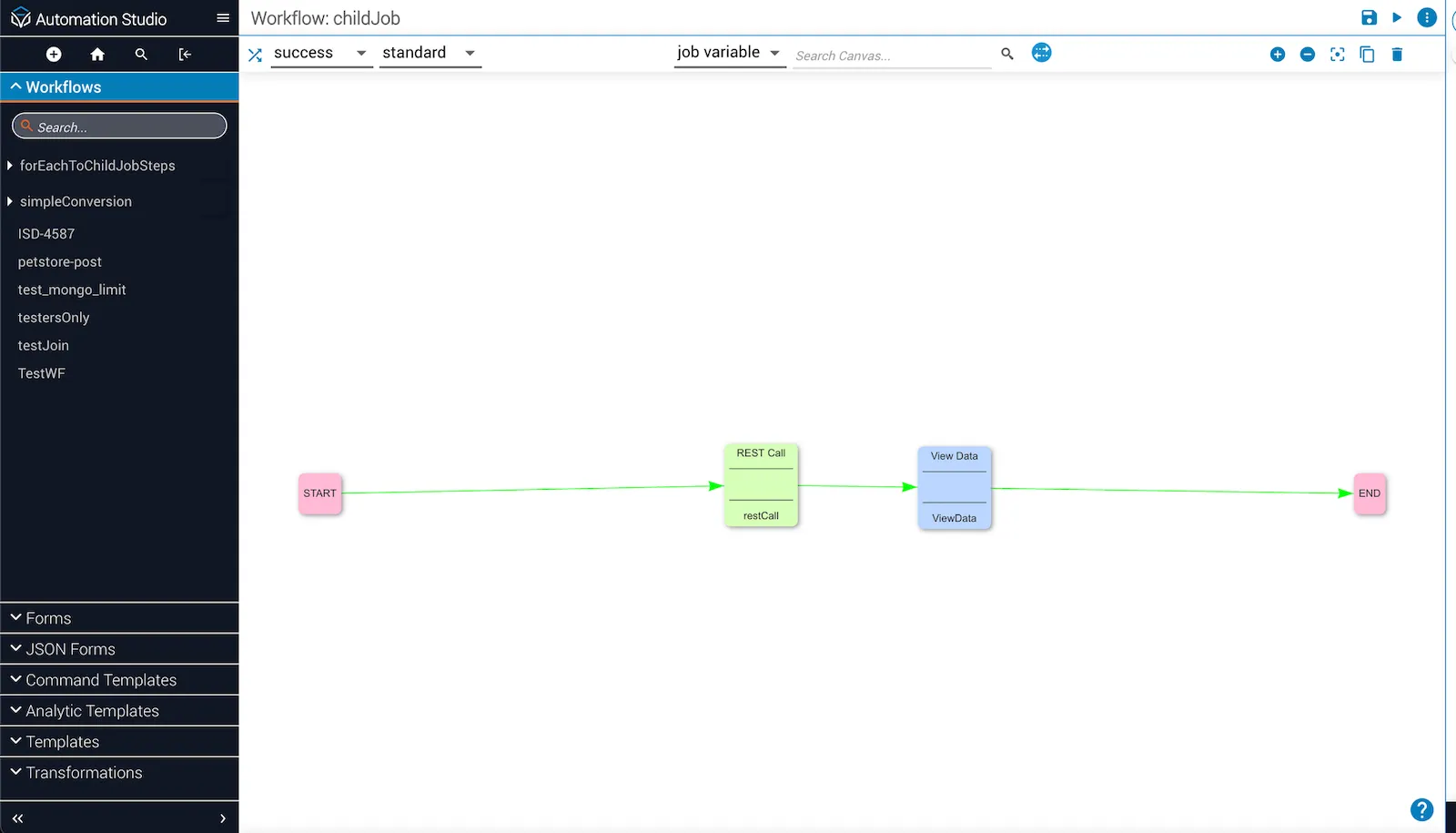
Create a child workflow for the task being looped. Clone the original workflow and leave only the looping tasks.
Replace forEach with child job
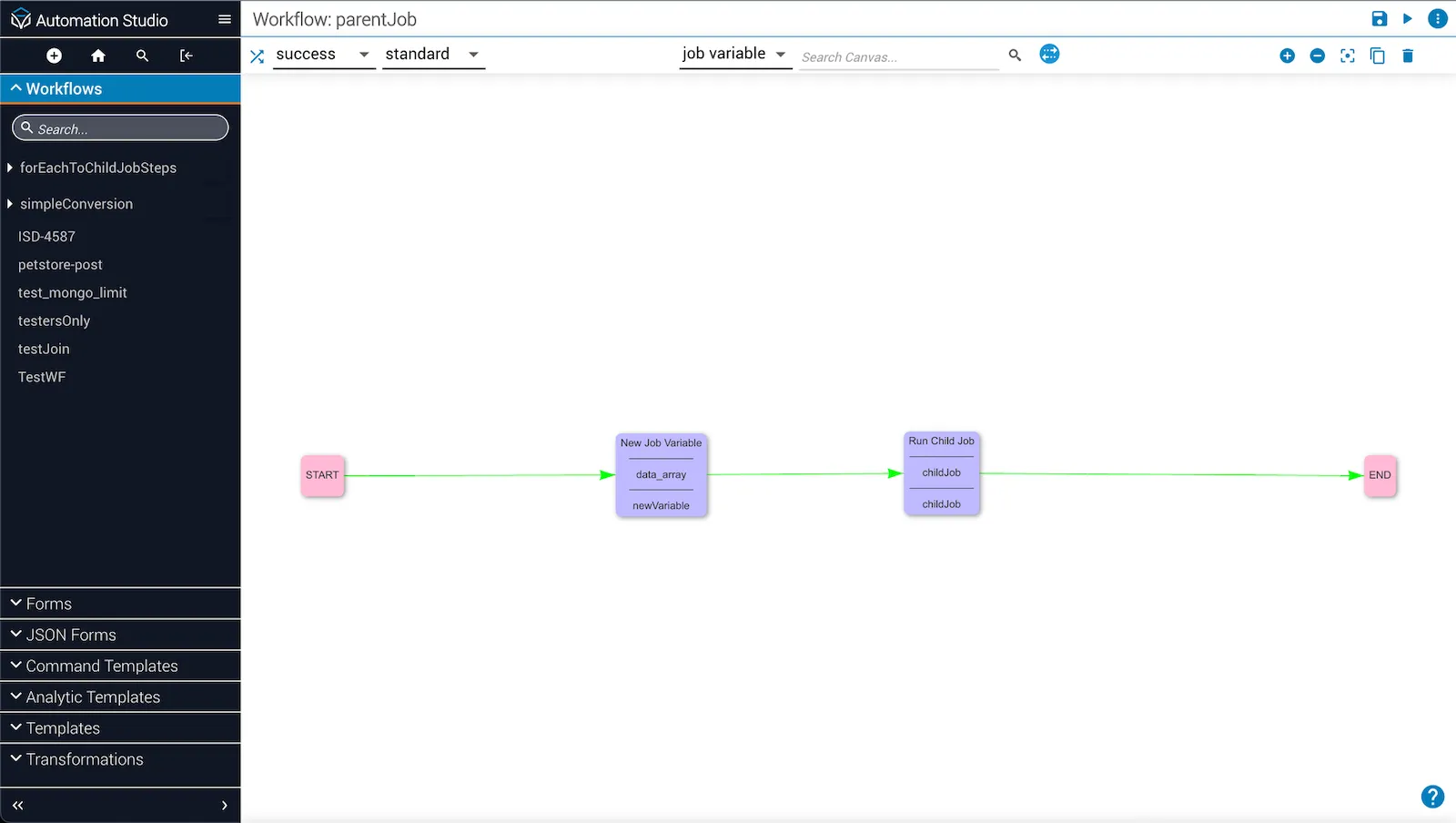
In the parent workflow, remove the forEach task and replace it with childJob.
Set the loop type
Open the task details for the child job task. Update the Workflow, Loop Type, and Loop Array fields. Use Sequential for Loop Type. Click Save.
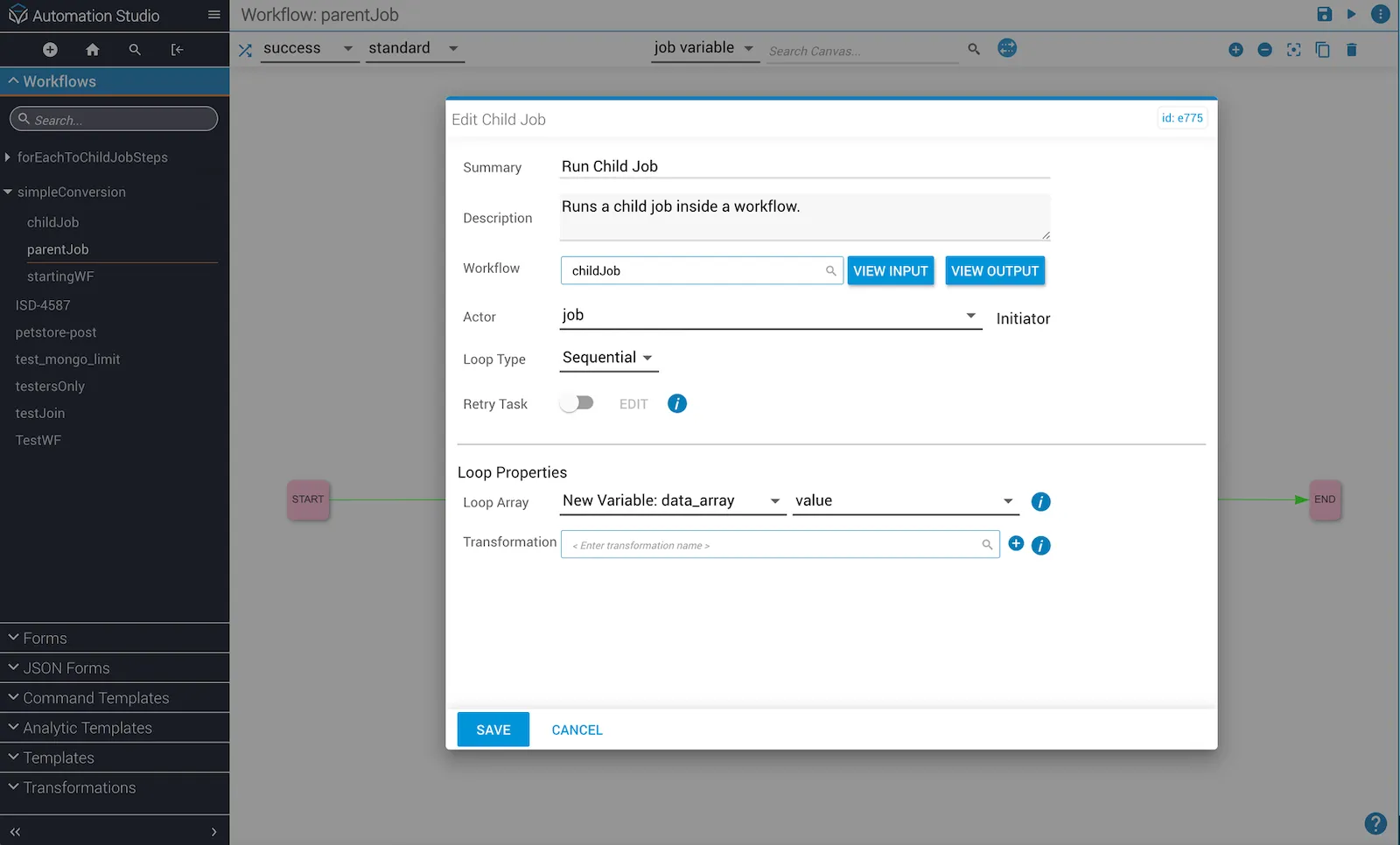
Convert array to objects
The values passed to the child job task must be objects. Open the New Job Variable in the parent workflow and change the data_array input to [{},{},{}]. Click Save.
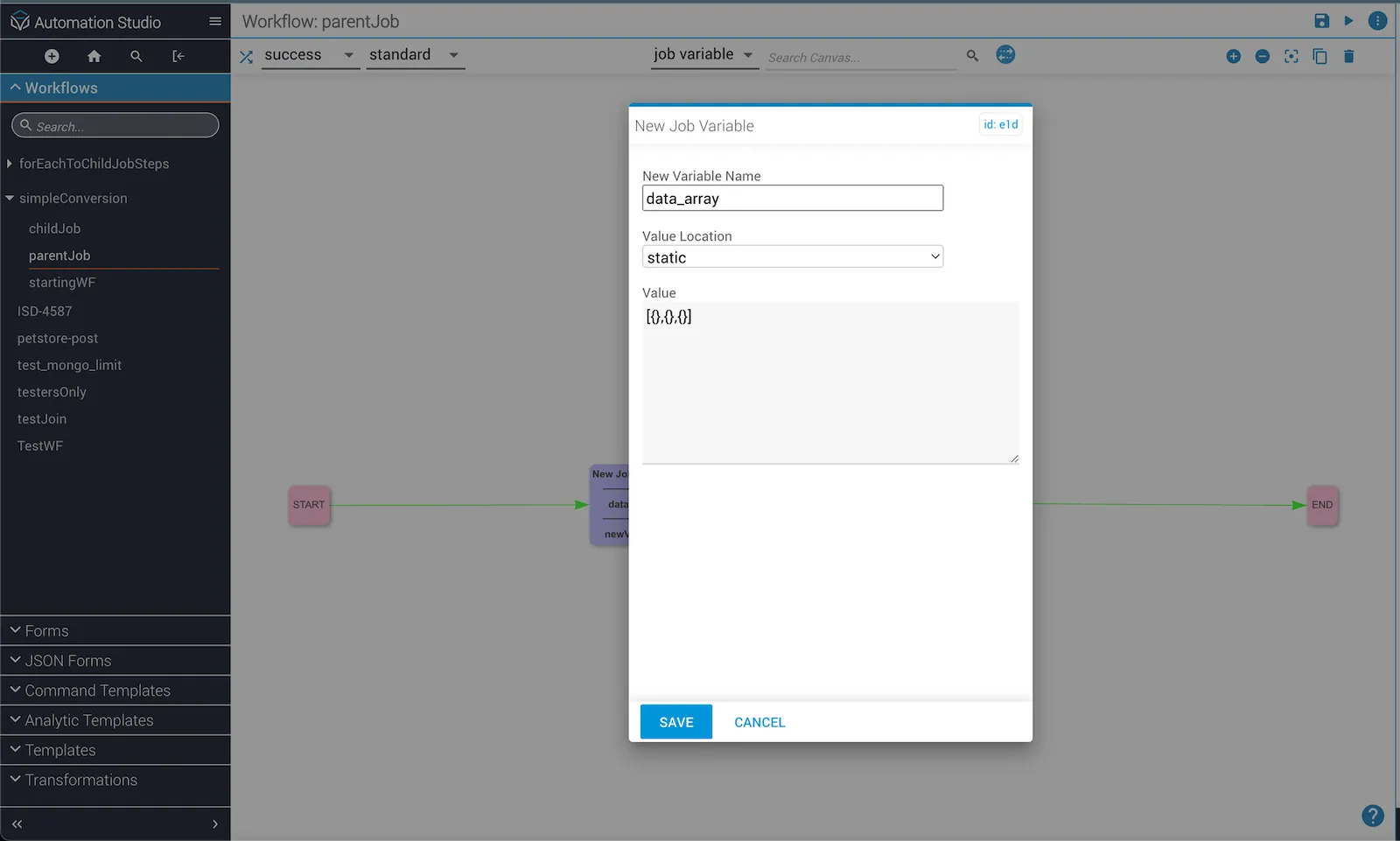
Run the workflow
Click Run to execute the workflow and confirm the conversion is complete.
Use transformations to pass inputs to a child job (advanced example)
This example builds on the basic example above and demonstrates using a JST to map loop array values to child job inputs.
Restore the parent workflow
Open the New Job Variable and change data_array back to "[1,2,3]". Click Save to restore the original state.
Create a JST
Open the task details for the child job task. Click the + icon next to the Transformation field to create a JST that maps the Loop Array to input values for the child workflow.
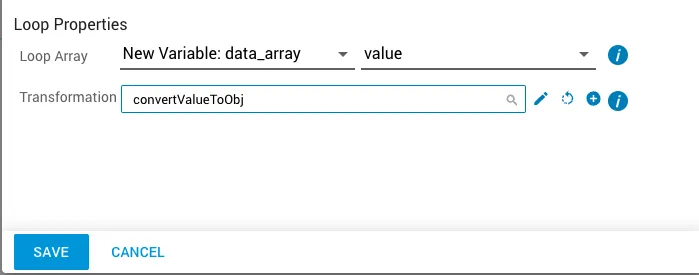
Set the outgoing schema
On the JST page, set the outgoing schema with an id of num and a type of integer. This allows the data_array variable to be passed to the outgoing schema using the original [1,2,3] input array. Save and close the JST.
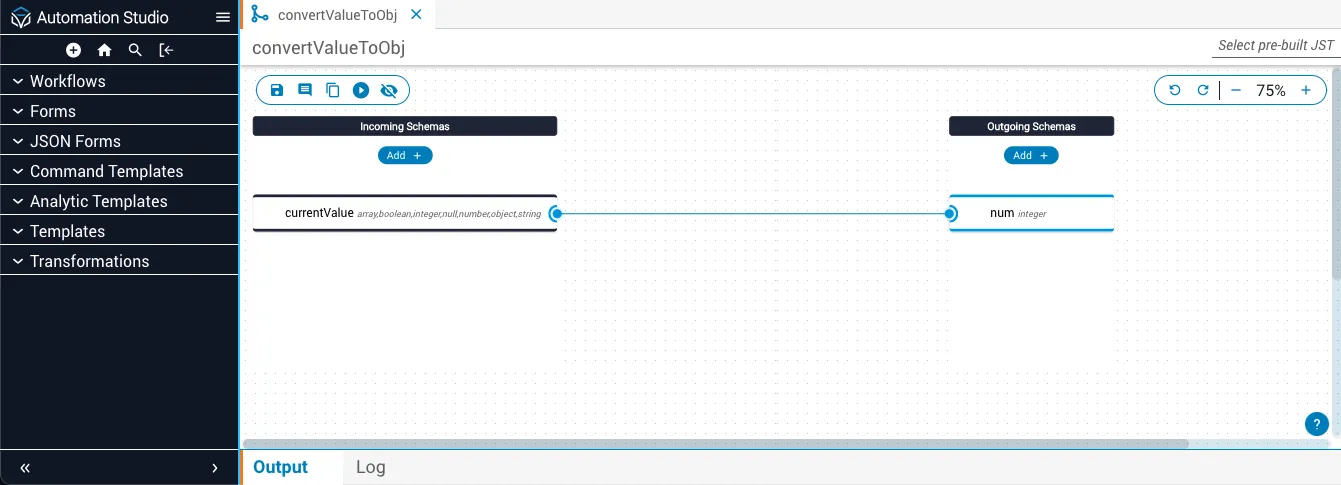
Configure the viewData task input
Open the task details for the viewData task. For the message variable, change Reference task to job and Reference variable to message. Click Save.
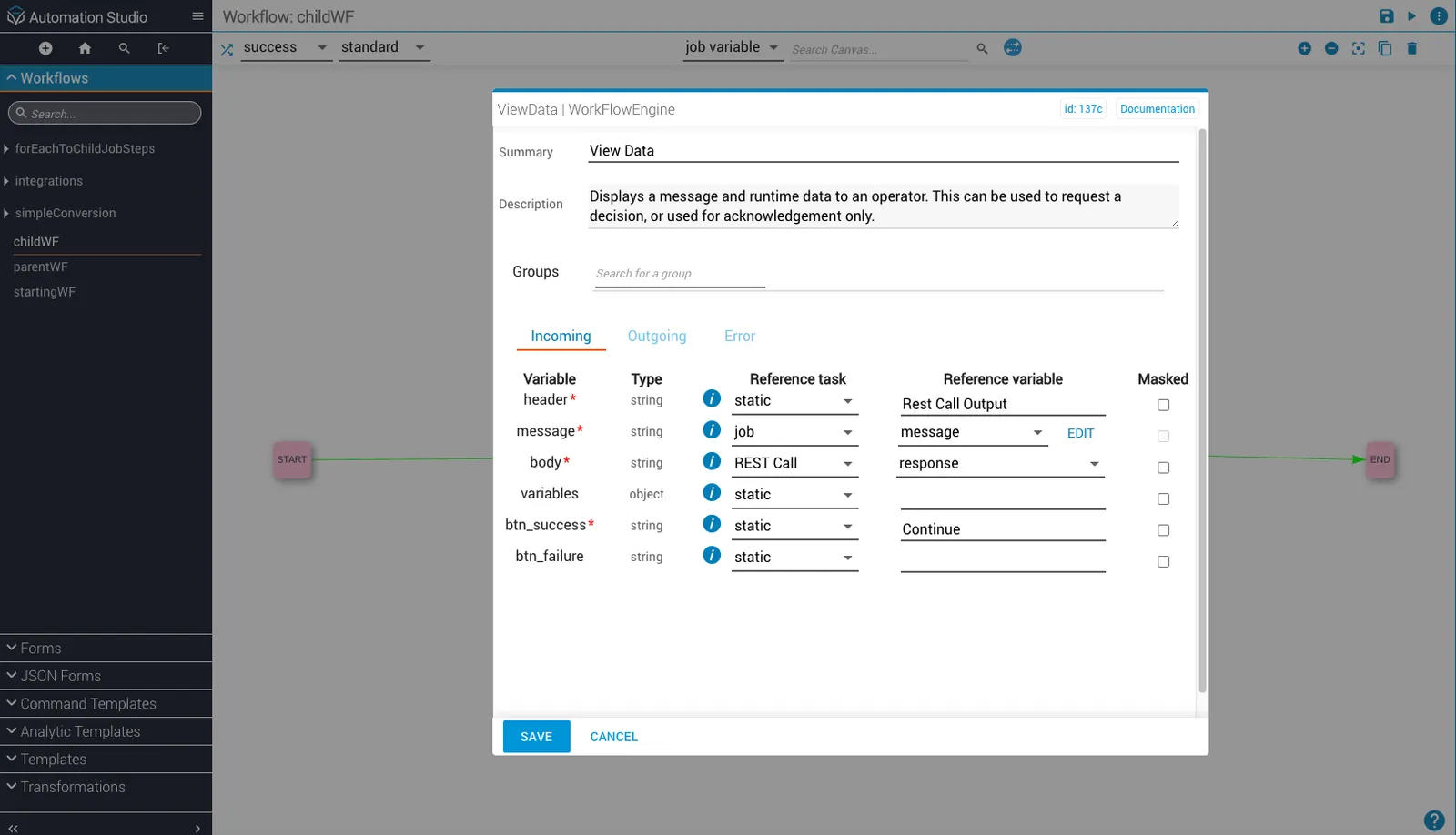
Use the JST to pass $id of message instead of num. This creates the object array [{"message":1},{"message":2},{"message":3}] that is passed to the child job task.
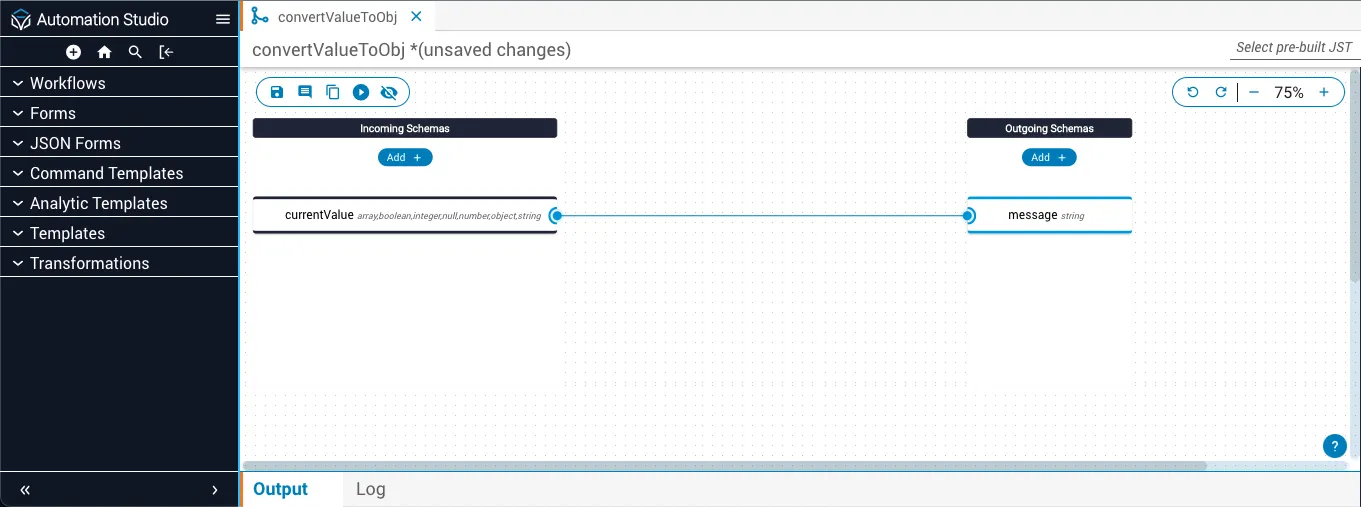
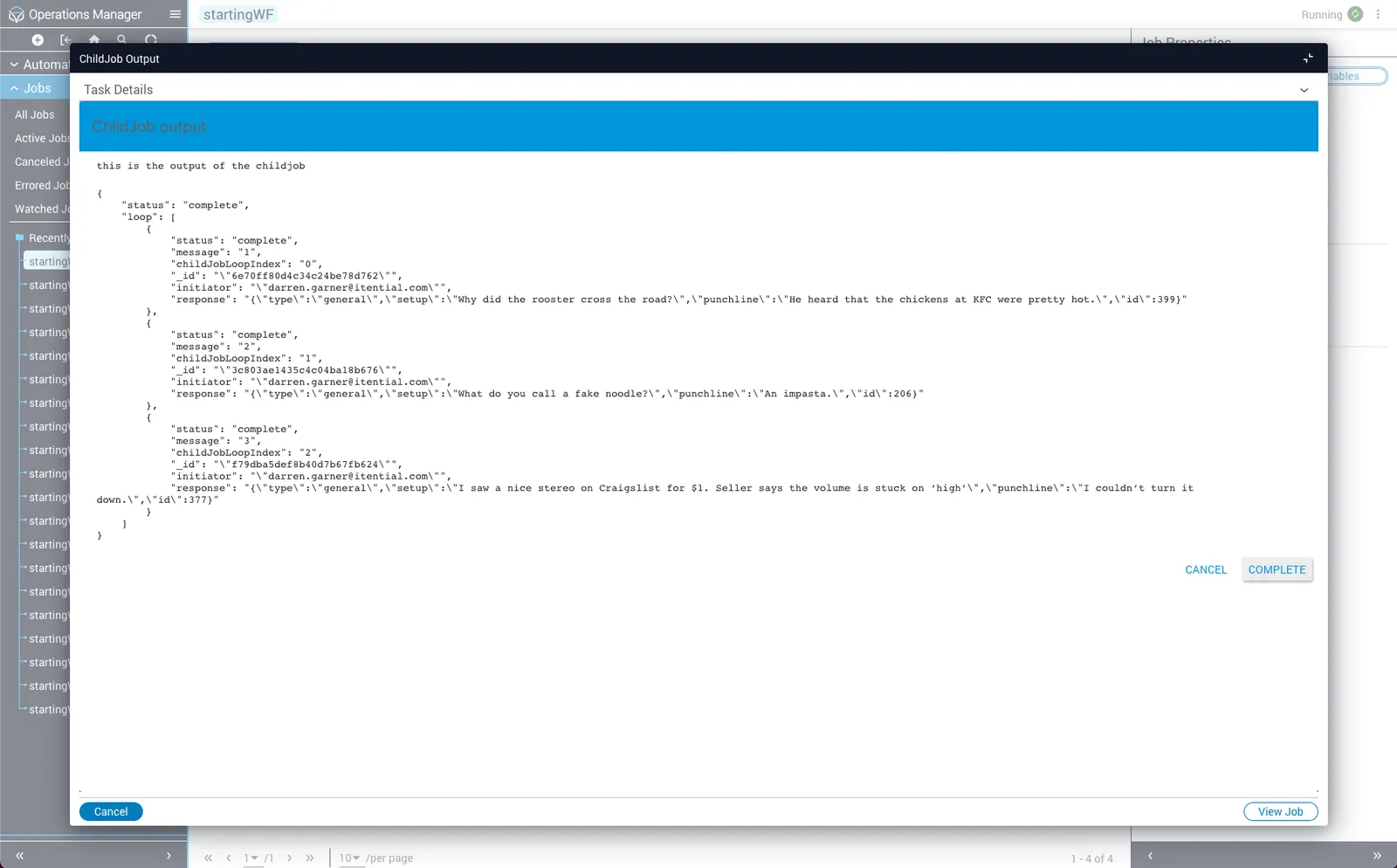
Save the transformation, return to the parent workflow, and click Run. After completing each child job, the Rest Call Output is visible.
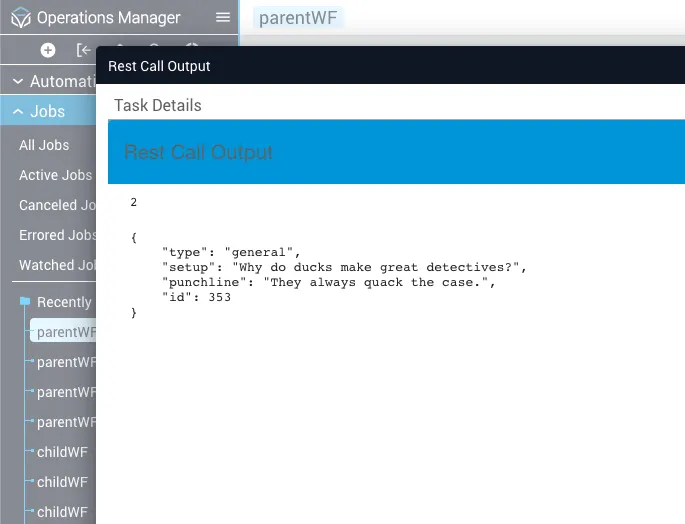
Capture child job task output
If the parent workflow requires the output of the child job task, use the output data from job_details. Add a viewData task and configure it to receive job_details as input.
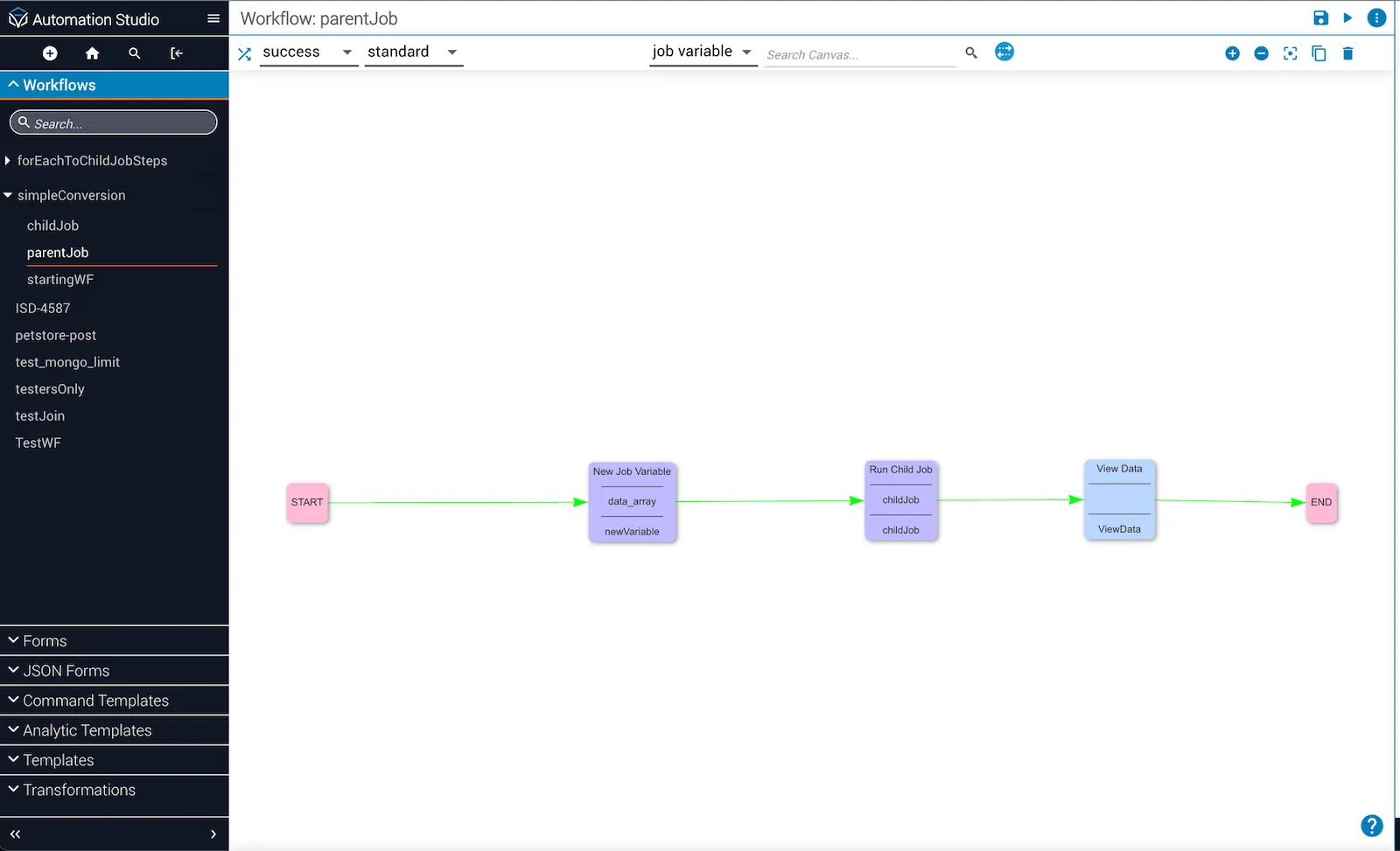
Pass the job_details output to the body variable.
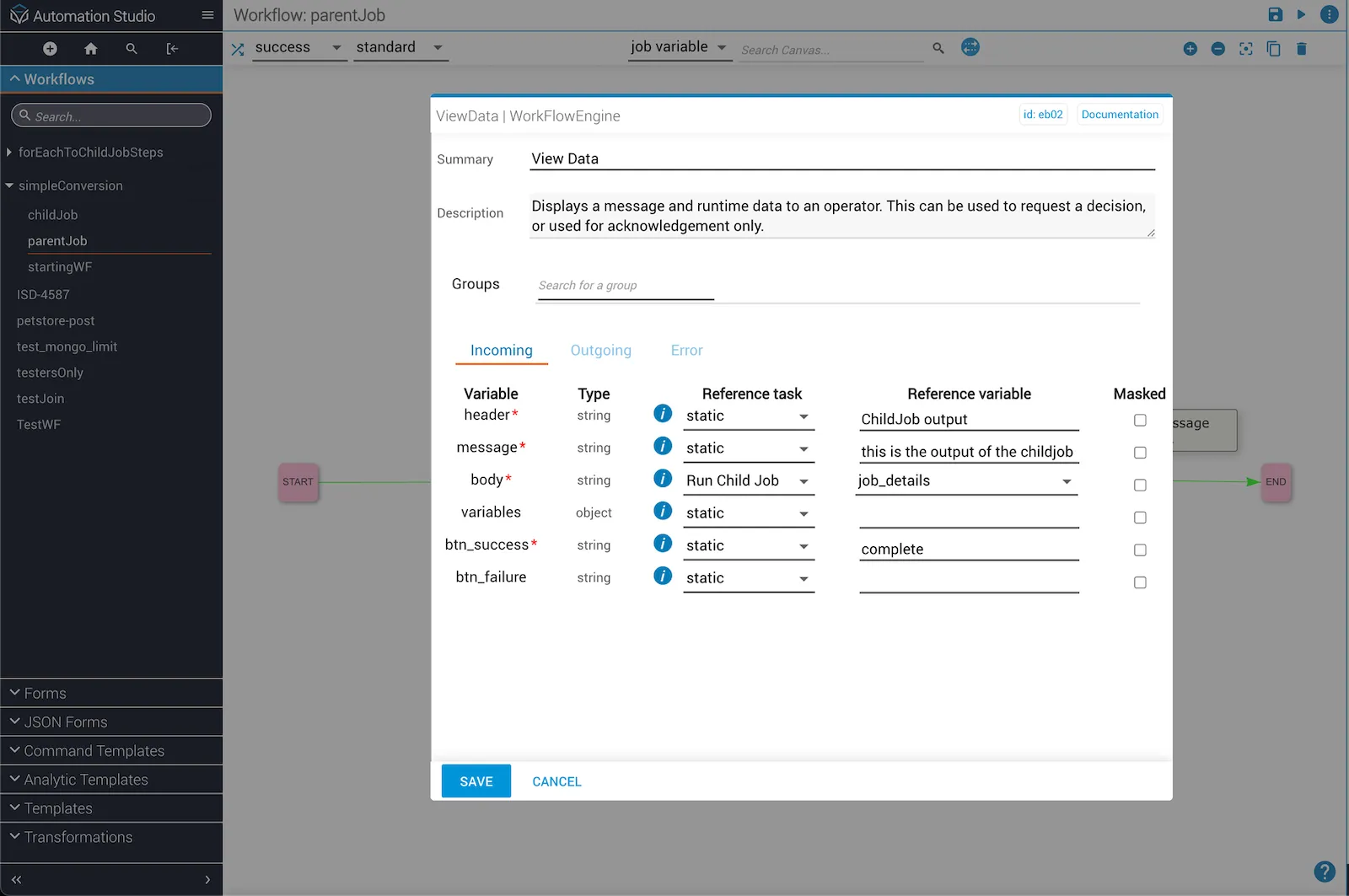
Run the parent workflow and work through each child job’s viewData task. The job_details of the child job task appear as output per iteration.
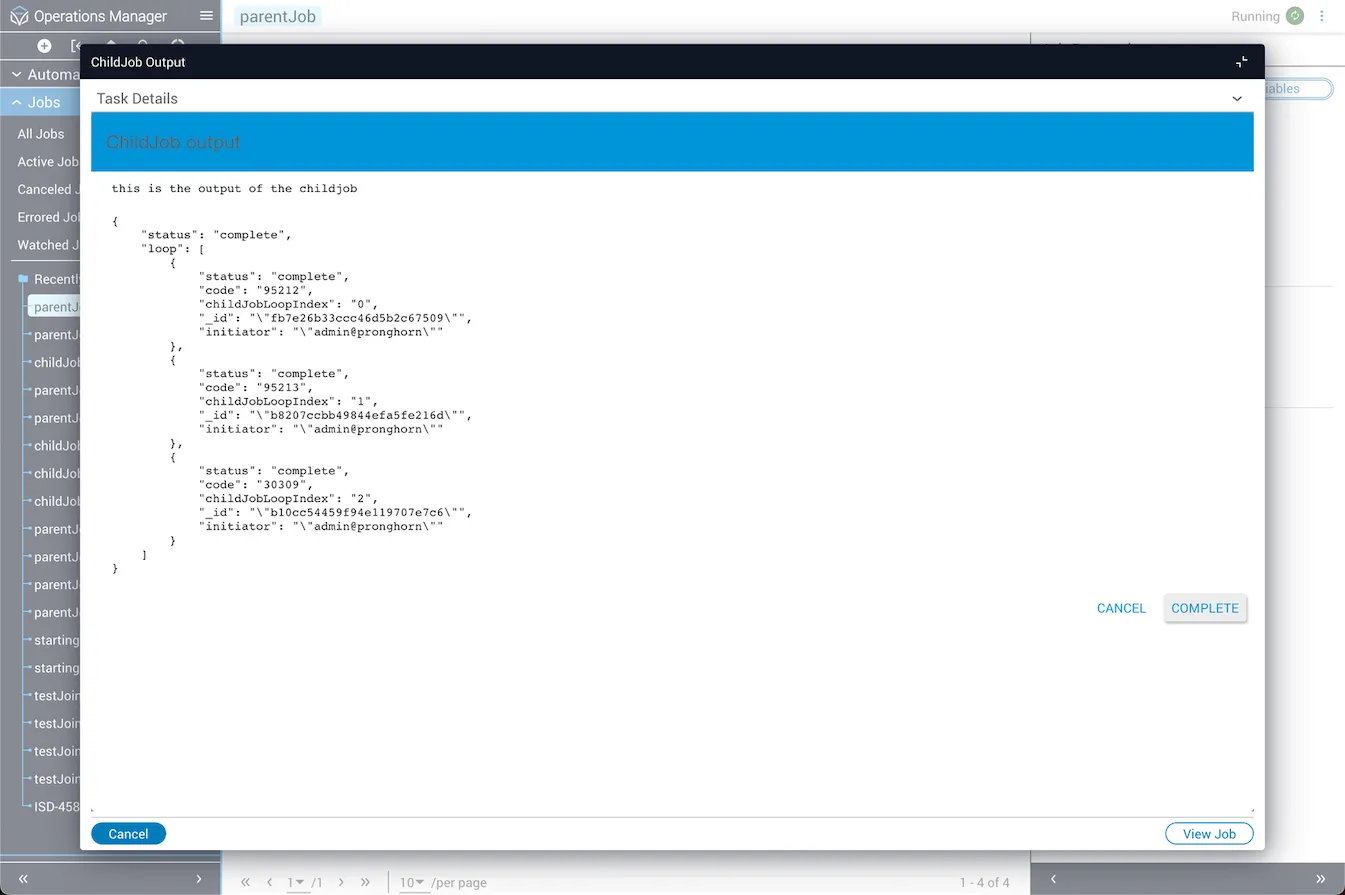
Note that no job variables may be visible initially. To get the REST API call output, open the child job in designer mode, select the RestCall task, and check the Job Variables box under Outgoing.
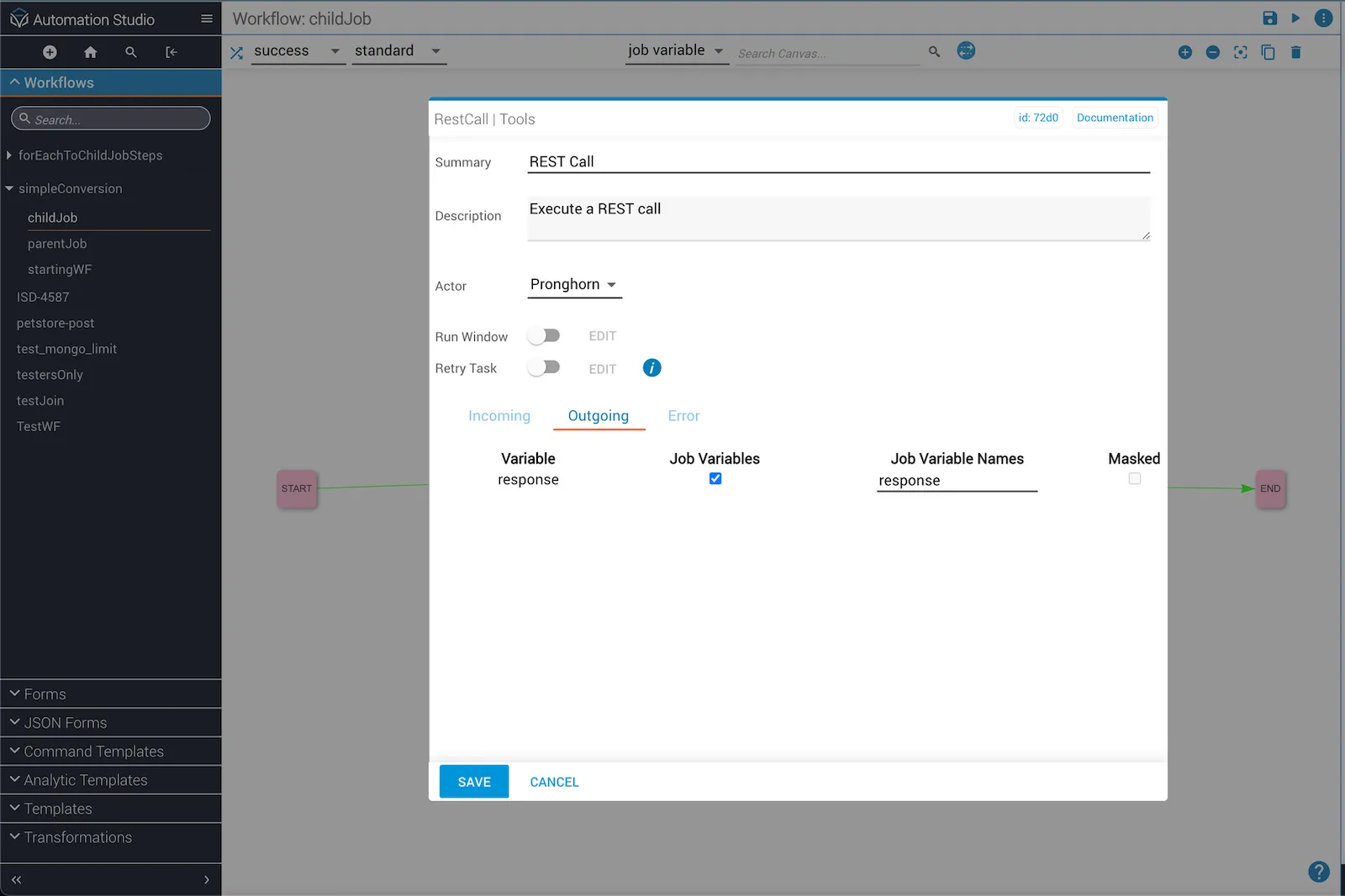
After running the parent workflow again, the job_details output for each child job iteration includes the REST call results.