CLI ordering in Golden Configuration
Golden Configuration enables you to check for the existence of a line and then determine whether the existence of that line (or lack thereof) is a compliance failure. However, Golden Config strictly checks whether a line is present or not—it has no concept of whether the line is in the correct order. In scenarios with ACLs (access control lists), native existence checks may not be sufficient since the order of the configuration elements (IP Addresses) is paramount.
This is where CLI Ordering extends the functionality of Golden Config. It allows you to define a configuration scope where ordering of the elements needs to be accounted for. In this guide, you will learn how to enable order checking and how to exclude certain elements from order checking.
Ordering types
First it is important to know the difference between the two supported types of ordering: strict ordering and loose ordering.
Strict ordering
Strict ordering declares that the order of the configuration elements must be exactly as defined and it must also be consecutive. Meaning that every element starting from the first element must match the defined order along with every consecutive element in the configuration.
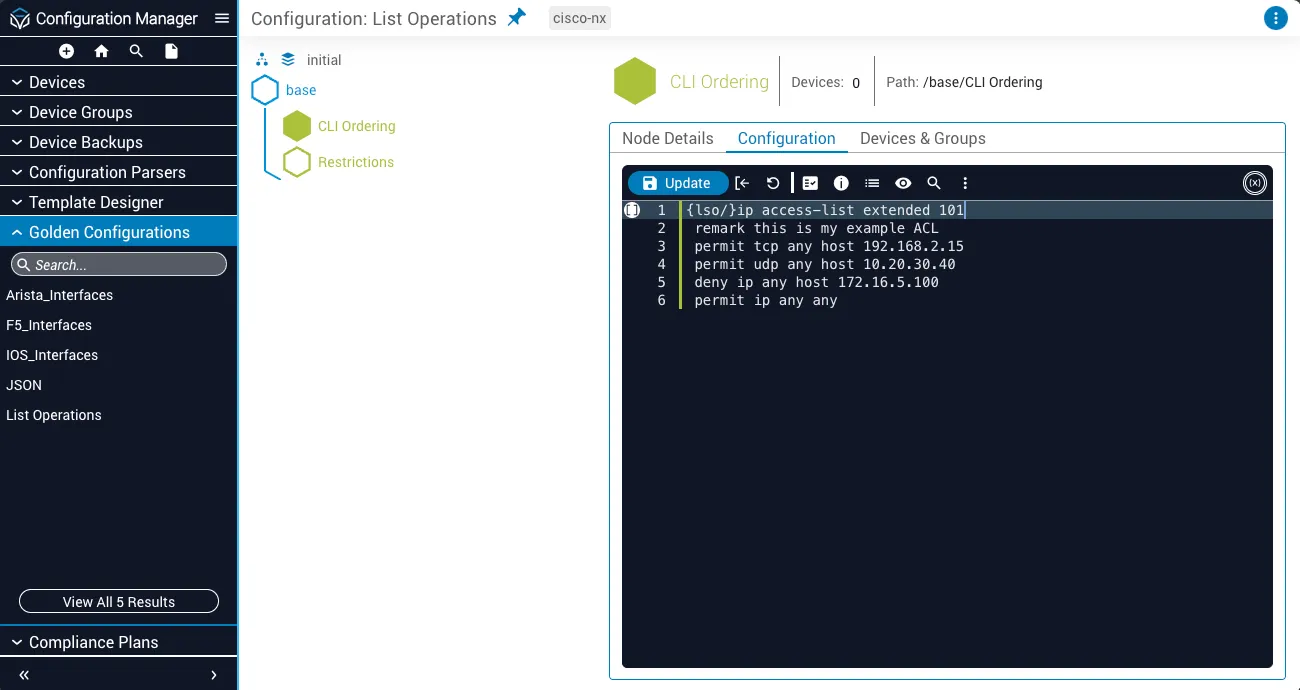
For example, observe this Golden Configuration snippet where a configuration scope is defined to have strict ordering, denoted by the {lso/} (list strictly ordered) tag:
This configuration expects the device to contain an ip access-list extended 101 in which the first element to the fourth element must be exactly as stated in the declaration. Any element that does not match the desired index will generate a compliance failure indicating that array ordering rules were not met for the specific elements that were out of order.
Loose ordering
Similarly, loose ordering is defined using the tag {llo/} (list loosely ordered). Loose ordering checks that the order you define in Golden Config is met but as long as each consecutive configuration element exists anywhere after the current element, then the ordering is satisfied.
Take the same configuration as strict ordering from above but assign it the loose ordering tag:
This loose ordering would indicate that:
permit tcp any host 10.20.30.40must exist somewhere afterpermit udp any host 192.168.2.15deny ip any host 172.16.5.100must exist somewhere afterpermit tcp any host 10.20.30.40permit ip any anymust exist somewhere afterdeny ip any host 172.16.5.100
Loose ordering does not require these elements to be consecutive. Meaning that as long as the order is satisfied from one line to the next, the existence of elements between them will not generate a compliance failure.
With that stated, the following configuration would pass the loose ordering test based on the declaration above:
Exclude item from list ordering
You may run into a scenario where you want to check the ordering of items within a scope but you also want to check the existence of other items where ordering is not important.
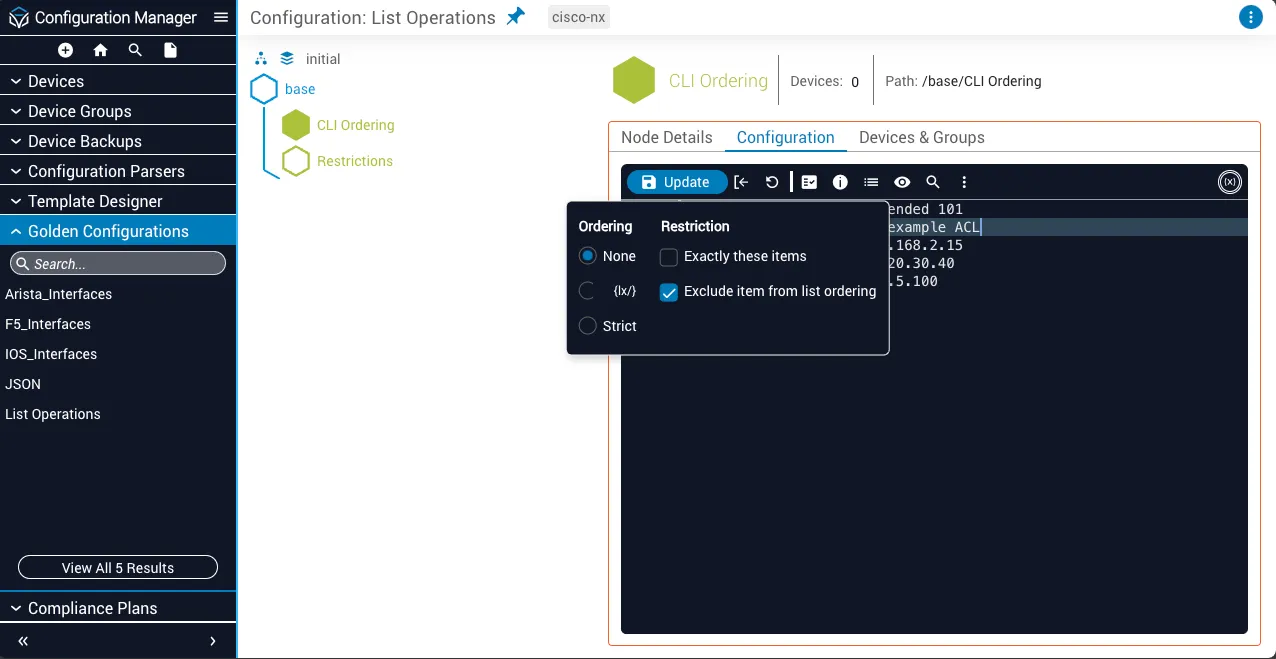
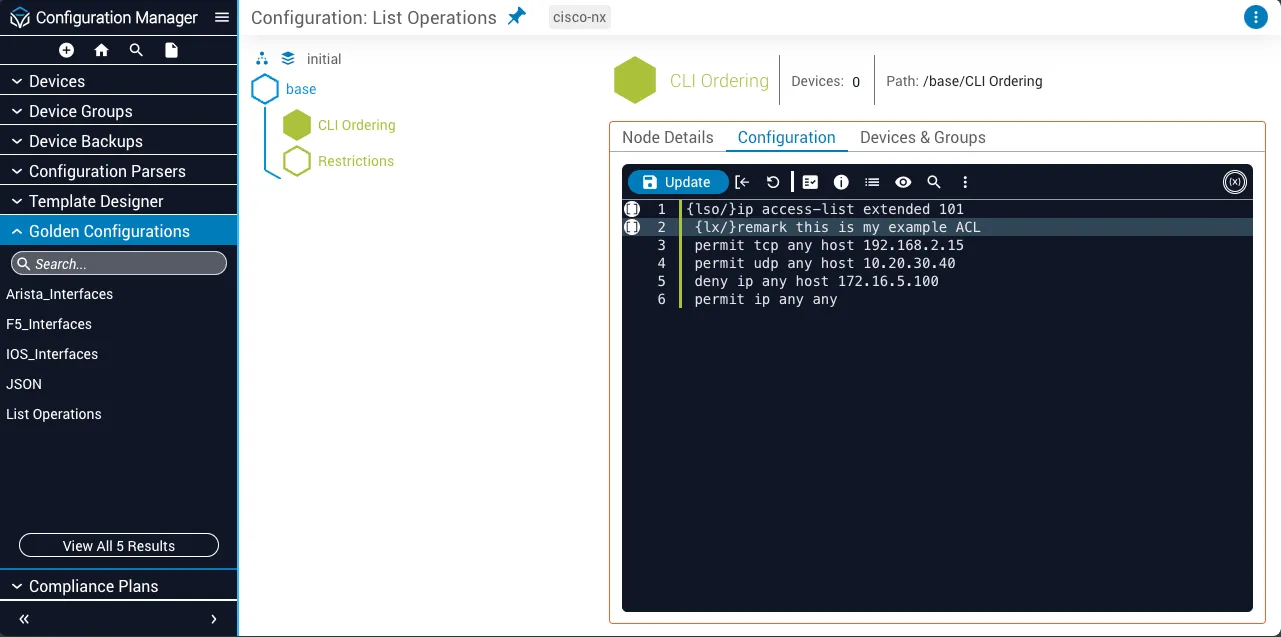
In the ACL example, if you want to check the ordering of elements in the ACL but also want to add a remark to add a description to the ACL, then the remark is not relevant to the ordering of the configuration. You can exclude items in an ordered configuration scope by using the tag {lx/} (list exclude).
Take the following example of an ACL declaration where a remark is added and excluded from order checking:
Since the remark is excluded, it will get checked for existence, whereas the remaining configuration will also get checked for ordering.
Assign ordering rules
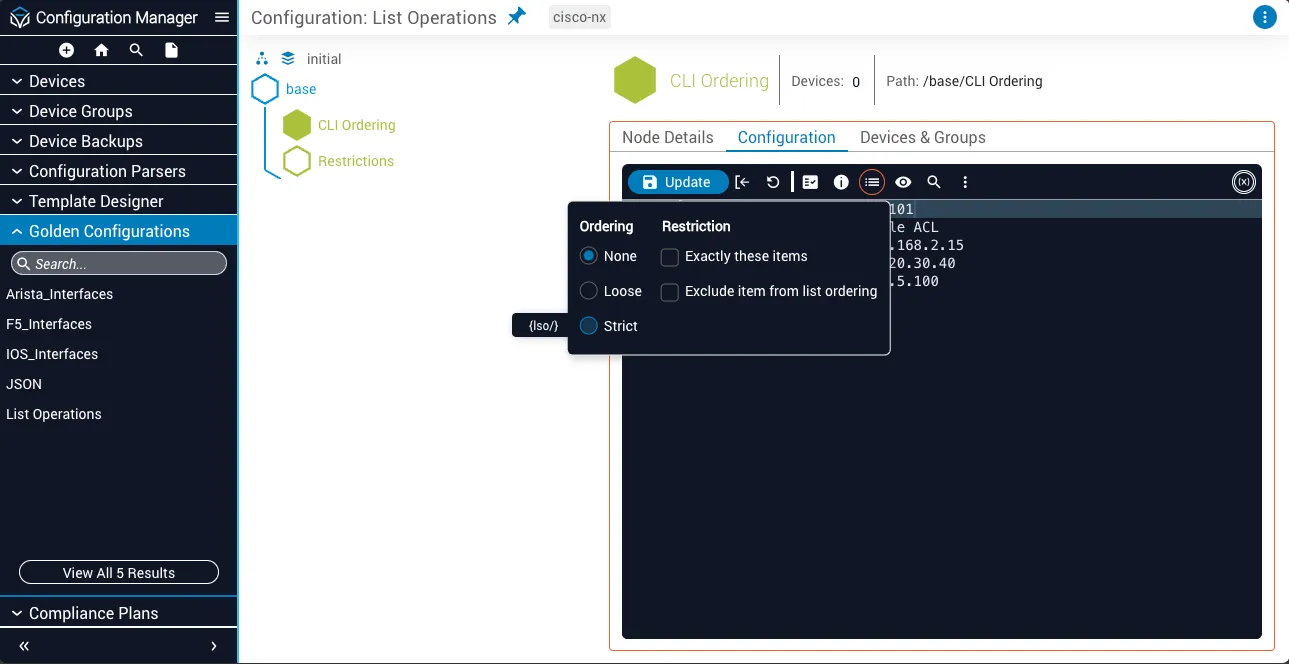
Ordering rules can be assigned from the toolbar menu in the Configuration tab of a Golden Configuration:
Select parent configuration line
Select the parent configuration line whose child elements you want to check the ordering of.
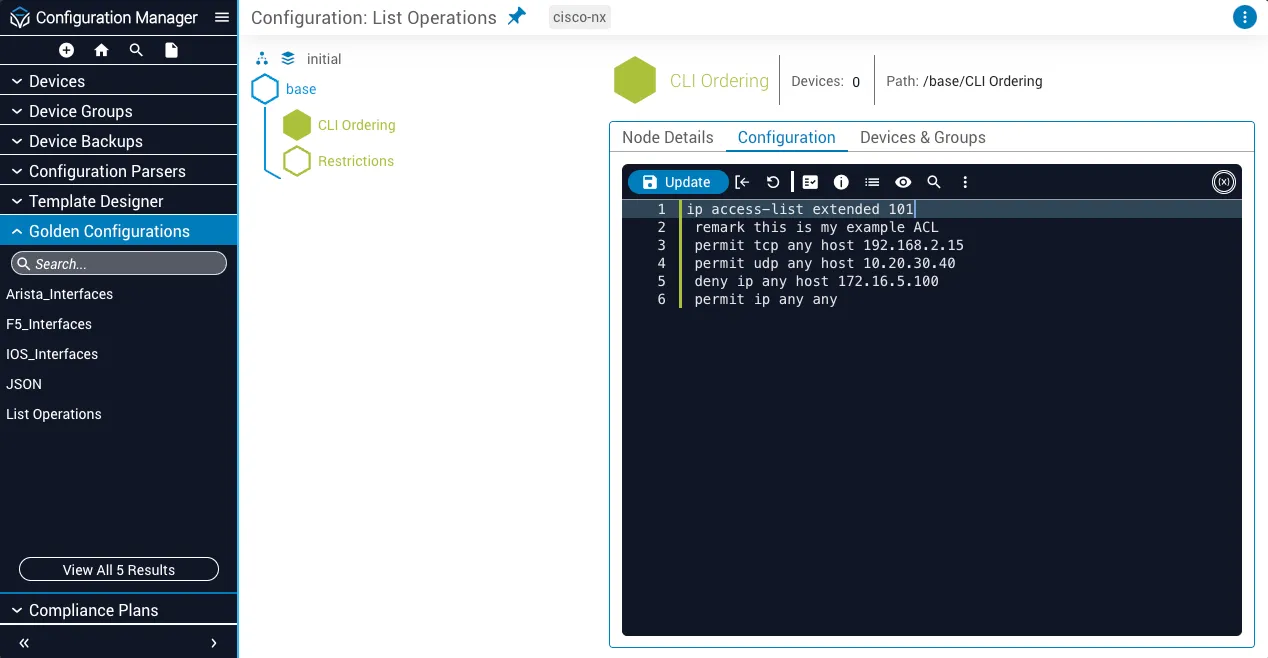
Assign ordering exclusion rule
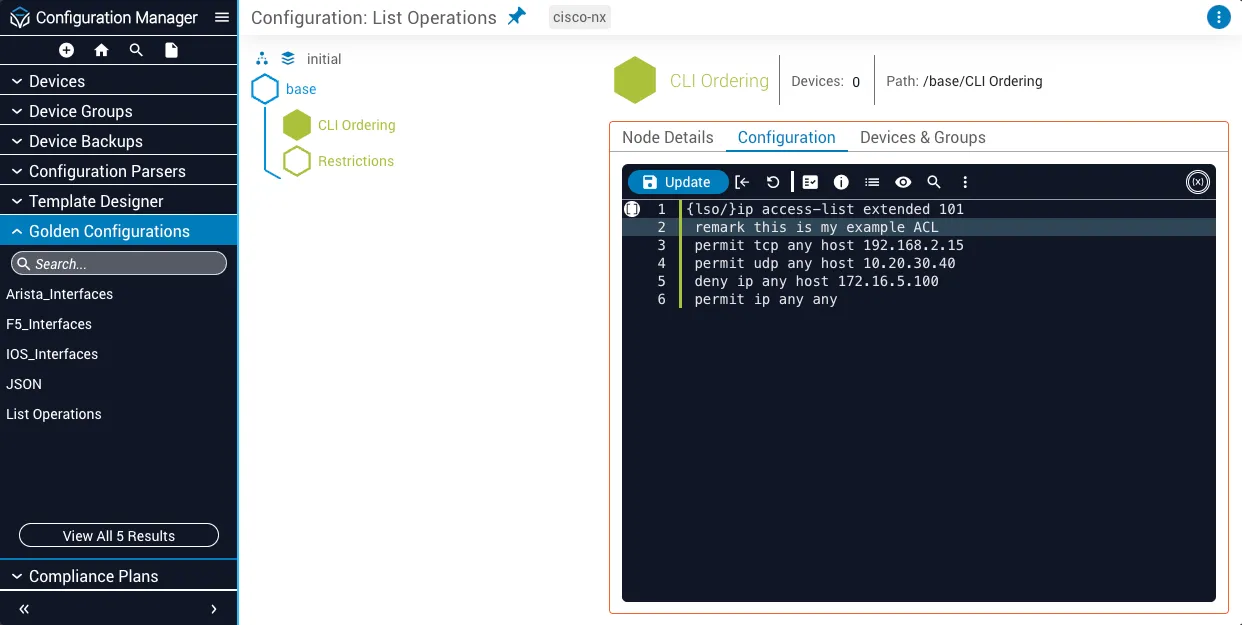
To exempt a configuration line from order checking, you can add the exclusion rule through the same menu:
Select child configuration line
Select the child configuration line you want to exempt from order checking.
CLI exclusivity
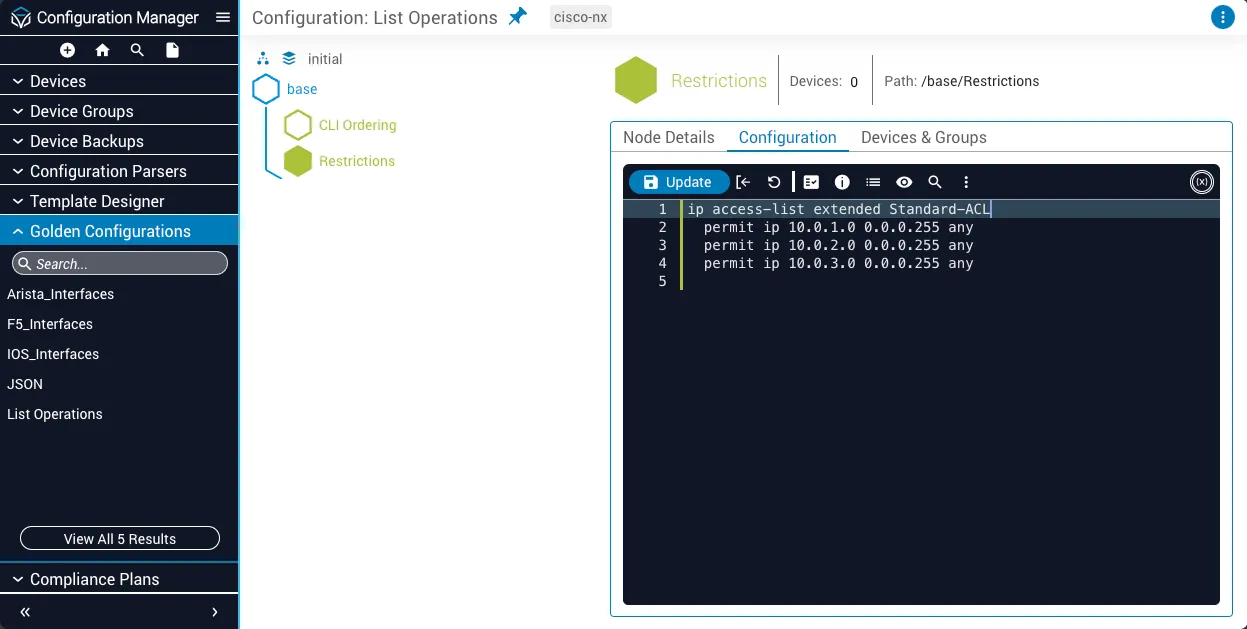
You may run into a scenario where you want to check the existence of the elements you defined but also want to automatically disallow anything else that you did not specifically define. This concept can be referred to as Ghost Configuration. Golden Configuration now enables you to check for Ghost Configurations using the {only/} tag.
Ghost Configuration checking rules can only be assigned to a parent configuration line; therefore only child elements can be identified as ghost elements.
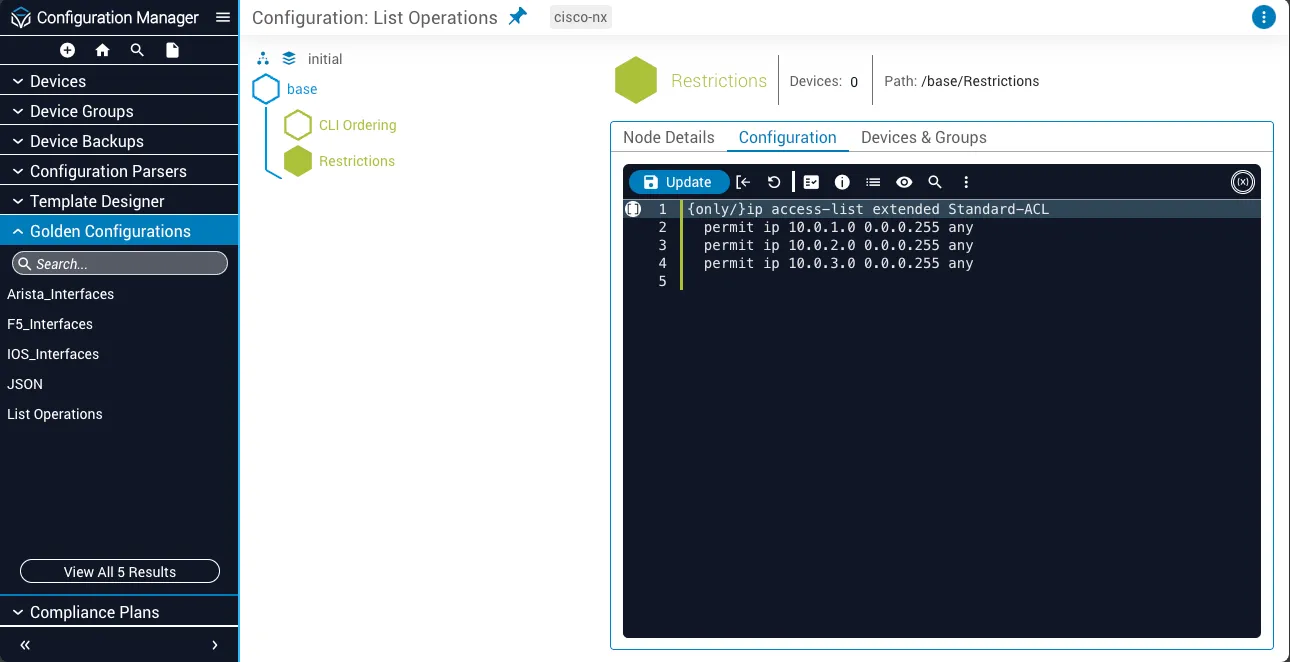
In the following example, the {only/} tag is assigned to the parent ACL element to check for Ghost Configuration. This will ensure the three IP addresses you have defined in your configuration exist and any other configurations found in the scope of that ACL will automatically get tagged for removal in a compliance report.
Assign CLI exclusivity
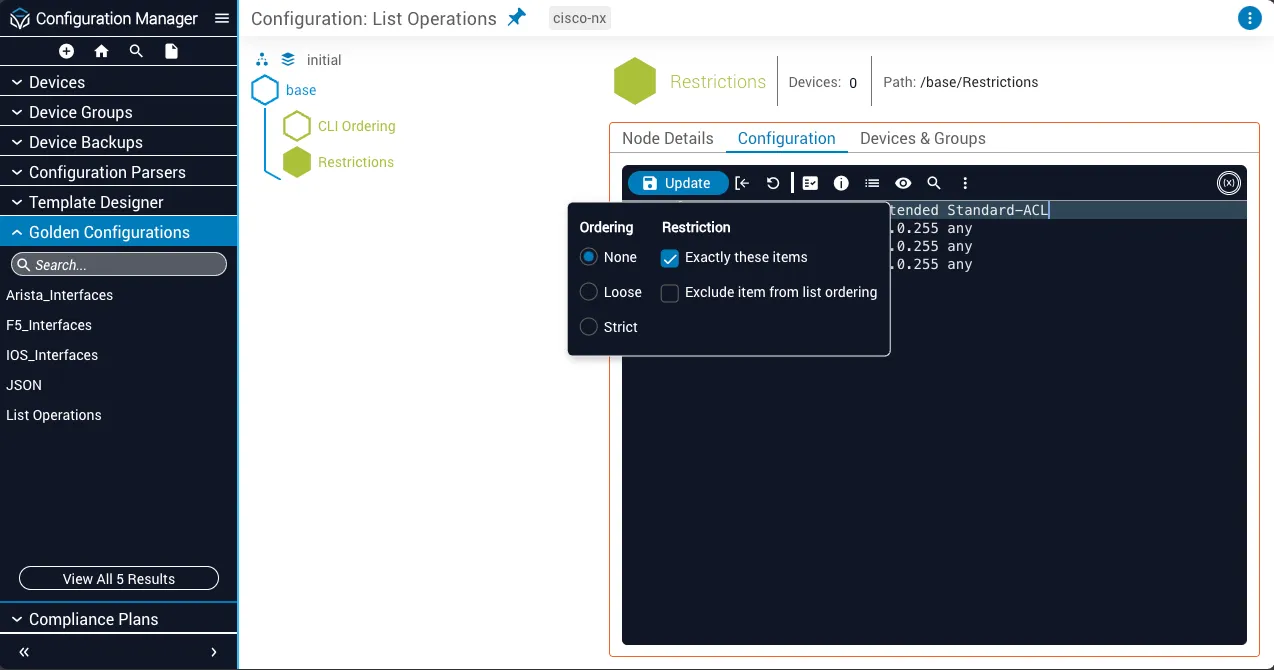
Exclusivity can be assigned from the toolbar menu in the Configuration tab of a Golden Configuration: