

excelToJson
The excelToJson task converts a Base64-encoded Excel file to JSON format.
Properties
How to configure
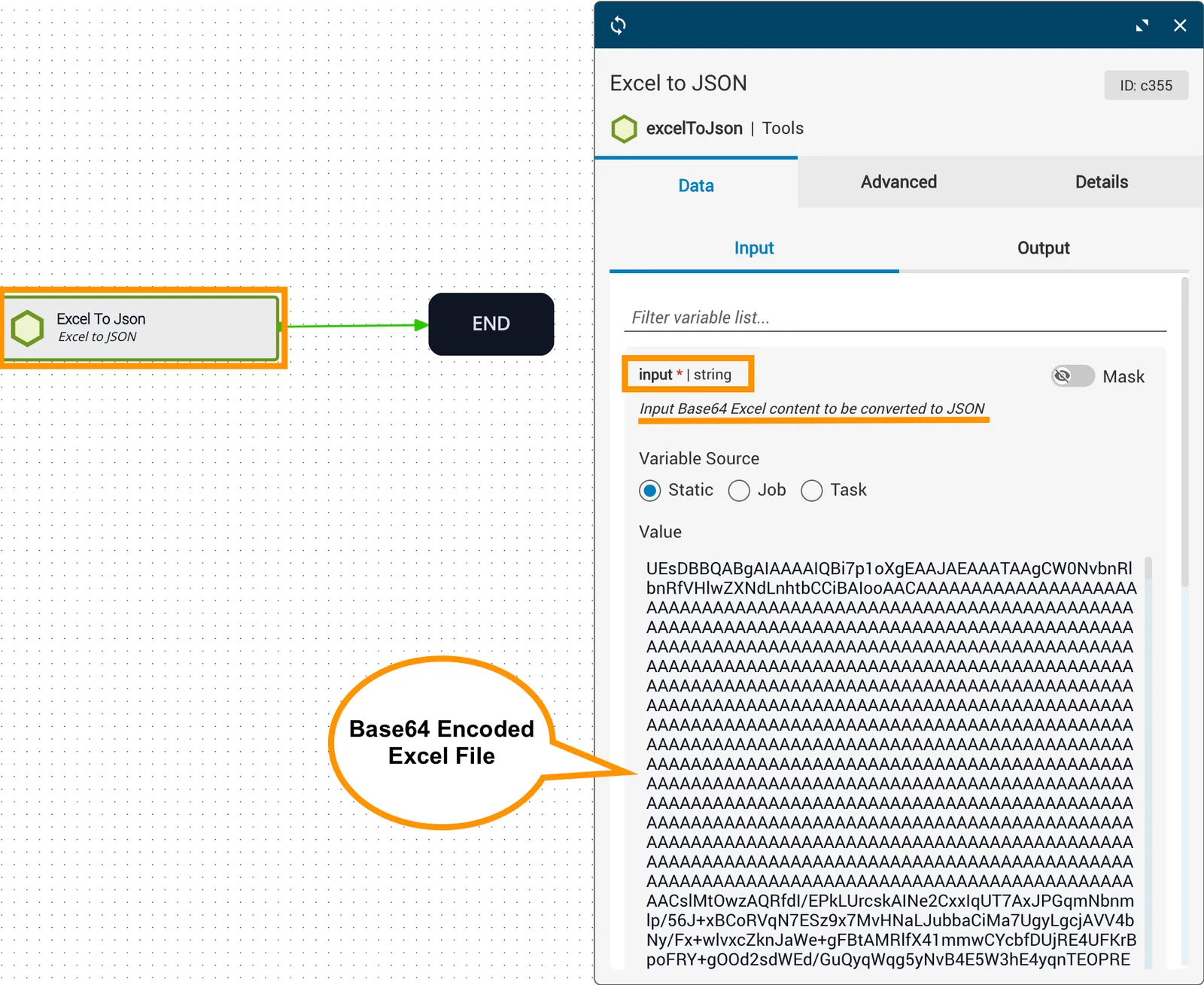
In this example, an Excel spreadsheet is uploaded as the workflow input. The input reference variable is the uploaded spreadsheet (static), and headersIncluded is set to true.
You can convert an Excel spreadsheet to Base64 format using an online converter tool of your choice.
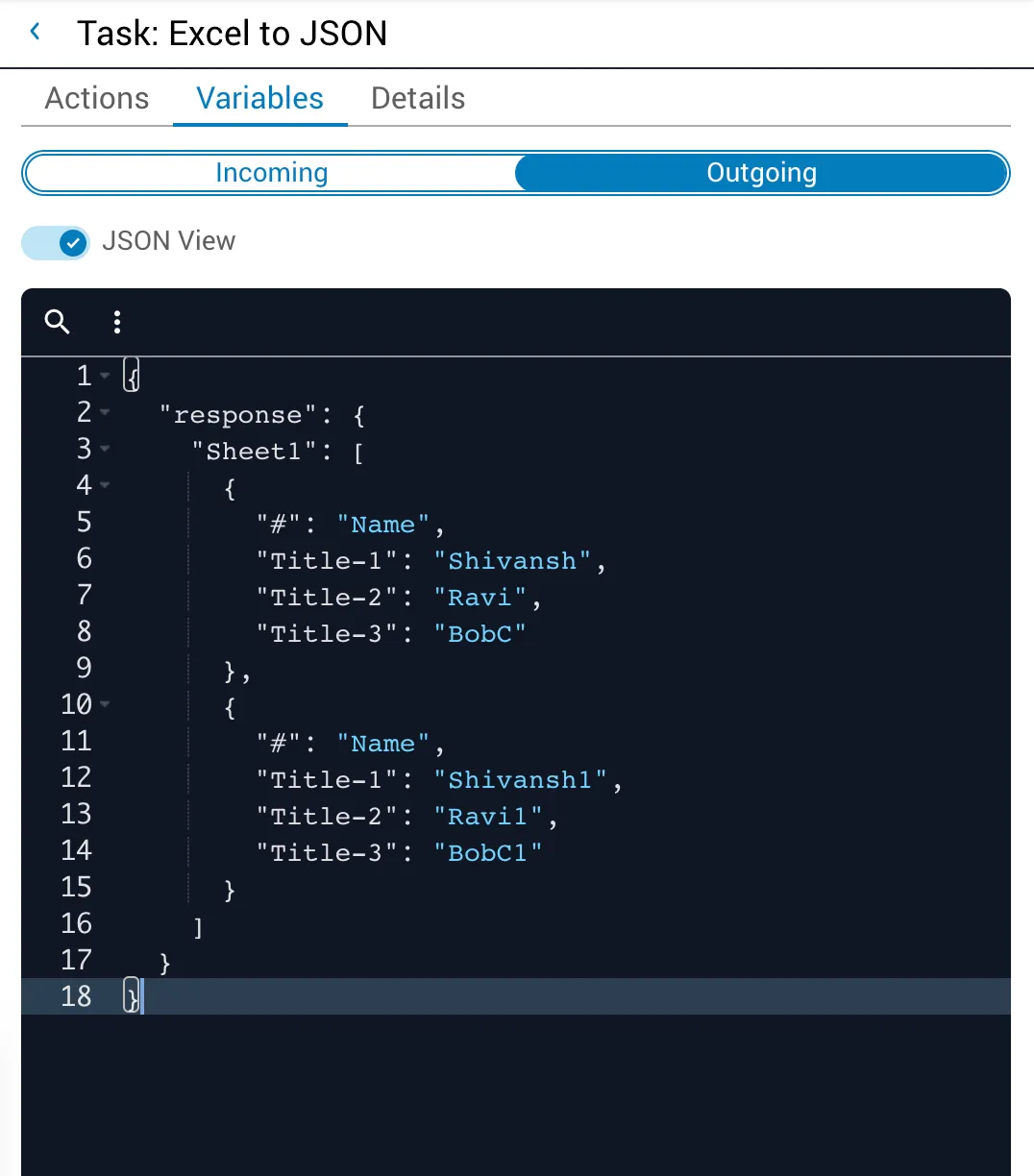
The response returns the spreadsheet values in JSON format. View the outgoing properties in Job (Operations) Manager after the task completes.
Potential use case
Suppose you are building a workflow and need to convert user inputs to JSON. Instead of filling out a JSON form to provide job variable inputs, you can upload a spreadsheet with the workflow input variables. After the spreadsheet values are converted to JSON with excelToJson, the variables can be queried from the output and used in further tasks.
References
For related information, see the excelToJson API reference.