concat
Task purpose
The concat task combines strings. It can concatenate strings or an array of strings consisting of one or more values. This task does not provide the ability to reorganize the array or iterate through it.
Potential use case
Use this task when you need to append one or more string values to the end of another string. The concatenated result returns a new string containing the combined strings. For example, if you have a notification message that needs to be appended, concat could be used to generate the new combined message.
The concat task does not change the value of the original string.
Task properties
Configure the task
Example 1
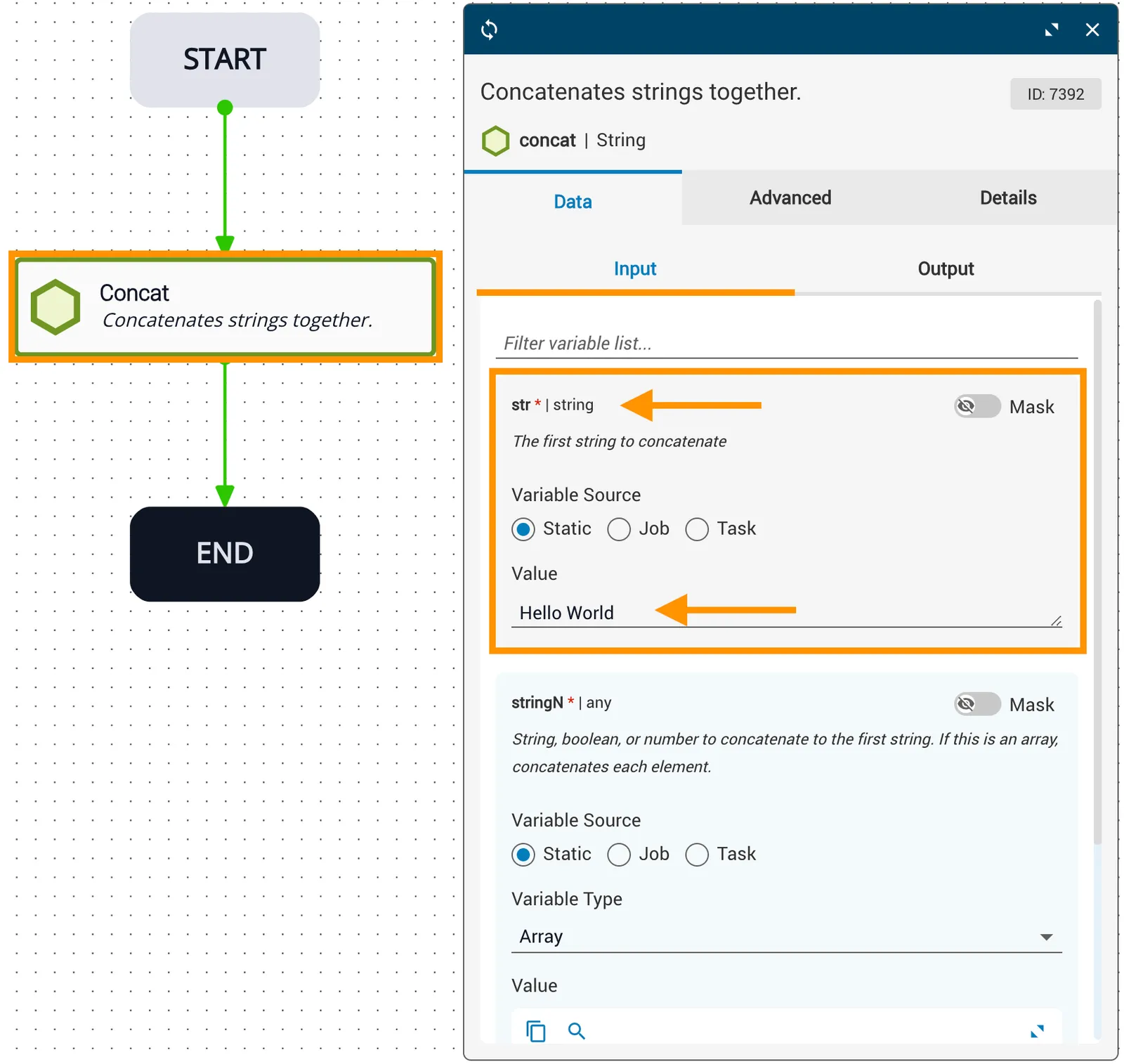
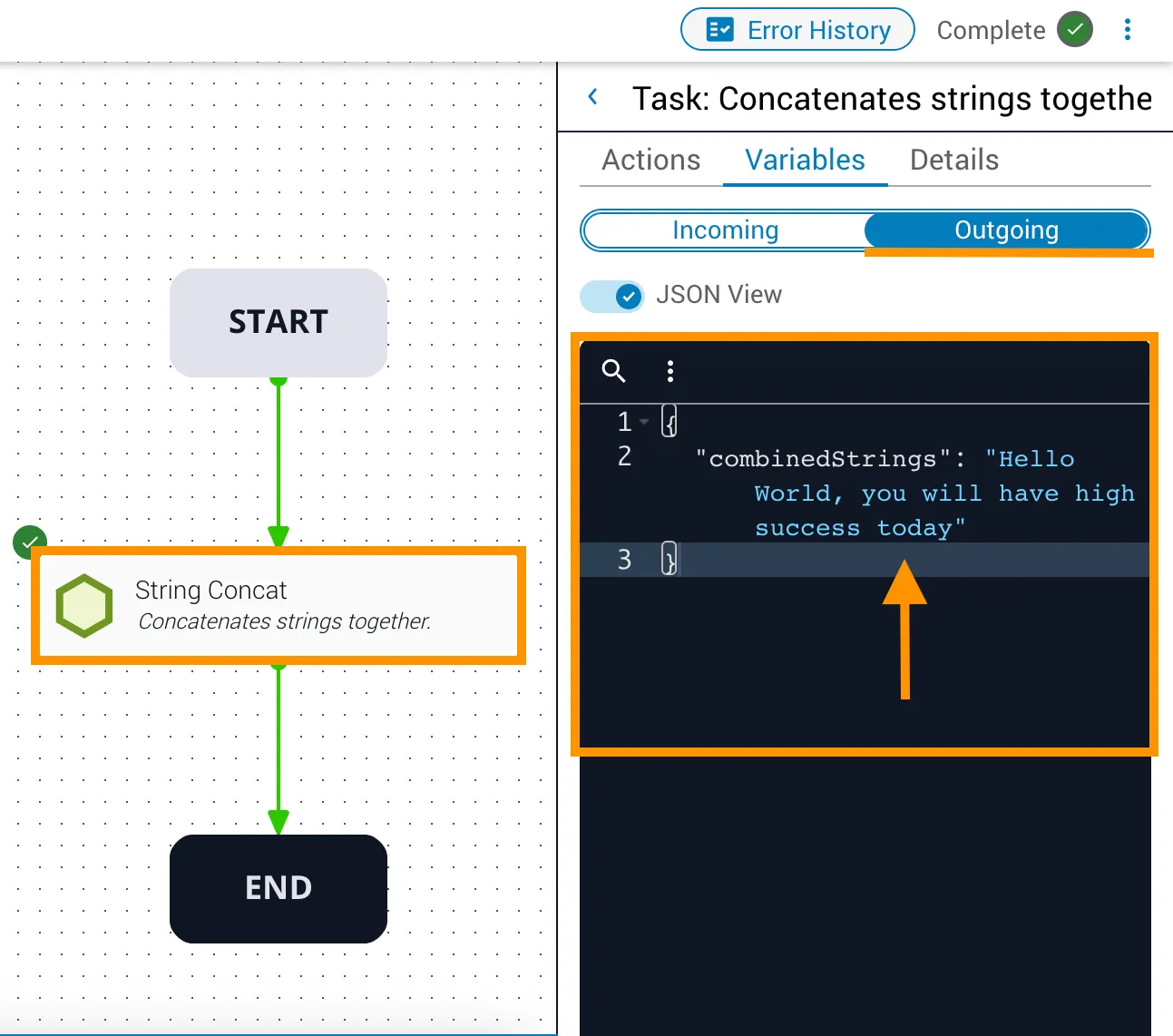
In this example:
- The
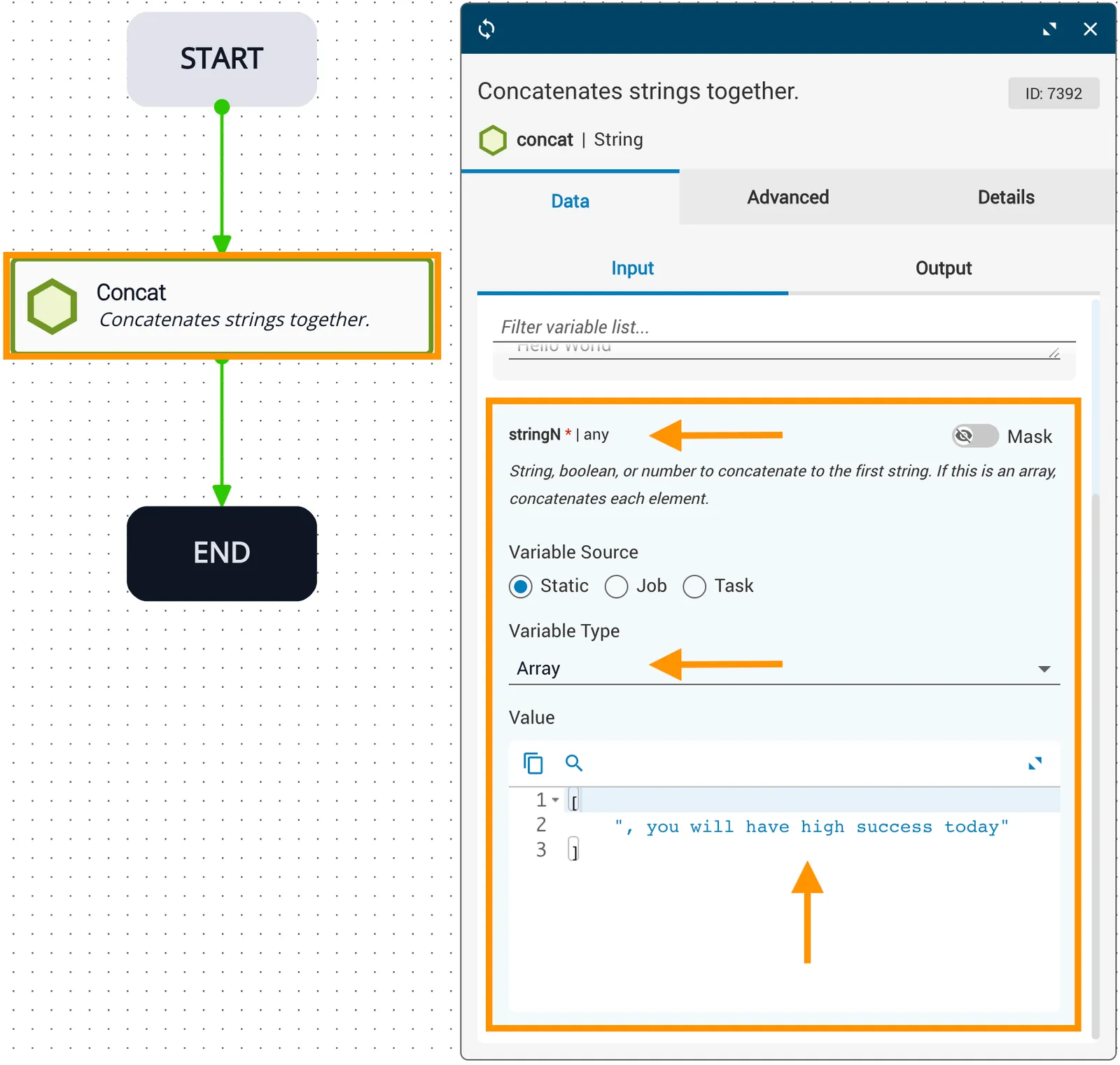
strvariable is statically set toHello World. - The
stringNarray is populated with a single item:you will have high success today. The value is enclosed in square brackets to indicate an array. The comma following the first double quote is used for sentence structure and is not required — the concatenation process does not add spaces or other characters between the two variables. - The outgoing
combinedStringsvariable has the valueHello World, you will have high success today.
Example 2
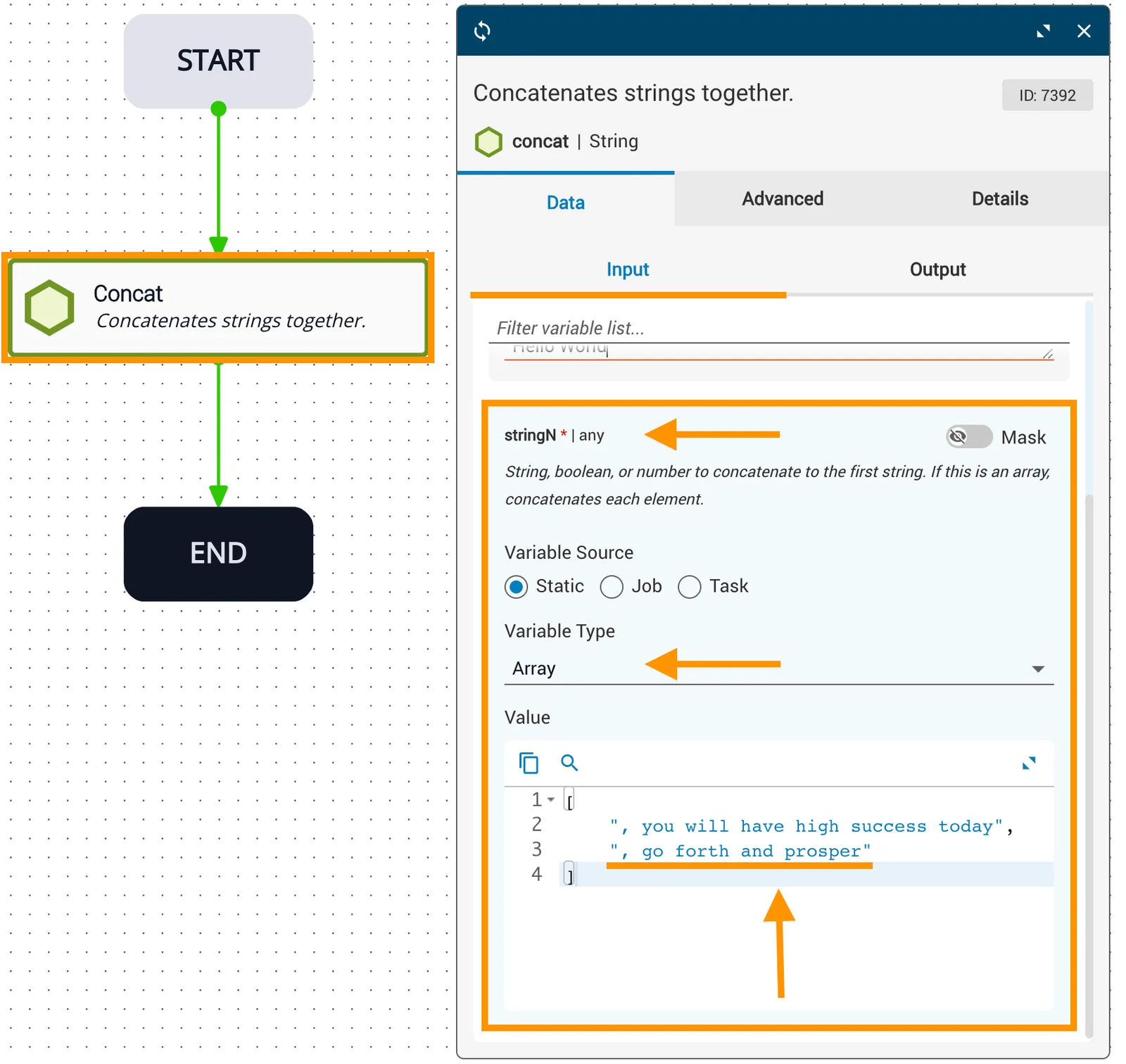
In this example:
- The
strvariable is statically set toHello World. - The
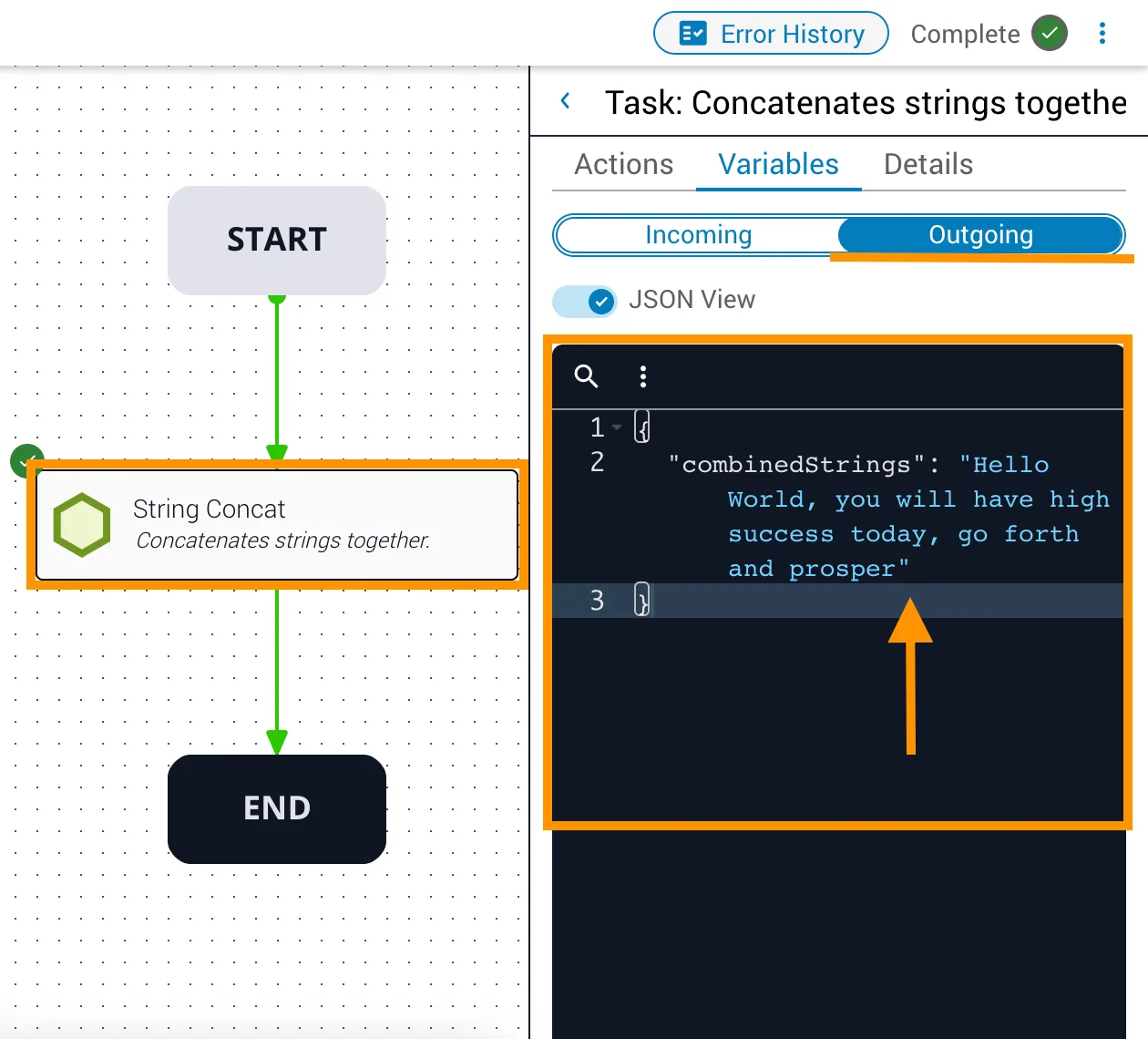
stringNarray is populated with two items enclosed in square brackets:you will have high success todayandgo forth and prosper. The punctuation is used for sentence structure and is not required — the concatenation process does not add spaces or other characters between variables. - The outgoing
combinedStringsvariable has the valueHello World, you will have high success today, go forth and prosper.