

Enumerations in applications
This guide explains the enum feature and how to use it in the pronghorn.json file for Itential Platform applications.
Terminology and concepts
Enum is short for “enumerations,” meaning “specifically listed.” An enum specifies a list of constant values assigned to a type. A constant is an identifier (name) for a value that cannot change during the execution of a script or command.
Essentially, an enum is a special “class” representing a group of constants. Once an enum is defined in configuration, you can constrain input to the set of values in that enumeration.
Define workflow tasks using enums
Enums represent a fixed number of possible values. Use an enum when there is a definite number of fixed values for a variable — similar to Boolean values of true or false.
To create an enum input for a task:
- Use the
enumkeyword as the type. - Use enum for values that are not going to change, such as months, days of the week, colors, or shirt sizes.
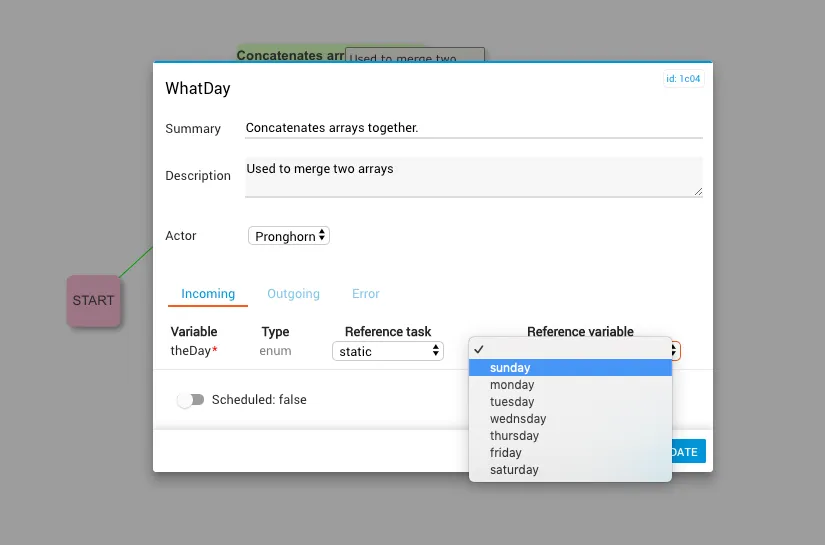
Create an enumerals array containing all valid values. In the example below, the enumerals array contains the days of the week.
Example
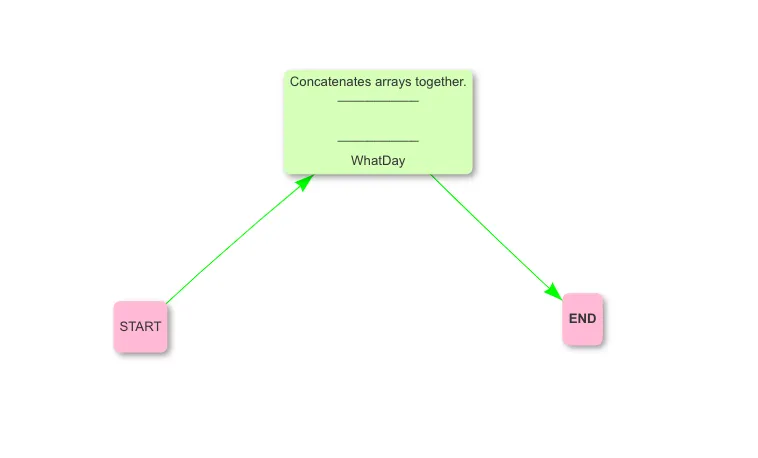
The WhatDay task:
You can create enumeration values that appear as a selection when filling a user input field. You can also lock enum values to ensure that only the values you have defined are accepted.
Use enumerations in Workflow Builder
Once a task is created:
Itential application schema
The following JSON schema can be used as a reference for building valid pronghorn.json files, specifically the enum property: