childjob
Some jobs share a need for the same sequence of tasks. For this situation, you can create a separate workflow containing that task sequence and use the childjob task to run it. In addition to making workflows reusable, child jobs reduce complexity by replacing repeated task sequences with a smaller set of childjob tasks, improving readability. The childjob task also enables running multiple iterations of the same workflow in parallel or sequentially.
Properties
Changes to variables within a child workflow are not incorporated into the parent workflow until the childjob task is reopened. Reopening the task validates the current child workflow status and inputs.
For additional detail on using tasks in the new canvas, see How to configure and manage tasks.
Child jobs with no loop
The childjob task starts a job inside the currently running job. The parent job waits for the child to finish (complete or cancelled) before progressing. If the child job is cancelled, it errors and the parent progresses along the error transition. If it completes, execution progresses along the success transition.
Any job variables in the child job are placed in an object with <job_variable_name>: <job_variable_value> key/value pairs. Variables can then be passed up to the parent via the outgoing schema of the child workflow. If a specific variable is needed, use a transformation to query out that key.
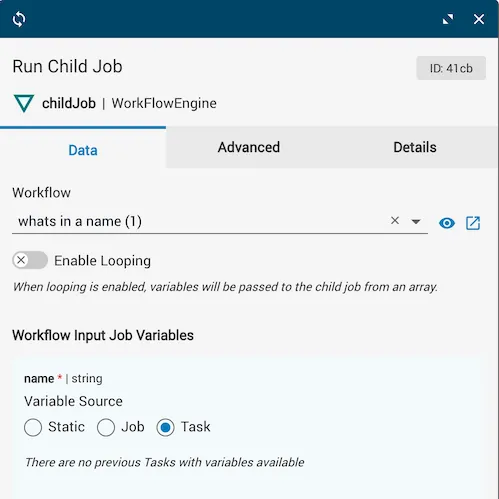
By default, the Enable Looping slider is off.

The task details show the Workflow input (the name of the workflow to run), looping disabled, and the Workflow Input Job Variable set to a string from a task.
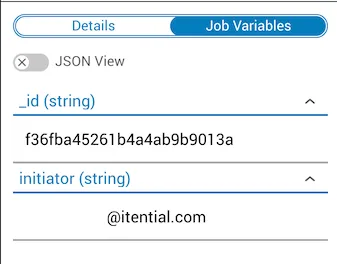
After the child job finishes with status complete, the output includes variables determined by the child job’s output schema — in this case the incoming job variables, _id, and initiator.
Child jobs that loop
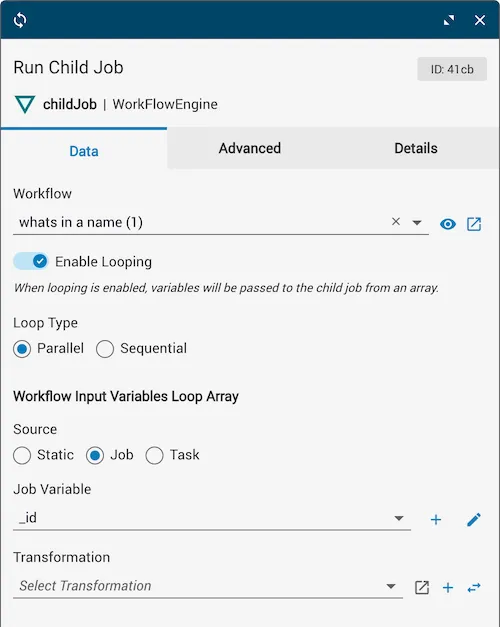
Multiple iterations of the same child job can be run sequentially or in parallel by setting the Loop Type to sequential or parallel. One iteration runs for each element of the Loop Array, so the array length determines the total number of child jobs. Sequential iterations run one after the previous finishes. Parallel iterations all start at once, and the childjob task finishes after the last child job completes.
If the task loops and includes a transformation, the transformation runs on each Loop Array element to produce the job variables for each child job. A single incoming schema with $id and currentValue is created by default. When the task runs, each Loop Array element is passed as currentValue. Additional incoming schemas added to the transformation become additional JST parameters that can be passed through the childjob task for values that don’t change across iterations.
If the task loops without a transformation, each Loop Array element is passed directly as job variables. Each element must be type object with <job_variable_name>: <job_variable_value> key/value pairs.
A looping childjob task errors if all child jobs are cancelled. If at least one child job completes, the task ends with status complete. The job variables and final status of each iteration are returned in the task output under the loop property. When a parent job is cancelled while a looping childjob task is running, all non-completed iterations are also cancelled.
ChildJob loop index variable
To access the index value within a child job running as a loop, an additional job variable named childJobLoopIndex is available. This prevents you from having to manually pass the index via the data array. Indexing starts at 0.
To use the childJobLoopIndex variable:
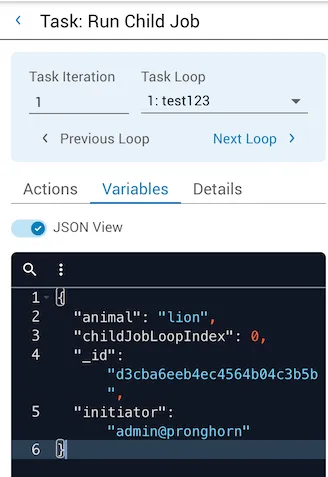
Loop with transformation example
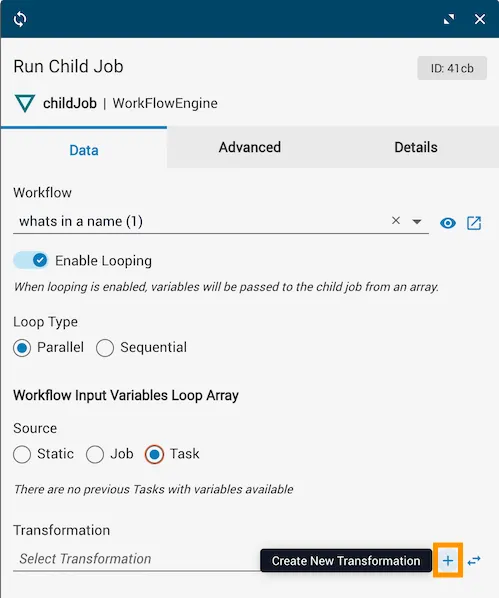
In the following example, the child workflow named child runs with Loop Type set to Parallel. The loop settings are shown before a transformation is added. Without a transformation, each Loop Array element is passed directly as job variables — if any element is not type object, the task errors. Click Create New Transformation (+) to create a new local transformation, or select an existing one.
The transformation below shows currentValue connected to getProperty, which is then connected to each corresponding outgoing schema.
After the child job task completes successfully, you can query the loop results. Results are wrapped in an object with a status field indicating whether all items finished, and a loop field containing an array of per-iteration results.
Loop without transformation
If the childjob task loops but has no transformation, Loop Array elements are passed directly as job variables to the child job. Note that using a transformation is the preferred approach for child job looping.
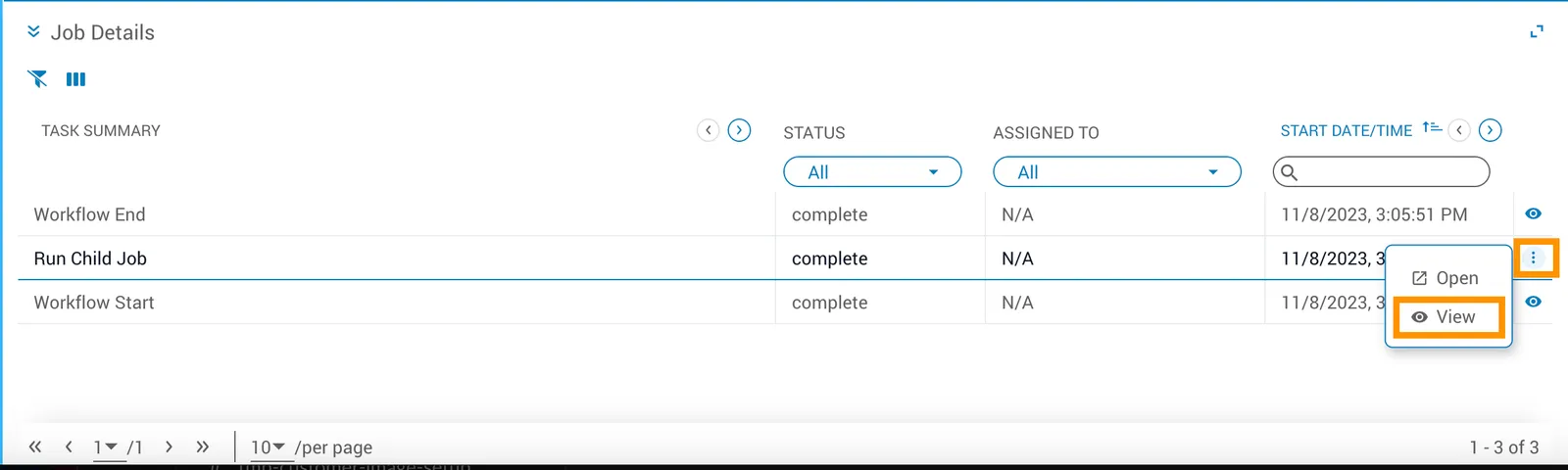
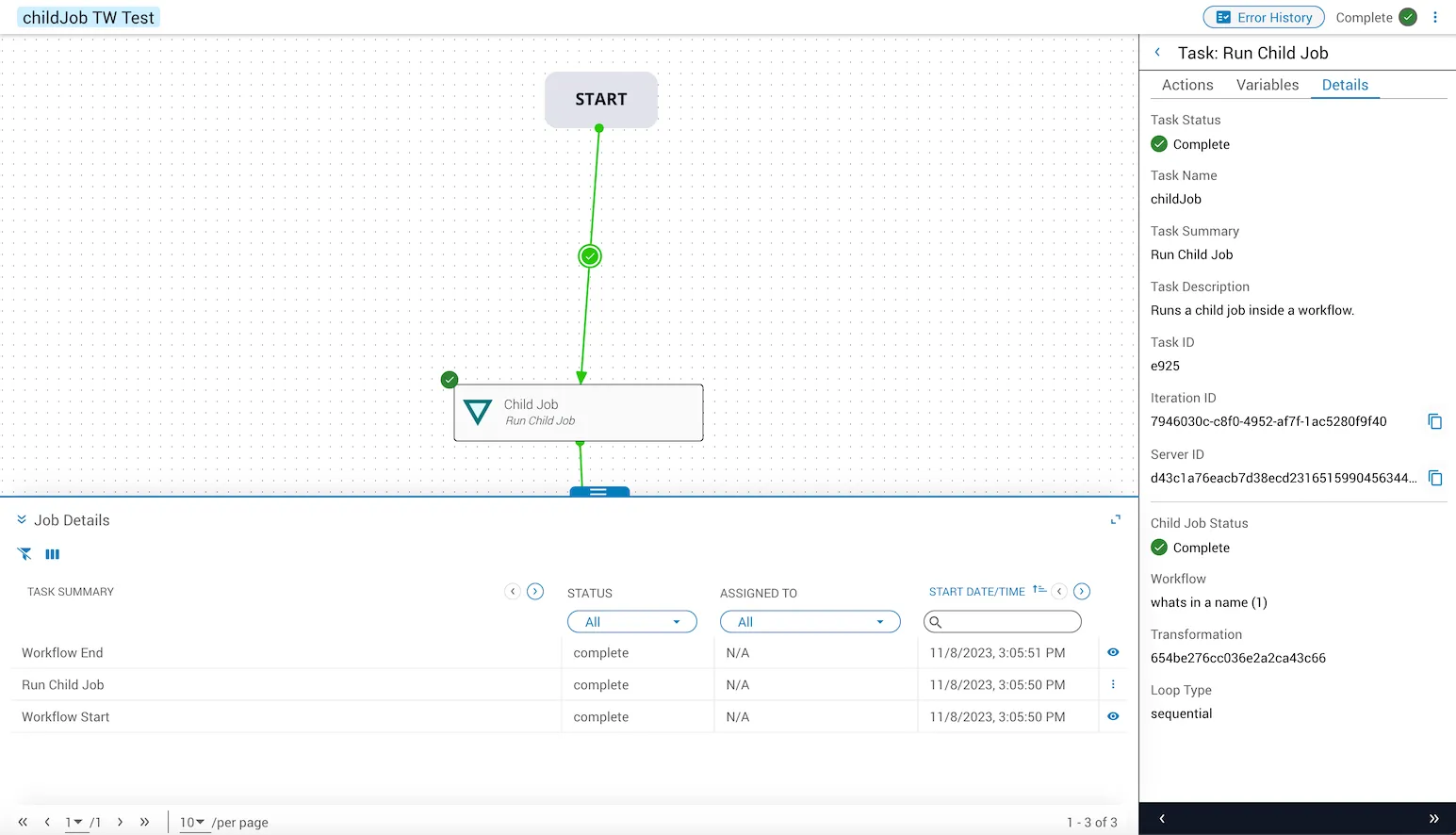
Viewing task details for a childjob
To open task details for a child job, navigate to the Job Details page in Operations Manager, click the menu button (⋮), and select View to open the task details dialog.