

match
The match task finds regex (regular expression) matches in a string and returns the matches as an array.
Potential use case
Suppose you have a dataset and you want to find and retrieve a certain character or number. You can use the match task to search, retrieve, and display all matches that contain an occurrence of the regex.
Properties
Example
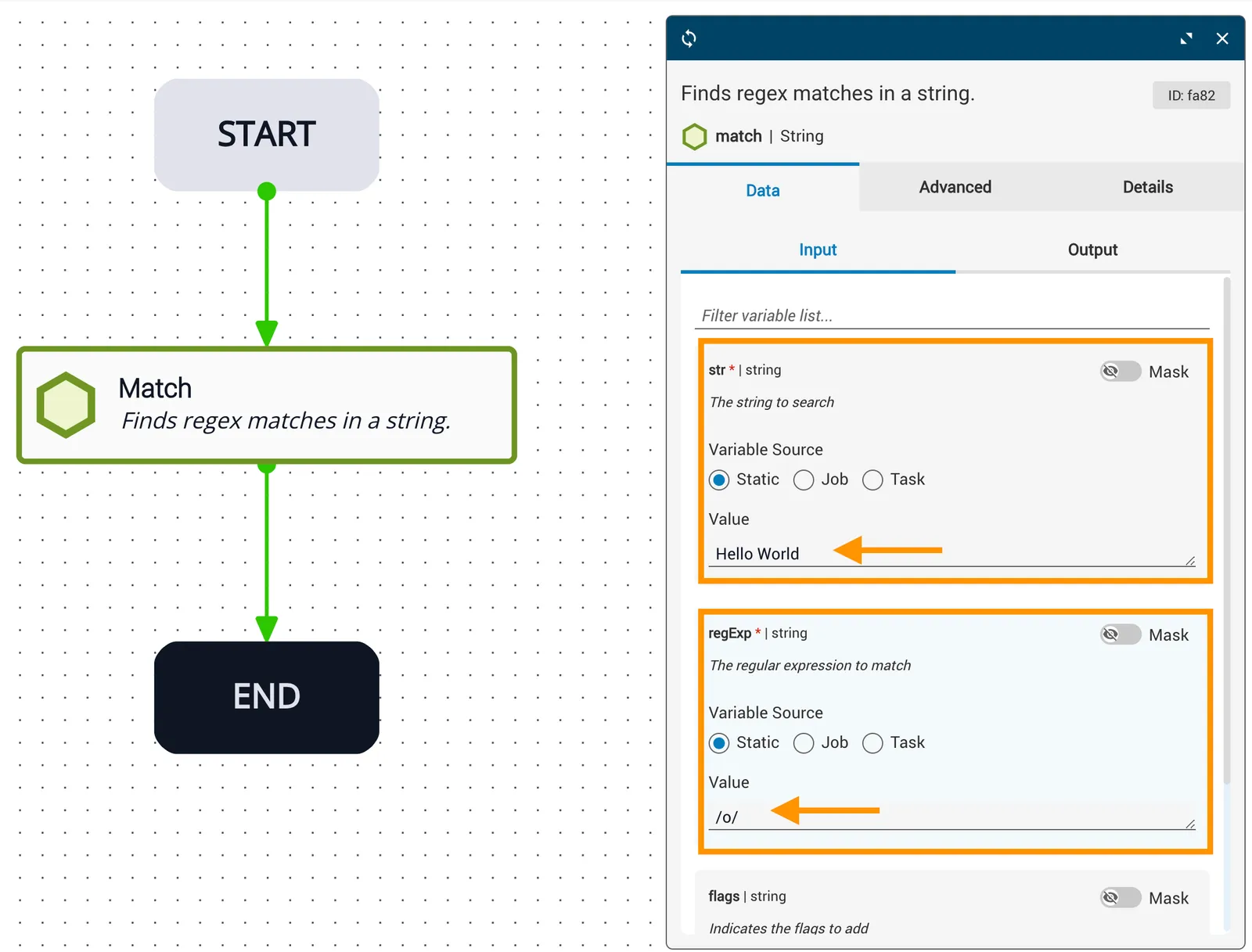
In this example, the str reference variable to search is the words Hello World.
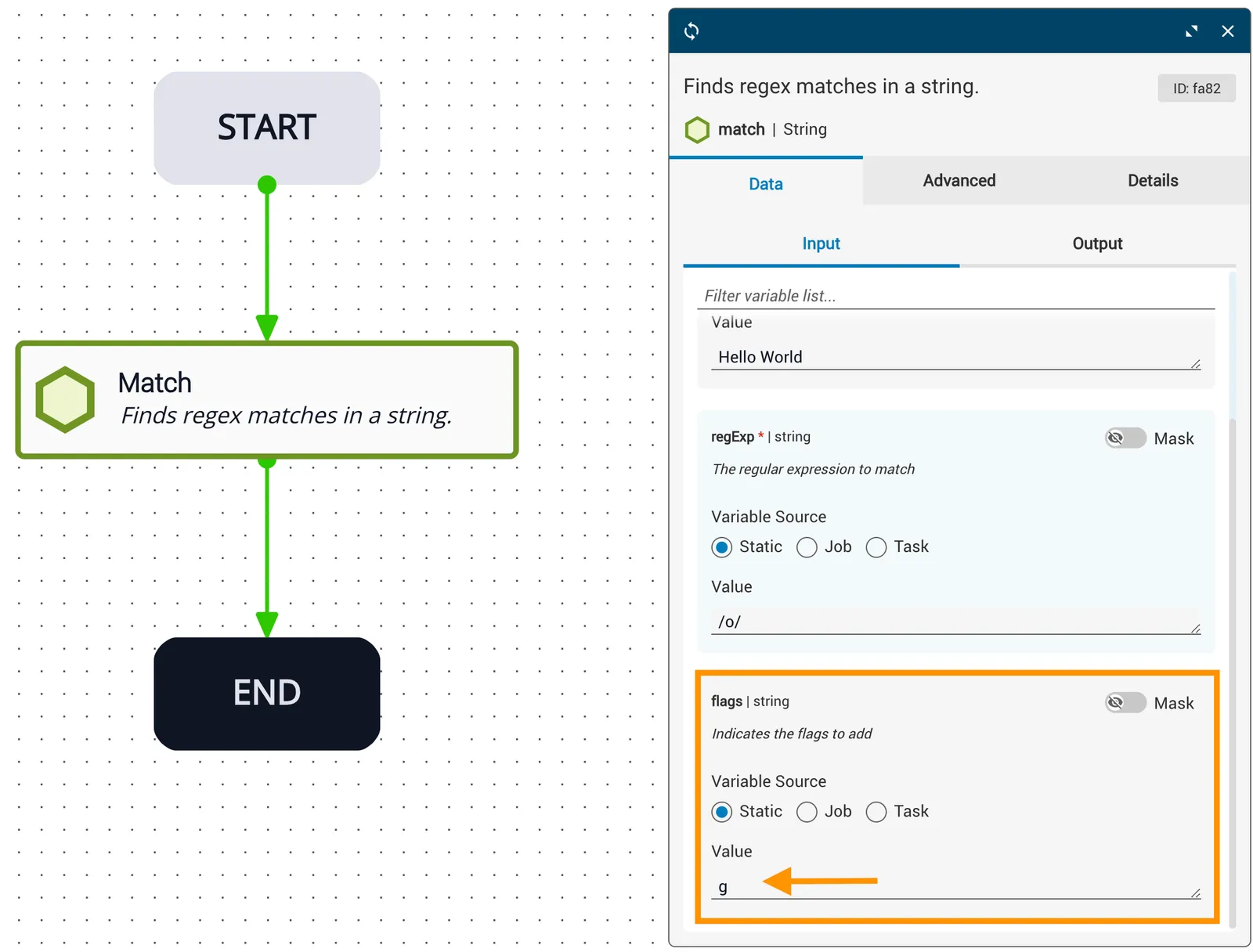
The regExp expression to match is the character /o/, and the flags variable is set to g, which is a global search of the entire string.
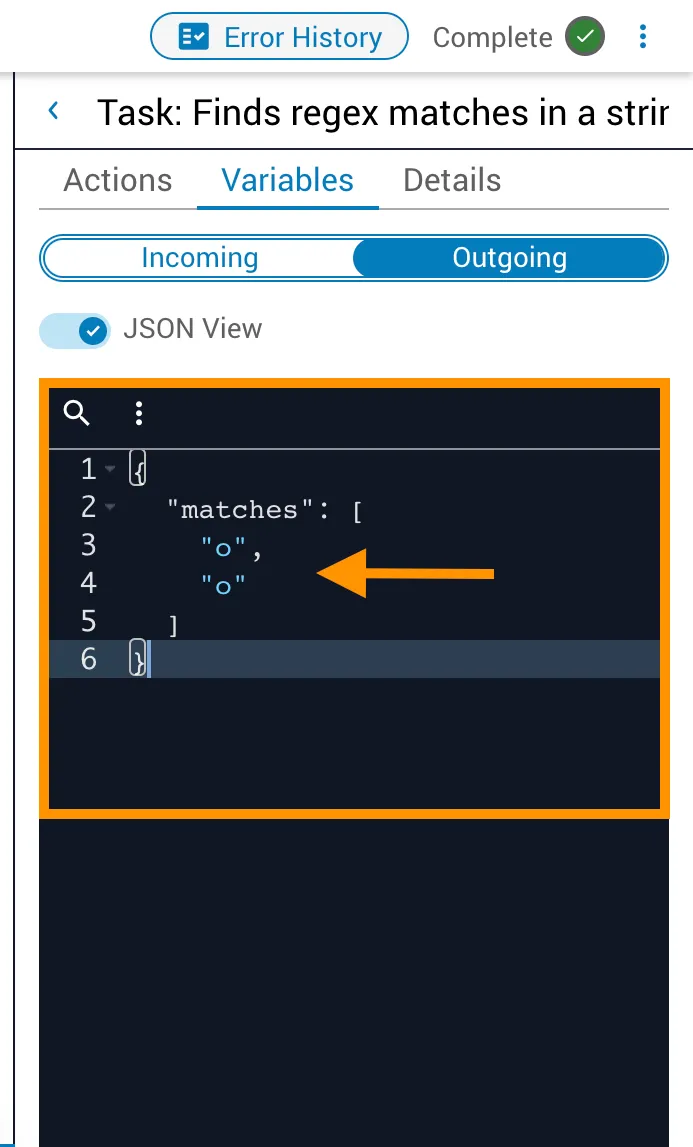
The result returned from this task shows the matched characters in the expression that was searched. There are two letter “o” characters in the words Hello World and both will be displayed in the outgoing matches variable as ["o","o"].
Related reading
For related information, see the match API reference.