Adapter degraded status
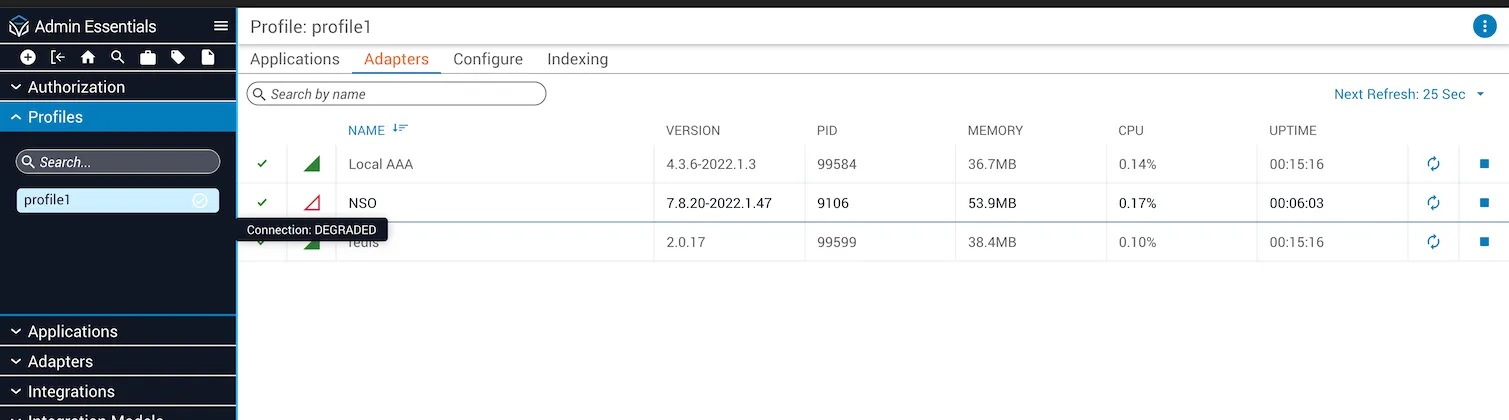
Degraded connection
The degraded status is an additional adapter state alongside the online (connected) and offline (disconnected) statuses. This state is intended for adapters like adapter-nso and others that have multiple connection types.
Some scenarios where the degraded state applies include:
- The connection is not fully up or fully down.
- One method of communication for an adapter has been disconnected, but another is still active.
- The adapter is connected, but with an unstable connection.
- Some functions related to a mode of communication fail to respond.
Emit degraded events
Add the following code to instances where you would like to send the adapter to the degraded state:
Add the following code to instances where the adapter is no longer degraded and the state should be removed — for example, if a second method of communication comes back online, the connection stabilizes, or a specific call succeeds:
Recognize a degraded adapter in Admin Essentials
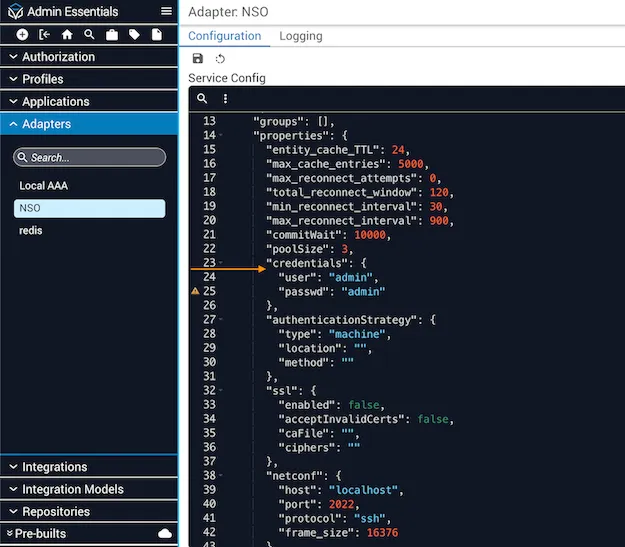
Connect with default credentials
Connect them using the default admin username and admin password.
Verify initial connection status
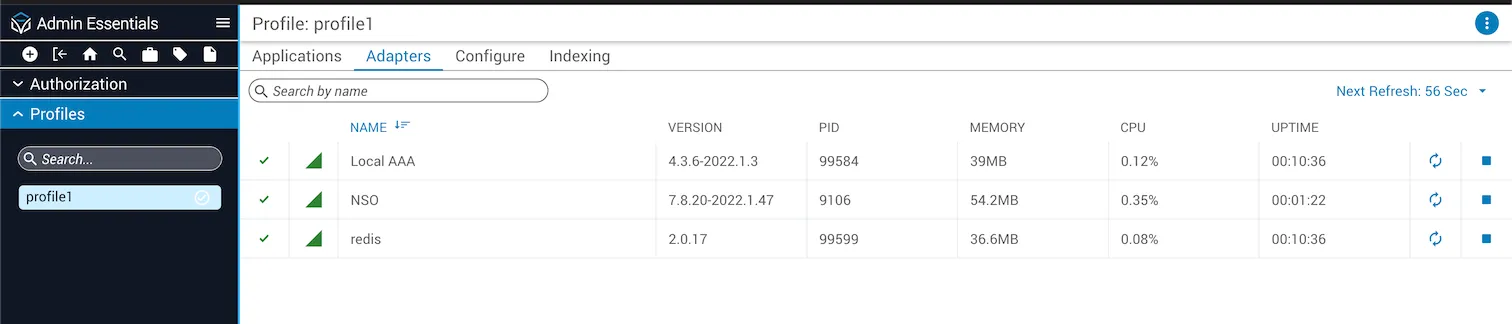
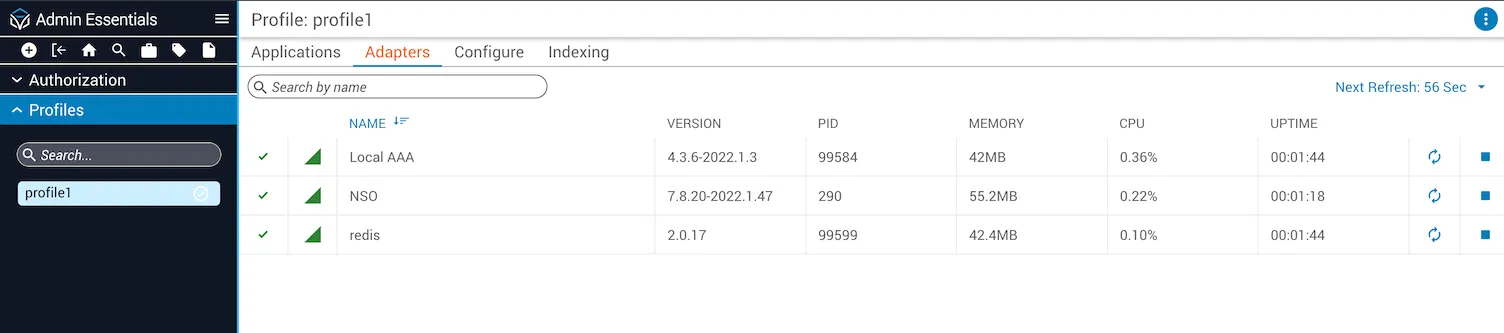
Check the connection status from Admin Essentials → Profiles → Adapters. Status should show as “Running” and connection as “Online”.
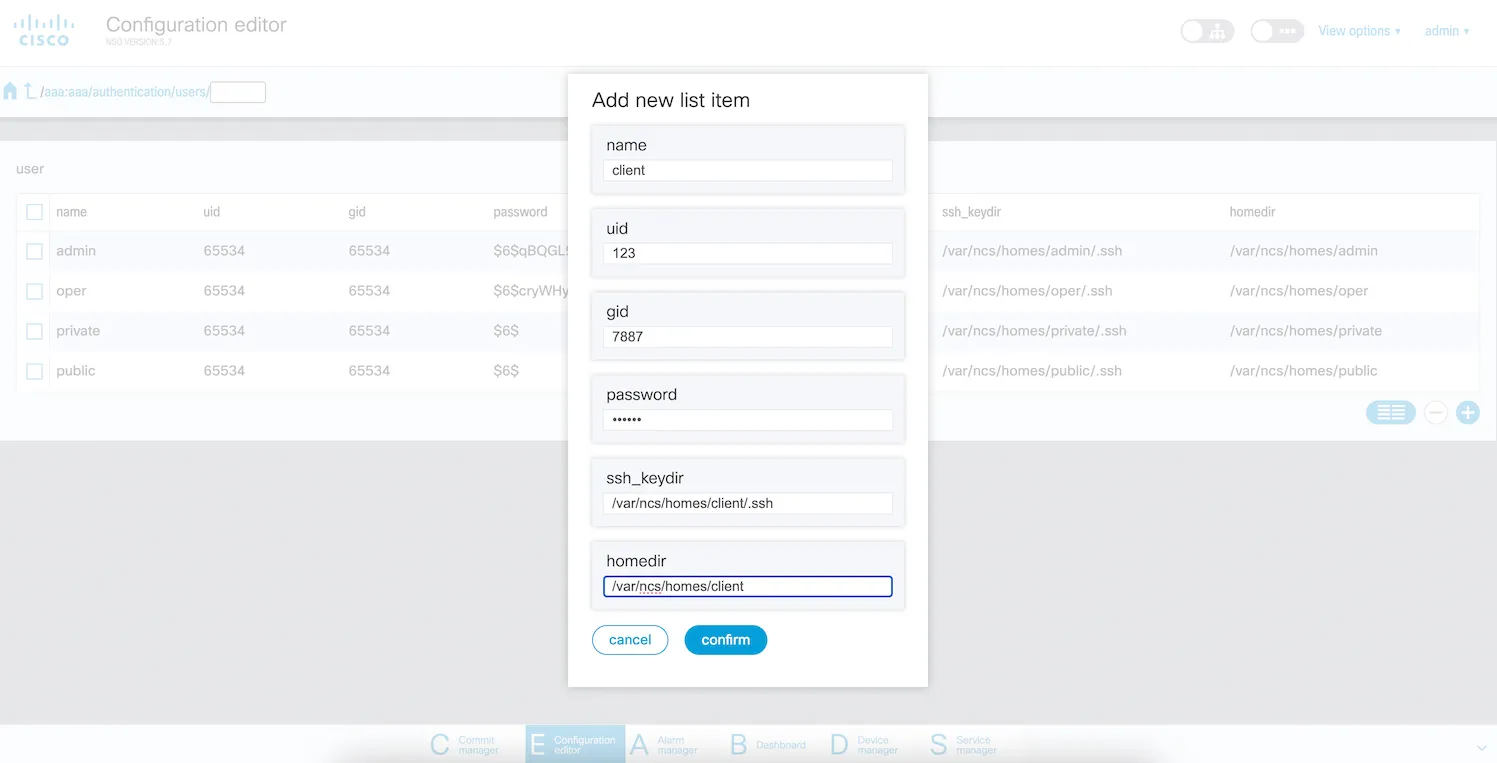
Create a new user in NSO
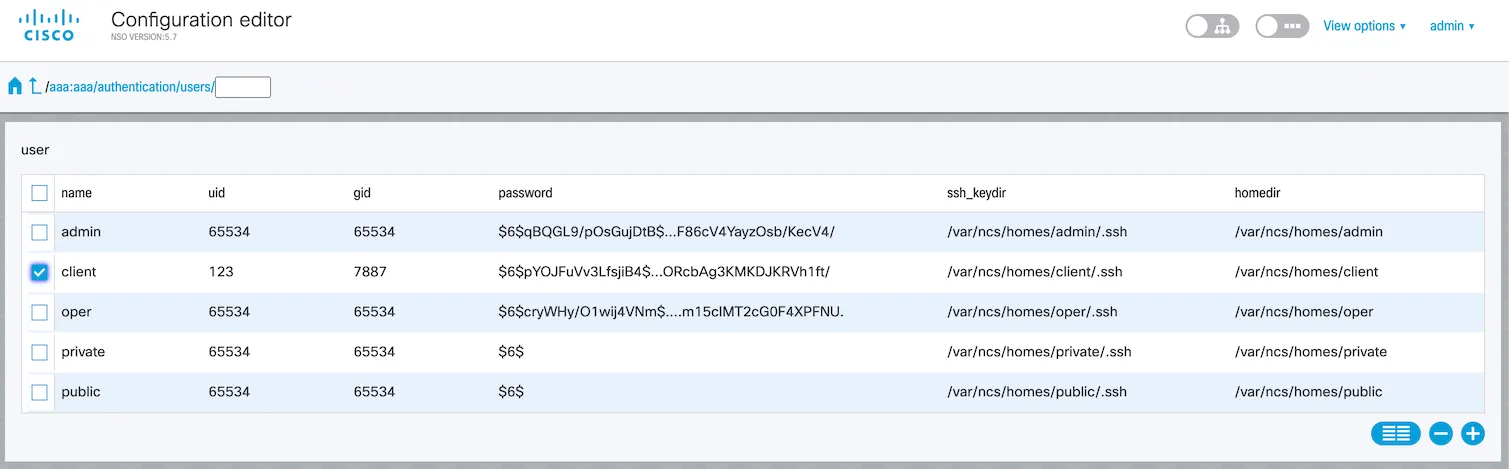
Create a new user in NSO with the name client.
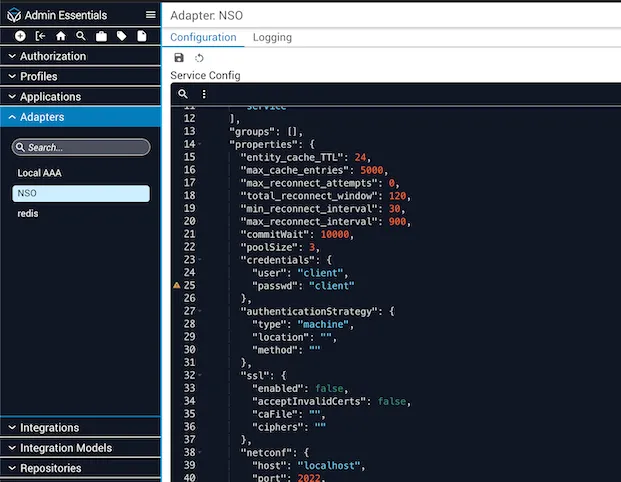
Update adapter credentials
Change the Adapter NSO properties credentials to the newly created user (username and password).
Verify updated connection status
Go back and check the connection status from Admin Essentials → Profiles → Adapters. Status should show as “Running” and connection as “Online”.