Analytic templates

Analytic templates evaluate pairs of command responses — labeled Pre and Post — against a set of rules. Unlike command templates, they do not run commands on devices at execution time. Instead, they consume responses already collected at earlier stages of the automation and compare the Pre and Post outputs against each other.

See Command templates for information on how Pre and Post responses are collected.

Prerequisites

  • A working NSO instance with at least one device using a live-status capable NED. Netsim devices may not work.
  • The itential_tools NSO package pre-loaded.

Create an analytic template
1

Open Studio

Click Studio in the left nav.

2

Open the Create dialog

Click the + icon in the top toolbar.

3

Select analytic template

Select Analytic Template from the dropdown.

4

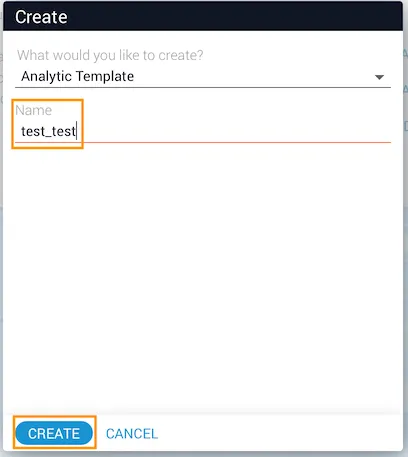
Name and create

Enter a name and click Create.

Create Analytic Template dialog

Define an analytic template

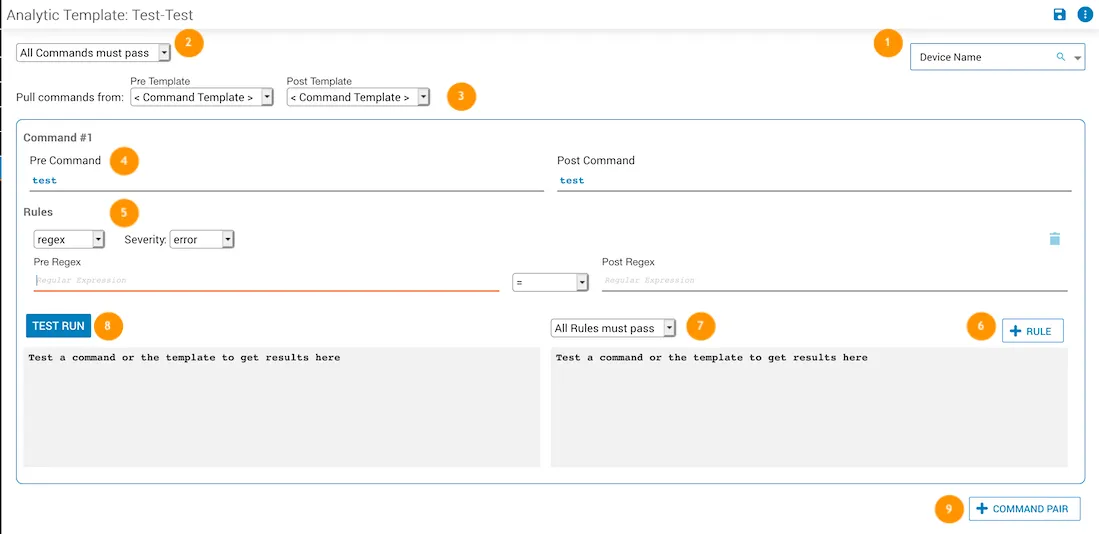
Analytic Template form with labeled UI elements
LabelAction
1Select a device from the Device Name dropdown, or use the magnifying glass to search.
2Set the global command pass logic using the dropdown. See Global command pass.
3Select a command template in the Pre Template and Post Template dropdowns.
4Set the command pair (Pre and Post Command) to test against the device.
5Select a rule type and severity level.
6Click + Rule to add a rule to the command.
7Set the global rules pass logic using the dropdown. See Global rules pass.
8Click Test Run to test the command. Passed rules are marked with a green check; failed rules with a red minus. The device response appears at the bottom of the screen.
9Click + Command Pair to add a command to the template.

Global command pass

Controls pass logic at the template level.

Global command pass dropdown
OptionBehavior
All commands must pass (default)Every rule in every command must pass.
All commands must pass (warn/info as pass)No errors may be present in the template.
One command must pass (default)All rules in at least one command must pass.
One command must pass (warn/info as pass)At least one command with no errors must be present.

Rules

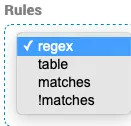
Rules dropdown options
RuleDescription
regexExtracts values using capture groups and compares them using a regex operator.
tableExtracts keys and values from a table dataset and checks that all keys and values match. Useful when row order may change.
matchesCompares the Pre and Post responses in full. Passes when the responses are equivalent. An optional ignore pattern can exclude parts of the response from comparison.
!matchesCompares the Pre and Post responses in full. Passes when the responses differ. An optional ignore pattern can exclude parts of the response from comparison.

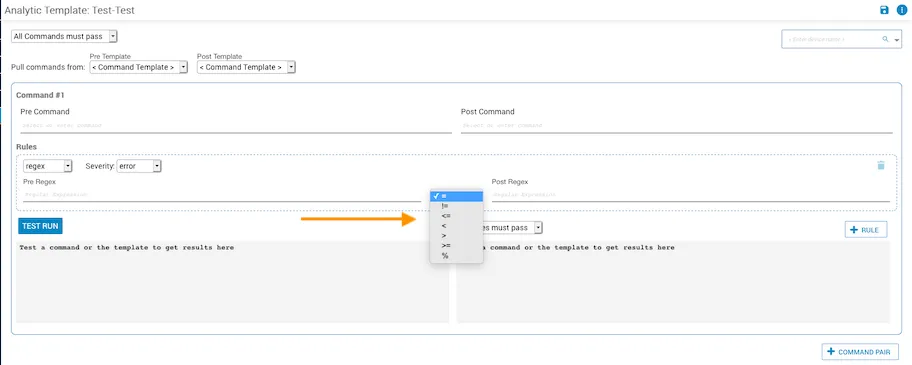
Regex operators

Regex operator options
OperatorDescription
=true if the Pre and Post values are equal.
!=true if the Pre and Post values are not equal.
<=true if the Pre value is less than or equal to the Post value.
<true if the Pre value is less than the Post value.
>=true if the Pre value is greater than or equal to the Post value.
>true if the Pre value is greater than the Post value.
%Calculates 100 × (Post / Pre) and returns true if the result is greater than or equal to the threshold entered in the Post/Pre % field.

Severity

Severity applies only when a rule has failed. The default is error.
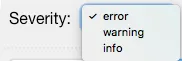
Severity options
LevelMeaning
errorSomething is wrong; a specific action may need to be taken.
warningSomething to be aware of that could potentially cause a problem.
infoInformational; no action required.

Flags

Flags apply to matches and !matches rules. Each command may have one or more rules bound by a boolean pass flag:

  • Pass flag true (on) — AND logic: all rules must pass.
  • Pass flag false (off) — OR logic: at least one rule must pass.
FlagDescription
iCase-insensitive matching.
gGlobal search; retains the index of the last match for iterative searches.
mMulti-line; ^ and $ match the start and end of each line.

Global rules pass

Controls pass logic at the command level.
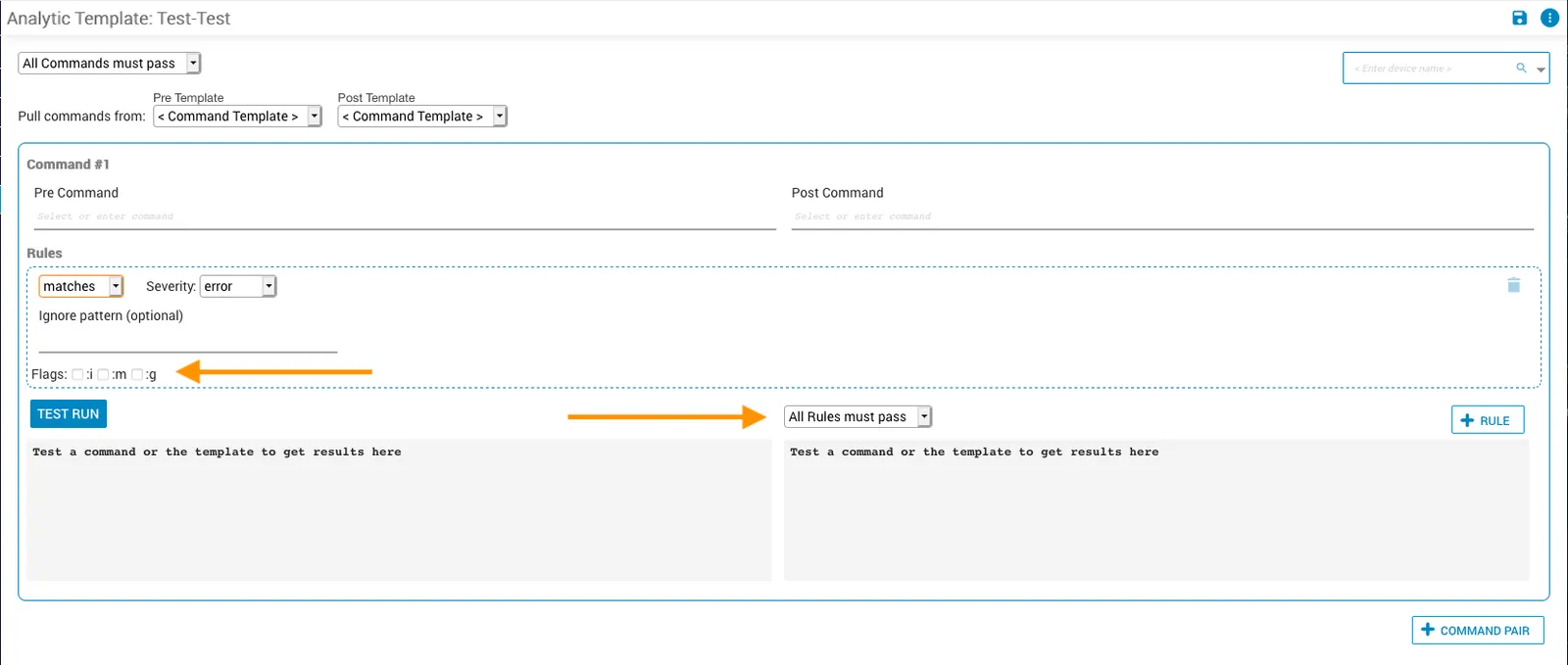
OptionBehavior
All Rules must passEvery rule in the command must pass.
One Rule must passAt least one rule in the command must pass.
Flag options and global rules pass dropdown