

Use compliance reports
Operations Manager automations trigger compliance plans to run reports the same way they trigger workflows to run jobs.
Automations for compliance plans work nearly the same as automations for workflows, with one exception: Manual and Schedule triggers for compliance plans do not have form data inputs, whereas compliance plans do accept form data.
Create a compliance report automation
Open the Create Automation dialog
Click the (+) icon button in the top-left toolbar of Operations Manager. The Create Automation dialog appears.
Identify the automation type by the icon to its left in the Automations list. Compliance report automations have a document icon; workflow automations have no icon.
Automations collection
When viewing Automations, both workflow and compliance plan automations appear by default.
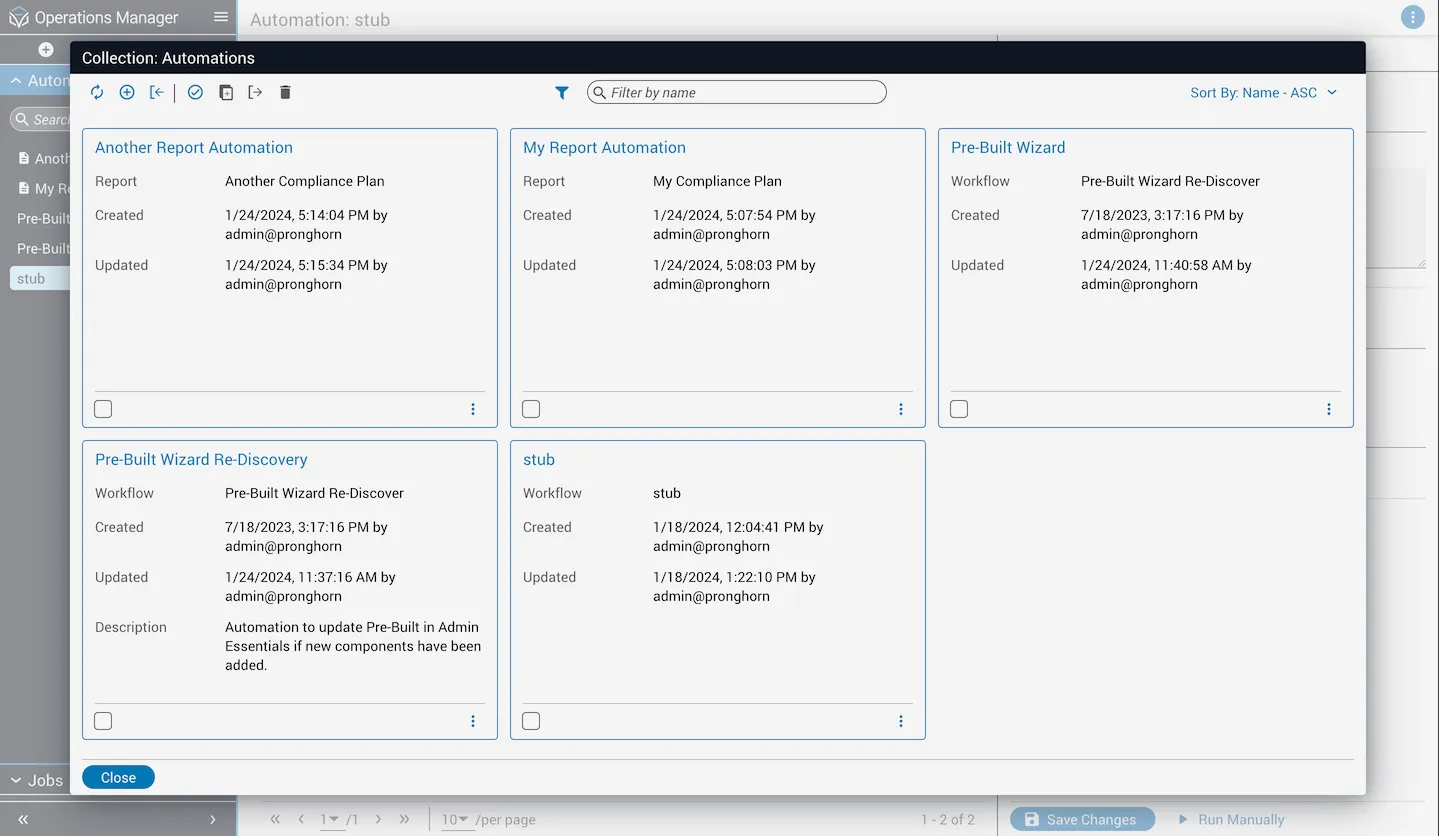
Filter by automation type
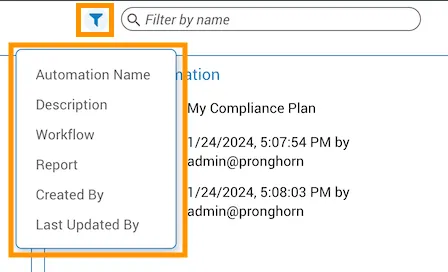
Create automations for specific workflows or reports
Filter by a specific resource
Filter by a specific workflow or compliance plan. If no automations exist for that resource, a Create Automation button appears in the center of the collections dialog.