convertEpochToObject
The convertEpochToObject task converts an Epoch timestamp into a date string with a specified time and date format.
Potential use case
Suppose you have a northbound system that is only capable of providing an Epoch timestamp. The convertEpochToObject task allows you to convert it into a human-readable timestamp for log files or other event records.
Properties
Input variables
Output variables
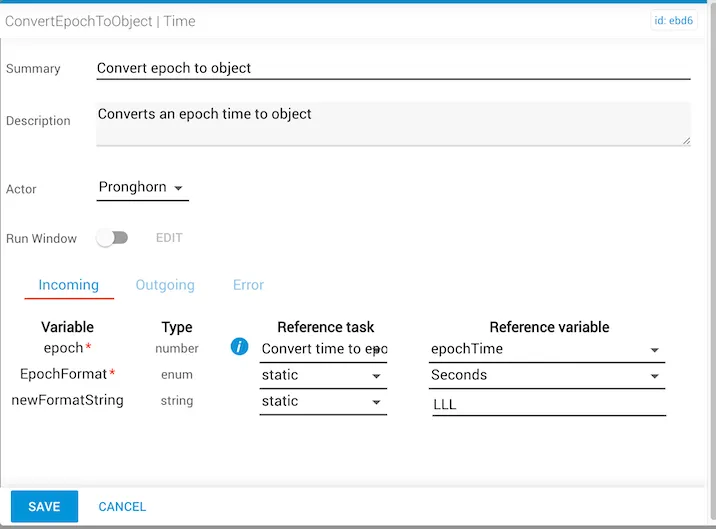
Example 1
In this example:
-
The
epochvariable is provided by the output of the reference taskconvertTimeToEpoch, which is located elsewhere in the workflow.The
convertTimeToEpochtask was used only to simulate an incoming Epoch timestamp for this example. -
The reference variable provided by the
convertTimeToEpochtask isepochTime. -
The
EpochFormatvariable is set toSeconds. -
The
newFormatStringvariable is set toLLL, which is the moment.js locale format for Month name, day of month, year, time. -
The
convertedTimeproduced upon output will be the value of theepochtimestamp presented in a human-readable format.
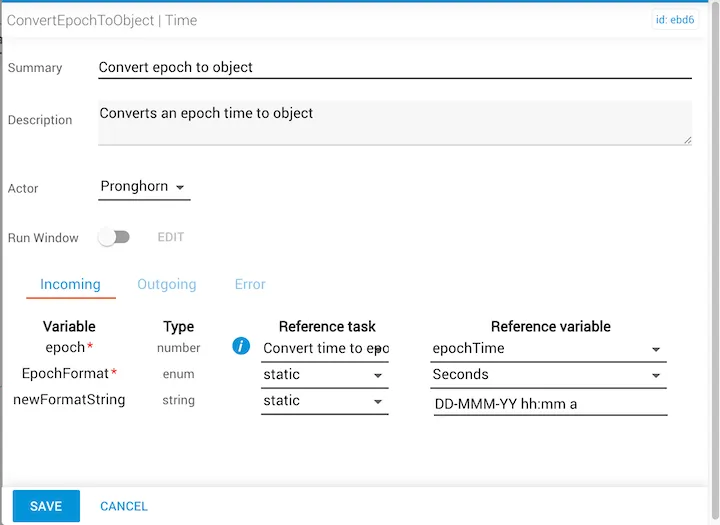
Example 2
In this example:
-
The
epochvariable is provided by the output of the reference taskconvertTimeToEpoch, which is located elsewhere in the workflow.The
convertTimeToEpochtask was used only to simulate an incoming Epoch timestamp for this example. -
The reference variable provided by the
convertTimeToEpochtask isepochTime. -
The
EpochFormatvariable is set toSeconds. -
The
newFormatStringproperty is set toDD-MMM-YY hh:mm a, which is a date time format for Day-Month-Year hour:min am/pm. -
The
convertedTimeproduced upon output will be the value of theepochtimestamp presented in a human-readable format.
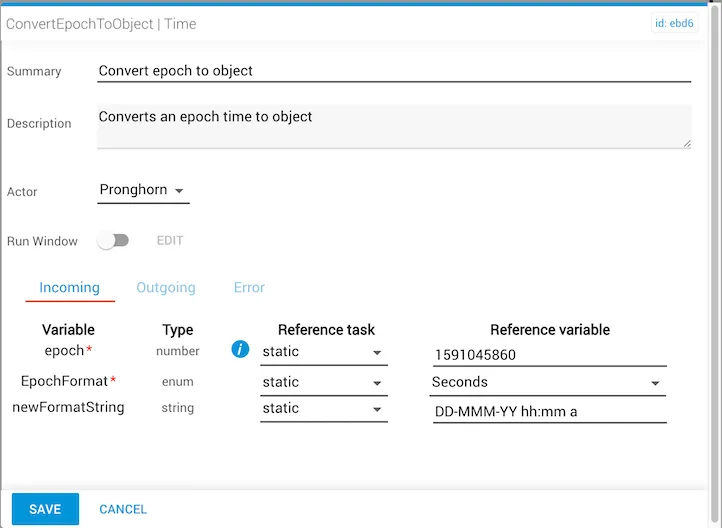
Example 3
In this example:
- The
epochproperty is statically set to the number1591045860. - The
EpochFormatproperty is set toSeconds. - The
newFormatStringproperty is set toDD-MMM-YY hh:mm a, which is a date time format for Day-Month-Year hour:min am/pm. - The
convertedTimeproduced upon output will be the value of theepochtimestamp presented in a human-readable format. In this case the converted timestamp will be01-Jun-20 09:11 pm.