

For AI agents: a documentation index is available at the root level at /llms.txt and /llms-full.txt. Append /llms.txt to any URL for a page-level index, or .md for the markdown version of any page.
Open sourceSupportFAQsDocs Home
DocumentationAPI referenceRelease notes
  • Platform On-Prem
    • Overview
    • Navigate
    • Search resources
  • Apps
      • Overview
      • Navigate
        • Configure and manage tasks
        • Null vs. undefined values
        • Parallel branches
          • Overview
          • addDuration
          • arrayIncludes
          • arrayLastIndexOf
          • arrayPop
          • arrayToString
          • assign
          • calculateTimeDiff
          • charAt
          • charCodeAt
          • childjob
          • codePointAt
          • concat
          • concatArray
          • convertEpochToObject
          • convertTimeFormat
          • convertTimeToEpoch
          • convertTimezone
          • copyWithin
          • csvStringToJSON
          • deepmerge
          • delay
          • endsWith
          • ErrorHandling
          • evaluation
          • eventListenerJob
          • excelToJson
          • extractField
          • fill
          • FlattenJSONFormInput
          • getTime
          • includes
          • arrayIndexOf
          • indexOf
          • isArray
          • join
          • keys
          • lastIndexOf
          • length
          • length (string)
          • localeCompare
          • makeData
          • map
          • match
          • merge
          • modify
          • newVariable
          • normalize
          • objectHasOwnProperty
          • objectToString
          • padEnd
          • padStart
          • parse
          • parseInt
          • pop
          • push
          • pushToArray
          • query
          • repeat
          • restCall
          • reverse
          • runCode
          • search
          • setObjectKey
          • shift
          • slice (array)
          • slice (string)
          • sort
          • split
          • startsWith
          • stringValueOf
          • stub
          • substring
          • toLocaleLowerCase
          • toLocaleString
          • toLocaleUpperCase
          • toLowerCase
          • numberToString
          • toString (array)
          • toString (number)
          • toString (object)
          • toUpperCase
          • transformation
          • trim
          • trimEnd
          • trimStart
          • unshift
          • updateJobDescription
          • values
          • viewData
    • FlowAI
    • Itential Automation Gateway
  • Resources
    • Itential Academy
    • Version lifecycle
    • Itential MCP
    • Accessibility conformance
    • Get support
    • FAQs
LogoLogo
Open sourceSupportFAQsDocs Home
On this page
  • Potential use case
  • Properties
  • Example
  • Related reading
AppsStudioTasksTask reference

match

Was this page helpful?
Previous

merge

Next
Built with

The match task finds regex (regular expression) matches in a string and returns the matches as an array.

Potential use case

Suppose you have a dataset and you want to find and retrieve a certain character or number. You can use the match task to search, retrieve, and display all matches that contain an occurrence of the regex.

Properties

IncomingTypeDescription
strStringRequired. The string to search.
regExpStringRequired. The regular expression to match.
flagsStringIndicates the flags to include. For a list of available flags, refer to the Regular Expressions guide on the MDN docs site.
OutgoingTypeDescription
matchesArrayReturns an array of the match results. If the regular expression does not include the g flag (to perform a global search), the task will return only the first match in the string. If no match is found, null is returned.

Example

In this example, the str reference variable to search is the words Hello World.

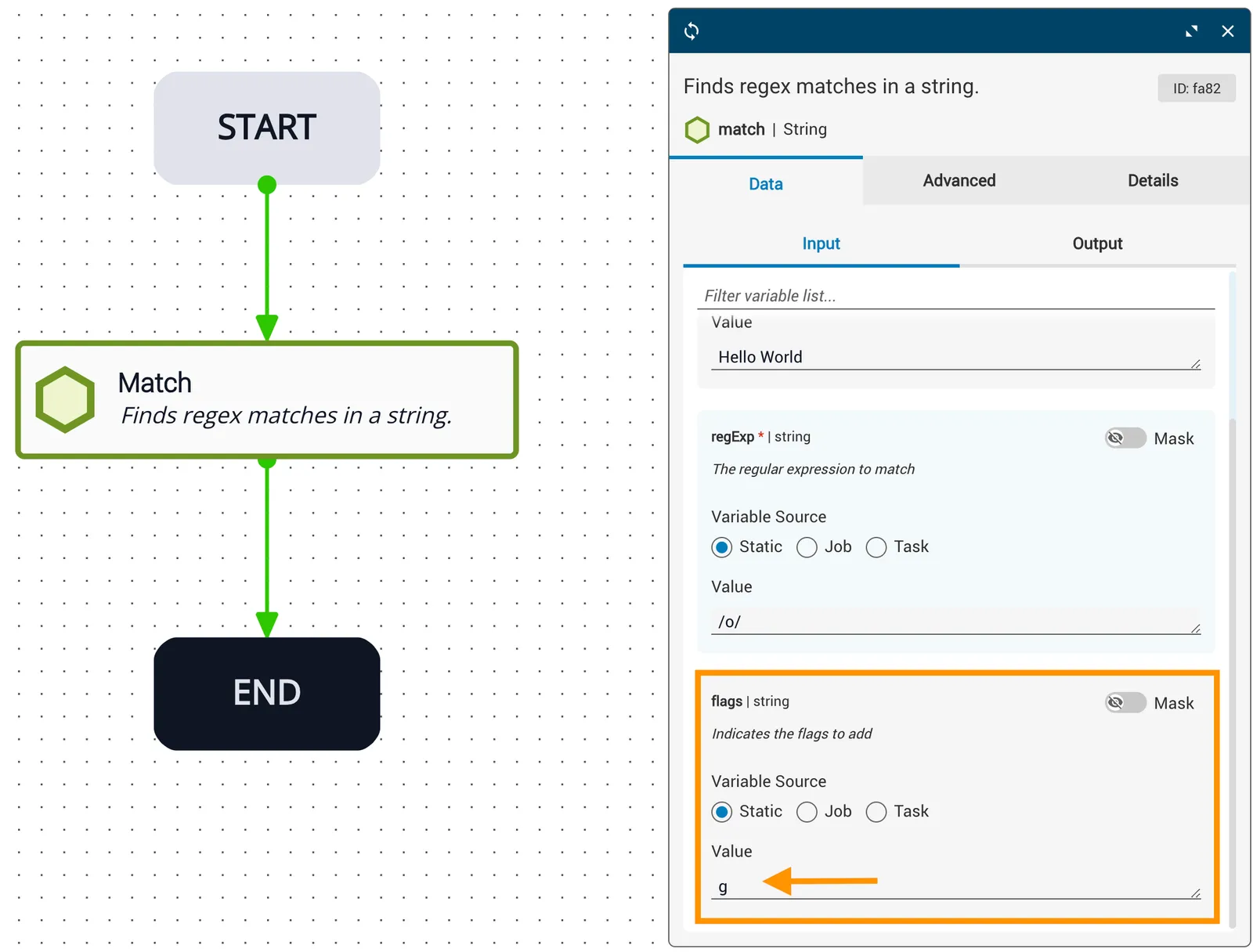
The regExp expression to match is the character /o/, and the flags variable is set to g, which is a global search of the entire string.
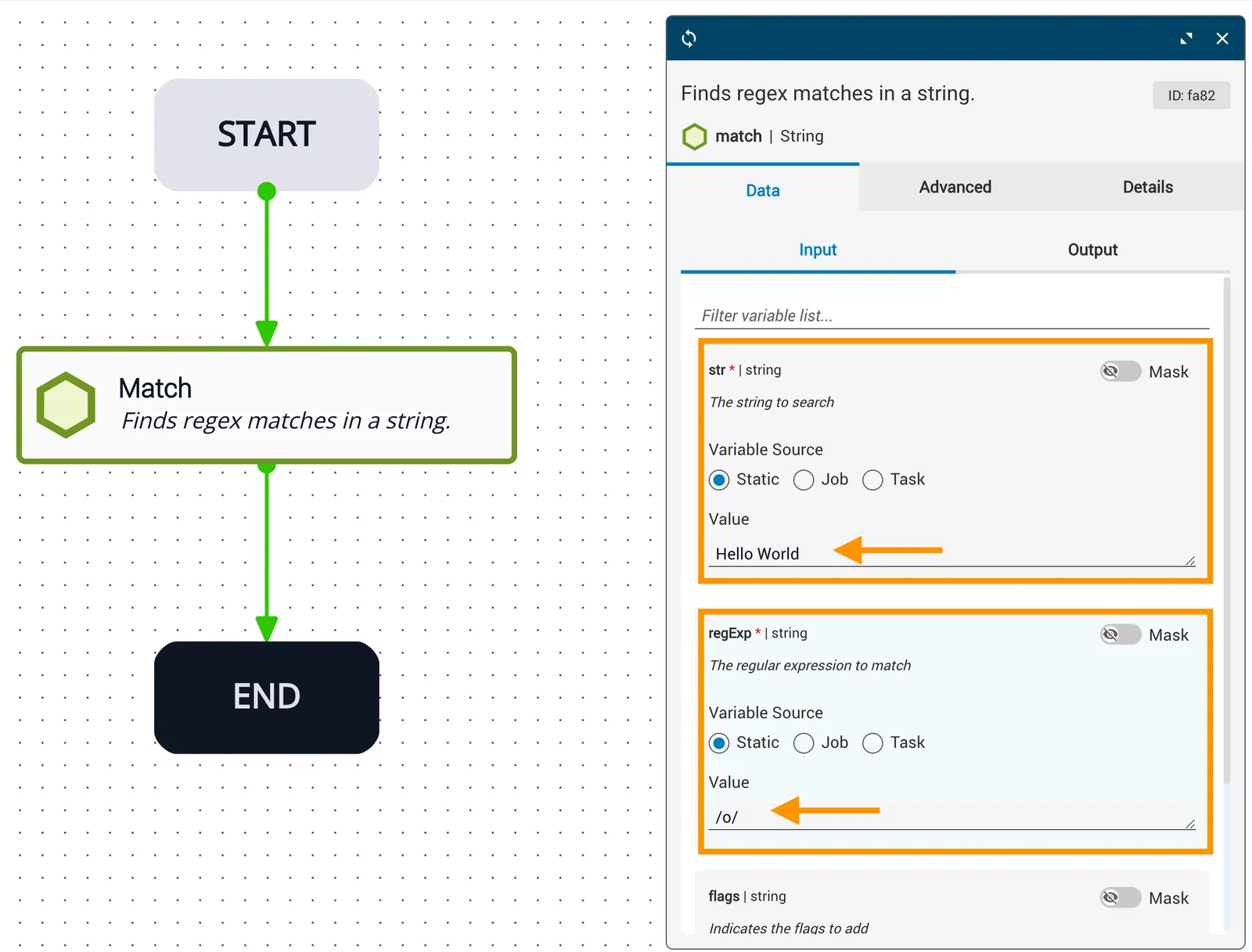
Search string and RegExp configuration
Flags variable set to g for global search

The result returned from this task shows the matched characters in the expression that was searched. There are two letter “o” characters in the words Hello World and both will be displayed in the outgoing matches variable as ["o","o"].
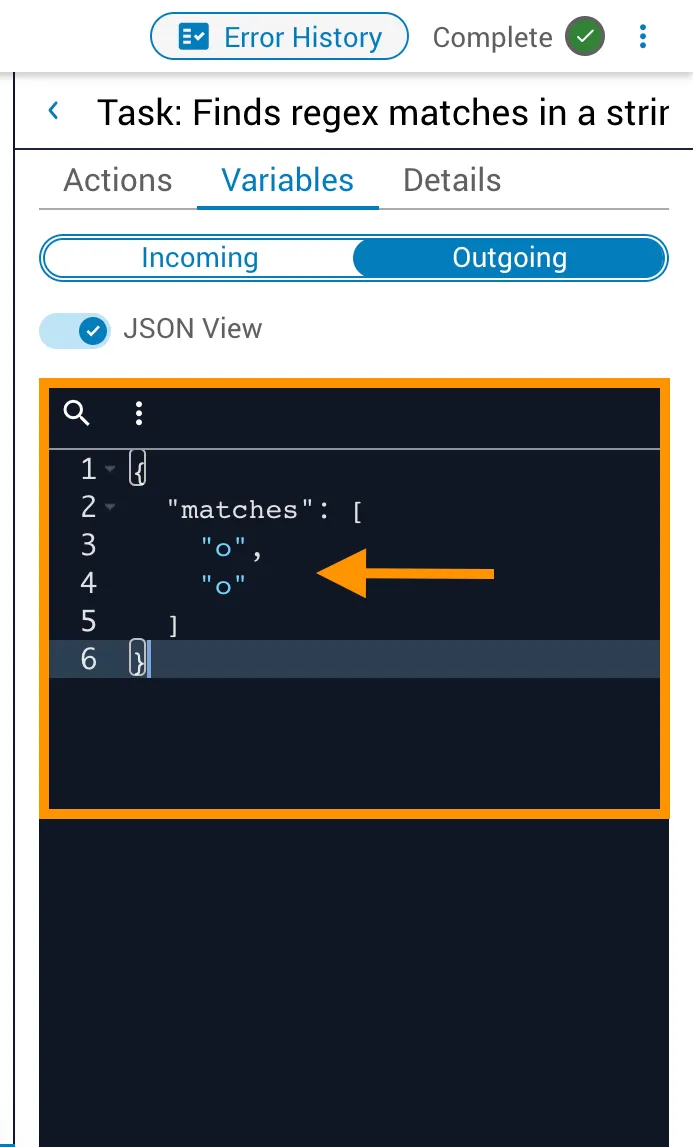
Output in Operations Manager showing matched characters

Related reading

For related information, see the match API reference.