

Use CyberArk secrets
Reference and use secrets from CyberArk CCP in Itential Platform configuration values and in Application, Adapter, and Integration properties.
Itential Platform has read-only access to CyberArk CCP. You cannot write secrets to CyberArk Digital Vault from Itential Platform.
Secret reference format
Use this format to reference CyberArk secrets:
The format includes:
$SAFE_followed by the CyberArk Safe name- A space character
$NAME_followed by the secret name
Example: $SAFE_My-Safe $NAME_mongodb retrieves the “mongodb” secret from the “My-Safe” safe.
Configure Itential Platform
You cannot use CyberArk secret references to configure the Itential Platform connection to CyberArk CCP.
Properties files
Add CyberArk references to system properties through platform properties or environment variables. See Platform Properties and Environment Variables for details.
Environment variables
Platform 6 only. Set environment-specific secrets using CyberArk references:
System profiles
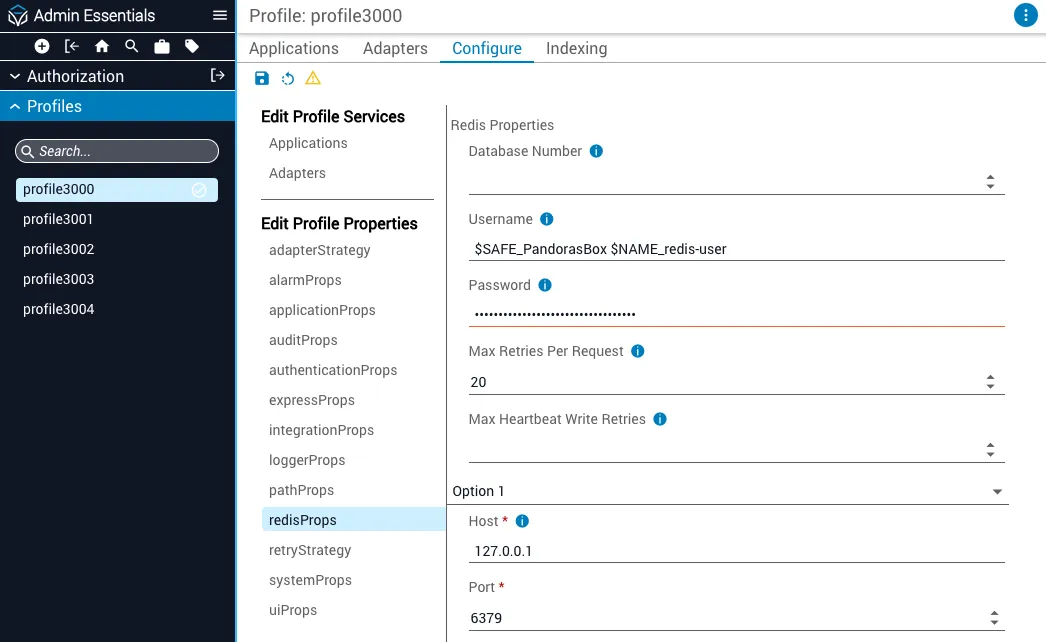
Configure applications, adapters, and integrations
The following example uses an Adapter instance. The same steps apply to Applications and Integrations.
