For AI agents: a documentation index is available at the root level at /llms.txt and /llms-full.txt. Append /llms.txt to any URL for a page-level index, or .md for the markdown version of any page.
Open sourceSupportFAQsDocs Home
DocumentationAPI referenceRelease notes
  • Platform On-Prem
    • Overview
    • Navigate
    • Search resources
  • Apps
      • Overview
      • Navigate
        • Configure and manage tasks
        • Null vs. undefined values
        • Parallel branches
          • Overview
          • addDuration
          • arrayIncludes
          • arrayLastIndexOf
          • arrayPop
          • arrayToString
          • assign
          • calculateTimeDiff
          • charAt
          • charCodeAt
          • childjob
          • codePointAt
          • concat
          • concatArray
          • convertEpochToObject
          • convertTimeFormat
          • convertTimeToEpoch
          • convertTimezone
          • copyWithin
          • csvStringToJSON
          • deepmerge
          • delay
          • endsWith
          • ErrorHandling
          • evaluation
          • eventListenerJob
          • excelToJson
          • extractField
          • fill
          • FlattenJSONFormInput
          • getTime
          • includes
          • arrayIndexOf
          • indexOf
          • isArray
          • join
          • keys
          • lastIndexOf
          • length
          • length (string)
          • localeCompare
          • makeData
          • map
          • match
          • merge
          • modify
          • newVariable
          • normalize
          • objectHasOwnProperty
          • objectToString
          • padEnd
          • padStart
          • parse
          • parseInt
          • pop
          • push
          • pushToArray
          • query
          • repeat
          • restCall
          • reverse
          • runCode
          • search
          • setObjectKey
          • shift
          • slice (array)
          • slice (string)
          • sort
          • split
          • startsWith
          • stringValueOf
          • stub
          • substring
          • toLocaleLowerCase
          • toLocaleString
          • toLocaleUpperCase
          • toLowerCase
          • numberToString
          • toString (array)
          • toString (number)
          • toString (object)
          • toUpperCase
          • transformation
          • trim
          • trimEnd
          • trimStart
          • unshift
          • updateJobDescription
          • values
          • viewData
    • FlowAI
    • Itential Automation Gateway
  • Resources
    • Itential Academy
    • Version lifecycle
    • Itential MCP
    • Accessibility conformance
    • Get support
    • FAQs
LogoLogo
Open sourceSupportFAQsDocs Home
On this page
  • Potential use case
  • Properties
  • Example 1 — convert to string
  • Example 2 — convert to JSON
  • Example 3 — convert to number
  • Example 4 — convert to boolean
AppsStudioTasksTask reference

makeData

Was this page helpful?
Previous

map

Next
Built with

The makeData task converts an input string into a different data type. Supported output types are boolean, json, number, and string.

Potential use case

The makeData task is typically used in conjunction with a preceding task to convert incoming data into a format (type) usable by a following task. It can also be used independently, with the variables input used when converting a string that references data from a previous task. In some of the examples below, you’ll see how you can achieve the same result with or without using a variable.

Properties

IncomingTypeDescription
inputStringRequired. The input to convert into a data type. Variables are wrapped with <!!>.
outputTypeEnumRequired. The type of output. Allowed values are boolean, json, number, and string.
variablesObjectOptional. A key-value object used in string interpolation, defined when the <!!> variable syntax is used within the input parameter.
OutgoingTypeDescription
outputBoolean, Json, Number, or StringThe converted data.

Example 1 — convert to string

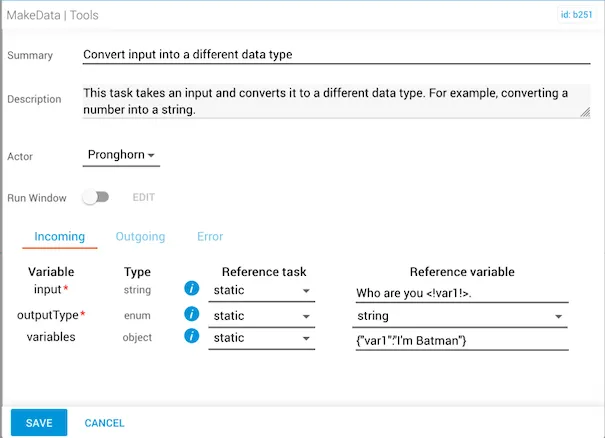
  • The input reference variable is the string Who are you <!var1!>.
  • The outputType is string.
  • The variables object for the wrapped variable <!var1!> is defined as "I'm Batman".
makeData task configured to combine a static string with a variable value

The output returns a string that combines "Who are you" with the variable "I'm Batman".
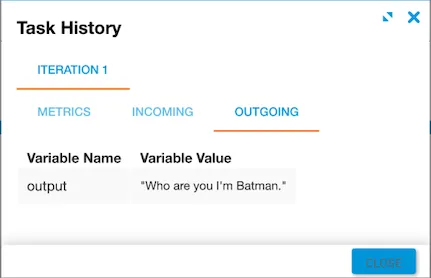
Output showing the combined string with the variable value substituted

Example 2 — convert to JSON

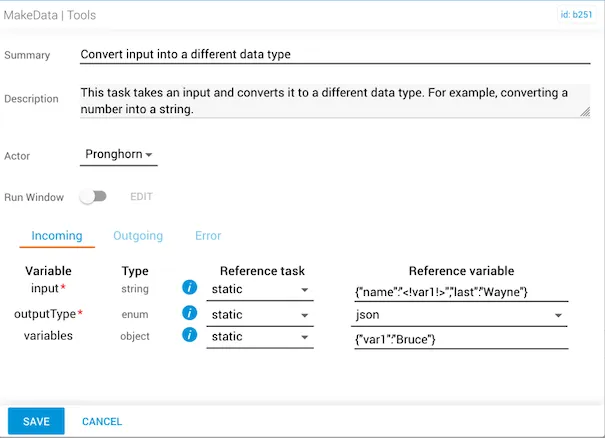
  • The input string is {"name":"<!var1!>","last":"Wayne"}.
  • The outputType is json.
  • The variables object is {"var1":"Bruce"}.
makeData task using a variable to inject Bruce as the name value in the JSON

Alternatively, you can use {"name":"Bruce","last":"Wayne"} as the input string with no variables object defined.
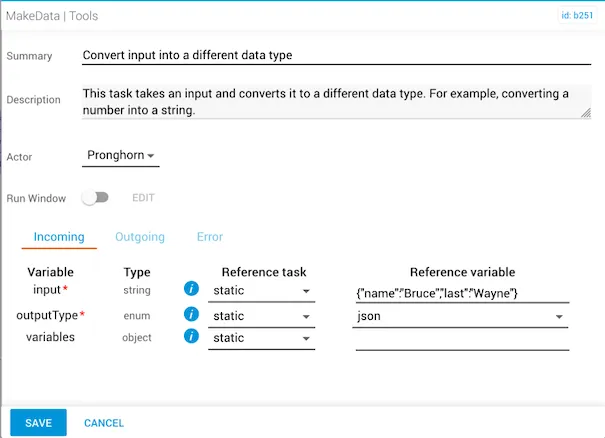
makeData task using a fully static input string without variables

The output for both approaches is the same: {"name":"Bruce","last":"Wayne"}.
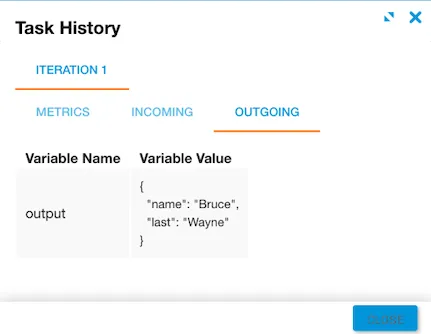
Output showing the JSON object with name and last key-value pairs

Example 3 — convert to number

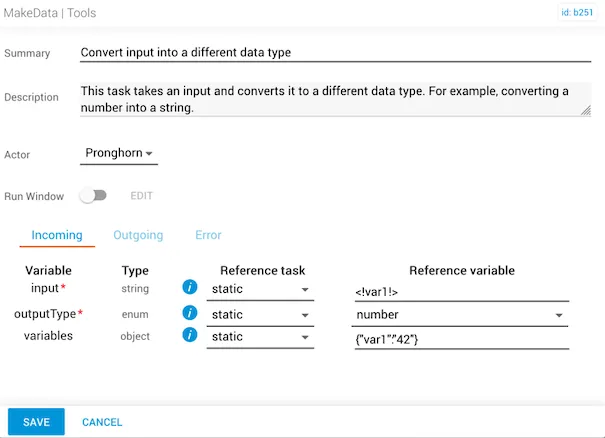
  • The input variable is defined as <!var!> and the outputType converts the data to a number.
  • The variables object is {"var1":"42"}, with the number 42 in the key-value.
makeData task using a variable to convert the value 42 to a number

Alternatively, the non-variable input can use the number 42 directly.
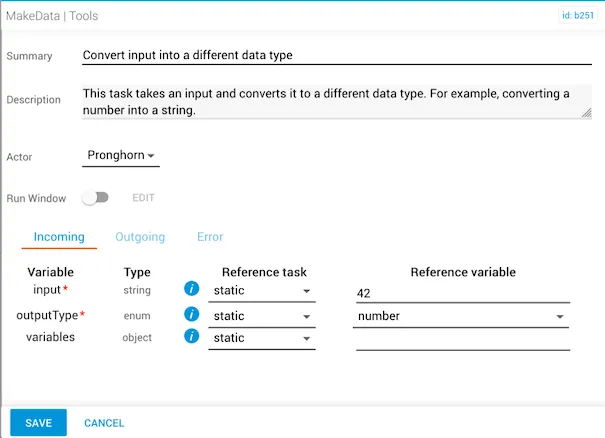
makeData task using a static number input without variables

Both approaches produce the same output: the number 42.
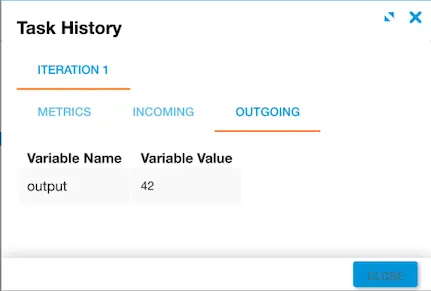
Output showing the converted number 42

Example 4 — convert to boolean

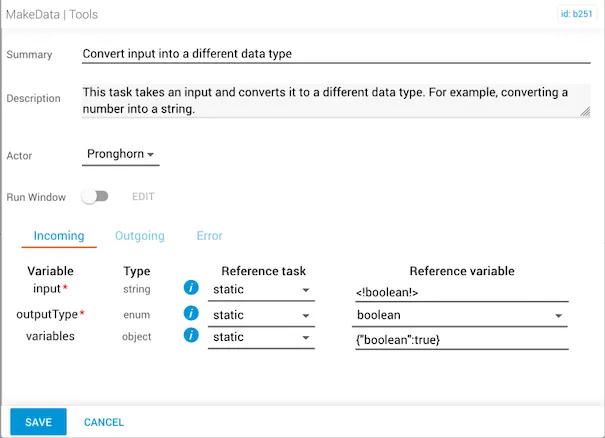
  • The input variable is defined as <!boolean!>.
  • The outputType is boolean.
  • The variables object is {"boolean":true}.
makeData task configured to convert the variable value to a boolean

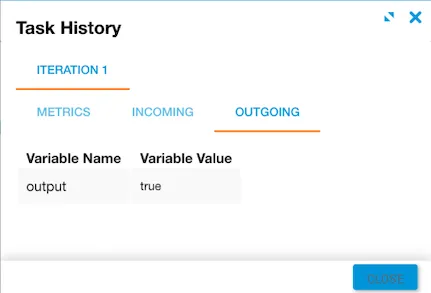
The output returns true.

Output showing the boolean value true