charCodeAt
The charCodeAt task obtains a Unicode decimal value (UTF-16) for a character at a specific position in a string. UTF-16 is a 16-bit integer between 0 and 65535.
Potential use cases
This task is a character-processing method that returns an encoded value at a specific location, rather than the character itself. You could use charCodeAt to perform string handling with characters you cannot type directly using a keyboard.
This task is also useful for working with strings used in objects such as a Text Field, Context Menu, or File Reference object. For example, if you have an input form with a text field that requires an email address, you could use charCodeAt to build a text validation function in the form control to parse the email address character by character and validate whether the entry is formatted correctly.
Properties
Examples
Example 1
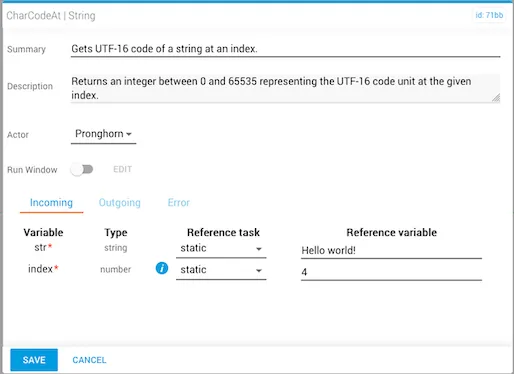
In this example:
- The reference variable for the incoming
stris statically set toHello World!. - The
indexnumber is4.
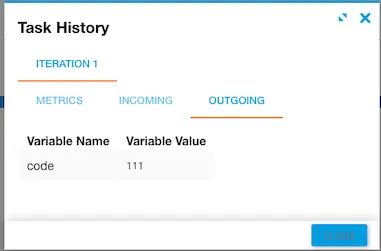
Once the workflow is executed, the code value is displayed under the Outgoing tab in Task History, accessed from Jobs in Operations Manager. The character code 111 is equal to the lowercase letter "o".
Example 2
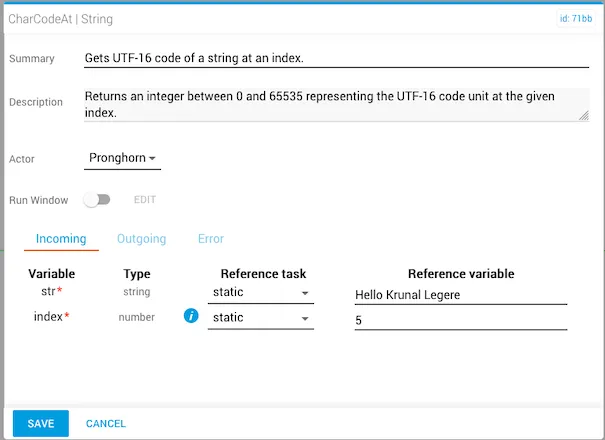
In this example:
- The reference variable for the incoming
stris statically set toHello Krunal Legere. - The
indexnumber is5.
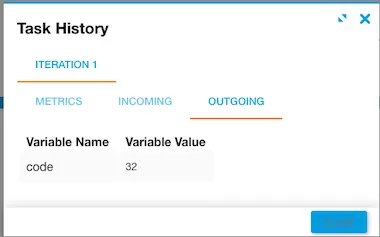
The character code that returns is 32, which is equal to a space in the string.