For AI agents: a documentation index is available at the root level at /llms.txt and /llms-full.txt. Append /llms.txt to any URL for a page-level index, or .md for the markdown version of any page.
Open sourceSupportFAQsDocs Home
DocumentationAPI referenceRelease notes
  • Platform On-Prem
    • Overview
    • Navigate
    • Search resources
  • Apps
      • Overview
      • Navigate
        • Configure and manage tasks
        • Null vs. undefined values
        • Parallel branches
          • Overview
          • addDuration
          • arrayIncludes
          • arrayLastIndexOf
          • arrayPop
          • arrayToString
          • assign
          • calculateTimeDiff
          • charAt
          • charCodeAt
          • childjob
          • codePointAt
          • concat
          • concatArray
          • convertEpochToObject
          • convertTimeFormat
          • convertTimeToEpoch
          • convertTimezone
          • copyWithin
          • csvStringToJSON
          • deepmerge
          • delay
          • endsWith
          • ErrorHandling
          • evaluation
          • eventListenerJob
          • excelToJson
          • extractField
          • fill
          • FlattenJSONFormInput
          • getTime
          • includes
          • arrayIndexOf
          • indexOf
          • isArray
          • join
          • keys
          • lastIndexOf
          • length
          • length (string)
          • localeCompare
          • makeData
          • map
          • match
          • merge
          • modify
          • newVariable
          • normalize
          • objectHasOwnProperty
          • objectToString
          • padEnd
          • padStart
          • parse
          • parseInt
          • pop
          • push
          • pushToArray
          • query
          • repeat
          • restCall
          • reverse
          • runCode
          • search
          • setObjectKey
          • shift
          • slice (array)
          • slice (string)
          • sort
          • split
          • startsWith
          • stringValueOf
          • stub
          • substring
          • toLocaleLowerCase
          • toLocaleString
          • toLocaleUpperCase
          • toLowerCase
          • numberToString
          • toString (array)
          • toString (number)
          • toString (object)
          • toUpperCase
          • transformation
          • trim
          • trimEnd
          • trimStart
          • unshift
          • updateJobDescription
          • values
          • viewData
    • FlowAI
    • Itential Automation Gateway
  • Resources
    • Itential Academy
    • Version lifecycle
    • Itential MCP
    • Accessibility conformance
    • Get support
    • FAQs
LogoLogo
Open sourceSupportFAQsDocs Home
On this page
  • Task purpose
  • Properties
  • Configure the task
  • No keys assigned
  • Unique keys assigned
  • Related reading
AppsStudioTasksTask reference

merge

Was this page helpful?
Previous

modify

Next
Built with

Task purpose

The merge task combines data from job variables, static data, and the outgoing variables of tasks to create a new variable. By merging data, you can create new data structures to match the existing parameters of a task, allowing you to reuse existing tasks without programming new ones. The merge task can combine number, boolean, string, array, and object data types.

Two assignment modes are supported:

ModeDescription
No keys assigned to merged dataReturns an array of the merged values in a non-deterministic order.
Unique keys assigned to merged dataReturns an object with key/value fields as specified.

The merge task does not support merging data with partial key assignments or non-unique keys.

Properties

PropertyDescription
Key (optional)A key for each merged value. Supported configurations are either no keys or all unique keys.
Task (required)Where to find a variable to merge. You can merge data stored in job variables, a static value, or the outgoing variable of an earlier task.
VariableThe data to merge. When the data comes from the job or an earlier task, select the variable from the dropdown list. If the data comes from a static value, type the value in the variable edit box.

Configure the task

The following examples use data returned from three tasks, which return these objects:

1{
2 "vendor": "Cisco",
3 "platforms": [ "3945", "6500" ],
4 "chassis": [ "fixed", "modular" ]
5}
1{
2 "release": "15.5"
3}
1{
2 "features": [ "L3VPN", "STP" ]
3}

No keys assigned

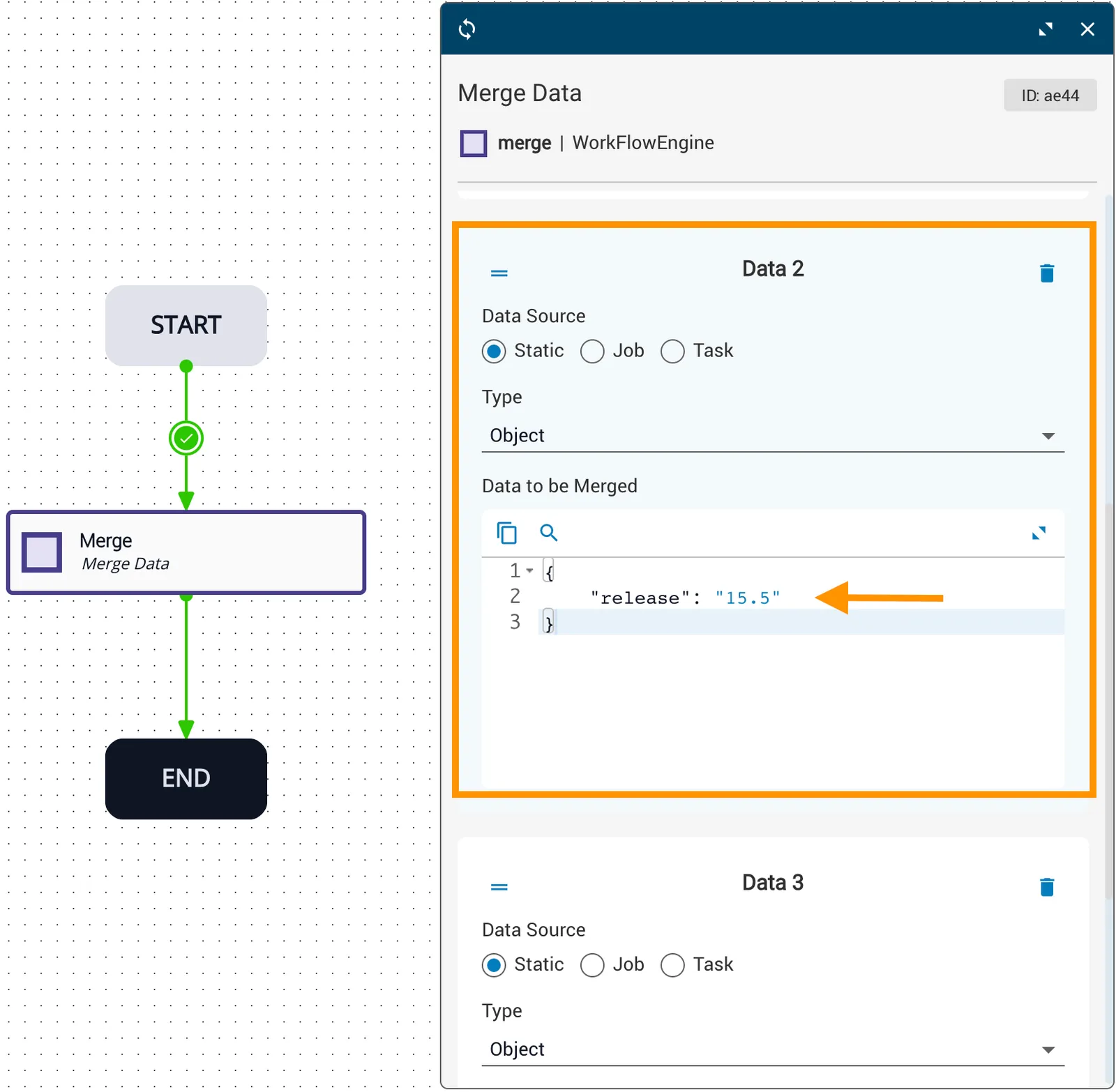
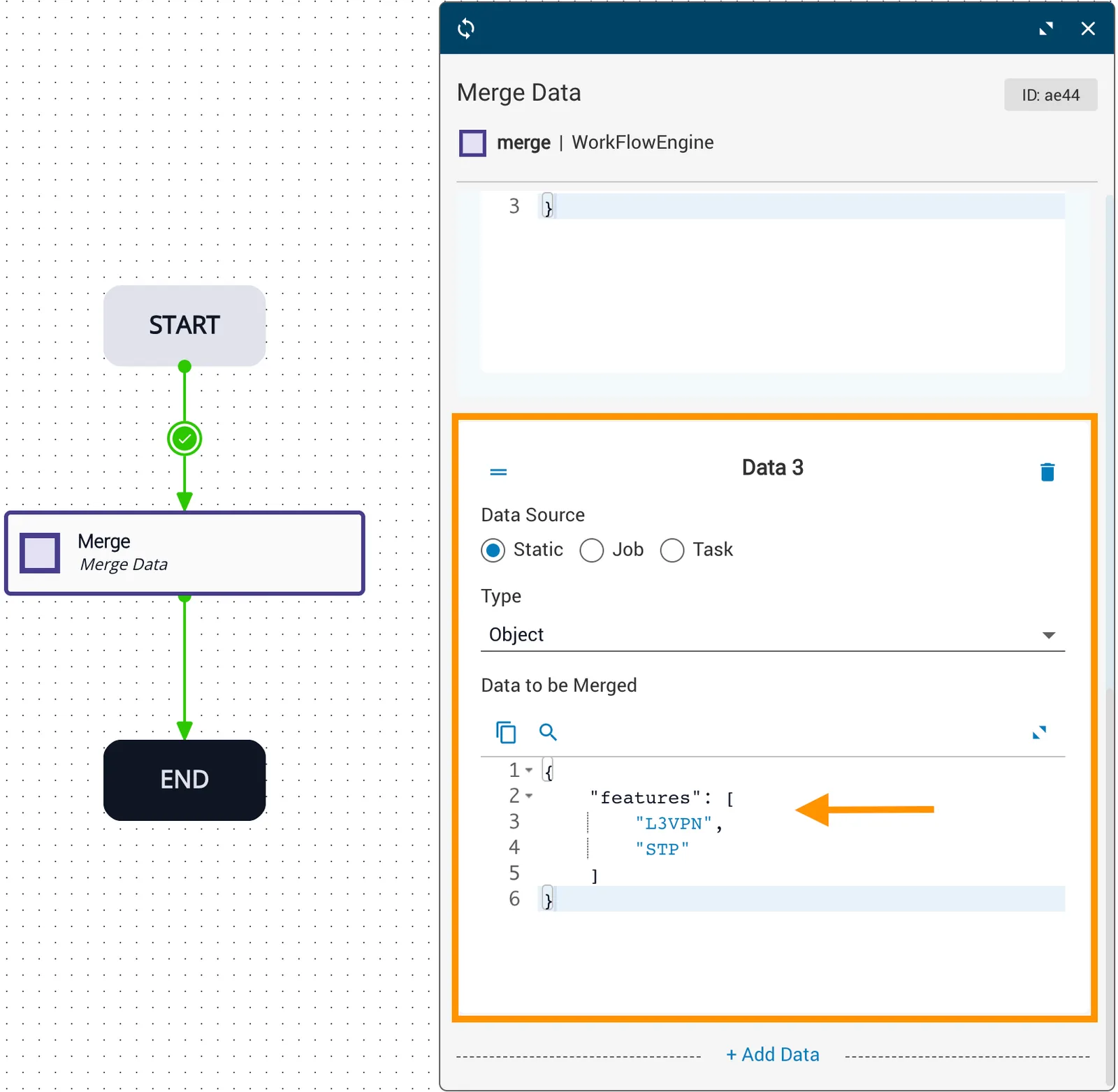
Configure the merge task properties with no keys.
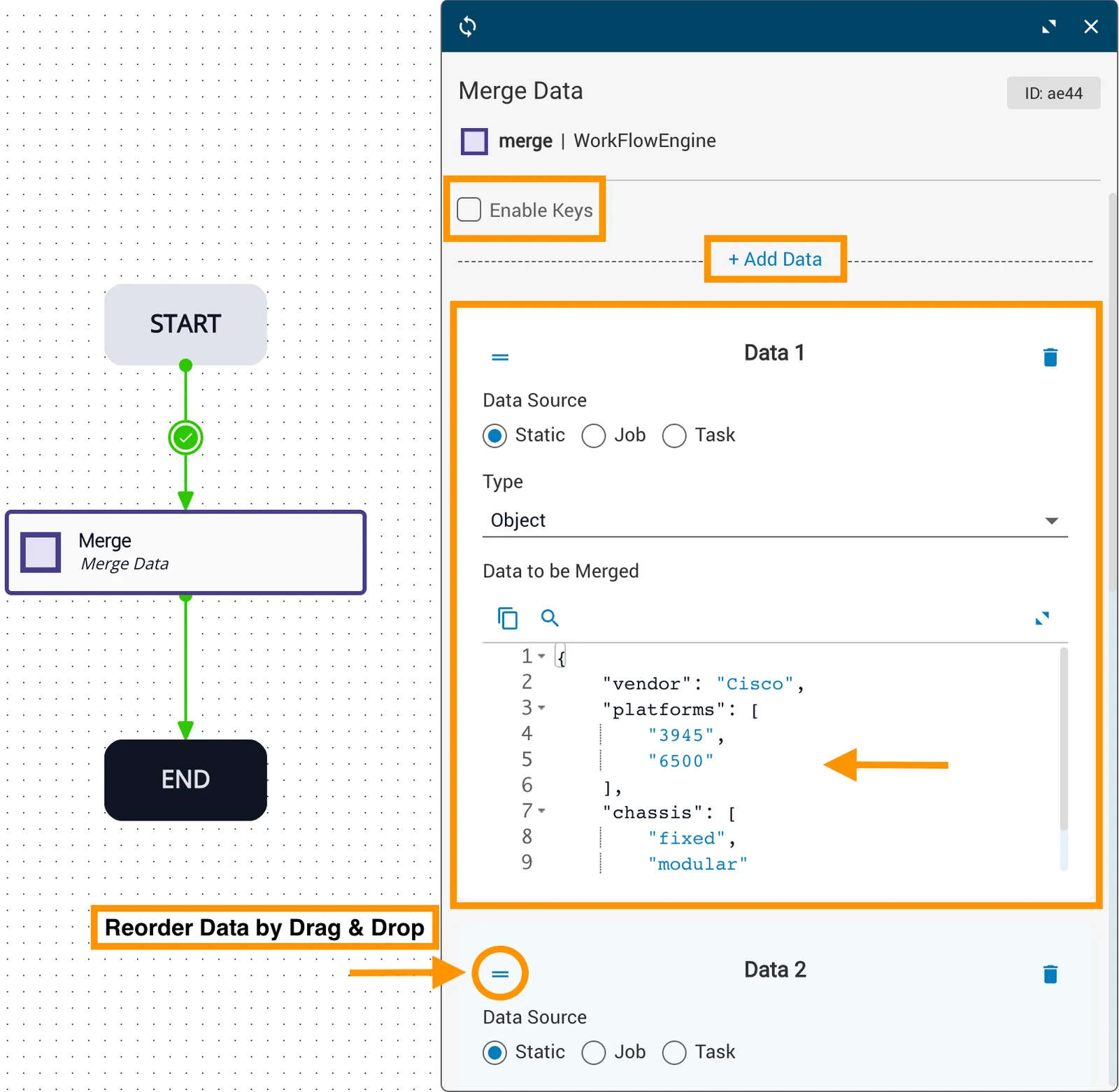
Vendor, platforms, and chassis dataset
Release dataset
Features dataset

The merge task returns an array. The order is not deterministic.
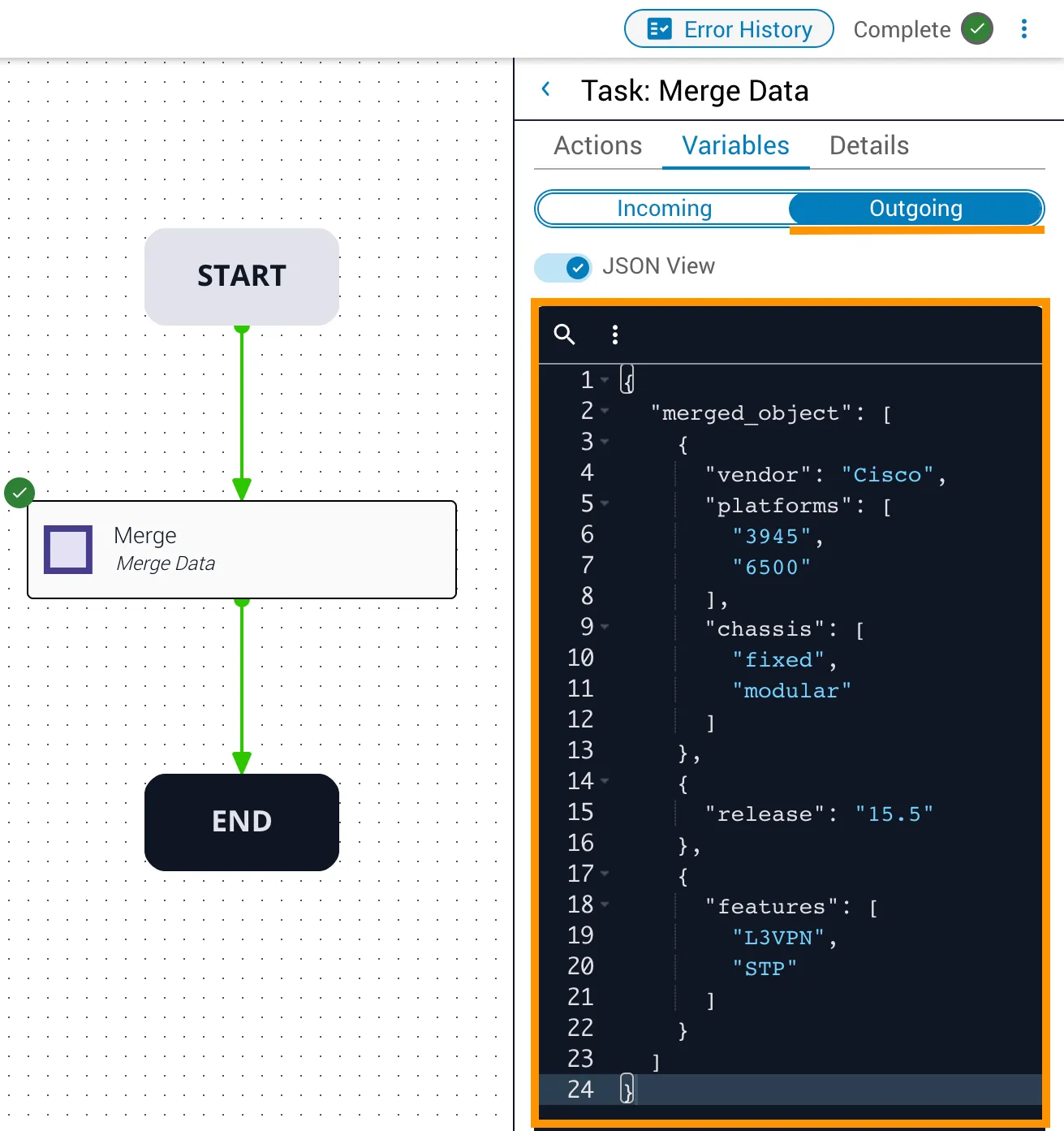
Outgoing array (no keys)

Unique keys assigned

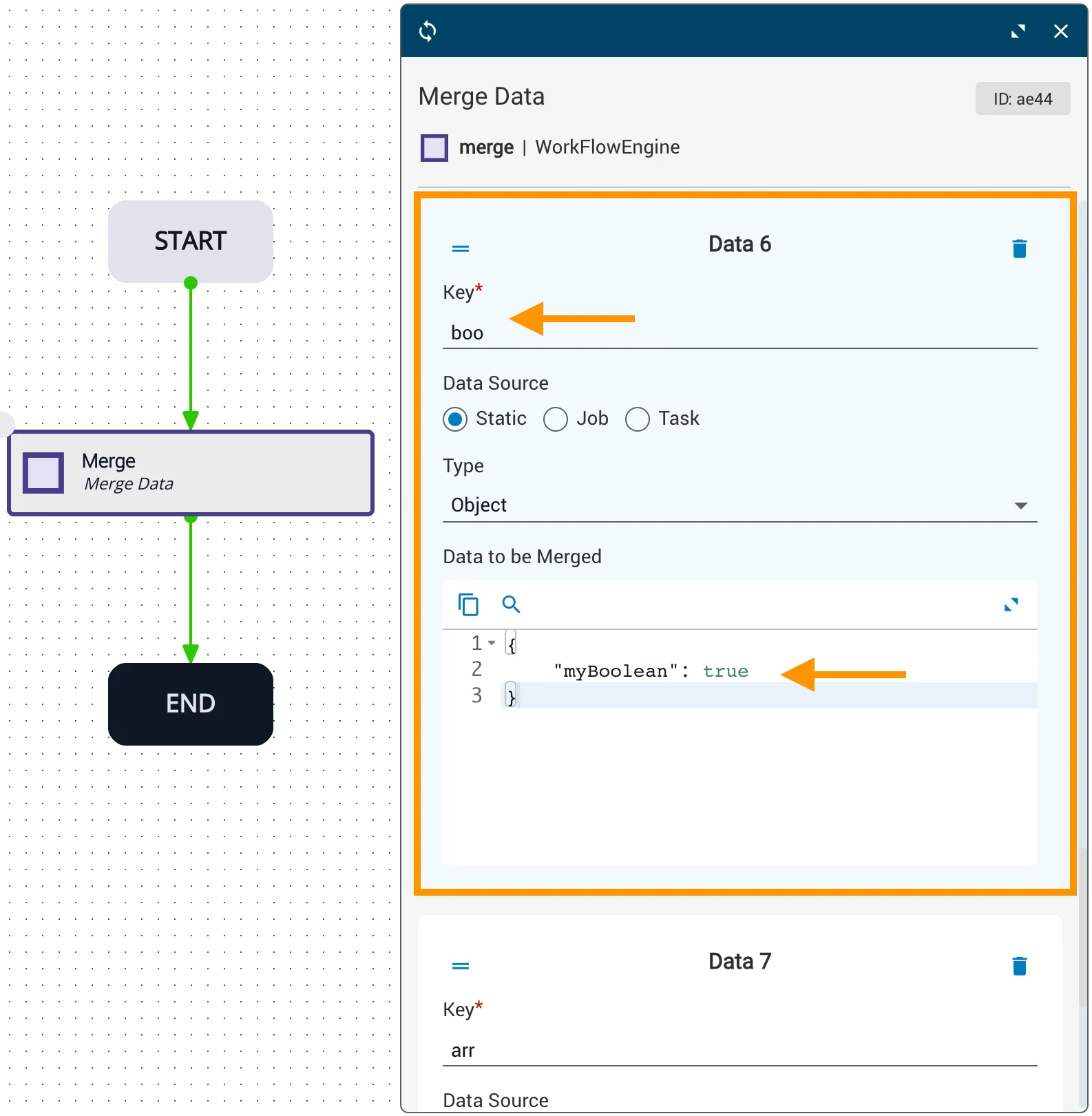
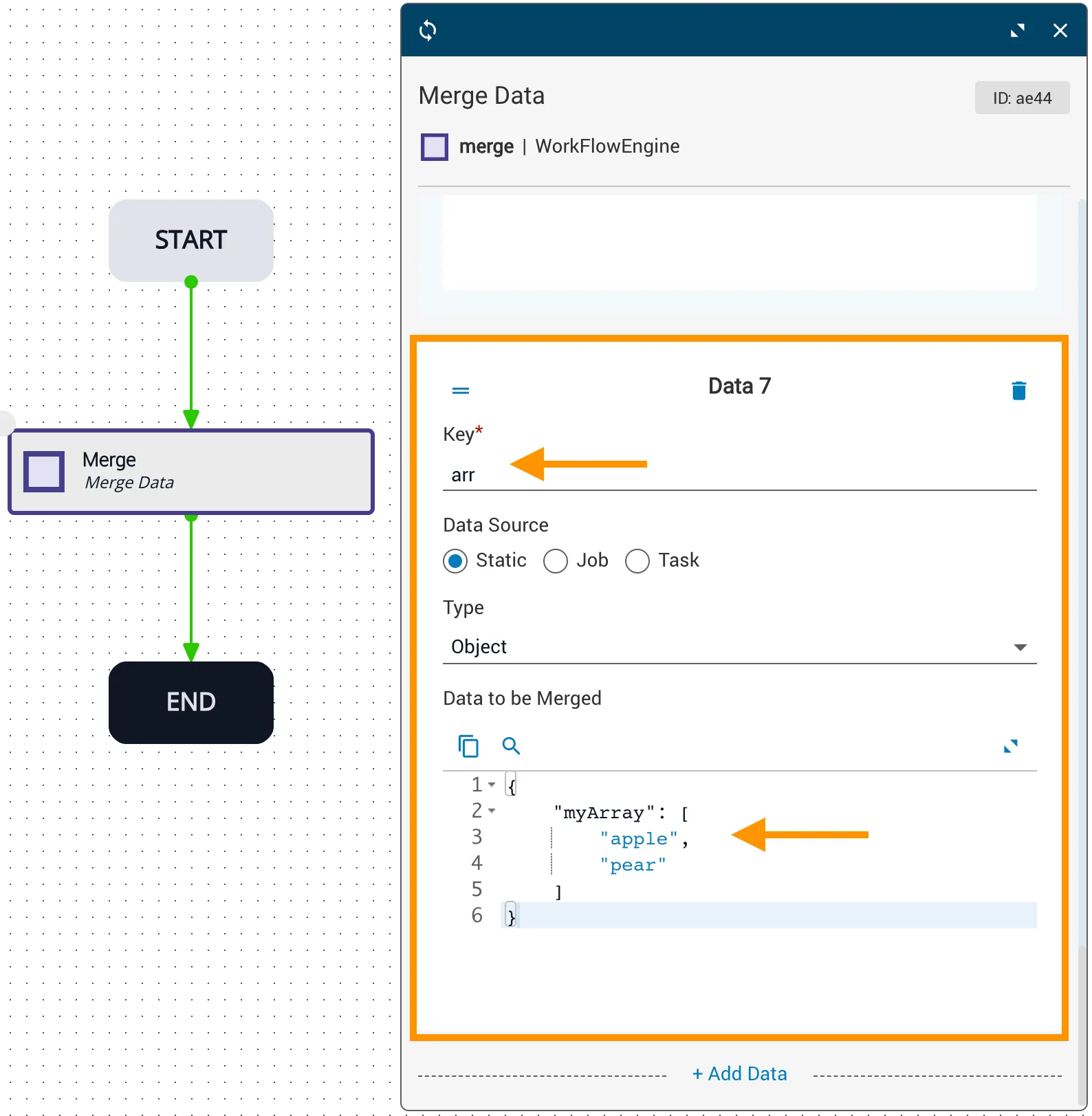
Configure the merge task properties with unique keys. In addition to the three objects above, this example includes a number, string, boolean, and array.
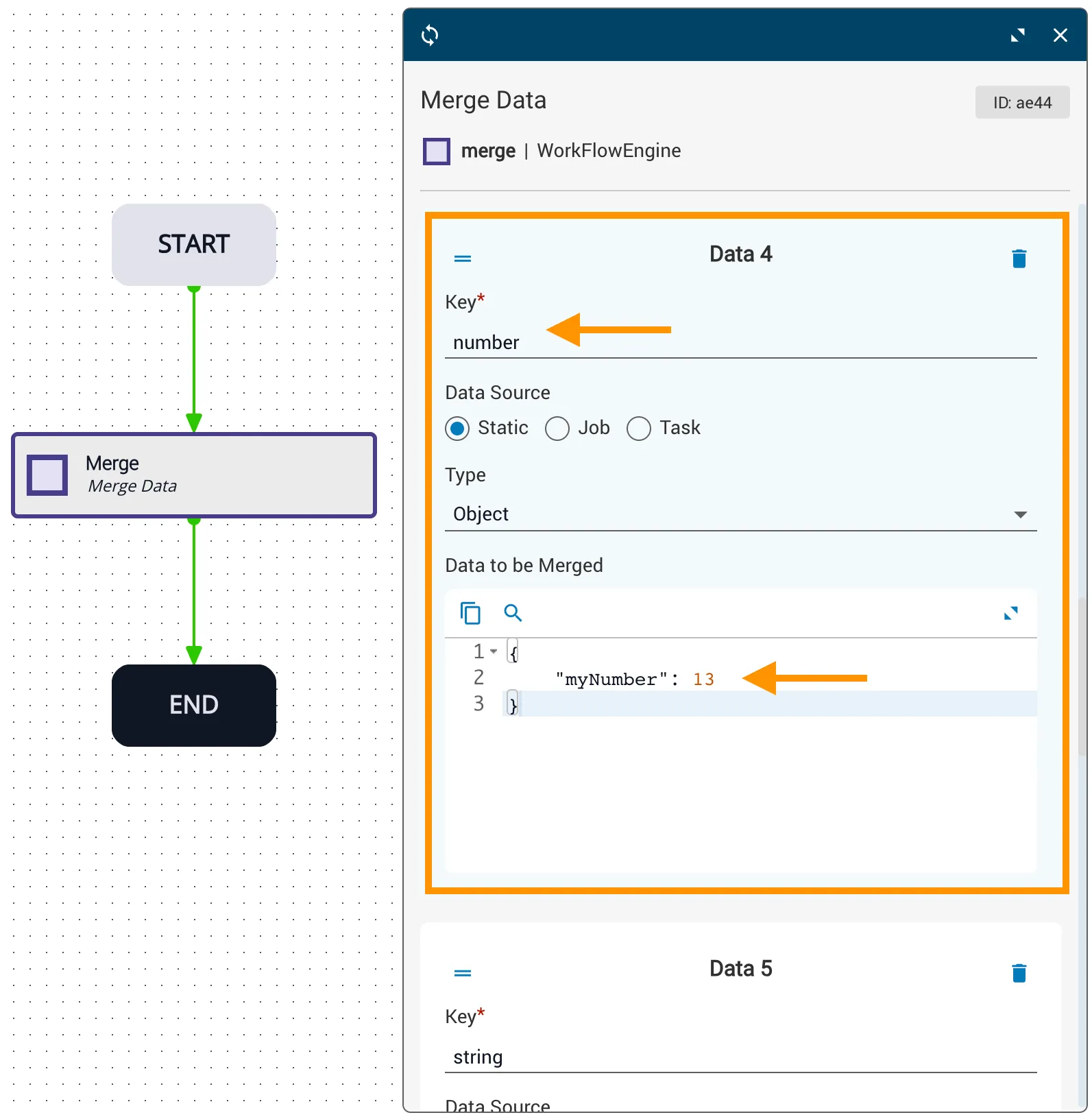
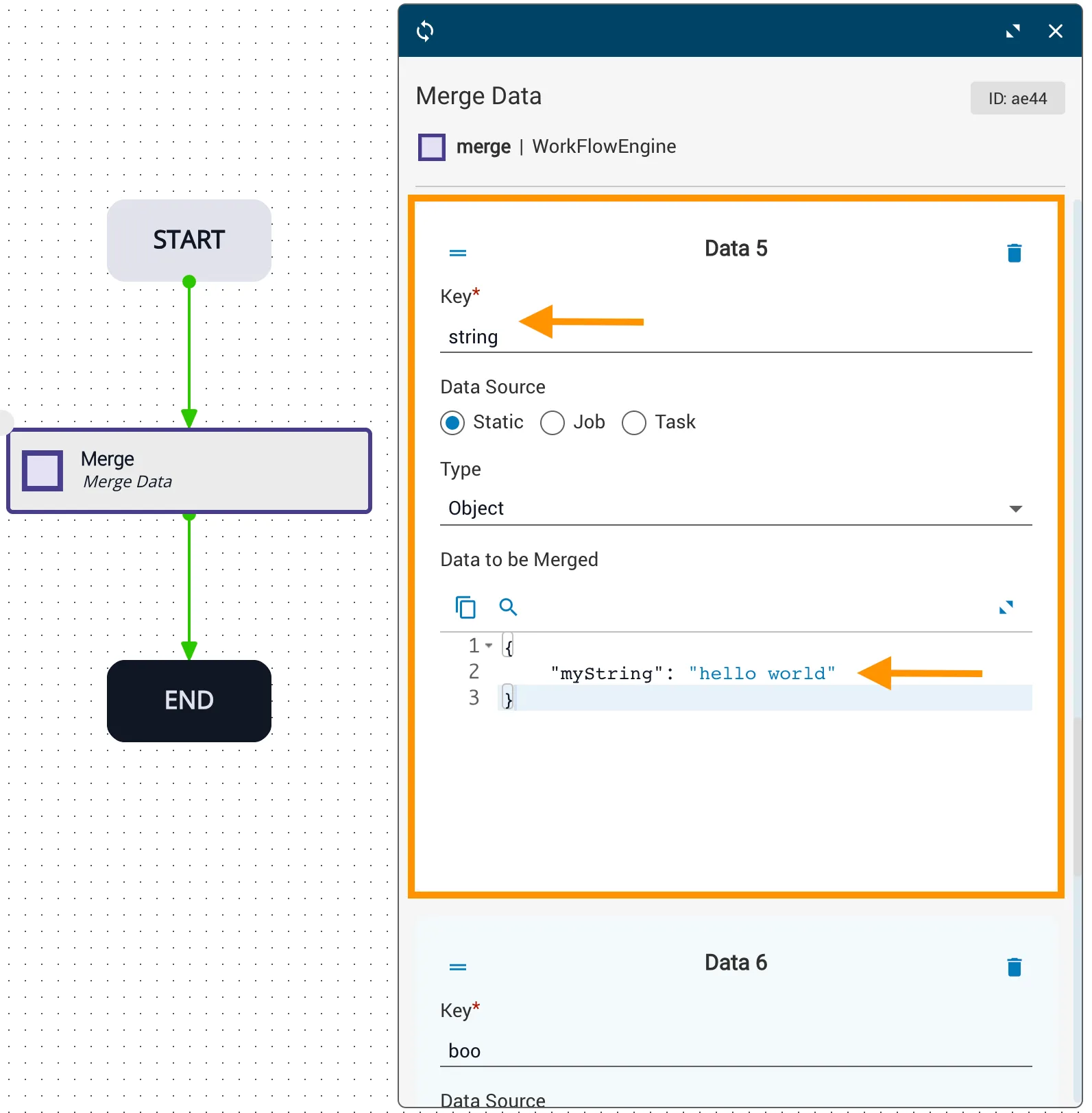
Number dataset
String dataset
Boolean dataset
Array dataset

The merge task returns this object of specified key/value fields:

1{
2 "merged_object": {
3 "chassis": {
4 "vendor": "Cisco",
5 "platforms": [ "3945", "6500" ],
6 "chassis": [ "fixed", "modular" ]
7 },
8 "os-image": {
9 "release": "15.5"
10 },
11 "services": {
12 "features": [ "L3VPN", "STP" ]
13 },
14 "number": {
15 "myNumber": 13
16 },
17 "string": {
18 "myString": "hello world"
19 },
20 "boo": {
21 "myBoolean": true
22 },
23 "arr": {
24 "myArray": [ "apple", "pear" ]
25 }
26 }
27}

Related reading

  • merge API reference