

For AI agents: a documentation index is available at the root level at /llms.txt and /llms-full.txt. Append /llms.txt to any URL for a page-level index, or .md for the markdown version of any page.
Open sourceSupportFAQsDocs Home
DocumentationAPI referenceRelease notes
  • Platform On-Prem
    • Overview
    • Navigate
    • Search resources
  • Apps
      • Overview
      • Navigate
        • Configure and manage tasks
        • Null vs. undefined values
        • Parallel branches
          • Overview
          • addDuration
          • arrayIncludes
          • arrayLastIndexOf
          • arrayPop
          • arrayToString
          • assign
          • calculateTimeDiff
          • charAt
          • charCodeAt
          • childjob
          • codePointAt
          • concat
          • concatArray
          • convertEpochToObject
          • convertTimeFormat
          • convertTimeToEpoch
          • convertTimezone
          • copyWithin
          • csvStringToJSON
          • deepmerge
          • delay
          • endsWith
          • ErrorHandling
          • evaluation
          • eventListenerJob
          • excelToJson
          • extractField
          • fill
          • FlattenJSONFormInput
          • getTime
          • includes
          • arrayIndexOf
          • indexOf
          • isArray
          • join
          • keys
          • lastIndexOf
          • length
          • length (string)
          • localeCompare
          • makeData
          • map
          • match
          • merge
          • modify
          • newVariable
          • normalize
          • objectHasOwnProperty
          • objectToString
          • padEnd
          • padStart
          • parse
          • parseInt
          • pop
          • push
          • pushToArray
          • query
          • repeat
          • restCall
          • reverse
          • runCode
          • search
          • setObjectKey
          • shift
          • slice (array)
          • slice (string)
          • sort
          • split
          • startsWith
          • stringValueOf
          • stub
          • substring
          • toLocaleLowerCase
          • toLocaleString
          • toLocaleUpperCase
          • toLowerCase
          • numberToString
          • toString (array)
          • toString (number)
          • toString (object)
          • toUpperCase
          • transformation
          • trim
          • trimEnd
          • trimStart
          • unshift
          • updateJobDescription
          • values
          • viewData
    • FlowAI
    • Itential Automation Gateway
  • Resources
    • Itential Academy
    • Version lifecycle
    • Itential MCP
    • Accessibility conformance
    • Get support
    • FAQs
LogoLogo
Open sourceSupportFAQsDocs Home
On this page
  • Potential use case
  • Properties
  • Example 1
  • Example 2
  • Manual reference variable entry
AppsStudioTasksTask reference

convertTimeToEpoch

Was this page helpful?
Previous

convertTimezone

Next
Built with

The convertTimeToEpoch task converts a date/timestamp to Epoch Time — the number of seconds (or milliseconds) elapsed since January 1, 1970 (midnight UTC/GMT).

Potential use case

Use this task when a workflow needs to provide an input timestamp to a downstream interface or system that requires Epoch Time format.

Properties

IncomingTypeDescription
inputTimeObjectRequired. The date/timestamp to convert.
EpochFormatEnumRequired. The Epoch format for the output. Allowed values: "Seconds" or "Milliseconds".
OutgoingTypeDescription
epochTimeNumberThe converted date/timestamp value as seconds or milliseconds since January 1, 1970 (midnight UTC/GMT), as specified by EpochFormat.

Example 1

In this example:

  • The inputTime variable comes from the getTime reference task. The reference variable is time.
  • The EpochFormat is set to Seconds.
  • The output epochTime will be the inputTime value expressed in seconds since January 1, 1970.
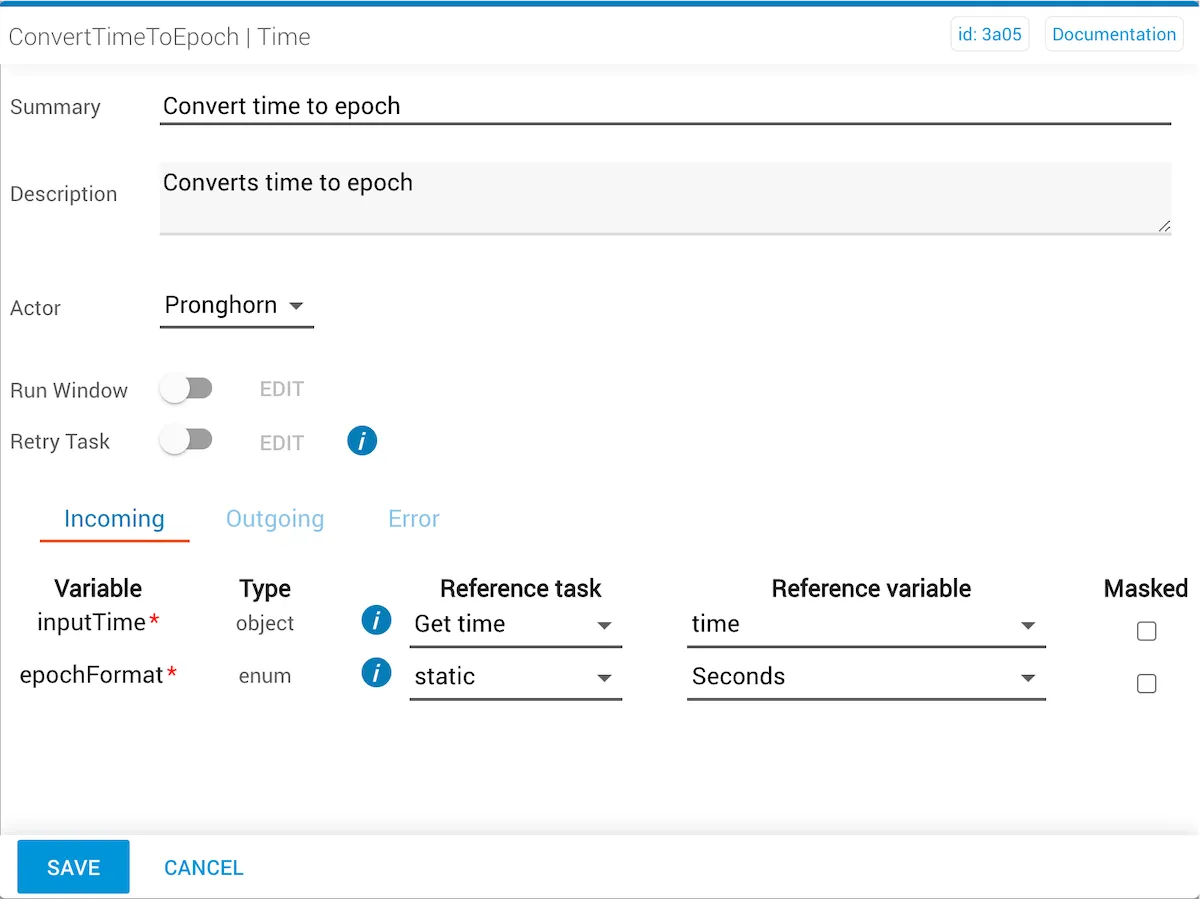
convertTimeToEpoch task with inputTime from getTime and EpochFormat set to Seconds

Example 2

In this example:

  • The inputTime variable comes from the getTime reference task. The reference variable is time.
  • The EpochFormat is set to Milliseconds.
  • The output epochTime will be the inputTime value expressed in milliseconds since January 1, 1970.
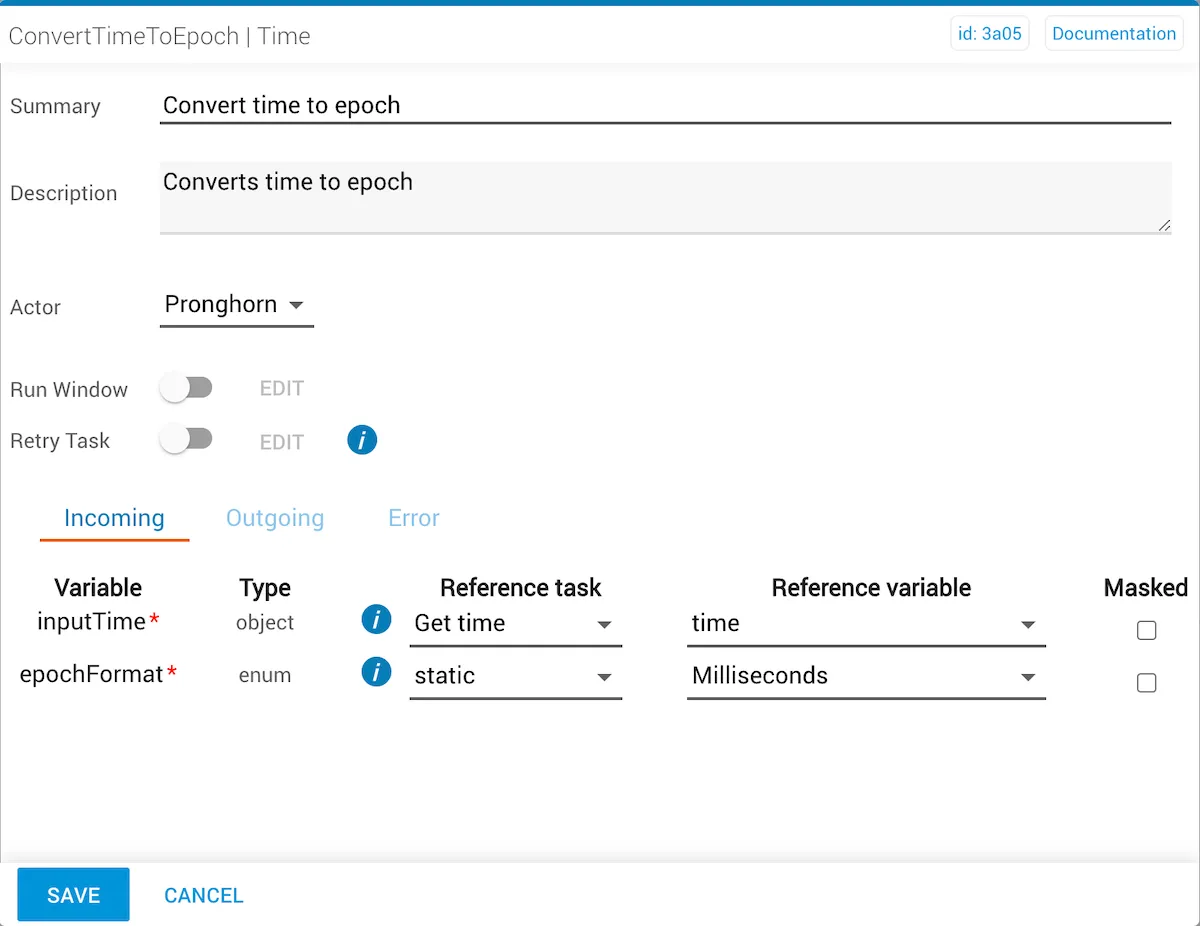
convertTimeToEpoch task with inputTime from getTime and EpochFormat set to Milliseconds

Manual reference variable entry

To enter the inputTime object manually, use the Year-Month-Date-Time format (yyyy-MM-dd 'T' HH:mm:ss.SSSZ):

1{"time": "2021-02-26T15:00:00.000Z"}

This displays as:

2021-02-25 03:00.00