

addDuration
Unlike the getTime task (which provides a current system timestamp), the addDuration task adds a specified duration to an existing timestamp and returns the adjusted result for continued use in the automation.
Potential use case
If a date value is provided in a record, use addDuration to determine what the timestamp would be after adding additional time. For example, adding six months to a poll record could generate a result such as: “Last poll occurred on Jan 1; next poll will occur on Jun 1.”
Properties
Input variables
When using object literal notation in offsetDuration, you must include the curly braces. Numeric values entered without any other designators are treated as milliseconds by default. See the moment.js documentation for more information.
Output variables
The newTime object inherits the same format as inputTime. The addDuration task does not provide a mechanism to change the time format.
Example 1
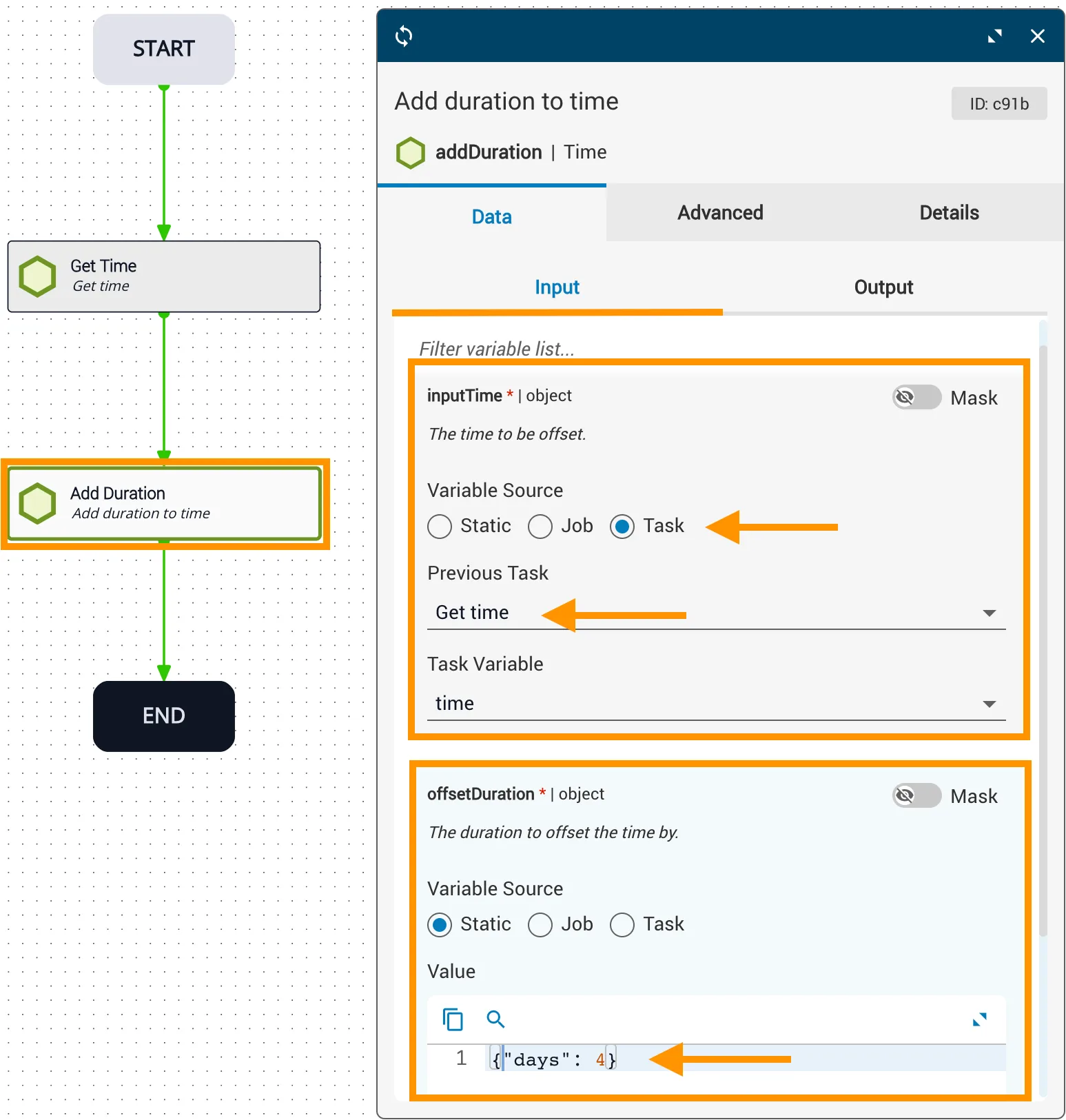
In this example:
inputTimecomes from theGet timetask with reference variabletime.offsetDurationadds four days using object literal notation:{"days": 4}.- If
inputTimeis"2020-06-01", the resultingnewTimeis"2020-06-05".
Example 2
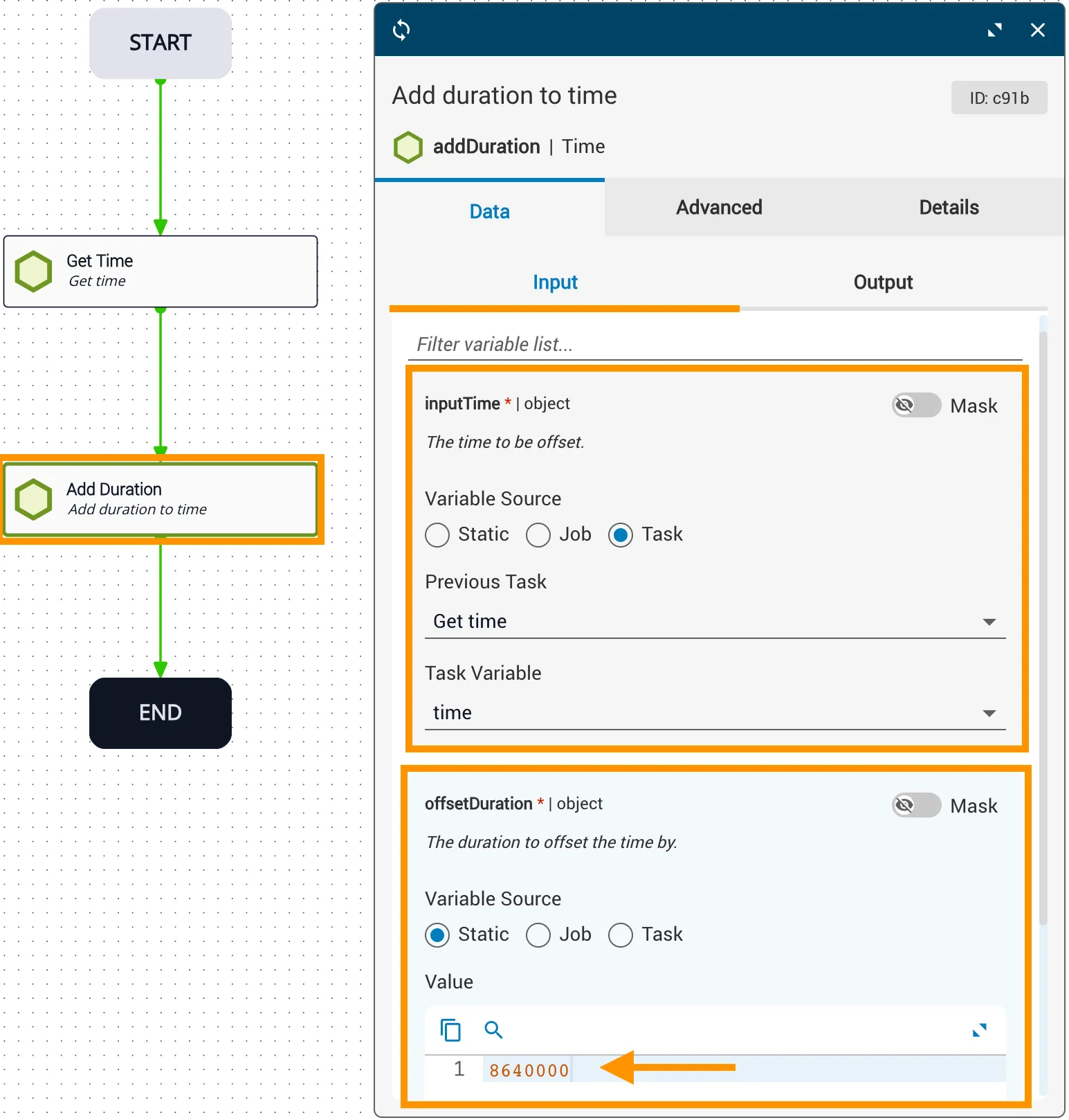
In this example:
inputTimecomes from theGet timetask with reference variabletime.offsetDurationis86400000milliseconds (24 hours), entered as a plain numeric value without object literal notation.- The resulting
newTimeis theinputTimeplus 24 hours.
Example 3
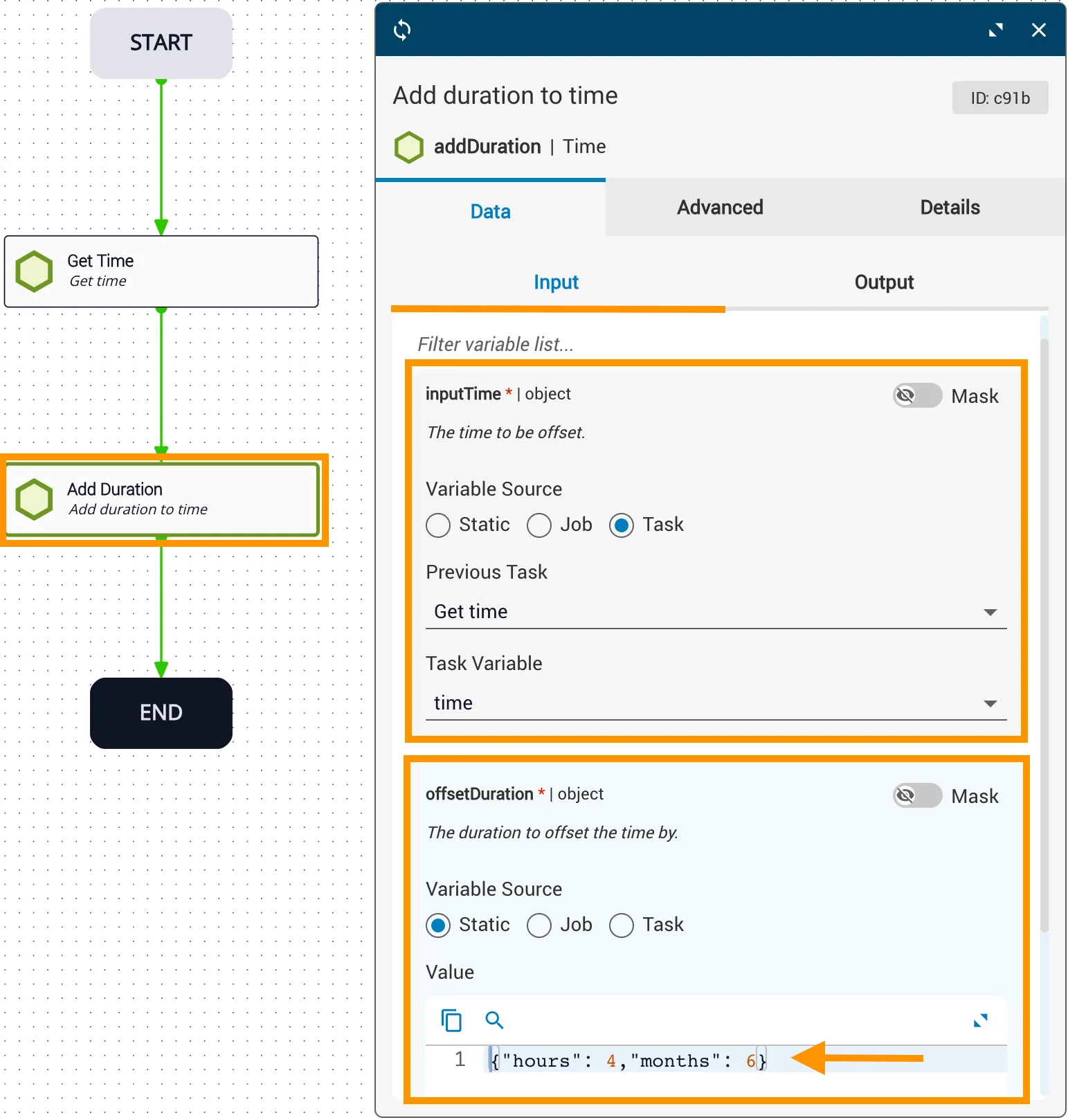
In this example:
inputTimecomes from theGet timetask with reference variabletime.offsetDurationadds four hours and six months using object literal notation:{"hours": 4, "months": 6}.- The resulting
newTimeis theinputTimeplus six months and four hours.
Manual reference variable entry (inputTime)
To enter the inputTime object manually, use Year-Month-Date-Time format ("yyyy-MM-dd'T'HH:mm:ss.SSSZ"):
This displays as: