For AI agents: a documentation index is available at the root level at /llms.txt and /llms-full.txt. Append /llms.txt to any URL for a page-level index, or .md for the markdown version of any page.
Open sourceSupportFAQsDocs Home
DocumentationAPI referenceRelease notes
  • Platform On-Prem
    • Overview
    • Navigate
    • Search resources
  • Apps
      • Overview
      • Navigate
        • Configure and manage tasks
        • Null vs. undefined values
        • Parallel branches
          • Overview
          • addDuration
          • arrayIncludes
          • arrayLastIndexOf
          • arrayPop
          • arrayToString
          • assign
          • calculateTimeDiff
          • charAt
          • charCodeAt
          • childjob
          • codePointAt
          • concat
          • concatArray
          • convertEpochToObject
          • convertTimeFormat
          • convertTimeToEpoch
          • convertTimezone
          • copyWithin
          • csvStringToJSON
          • deepmerge
          • delay
          • endsWith
          • ErrorHandling
          • evaluation
          • eventListenerJob
          • excelToJson
          • extractField
          • fill
          • FlattenJSONFormInput
          • getTime
          • includes
          • arrayIndexOf
          • indexOf
          • isArray
          • join
          • keys
          • lastIndexOf
          • length
          • length (string)
          • localeCompare
          • makeData
          • map
          • match
          • merge
          • modify
          • newVariable
          • normalize
          • objectHasOwnProperty
          • objectToString
          • padEnd
          • padStart
          • parse
          • parseInt
          • pop
          • push
          • pushToArray
          • query
          • repeat
          • restCall
          • reverse
          • runCode
          • search
          • setObjectKey
          • shift
          • slice (array)
          • slice (string)
          • sort
          • split
          • startsWith
          • stringValueOf
          • stub
          • substring
          • toLocaleLowerCase
          • toLocaleString
          • toLocaleUpperCase
          • toLowerCase
          • numberToString
          • toString (array)
          • toString (number)
          • toString (object)
          • toUpperCase
          • transformation
          • trim
          • trimEnd
          • trimStart
          • unshift
          • updateJobDescription
          • values
          • viewData
    • FlowAI
    • Itential Automation Gateway
  • Resources
    • Itential Academy
    • Version lifecycle
    • Itential MCP
    • Accessibility conformance
    • Get support
    • FAQs
LogoLogo
Open sourceSupportFAQsDocs Home
On this page
  • Task purpose
  • Potential use case
  • Task properties
  • Configure the task
  • Example 1
  • Example 2
  • Related information
AppsStudioTasksTask reference

concat

Was this page helpful?
Previous

concatArray

Next
Built with

Task purpose

The concat task combines strings. It can concatenate strings or an array of strings consisting of one or more values. This task does not provide the ability to reorganize the array or iterate through it.

Potential use case

Use this task when you need to append one or more string values to the end of another string. The concatenated result returns a new string containing the combined strings. For example, if you have a notification message that needs to be appended, concat could be used to generate the new combined message.

The concat task does not change the value of the original string.

Task properties

IncomingTypeDescription
strStringRequired. The first string to concatenate (add to).
stringNArray or StringRequired. A string or array of strings to concatenate to the str value.
OutgoingTypeDescription
combinedStringsStringThe combined string that results from adding the value of stringN to str, in the order presented in the array.

Configure the task

Example 1

In this example:

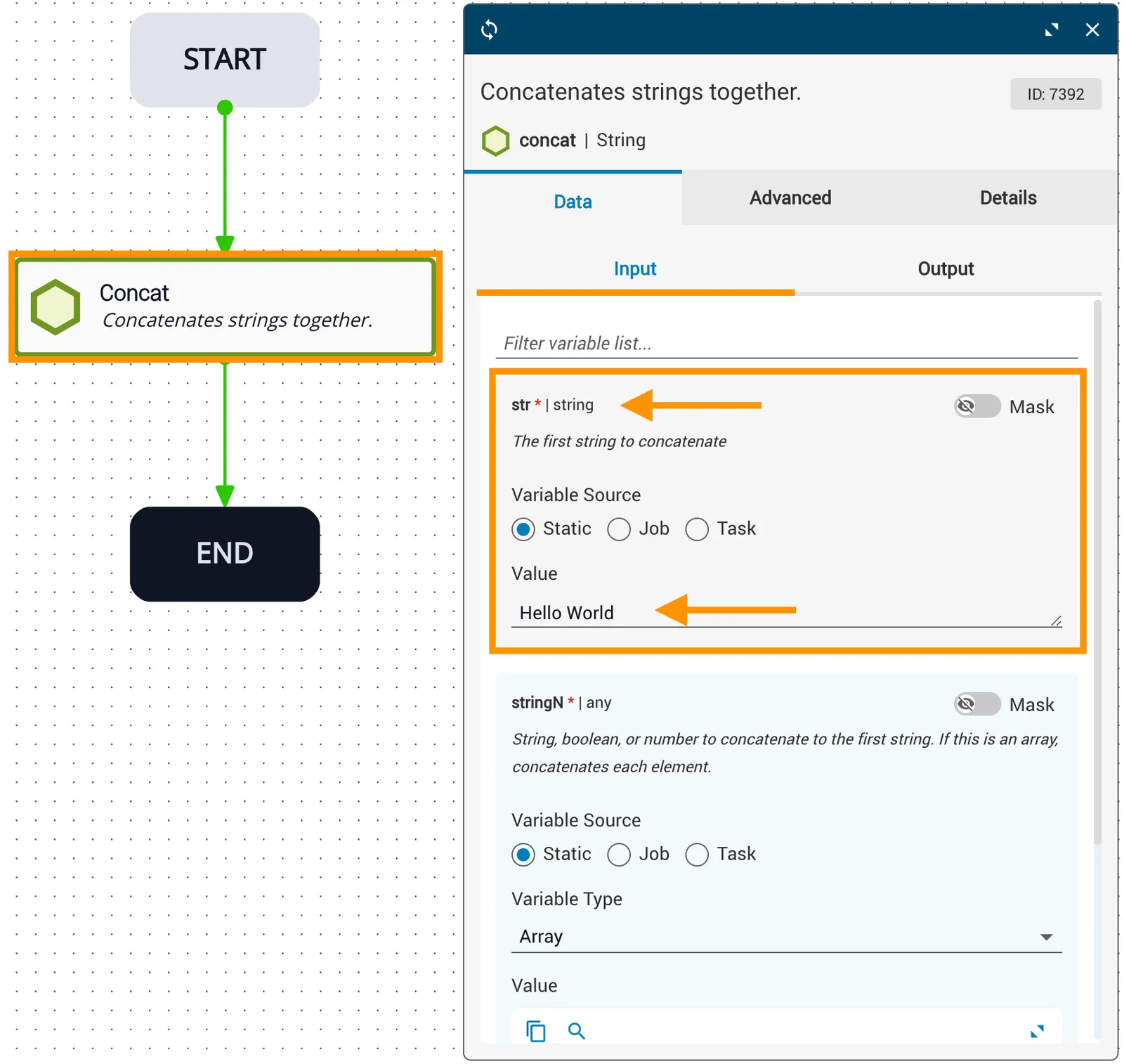
  • The str variable is statically set to Hello World.
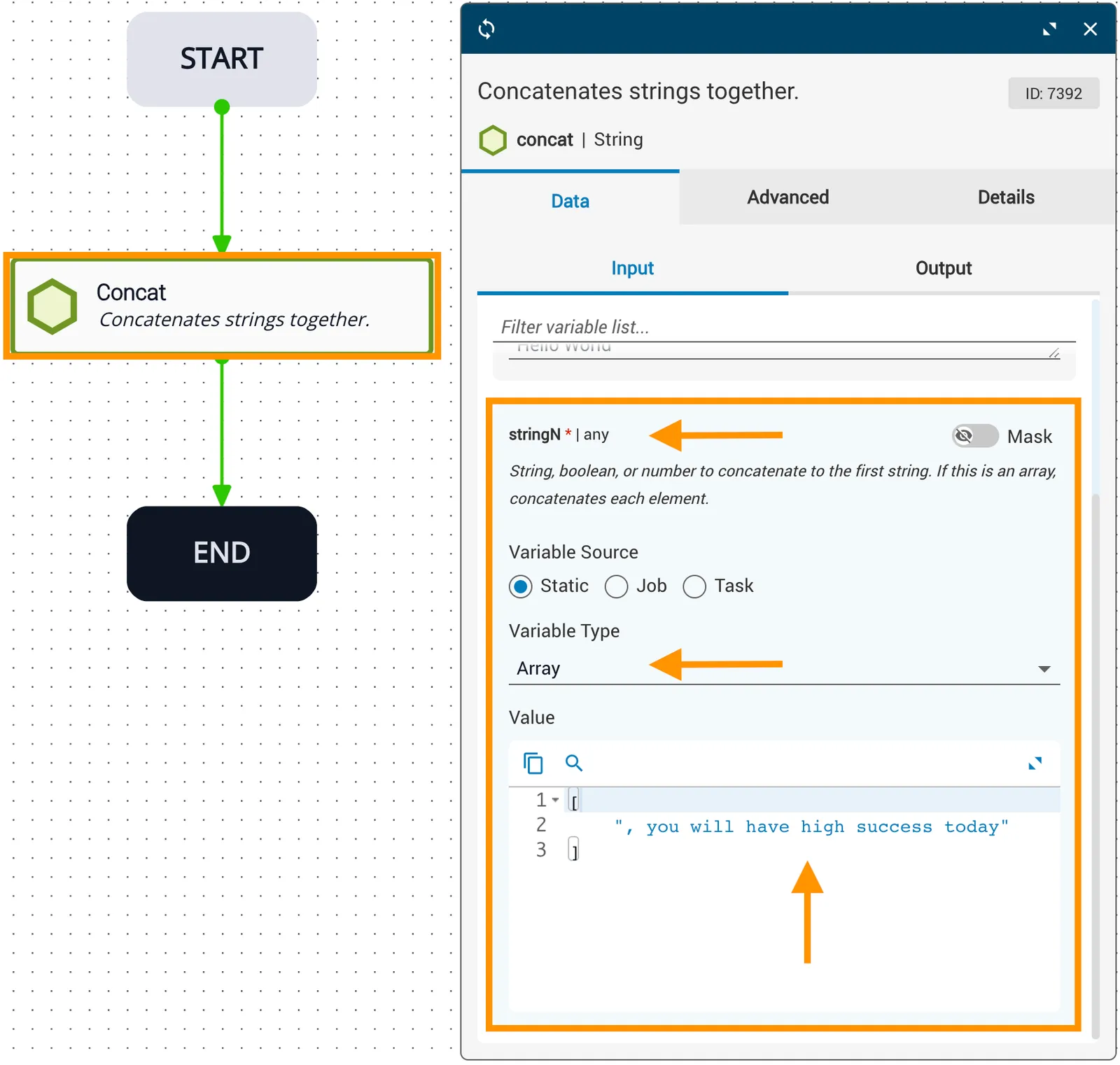
  • The stringN array is populated with a single item: you will have high success today. The value is enclosed in square brackets to indicate an array. The comma following the first double quote is used for sentence structure and is not required — the concatenation process does not add spaces or other characters between the two variables.
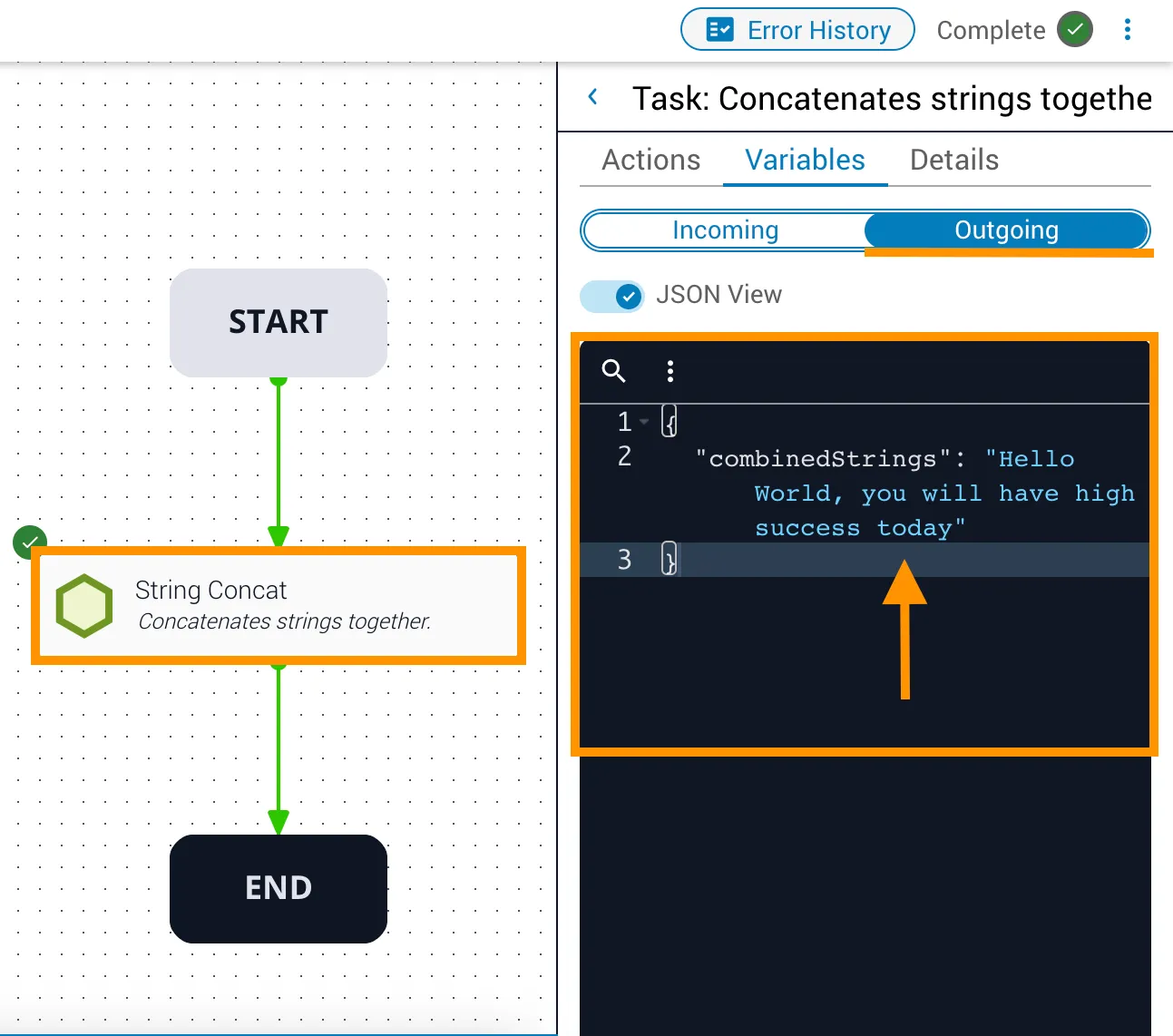
  • The outgoing combinedStrings variable has the value Hello World, you will have high success today.
Input string
Input array
Output

Example 2

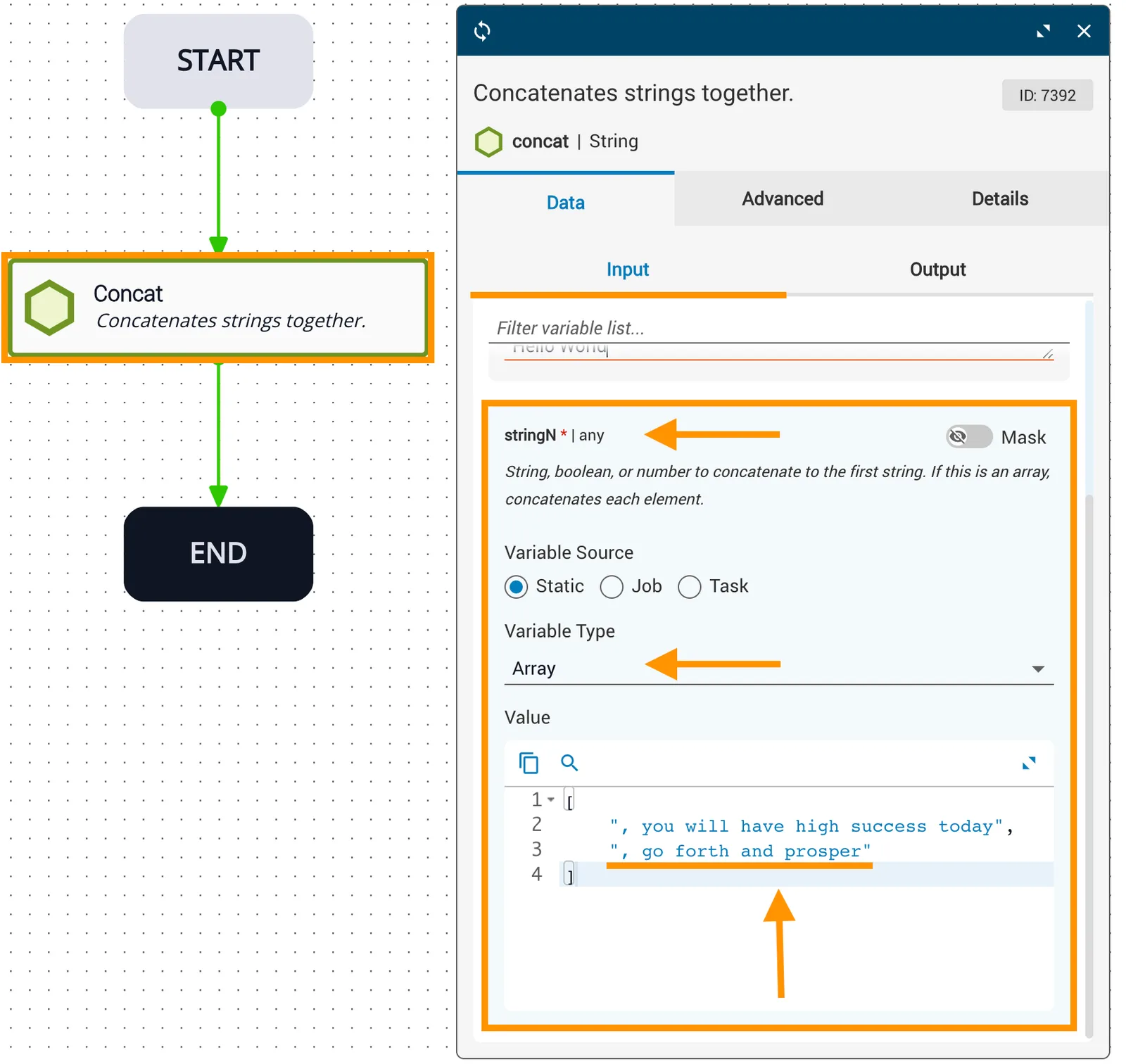
In this example:

  • The str variable is statically set to Hello World.
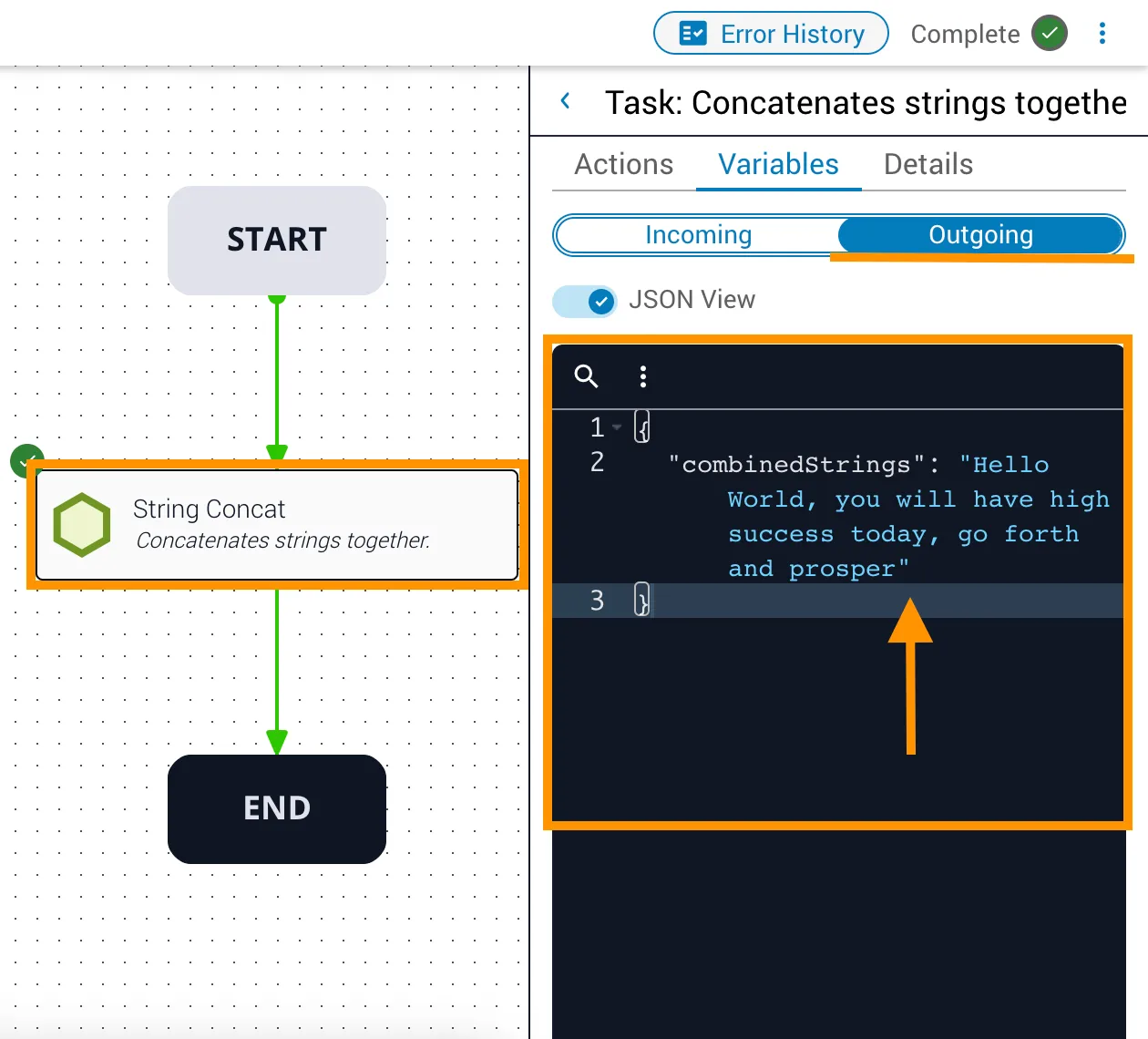
  • The stringN array is populated with two items enclosed in square brackets: you will have high success today and go forth and prosper. The punctuation is used for sentence structure and is not required — the concatenation process does not add spaces or other characters between variables.
  • The outgoing combinedStrings variable has the value Hello World, you will have high success today, go forth and prosper.
Input array items
Output variable

Related information

  • concat (string) API reference