

toLocaleString
The toLocaleString task converts the elements of a given array to a locale-specific string. Elements are typically separated by a locale-specific delimiter. The result is similar to the toString method, except it is locale-aware.
Potential use case
Use this task when you need to format data in a language-specific way — for example, displaying currency values in the correct format and symbol for a target locale, such as "USD" for US dollars, "EUR" for euros, or "INR" for Indian rupees.
Properties
Examples
All incoming variables for toLocaleString are required.
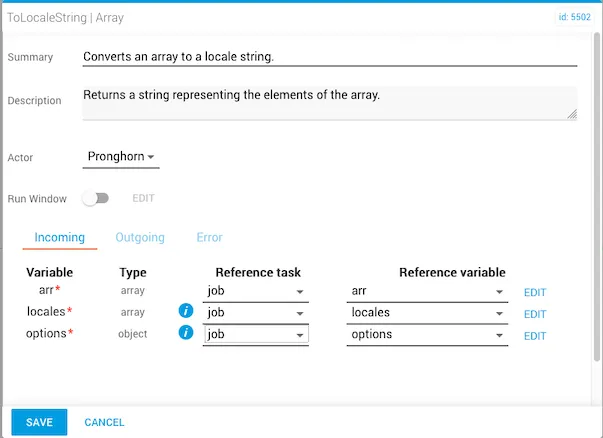
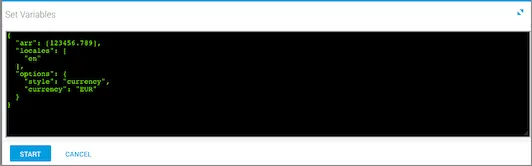
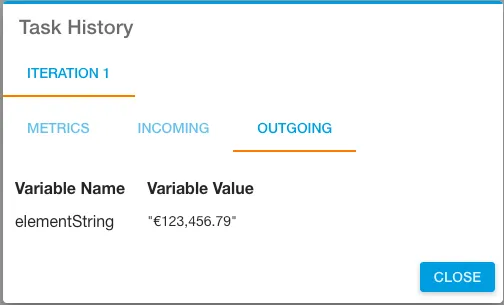
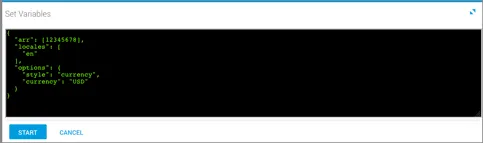
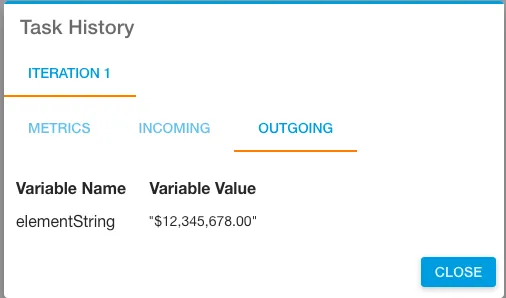
The following examples convert numbers into locale-specific currency representations. The elementString output is shown in Task History, accessed from Jobs in Operations Manager.
Euro examples
USD examples
Related reading
For more information on using the locales parameter, see the Intl reference on MDN.