endsWith
The endsWith task searches a given string to determine whether a specified sequence of characters appears at the end. You can also limit the number of characters searched. The task returns true if the string ends with the characters, or false if they are not found. The original string is not changed.
To check whether a string begins with a specified sequence instead, use the startsWith task.
Potential use case
Use endsWith to check whether a filename ends with a certain extension. For example, to check whether filename.txt ends with .txt, run endsWith against your file list. A true result confirms the extension is present; a false result confirms it is not. You can also use the length parameter to limit the search to only the beginning portion of the list.
Properties
Example 1
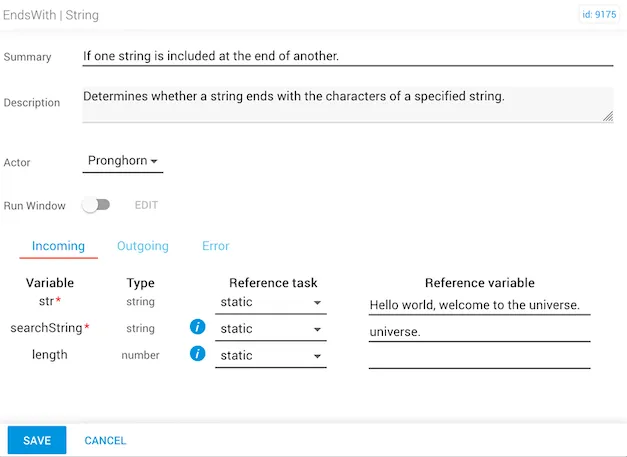
In this example:
stris"Hello world, welcome to the universe."searchStringis"universe."lengthis not specified, so the entire string is searched.- The expected
resultistrue.
Example 2
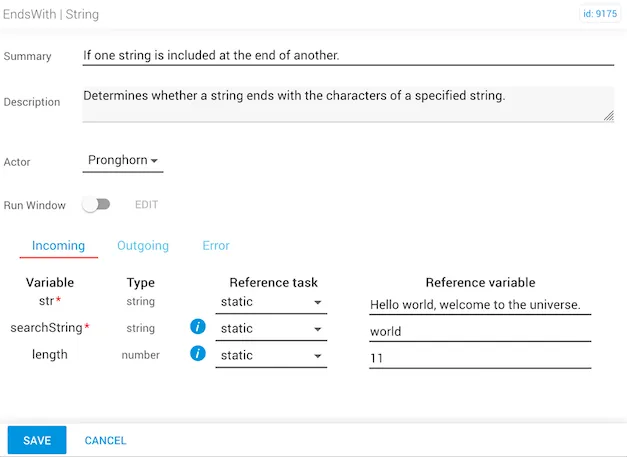
In this example:
stris the same as example one.searchStringis"world".lengthis specified — only the first 11 characters of the string are searched.- The expected
resultistrue, because"world"is found at the end of the first 11 characters.