

Null vs. undefined values in workflows
The difference between undefined and null values is minimal, and they are often used interchangeably to represent a non-value. As a result, you may encounter unexpected behavior when designing workflows or debugging errors related to how these two values are used with various task types. This page walks through how each value behaves with specific tasks and provides a reference matrix summarizing behavior across Platform versions.
Null vs. undefined data types
Within Itential Platform, there are scenarios where null and undefined behave differently than expected when used with various task types. The examples below demonstrate these differences, followed by a task matrix that summarizes behavior across Platform versions.
Merge task example
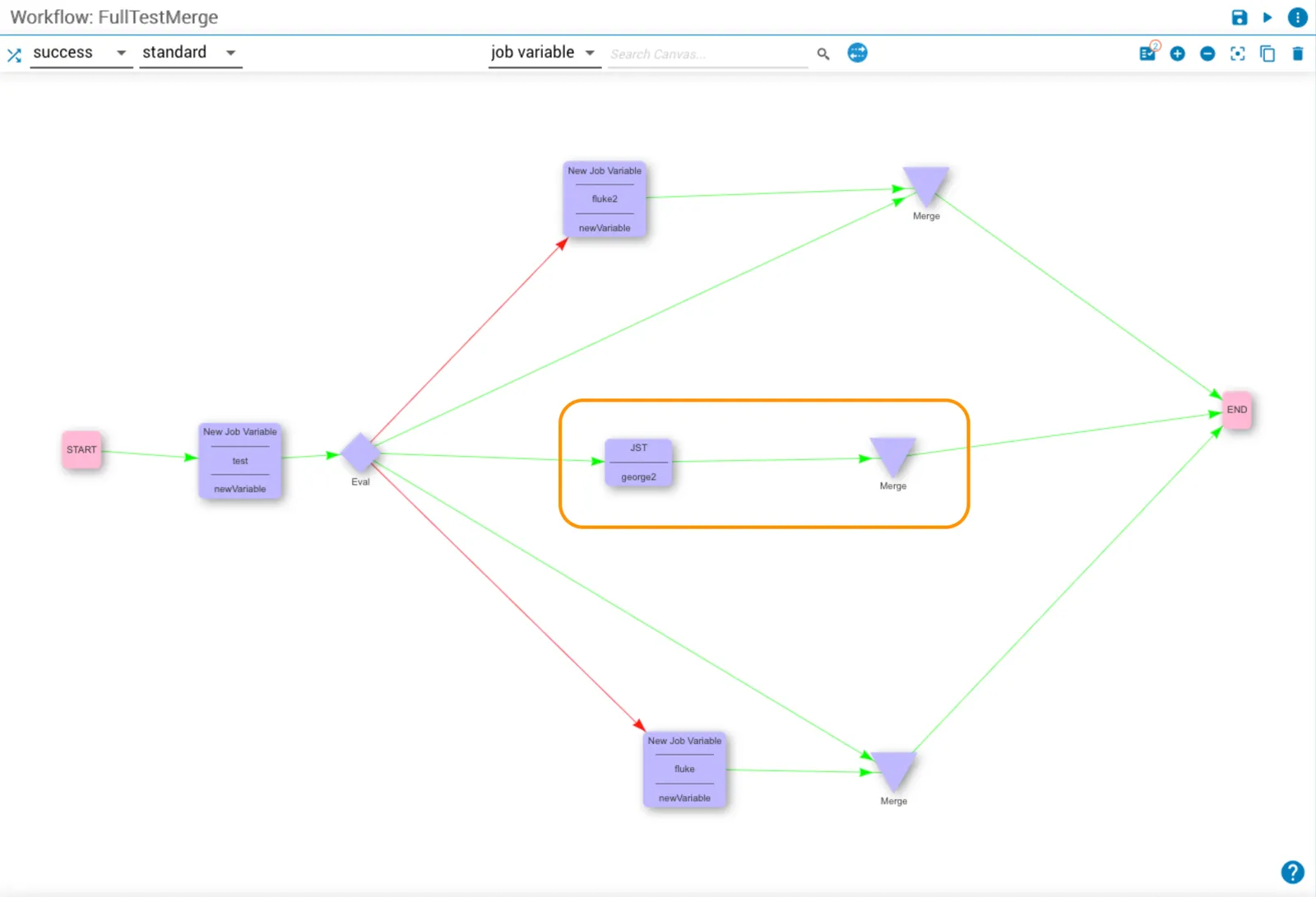
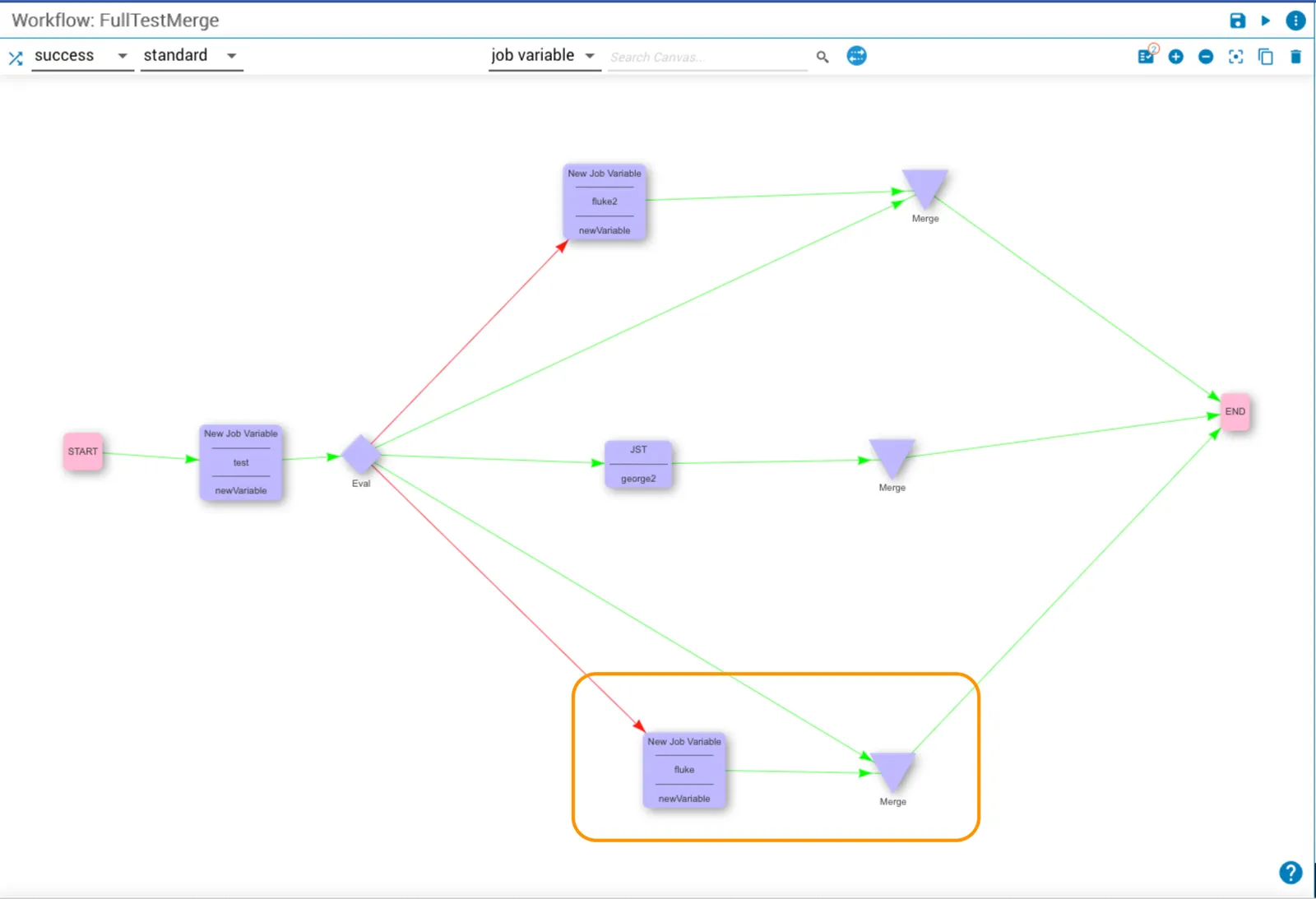
The workflow in the example below includes a newVariable task named test and an eval (eval) task to control the job execution path. In this case, the path passes through a success transition.
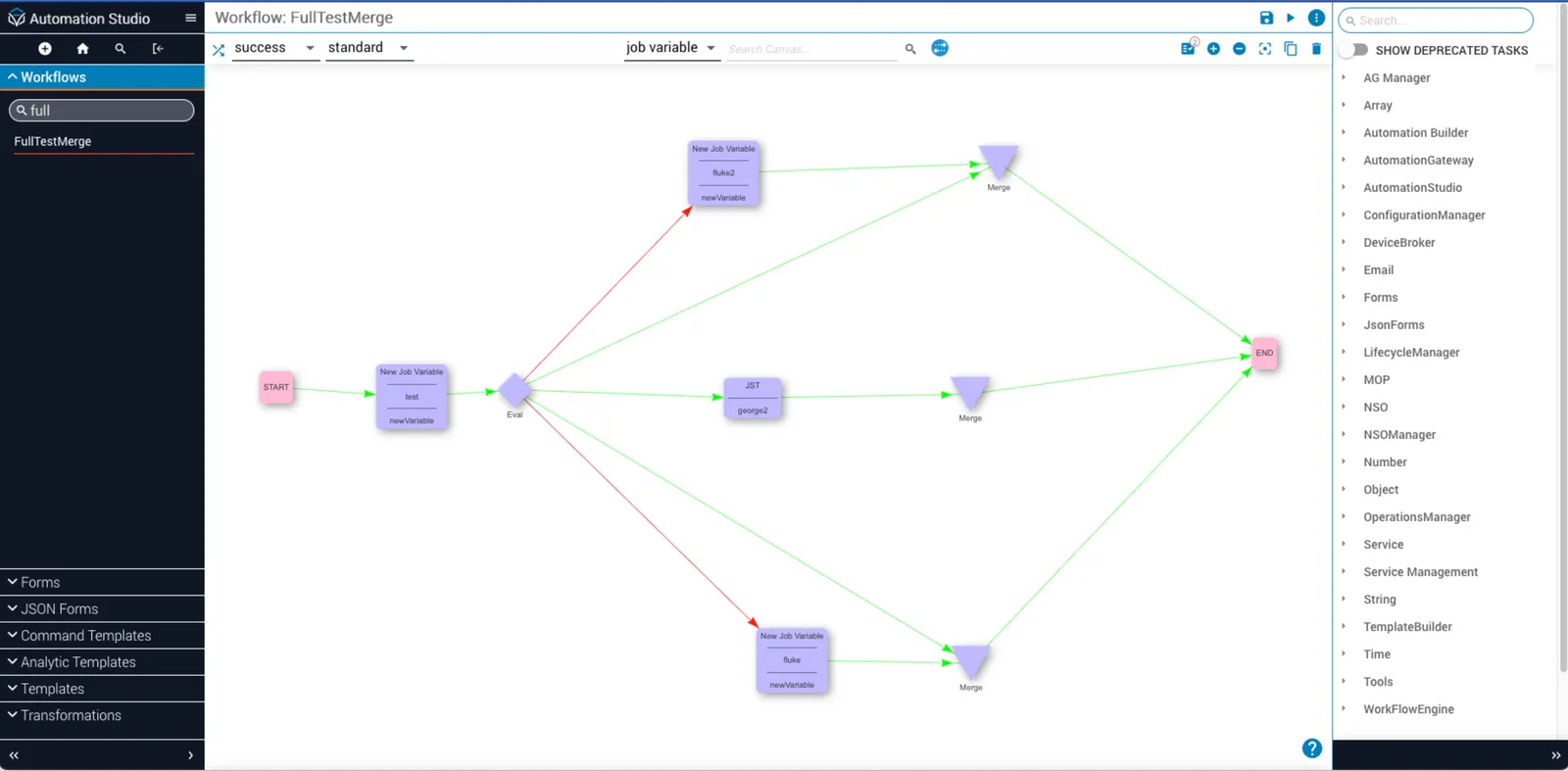
The following examples use this workflow to demonstrate how the merge task returns an object across three distinct scenarios: an undefined task input, an undefined key in a task with multiple outputs (JST task), and an undefined job variable.
The task type determines which key values are returned in the output. If a key value does not appear, the input used in the outgoing task will be null or undefined, depending on the release version you are using.
Undefined task input
The example below shows a newVariable task input named fluke2 with its assigned value.
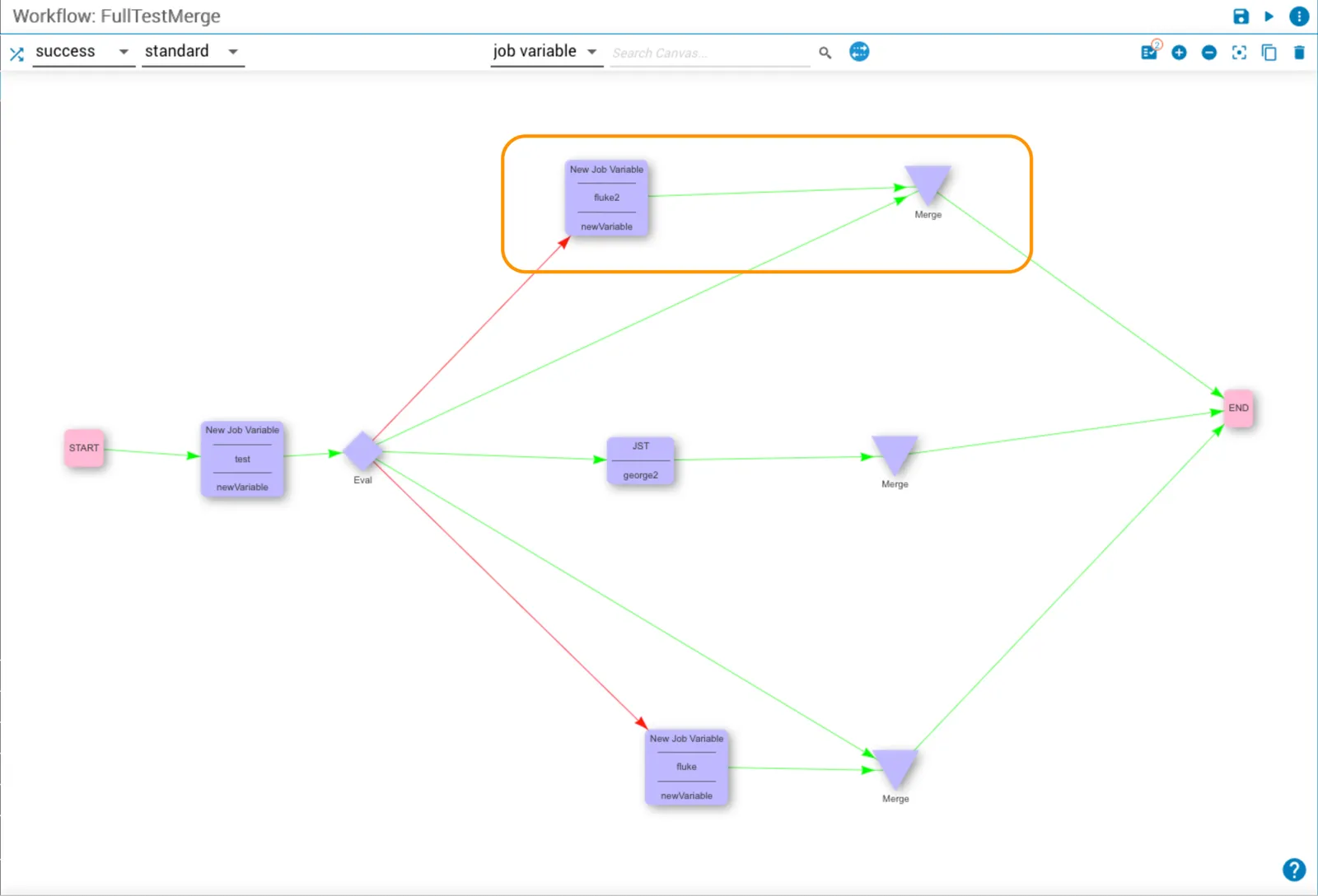
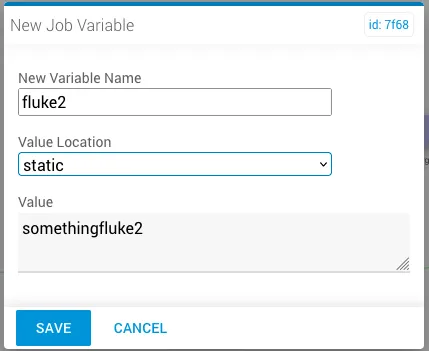
The merge task dialog shows the task using data from the newVariable.fluke2 job variable in key yo2.
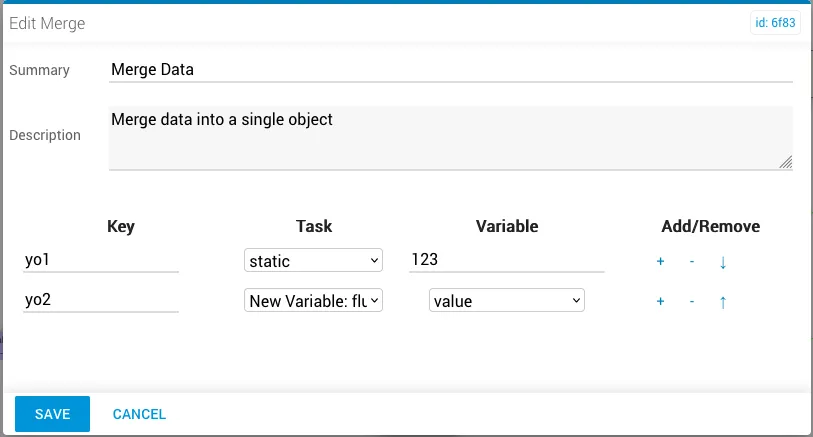
After a successful workflow run, the incoming key/values to merge are visible in the Incoming tab.
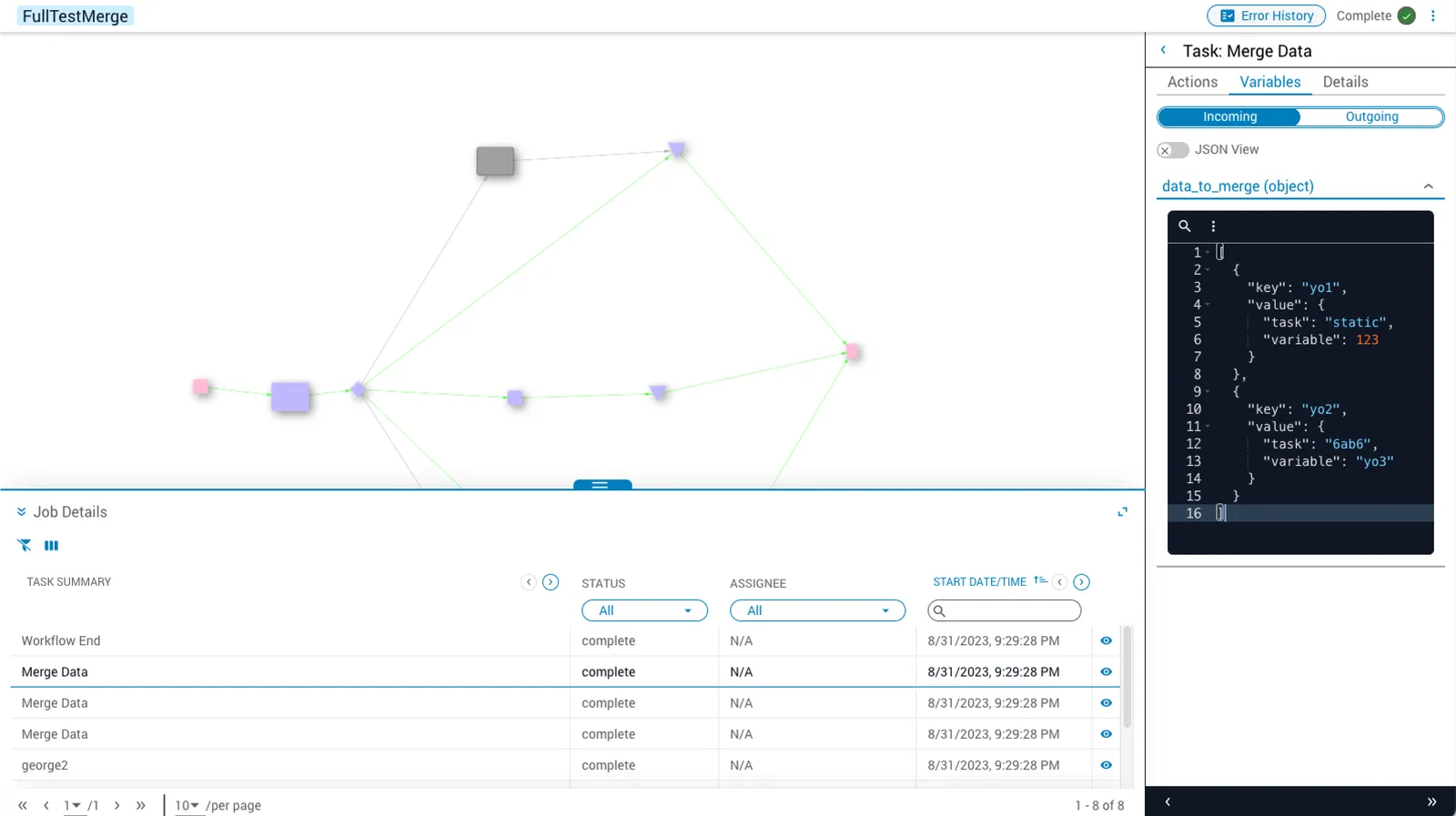
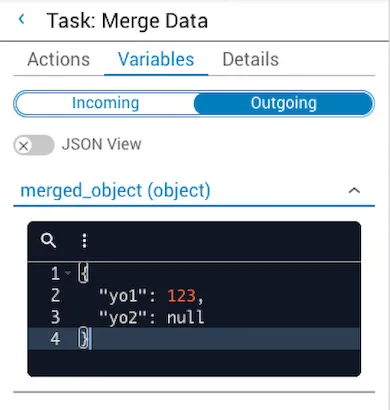
The merged object in the task output shows a null value for the yo2 key.
Undefined key in task with multiple outputs (JST task)
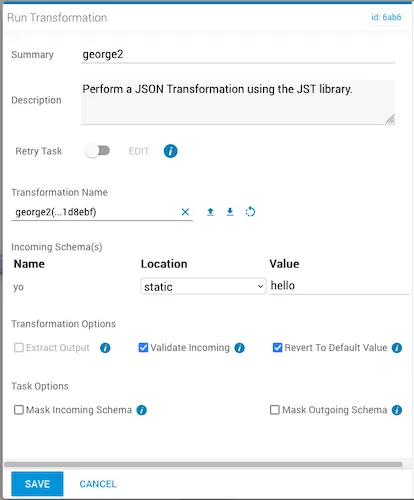
Using the same workflow, this example shows a JST task input named george2.
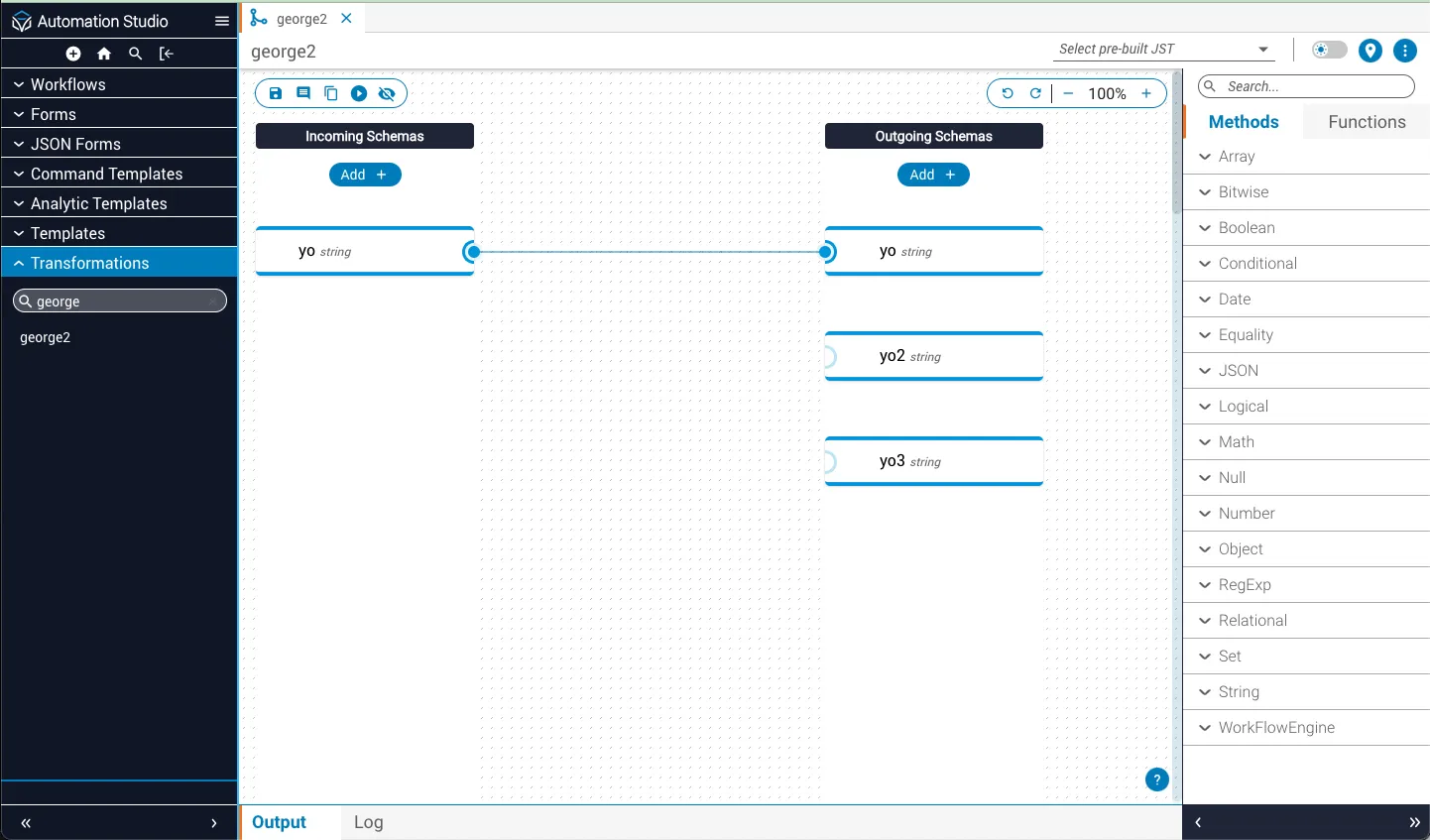
The incoming schema named yo is assigned the value hello.
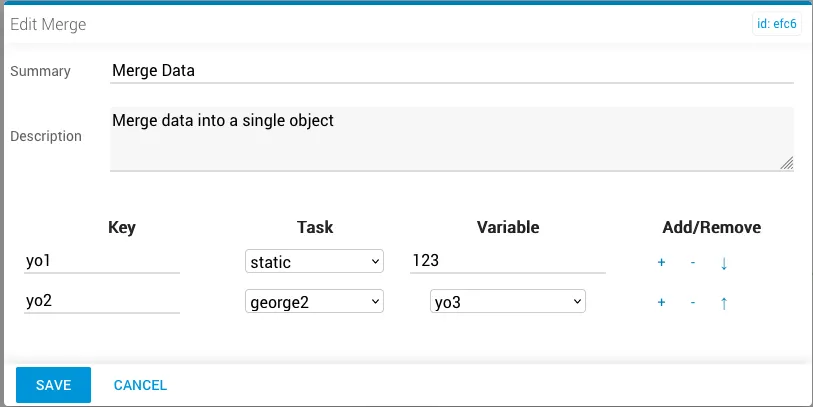
The merge task uses data from the george2 transformation task in key yo2.
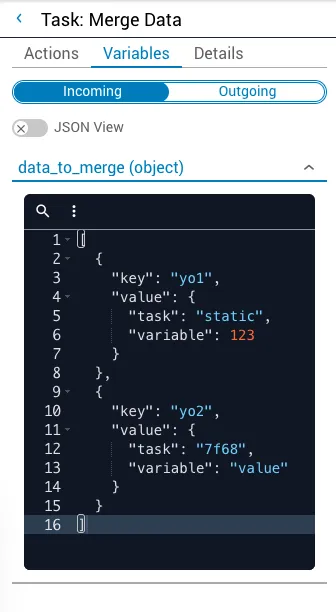
The merged object output varies by Platform version.
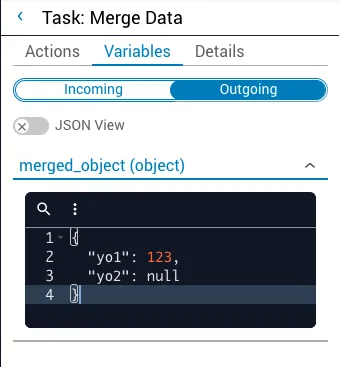
Platform 2021.2 and 2022.1
The merged object shows a null value for the yo2 key; however, it is stored as undefined.
Platform 2023.1 and 2023.2
The merged object shows no value for the yo2 key.
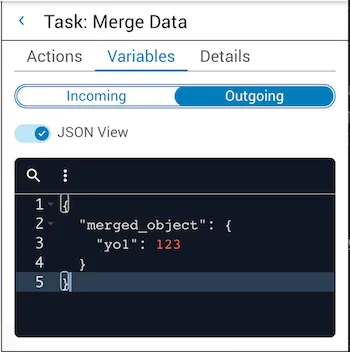
Undefined job variable
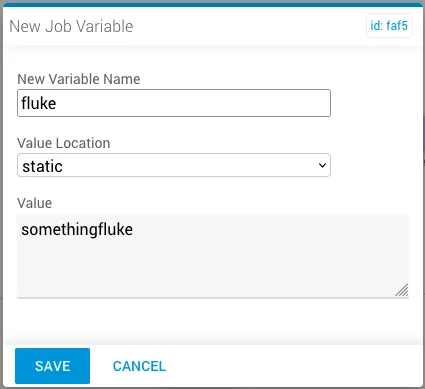
This example uses a newVariable task input named fluke with the assigned value somethingfluke.
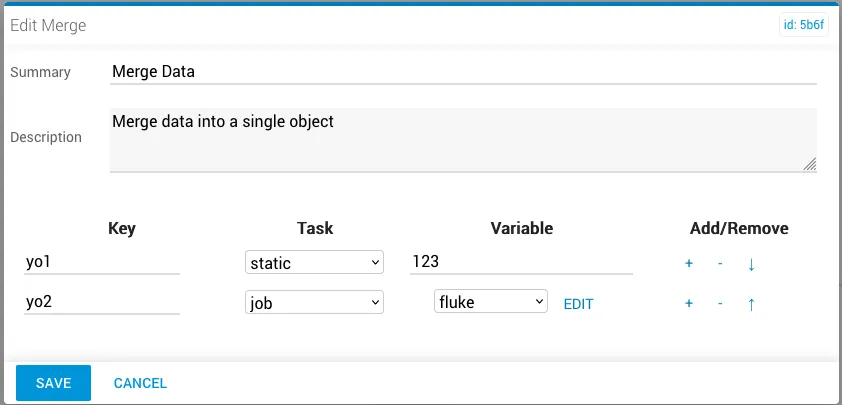
The merge task uses job task data from the fluke variable in key yo2.
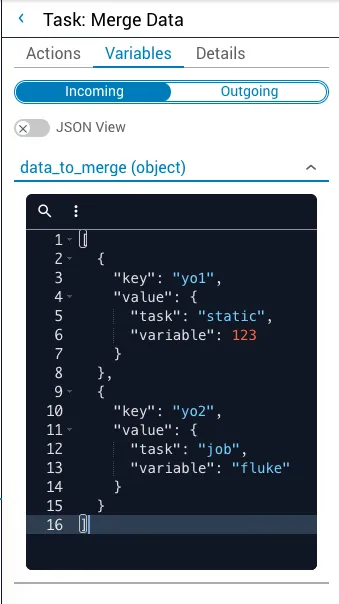
The merged object output varies by Platform version.
Platform 2021.2 and 2022.1
The merged object shows a null value for the yo2 key; however, it is stored as undefined.
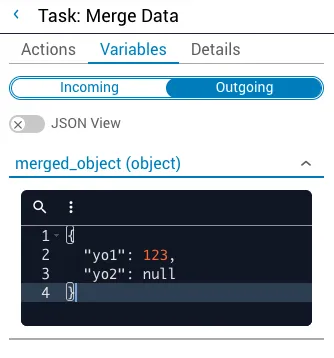
Platform 2023.1 and 2023.2
The merged object shows no value for the yo2 key.
Task matrix (null vs. undefined)
The matrix below outlines the expected result for each task type across Platform versions. In the first column, three undefined scenarios are listed. Each outgoing task type is named in the header row.
To use the matrix: choose the undefined scenario from the first column and the outgoing task type from the header row. The entry where the two meet shows how the input resolves for that task.
2023.2.0+
2023.1.4 – 2023.2
2023.1.0 – 2023.1.3
2022.1
2021.2