

toLocaleLowerCase
The toLocaleLowerCase task converts a string value to lowercase according to locale-specific case mappings. The locale is based on the language settings of the browser. For most languages this task will function exactly like the toLowerCase task and produce the same output; however, certain languages may behave differently (for example, case mappings for Turkish do not follow the default case mappings in Unicode).
Potential use case
Suppose you have a dataset in uppercase format and you want to display it in lowercase. You could use the toLocaleLowerCase task to convert the entire dataset to lowercase characters.
Properties
Example
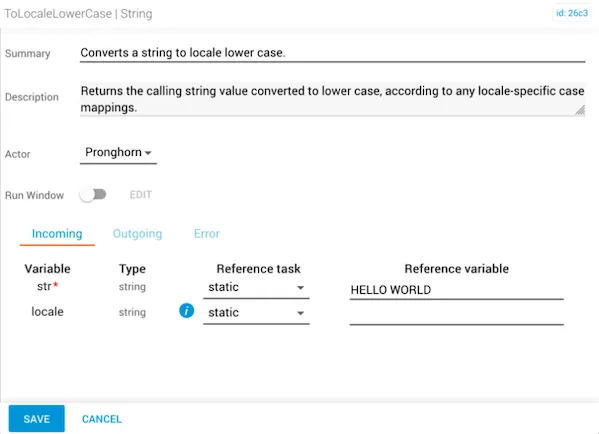
In this example, the str is given a reference variable of “HELLO WORLD” in all caps. The locale would only be populated if it were a language such as Turkish, which needs specific letters to be capitalized for meaning.
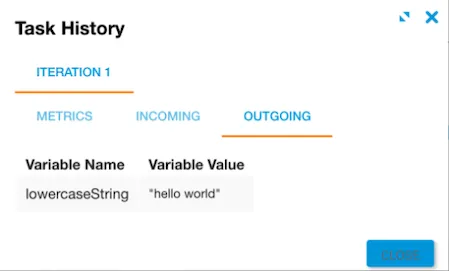
The expected result is that all letters from the reference variable are now lowercase and appear as “hello world”.
Related reading
For more information on using the locales parameter, see Intl on the MDN site.