

ErrorHandling
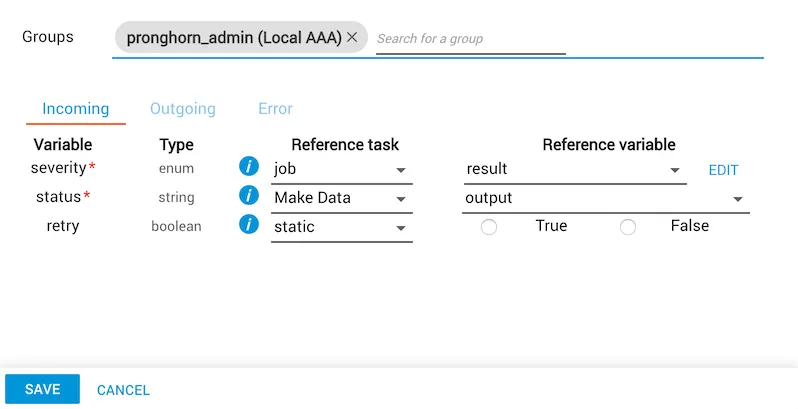
The ErrorHandling manual task is available under Tools and performs error handling in a workflow. The task allows you to provide a severity level of fatal, warning, or success as well as a status message. You may specify whether retry is allowed in the event of a fatal error, which is allowed by default. In the event of a fatal error, retry should revert back to a previous task in the workflow. See the Examples section below for more information.
ErrorHandling is a manual task and must be assigned to a group in order to run.
Properties
Severity level
The severity level variable may be supplied statically or dynamically, but must be one of the following values:
Response
The ErrorHandling task outputs a variable called response. This variable is especially useful when the severity level is provided dynamically, and the control flow of the job can be directed depending on the value. The response variable will be a string with one of the following values:
Examples
The following examples demonstrate various use cases for the ErrorHandling task.
Revert to a previous task
Upon entering a state of fatal error, you will be prompted to either retry (if allowed) or abort. It is a good idea to give yourself the option to retry and revert to a prior state. As mentioned in the previous section, the response variable output from the ErrorHandling task will have the value of retry if you have chosen to retry.
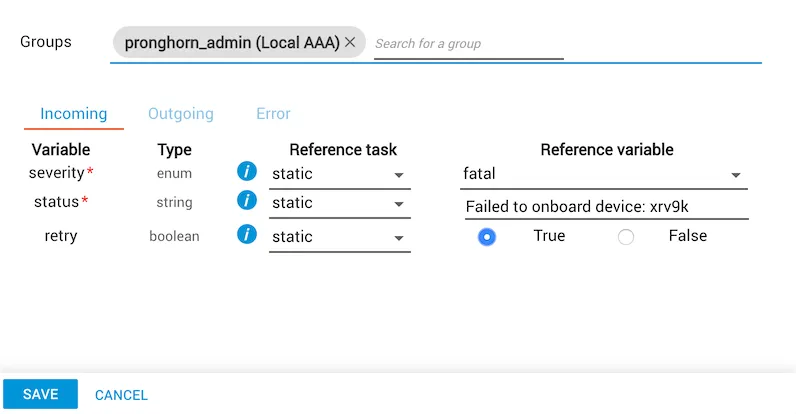
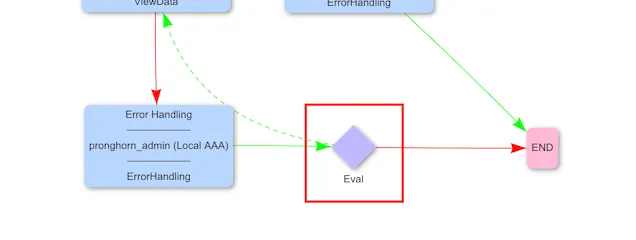
To perform this check, place an evaluation task after the error handling task.

From here, add a success edge to revert back to a prior task in the workflow, and then add a failure edge connecting to the end point of the workflow.
Direct control flow
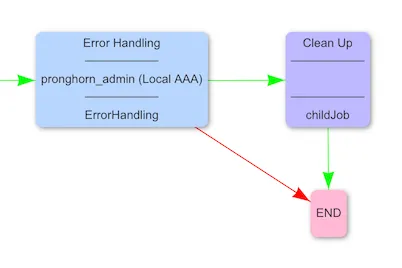
There are scenarios where you may wish to direct the flow of control, such as performing cleanup tasks after an error has occurred. The ErrorHandling task can be used to give you a warning, and then allow you to choose a path of execution.

The success path in this case would execute cleanup tasks, while the abort (failure) path would immediately end the job.
Verify successful completion of a task
The success severity level can be used to verify successful execution of a task or series of tasks.
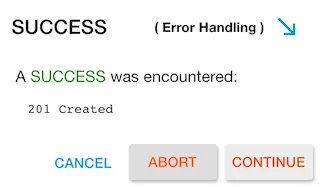
This is useful in scenarios where the severity level and status are dynamically supplied.
Invalid input
If invalid input is supplied to the ErrorHandling task, the task will output an error state with the following message.
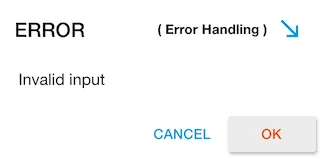
This is a failsafe in the event that the severity level is provided dynamically and does not match one of the allowable severity level types.