padStart
The padStart task pads a current string with a specified string (repeated, if needed) so that the resulting string reaches a given length. The padding is applied at the start of the current string.
Potential use case
Suppose you have a dataset of a known length and you would like to repeat that dataset at the beginning of the current dataset. You could use the padStart task to specify the numeric length and variables needed to pad the start of the original dataset.
Properties
Example
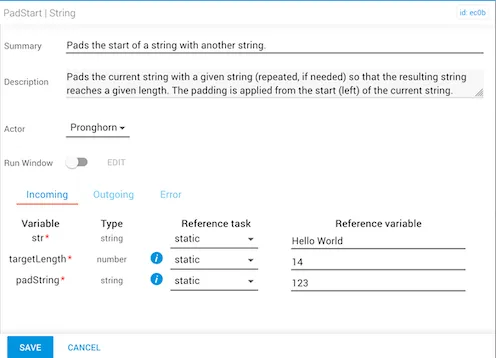
In this example:
- The
strvariable is “Hello World” and the current length of the string is 11 characters, including the space. - The new
targetLengthhas been set to 14, and thepadStringvariable of “123” is applied at the start of the current string so that it reaches the desiredtargetLengthof 14 characters.
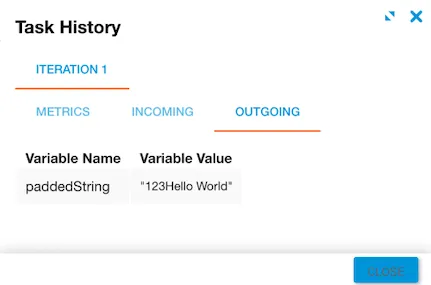
The expected result is “123Hello World”. Notice that the beginning of the word string for “Hello World” has been padded with “123” in order to fulfill the specified targetLength.