

Manage user permissions

User permissions

The following outlines the permissions that must be applied to a user account to gain access to the Icon Bar, menus in the sidebar, the Create dialog, and Import dialog.

Icon Bar

Access toUser permissions
Current OperationsWorkFlow Engine, activate / WorkFlow Engine, deactivate
TagsTags, all
Access toUser permissions
ProfilesProfiles, getProfiles
ApplicationsApplications, getApplications
AdaptersAdapters, getAdapters
IntegrationsIntegrations, getIntegrations
Integration ModelsIntegrationModels, getIntegrationModels
Pre-builtsPrebuilts, getPrebuilts

Create dialog

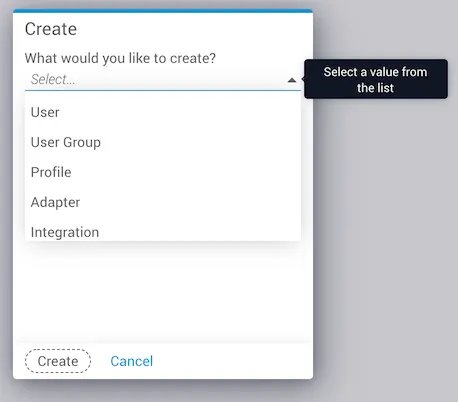
The Create icon opens a dialog with choices for creating a new item in a collection. The choices that appear are based on user permissions.

Create icon
Access toUser permissions
User / User GroupsMust be on Local AAA with no access to Pronghorn admin role.
ProfileProfiles, createProfile
AdapterAdapters, createAdapter
IntegrationIntegrations, createIntegration
Integration ModelsIntegrationModels, createIntegrationModel
TagsTags, createTag
Create dialog

Import

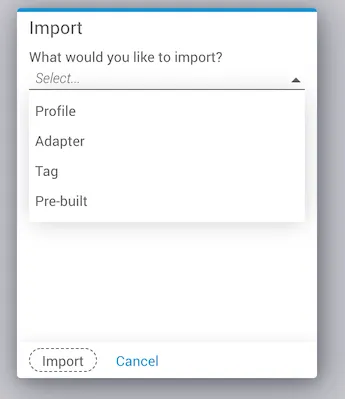
The Import icon opens a dialog with choices for uploading a new item to a collection. The Import dialog accepts a JSON file.

Import icon
Access toUser permissions
ProfileProfiles, createProfile
AdapterAdapters, createAdapter
TagsTags, createTags
Pre-builtsPrebuilts, importPrebuilt
Import dialog