

Add a Form Builder task to a workflow
This is a legacy functionality in earlier Itential Platform versions. See the Platform 6.0.0 Breaking Change notice.
This page covers how to add a Form Builder task to a workflow. It does not describe the functionality of the Workflow Builder application.
If you are not familiar with the Workflow Builder application, consult the relevant user guide before proceeding.
You can use Form Builder to add a form to a workflow, allowing users to enter information as part of the business process.
Add the ShowFormByName task
Select FormBuilder in the Source Application dropdown list. Select ShowFormByName and add it to the workflow.
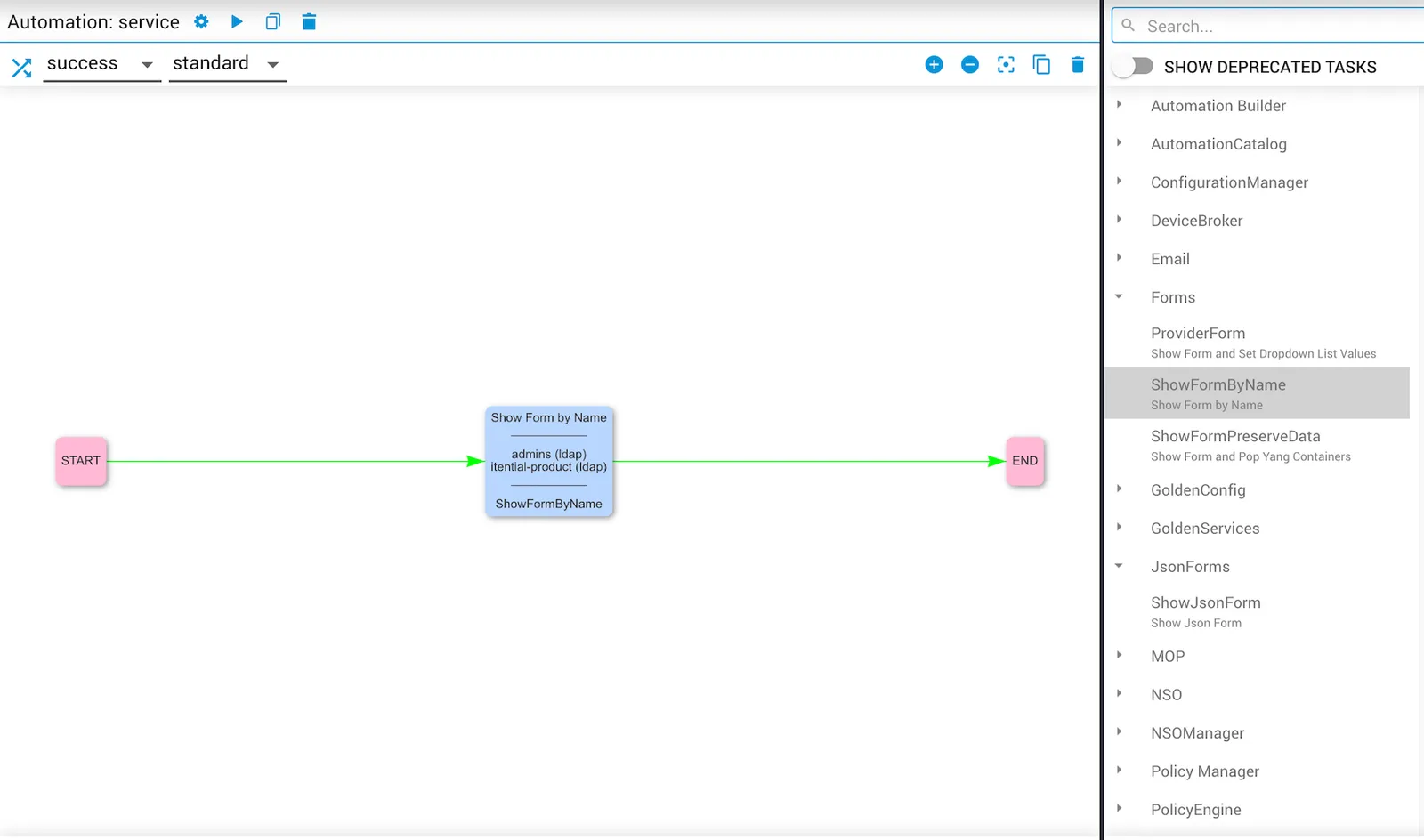
Configure the manual task
Enter an appropriate summary and description, and assign it to the relevant User Group.
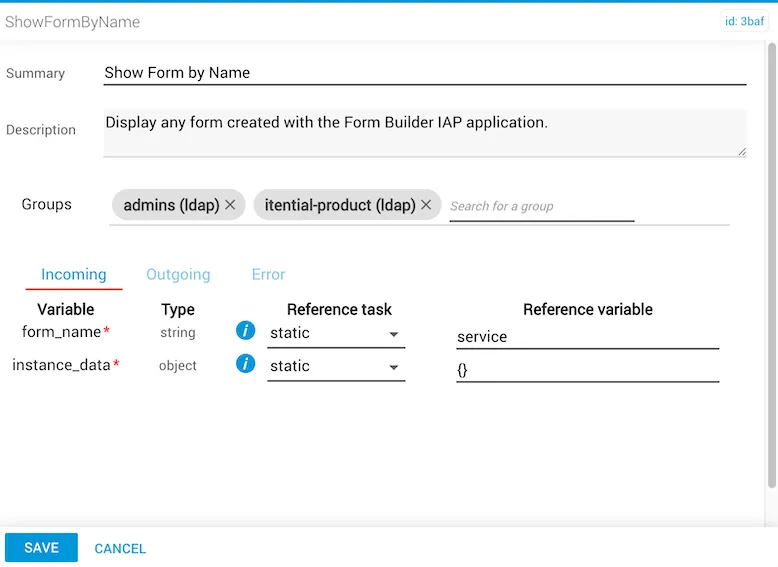
Configure the task variables
Configure the variables for the ShowFormByName task:
form_name— The name of the form.- Set Reference task to
static. - Enter the form name as the Reference variable.
- Set Reference task to
instance_data— If form values are entered by the user and are not populated by a previous task or external system:- Set Reference task to
static. - Enter
{}as the Reference variable.
- Set Reference task to
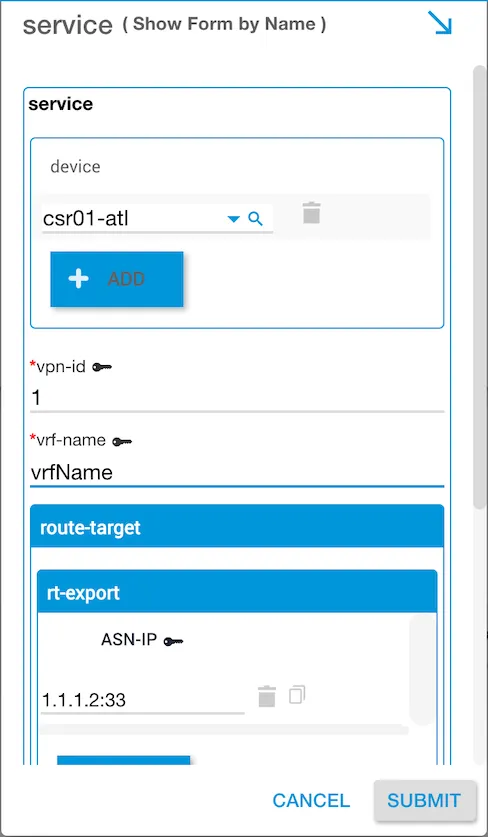
Outgoing data format example:
The internal reference to a form field retains the original value before the field was renamed.