

Configure integration authentication tokens
You can configure your integrations to programmatically retrieve authentication tokens using the properties provided by the integration model for the schema integration.
Two types of configurations are currently available:
passwordclientCredentials
You must manually configure these in when you import an integration model.
Although Itential designed this feature to work for as many services as possible, not all services are compatible with the password or clientCredentials configuration. Check the service to see if these configurations are provided.
Property configurations
This section illustrates how to set the properties for the password and clientCredentials configuration.
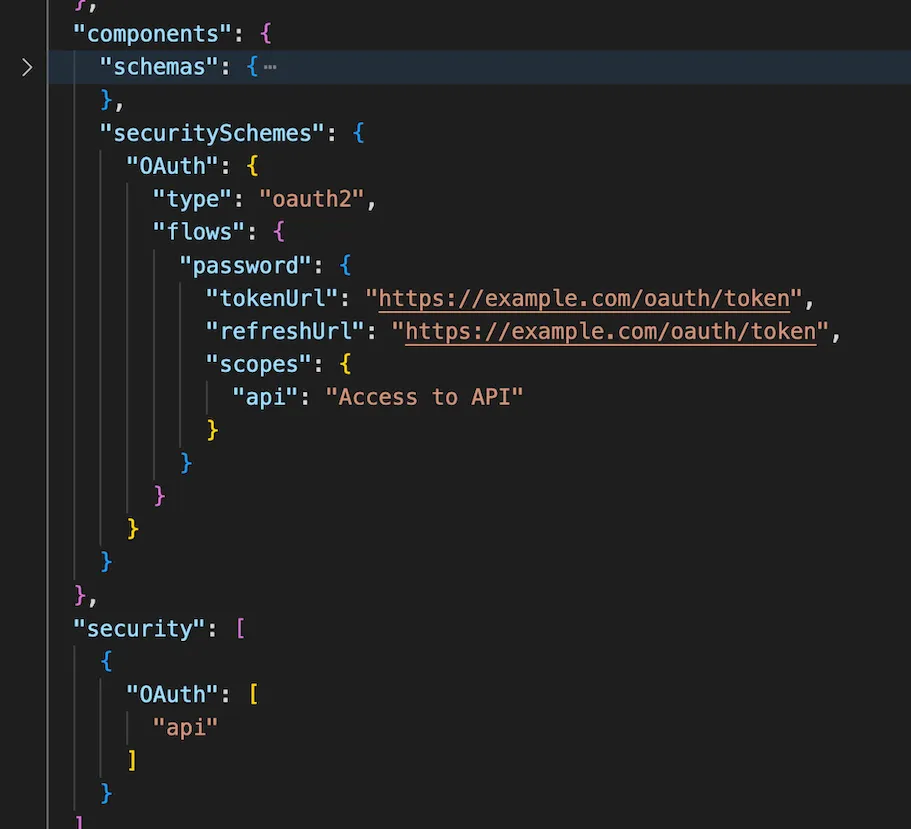
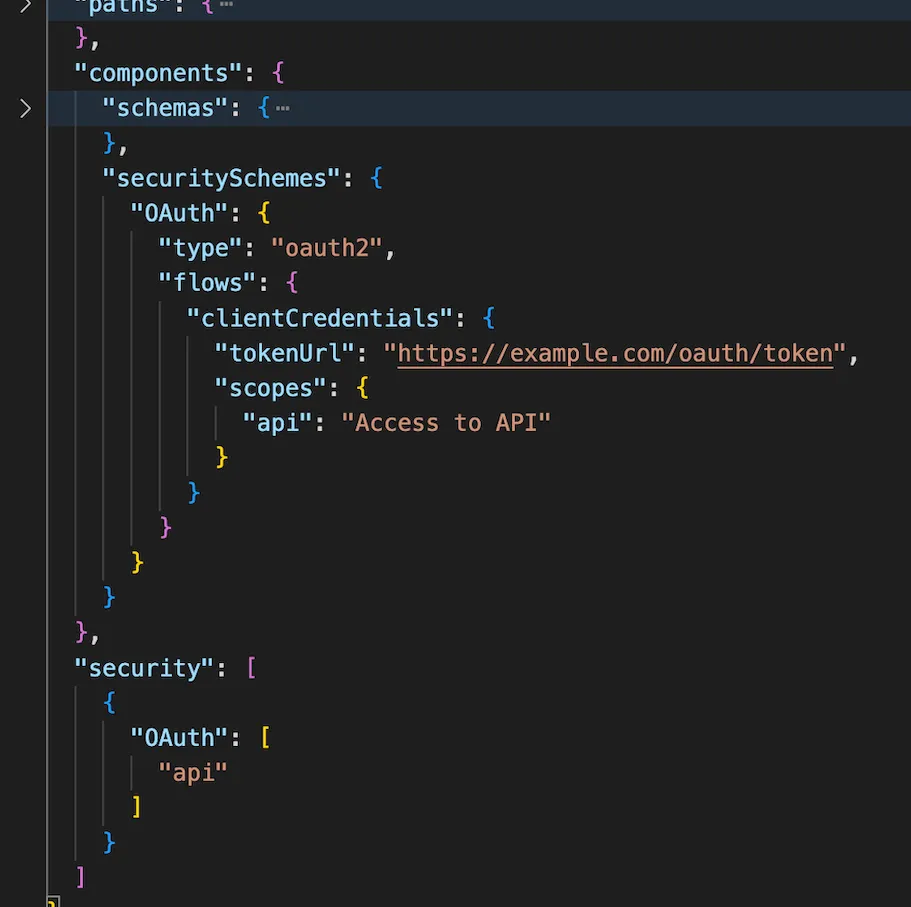
The only difference between the two is the property name in the flows object, and the password flow includes a refreshUrl parameter.
Integration configurations
Depending on which configuration is used, you will see a specific configuration available on the Integration Details page. You will need to fill in the authentication fields in order for programmatic token retrieval to work properly.
For more detail on using integrations, see Managing integrations.
Authentication
The following parameters support authentication configuration.
Token
The following fields are included in the token property of the integration configuration.
Editing these fields is not recommended, unless you would like to manually enter an access_token as it worked in previous versions of Itential Platform.
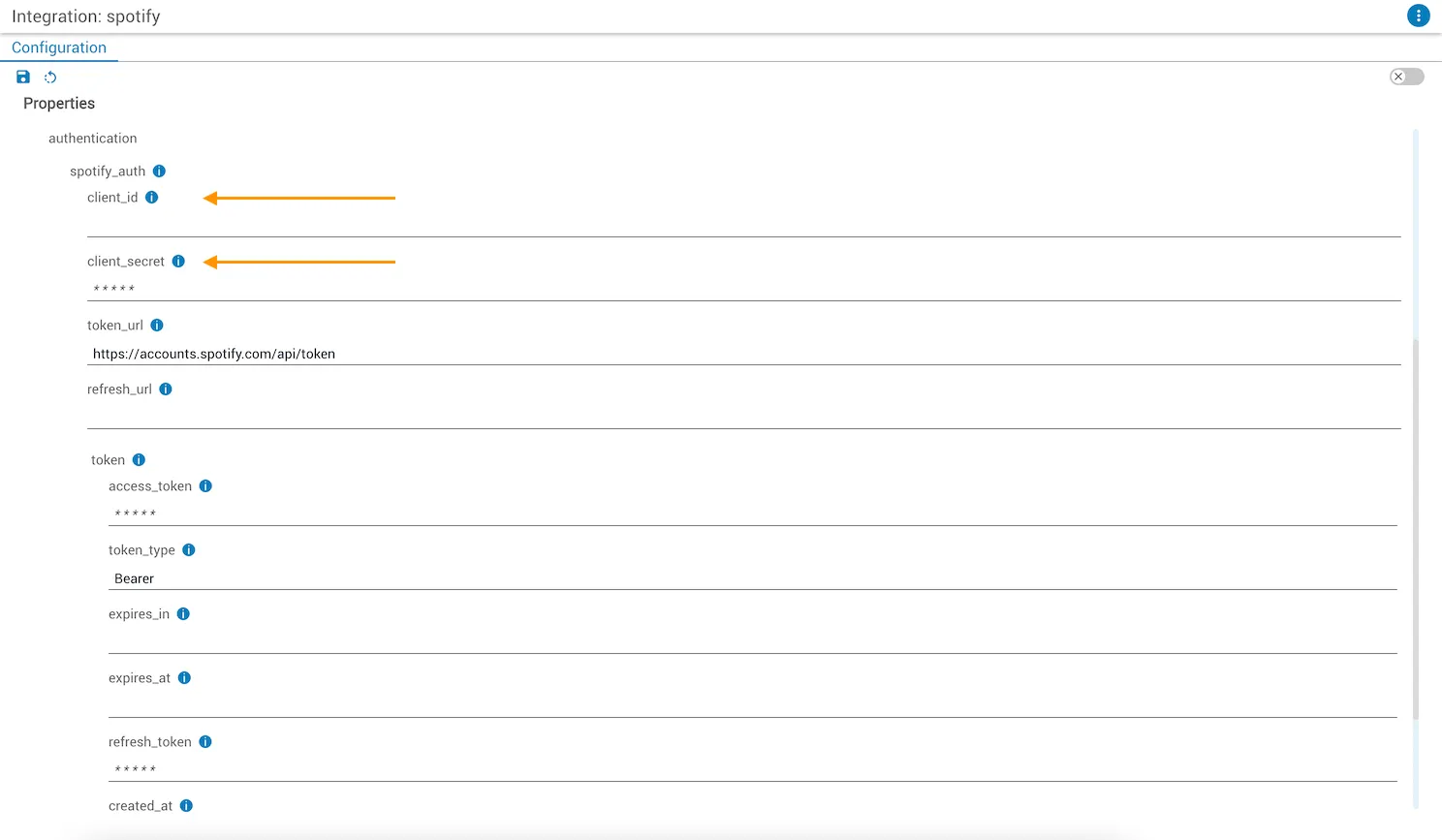
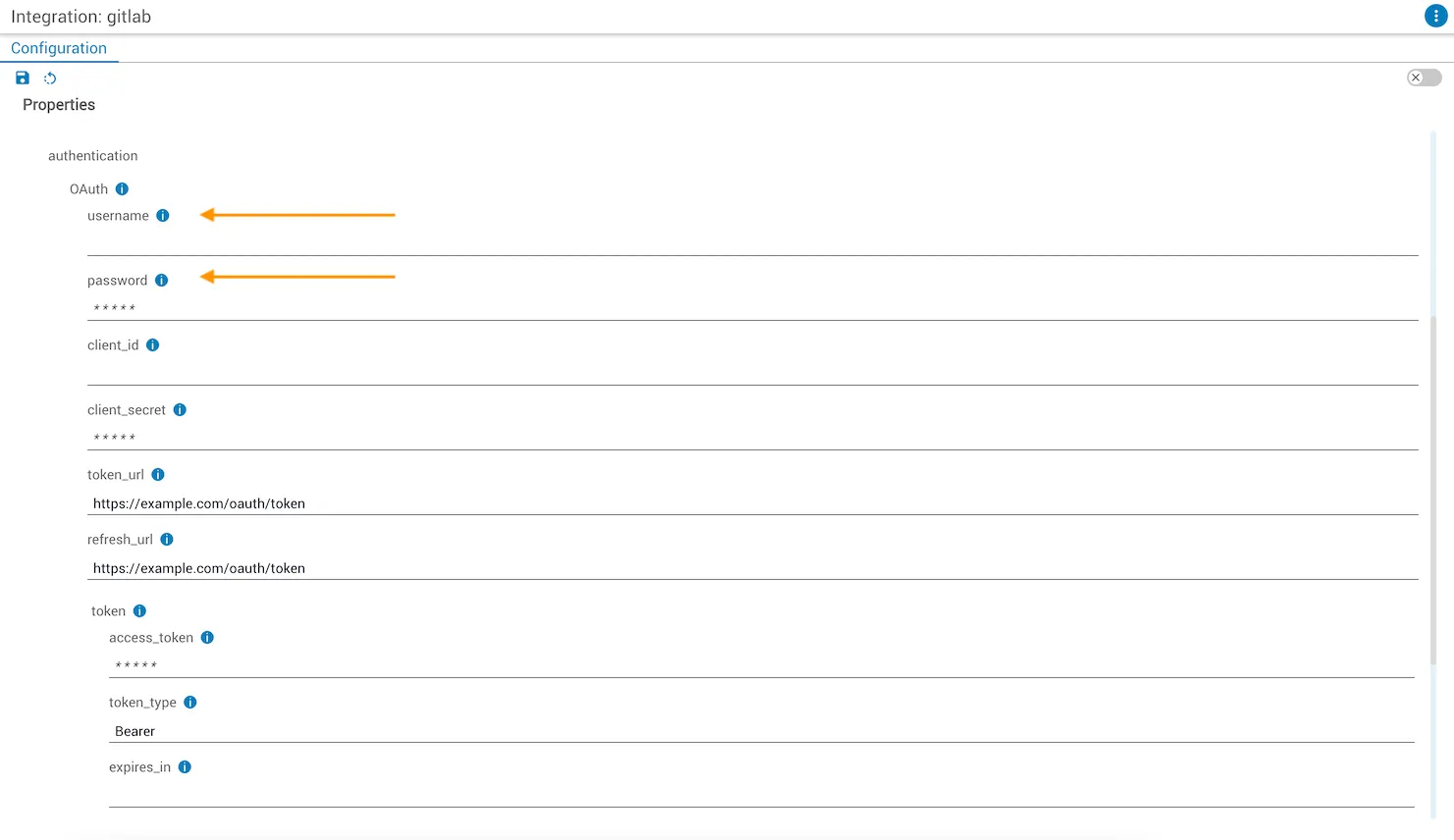
Once all configurations are completed, you can utilize integration tasks seamlessly without needing to continuously reconfigure your integration. Once the token is retrieved programmatically, it is stored in the MongoDB database available in Itential Platform.