Nornir is an automation framework written in Python for use in the development of applications that manage network devices. Nornir has its own inventory system for dealing with host information. It also handles the dispatching of tasks to your devices and provides a common framework to write plugins.
Itential Automation Gateway (IAG) contains a Nornir Module Execution Engine that supports the discovery, decoration, and execution of Nornir modules. IAG also provides support for managing Nornir device inventory files and plugins.
A complete set of REST APIs are available for clients to manage Nornir inventory, module decoration, and execution. See the API Documentation section of the IAG UI for more information.
Before proceeding, ensure that the following prerequisites are met:
In the examples presented throughout this guide, Nornir functionality is extended by integrating it with IAG. To do this, IAG interacts with two Nornir components:
Nornir is installed and configured on the relevant IAG server. The following files are present:
Some values in the following code blocks, such as username and password, have been abstracted for security reasons. These values are denoted by brackets (curly braces).
config.yml)hosts.yml)groups.yml)send_command.py)To use Nornir with IAG, several properties must first be configured in the IAG properties.yml file.
Some values in the following table may vary depending on your environment. These values are denoted by brackets (curly braces).
The IAG service must be restarted for changes to the properties.yml file to take effect.
In the previous example, you confirmed that the required Nornir components are present on the IAG server. Now, you can configure IAG to use these components:
Open the IAG properties.yml file in a text editor. For example, if using VIM, issue the following command.
Locate the Nornir section of the configuration file. This is denoted by the # Nornir # header.
properties.yml)After IAG has been configured to use Nornir, it will automatically discover any modules present in the designated directory. Discovered modules can be decorated in IAG.
The decoration of Nornir modules within IAG is similar to that of Ansible playbooks. However, instead of decorating the variables within a playbook, you decorate the command line arguments and environment variables used to execute a Nornir module. The decorated parameters are then passed as arguments to the APIs that execute the module. A permanent copy of each module’s decoration is stored in a local database that is maintained by IAG.
The same features and functionality provided by IAG for decorating proprietary scripts are available for decorating Nornir modules. See the Script execution engine section of the IAG guide for complete instructions on module decoration.
Now that you have integrated Nornir with IAG, you can use IAG to decorate Nornir modules. In this example, you will decorate the send_command.py module detailed earlier. This module allows you to send commands to inventory devices for execution.
Starting from the IAG dashboard:
Select send_command.py from the accordion menu to open the module for decoration.
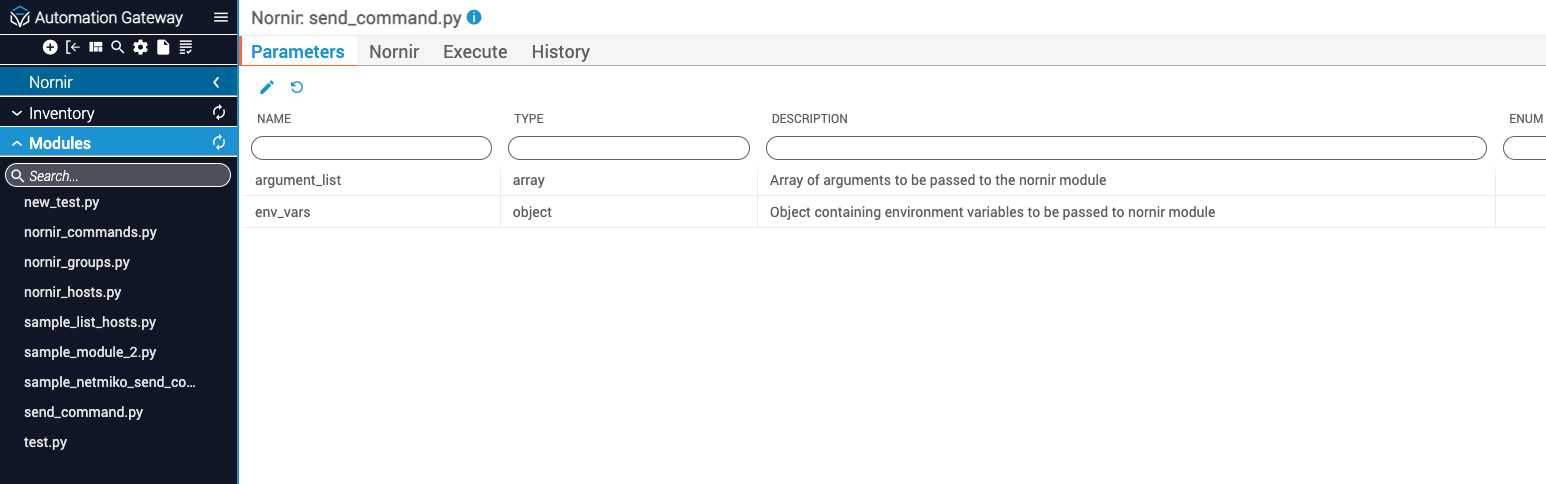
On the Parameters tab, click the Edit (pencil) icon. A text editor opens that displays a JSON representation of the available module parameters.
Nornir modules are executed by issuing a POST <hostname:port>/nornir/<module_name>/execute call to IAG. Executing a module can be done using the IAG UI or by a separate application. Modules are executed on the node on which the IAG server is running.
The desired arguments and environment variables that match the Nornir module’s schema are included as execution parameters. The execution parameters are passed to the module as if they were being entered by the user on the command line. Part of the module’s execution logic is to parse the contents of the command line accordingly.
By default, modules are executed from the home directory of the user that owns the IAG server process. To change the default execution directory, add the working_dir key to the module’s schema outside the properties object. The value of working_dir can be an absolute or a relative directory path.
The Nornir module execution API contains support for the hosts and groups parameters. The hosts parameter is an array of Nornir device names that are members of the IAG inventory. Similarly, the groups parameter is an array of Nornir group names that are present in the IAG inventory.
The hosts and groups parameters are not required when executing a Nornir module.
When the hosts or groups parameters are present and their contents are validated, the Nornir Module Execution Engine will pass the contents to the Nornir module as a comma-separated list using the command line arguments --hosts and --groups. The Nornir module itself is responsible for parsing the contents of the --hosts and --groups arguments.
The following fields are contained within the results object returned after execution of the module.
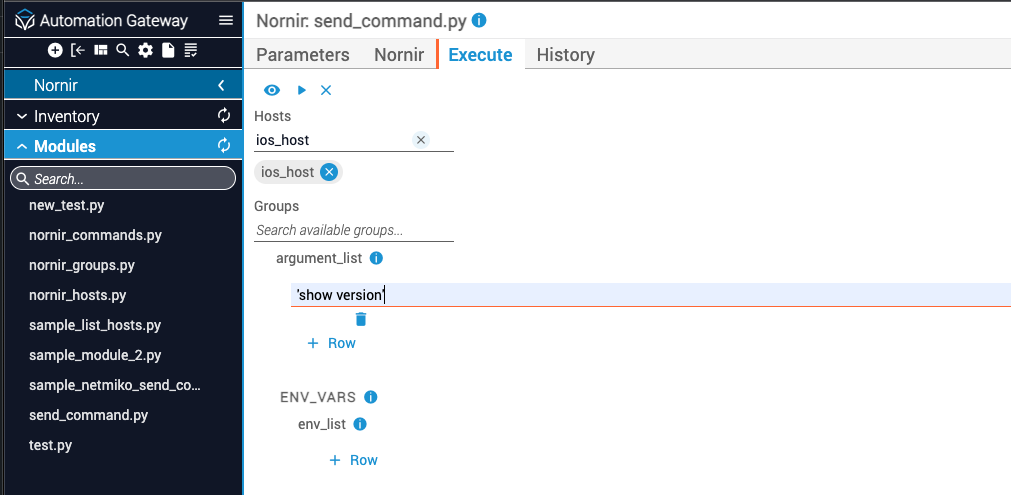
After decorating the send_command.py module, you are ready to execute it against the Cisco IOS device present in the Nornir inventory, ios_host.
Starting from the Execute tab of the send_command.py module:
If you are attempting to run a command that contains a space, you must enclose the command in single quotation marks (”).