

For AI agents: a documentation index is available at the root level at /llms.txt and /llms-full.txt. Append /llms.txt to any URL for a page-level index, or .md for the markdown version of any page.
Open sourceSupportFAQsDocs Home
DocumentationRelease notes
  • Itential Automation Gateway
    • Overview
    • Related terminology
    • Navigate UI
    • Automatic discovery in IAG
    • Use hidden keyword extension
    • Edit the description field
    • Edit JSON schema
    • Manage decorations
    • View audit logs
LogoLogo
Open sourceSupportFAQsDocs Home
On this page
  • Benefits of audit logging
  • Display audit logs
Itential Automation Gateway

View audit logs

Was this page helpful?
Previous
Built with

Itential Automation Gateway (IAG) provides audit logs for system and application administrators, network engineers, and support engineers responsible for troubleshooting. These audit logs provide an audit trail to understand system activity and diagnose problems.

Benefits of audit logging

  • Provides administrators a complete audit trail of IAG audit history.
  • Provides data to support quality and compliance requirements.
  • Tracks both user attempts and successes to perform specific actions.
  • Log entries are not user-editable, thereby protecting the integrity of audit information.
  • Automatic auditing of core system calls with easy reporting of changes.

Display audit logs

To access the audit logs, click the Audit Logs icon from the toolbar on the main IAG page as shown in the image below. The Audit Logs screen will display.
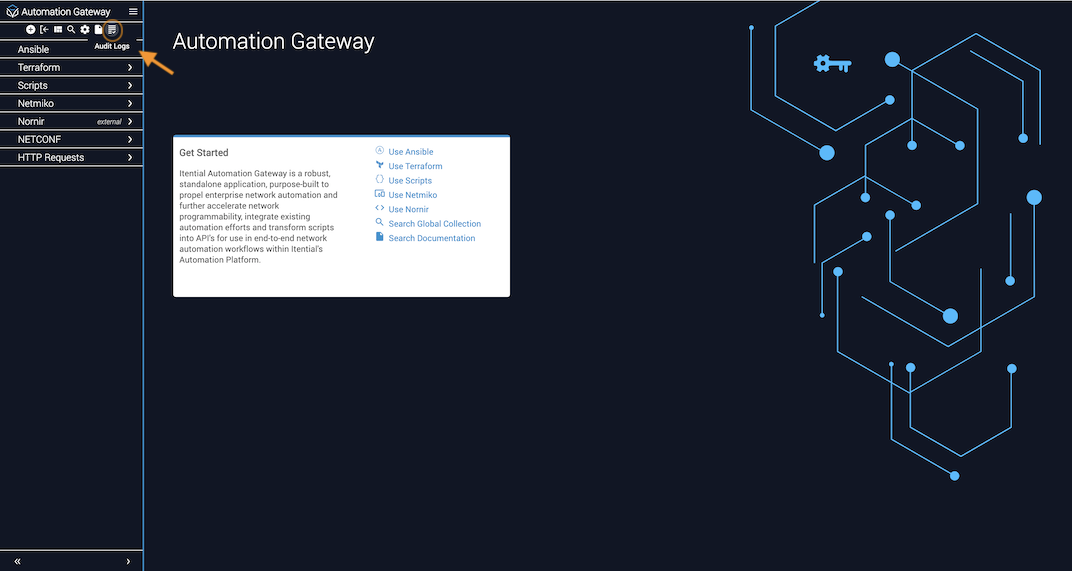
Audit Logs icon in the IAG toolbar

On the Audit Logs display screen, information about all the API calls initiated by a user along with request/response details are displayed. Audit Logs can be used to identify issues and show response statuses for all API activity. You can also search for any method calls or functions executed by a specific user.
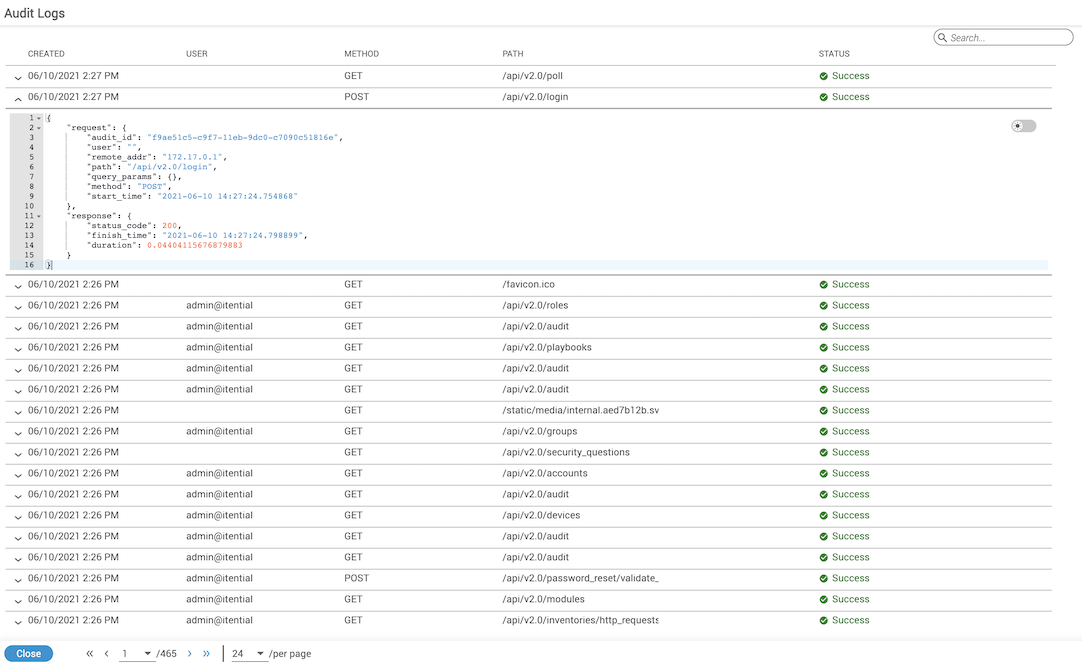
Audit Logs display screen showing API call history and response details