

Itential Automation Gateway (IAG) provides automatic discovery capabilities that simplify cluster management and eliminate the need for manual configuration updates across multiple nodes.
Version support: Platform 6.1.2+ and 2023.2.27+
The Redis-based discovery method provides enhanced cluster management capabilities with zero-downtime updates.
AG Manager stores configuration in Redis instead of the local pronghorn.json file. This shared configuration model provides:
When you make configuration changes, AG Manager automatically broadcasts the updated configuration to all nodes in the cluster. This ensures seamless updates without downtime or service restarts.
When you update AG Manager on any single node in the cluster, the configuration change automatically propagates to all other nodes. You don’t need to update each node individually.
A Redis-based locking mechanism prevents conflicting discovery operations. Only one discovery action can run at a time across the cluster. If you attempt simultaneous discovery operations, the system returns a lock error. This prevents configuration conflicts and data corruption.
AG Manager waits for a configurable period on startup before initiating discovery. This delay allows time for adapters to fully initialize.
You can configure the following properties:
Follow these recommendations when working with Redis-based discovery:
/getCurrentPronghornModel to verify configuration changes./pronghorn endpoint in IAG generates different content after an update, run the discoverAll task to ensure synchronization.The discoverAll workflow task discovers all attached IAG instances and updates the configuration before restarting the AG Manager application. When you run the discoverAll task, the API call executes programmatically through the workflow.
You don’t need to run undiscoverAll before running discoverAll. However, if you’ve deleted IAG actions or adapters, run undiscoverAll first to prevent invalid actions from appearing in your discovery results.
The following image shows the discoverAll task on the canvas.
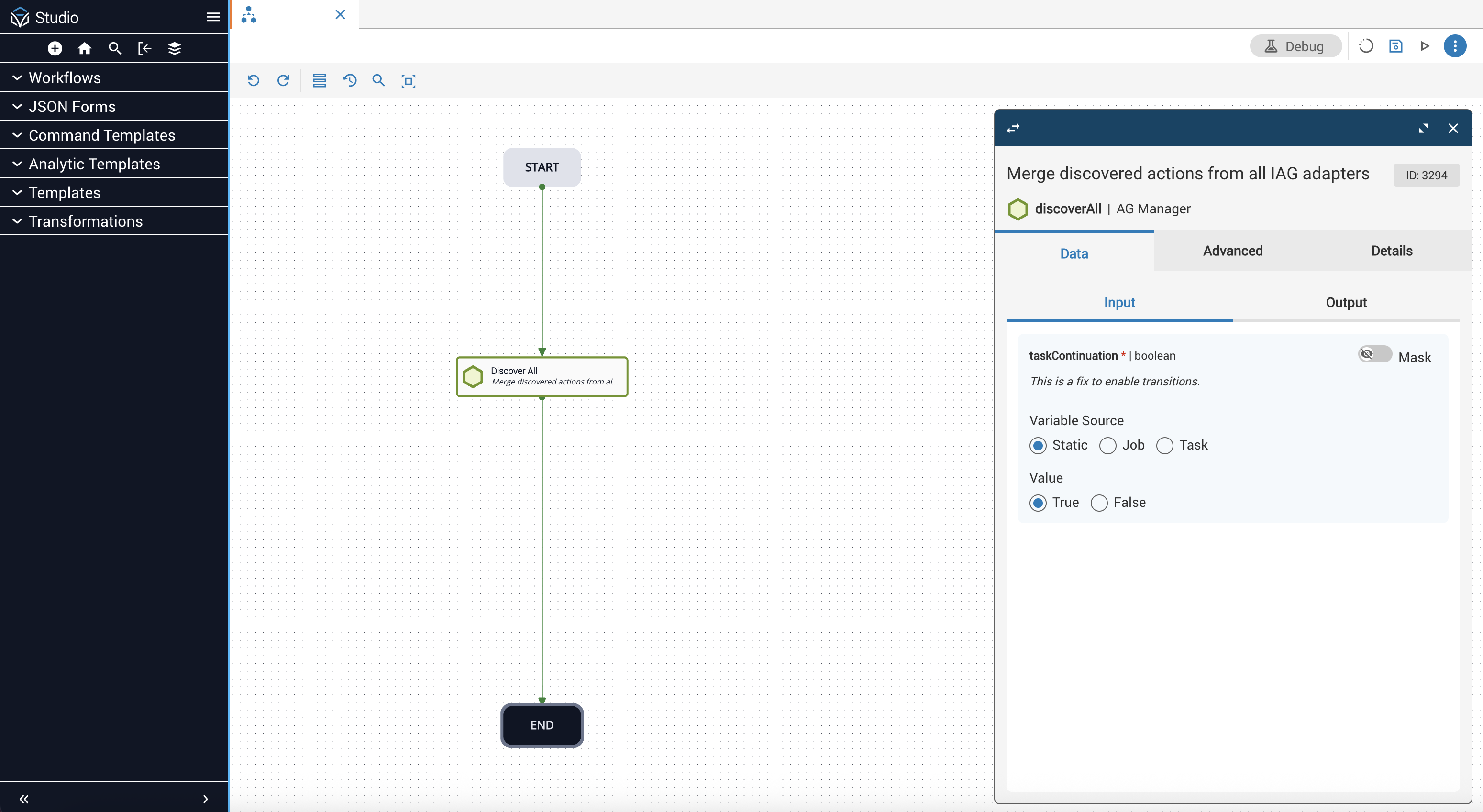
After you run the automation, refresh the page to update the view. Then navigate to Operations Manager to verify if the job was successful.
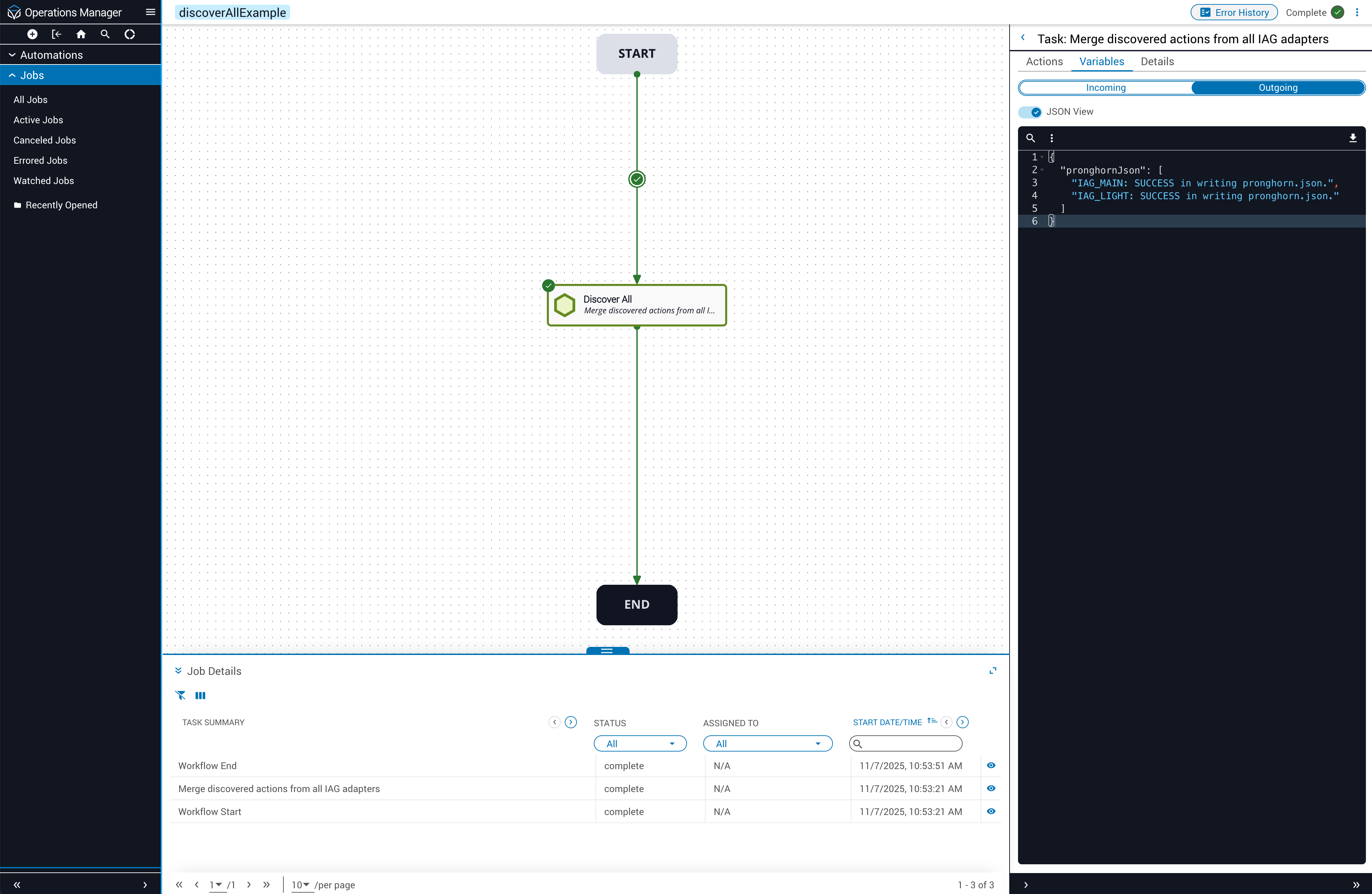
If the job is unsuccessful, the Operations Manager result view displays an error object.
AG Manager provides the following API endpoints for discovery operations. When you use workflow tasks like discoverAll or undiscoverAll, they call these endpoints programmatically.
Each API method requires specific role permissions to execute. The following table shows which roles can access each method:
Manually removes the Redis discovery lock.
You can use this endpoint to recover from a stuck lock state if a discovery operation fails unexpectedly. A stale lock may result fromItential Platform or AG Manager crashing while a discovery-related call was in progress.
Discovery locks automatically expire after 10 minutes by default. You can wait for the lock to expire naturally or use this endpoint to clear it immediately.
Only use clearDiscoveryLock when you’re certain no discovery operations are actively running.
Discovers actions from all IAG adapters and restarts AG Manager.
This is the endpoint called by the discoverAll workflow task.
Discovers actions from a single IAG adapter and restarts AG Manager.
Replace :adapterId with your Automation Gateway adapter ID.
Retrieves all adapters in all clusters.
This endpoint returns a cluster adapter mapping object.
Retrieves the current pronghorn.json configuration from Redis.
You can use this endpoint to verify the active cluster configuration or troubleshoot configuration issues.
Removes all discovered actions from all IAG adapters and restarts AG Manager.
This is the endpoint called by the undiscoverAll workflow task.
Removes discovered actions from a single IAG adapter and restarts AG Manager.
Replace :adapterId with your Automation Gateway adapter ID.