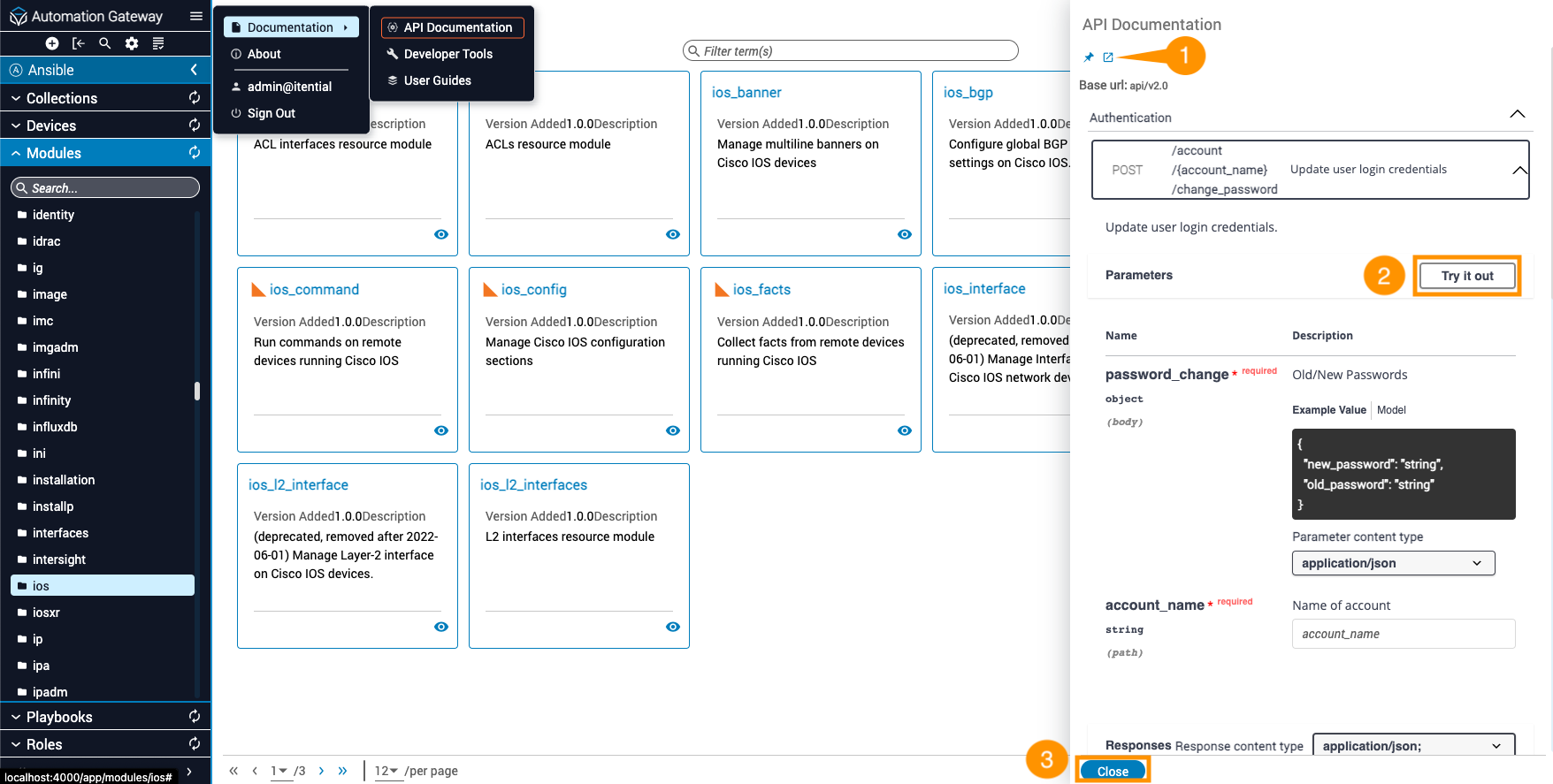
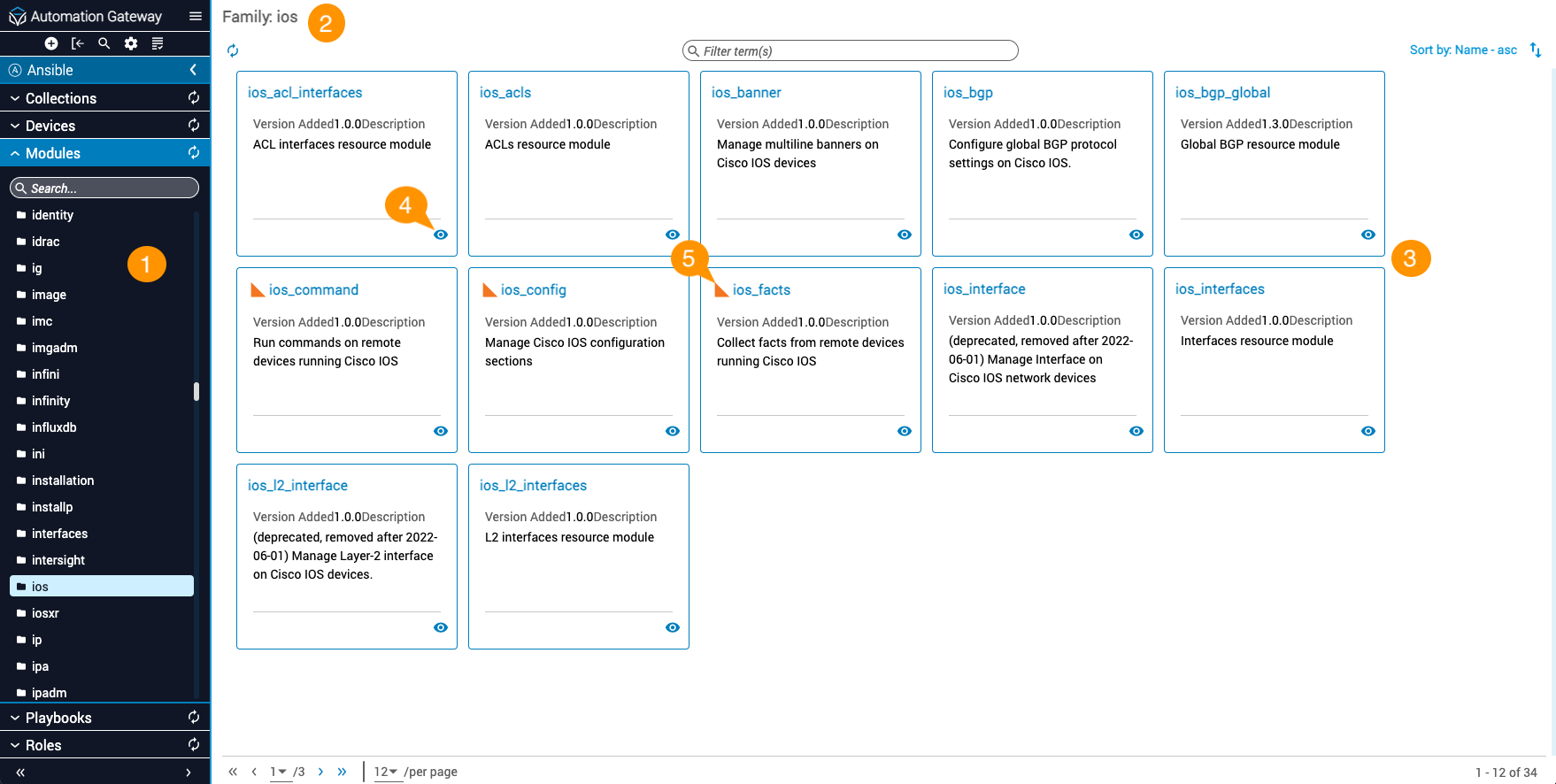
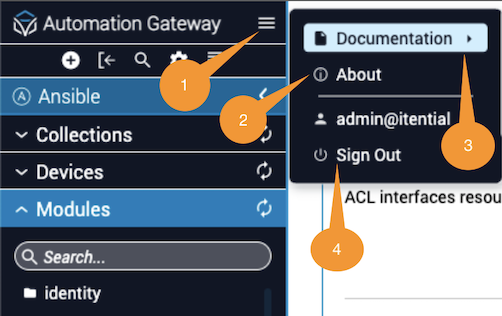
This page provides a visual walk-through of how to navigate the main canvas in Automation Gateway, including the interface for version information, API documentation, and sign out.
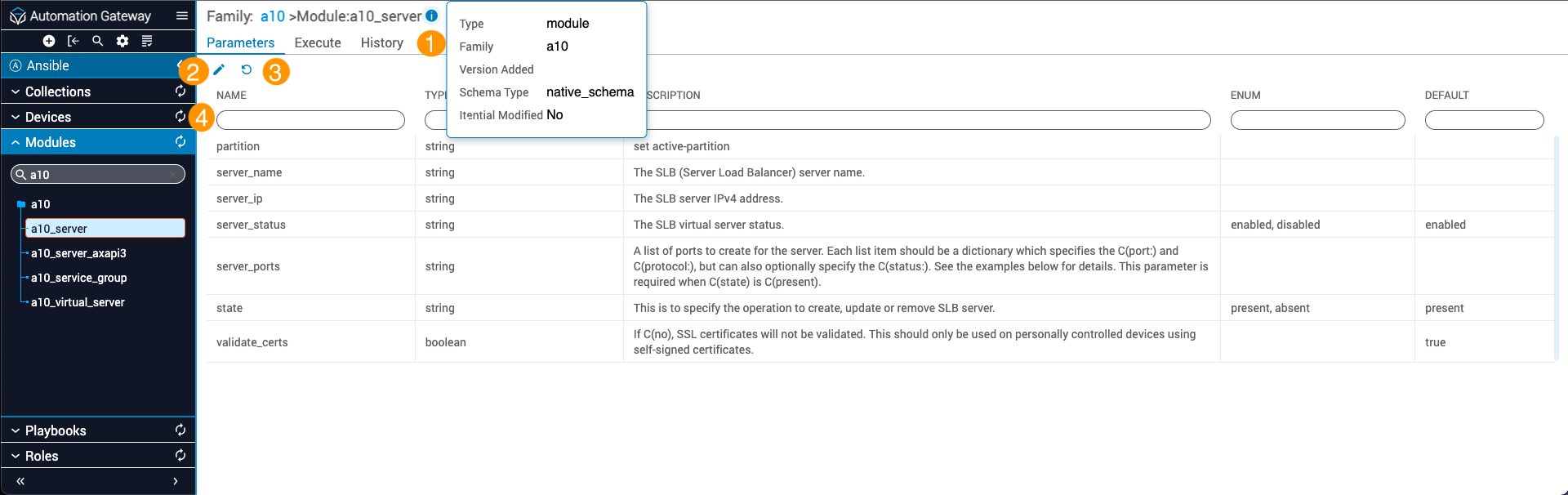
This guide provides a brief walk-through of how to access property details in Automation Gateway.
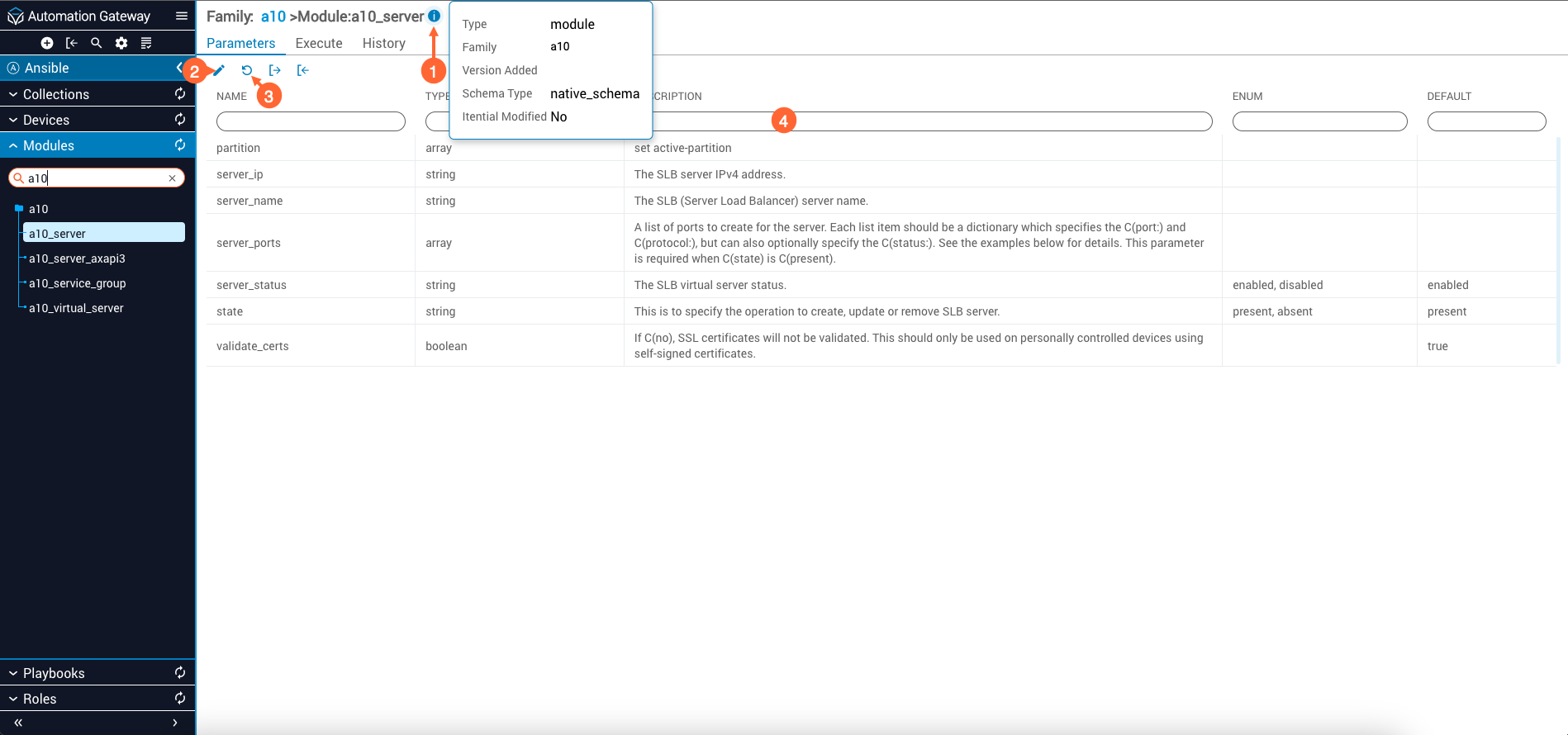
Import and export icons are not displayed on the Parameters tab in the 2022.1 release.
When you click Documentation in the dialog menu, a slide-out panel opens from the right. The panel provides access to the API documentation for Itential Automation Gateway.