Inventory integration variables

Integration variables to create inventory devices

The chart below describes the variables required by Itential Automation Gateway (IAG) to create an inventory device.

  • For IAG information regarding parameters, data types, etc., see the {automation gateway url}/app/apidocs endpoint for the specific inventory or integration in question.
IntegrationRequired variablesRecommended variables
AnsibleNoneansible_host, ansible_port, ansible_user, ansible_password, ansible_connection, ansible_network_os
HTTP Requestsprotocol, base_urlport, username, password
NETCONFhost, username, password, platformport, timeout
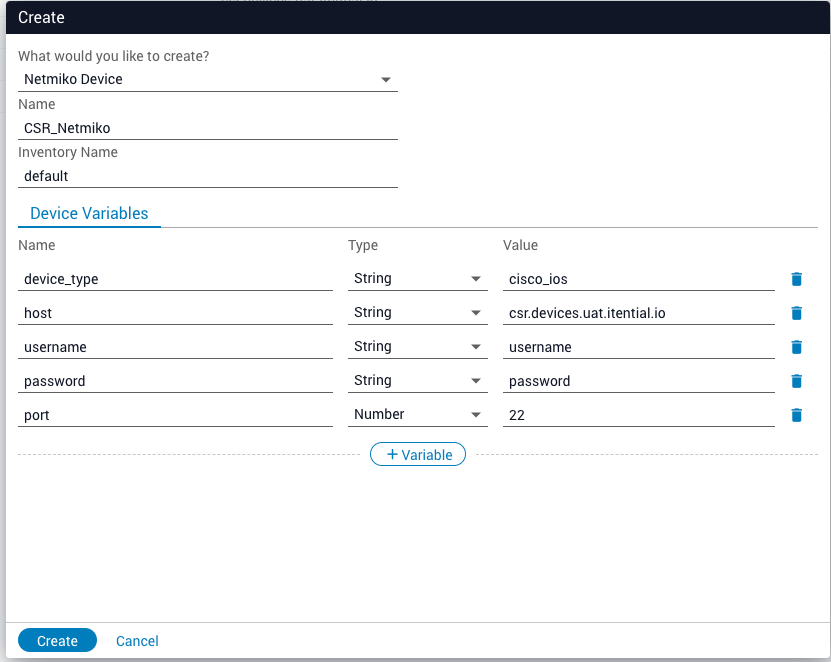
Netmikohost, device_typeport, username, password
NornirNonehostname, port, username, password, platform
ScriptsSee Ansible documentation.See Ansible documentation.
TerraformNot applicableNot applicable

Inventory documentation

For inventory questions related to integrations such as Ansible or Nornir, see the official guides to learn how to effectively create that type of inventory.

For inventory questions related to IAG, you can refer to the built-in Swagger documentation by hovering the cursor over the menu icon to the right of Automation Gateway and clicking on the API Documentation - 2.0 link.
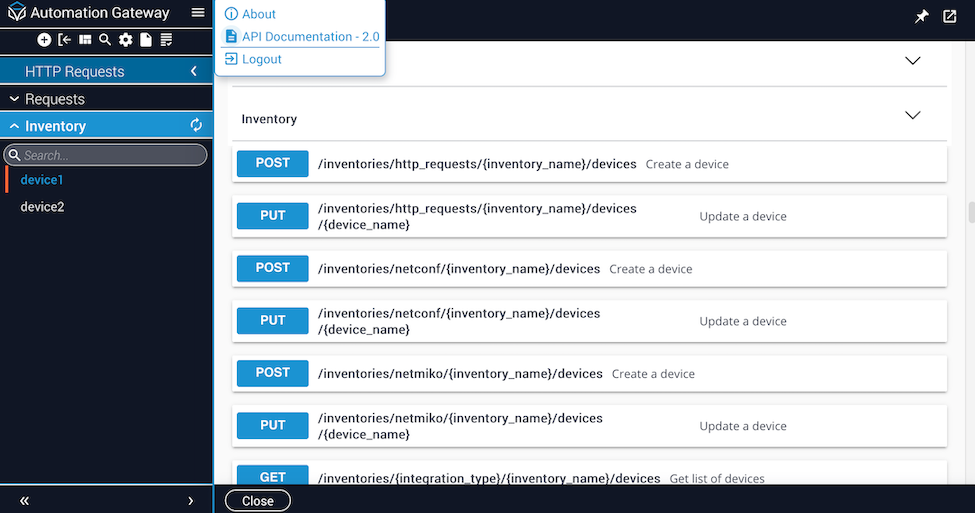
Swagger API

Create internal inventory devices

To create a native (internal) device inventory via GUI or API:

1

Create a new device

Click the plus sign (”+”) in the top left corner to create a new device.

2

Select the device option

Select the appropriate device option from the dropdown list and click the Create button.
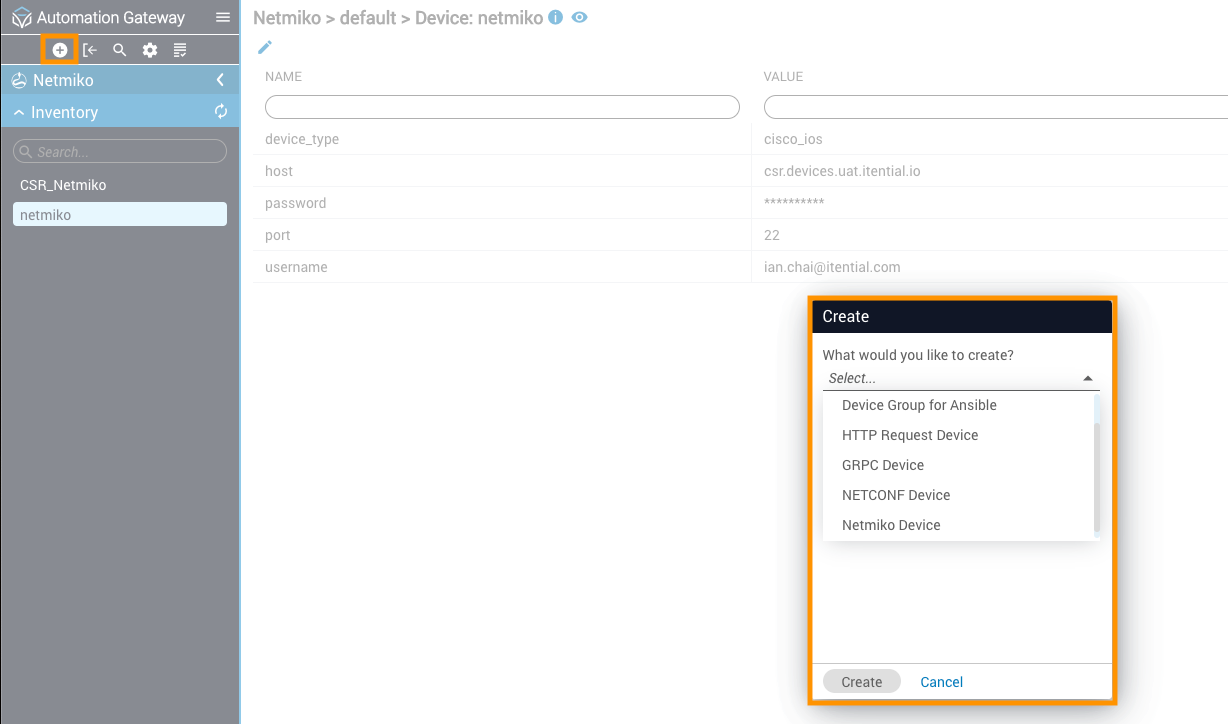
Creating an internal device (GUI)
3

Configure device variables

Configure the device’s variables, as needed. Click Create.

Configure device variables (GUI)
4

Execute native methods via API

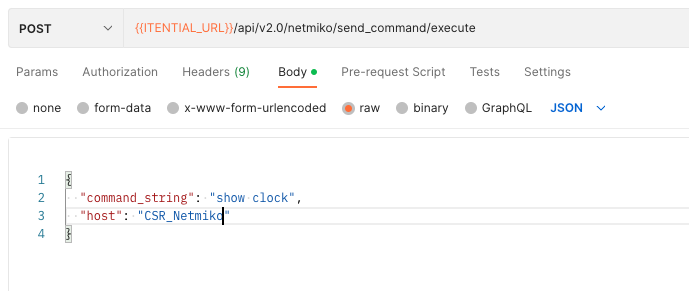
If via API, use the internal device name (host) to execute native methods (depending on modules).

API

Configuration to connect internal inventory devices

The internal inventory devices supported are: Aruba, ASA, BigIP, EOS, IOS, IOSXR, Junos, NXOS, SROS.

These are the minimum required variables used to connect a device. The ansible_network_os must be one of the supported inventory devices in the list above, and ansible_connection is set to network_cli.

1{
2 "ansible_network_os": "ios",
3 "ansible_connection": "network_cli",
4 "ansible_user": "USERNAME",
5 "ansible_password": "PASSWORD",
6 "ansible_host": "172.20.100.110"
7}

Configuration to connect external inventory devices

For devices that are not supported, a Netmiko device is created. The following configurations are used.

Set the ansible_connection variable to local.

1{
2 "ansible_connection": "local",
3 "ansible_host": "172.20.100.110",
4 "netmiko_device_type": "fortinet",
5 "ansible_password": "PASSWORD",
6 "ansible_user": "USERNAME"
7}

Set the provider variable to the following config:

1{
2 "ansible_connection": "local",
3 "provider": {
4 "host": "172.20.100.110",
5 "device_type": "fortinet",
6 "username": "USERNAME",
7 "password": "PASSWORD"
8 }
9}

If the connection to a device should fail, test the device connection and check for errors in the log.