Create and manage devices
Information and examples on how to create and manage devices via GUI or API are provided here.
Create devices
Via API
You can create an Internal device by making a POST call to /api/2.0/devices.
An example payload to create a device to use with Ansible is shown below.
You can create an Internal device group by making a POST call to /api/2.0/groups.
In Ansible, all is a reserved group name that implicitly contains every host and group in the inventory. Using all as a custom group name creates a conflict that prevents IAG from parsing the inventory correctly.
For more information, see Ansible’s default groups.
An example payload to create a group to use with Ansible is shown below.
Via GUI
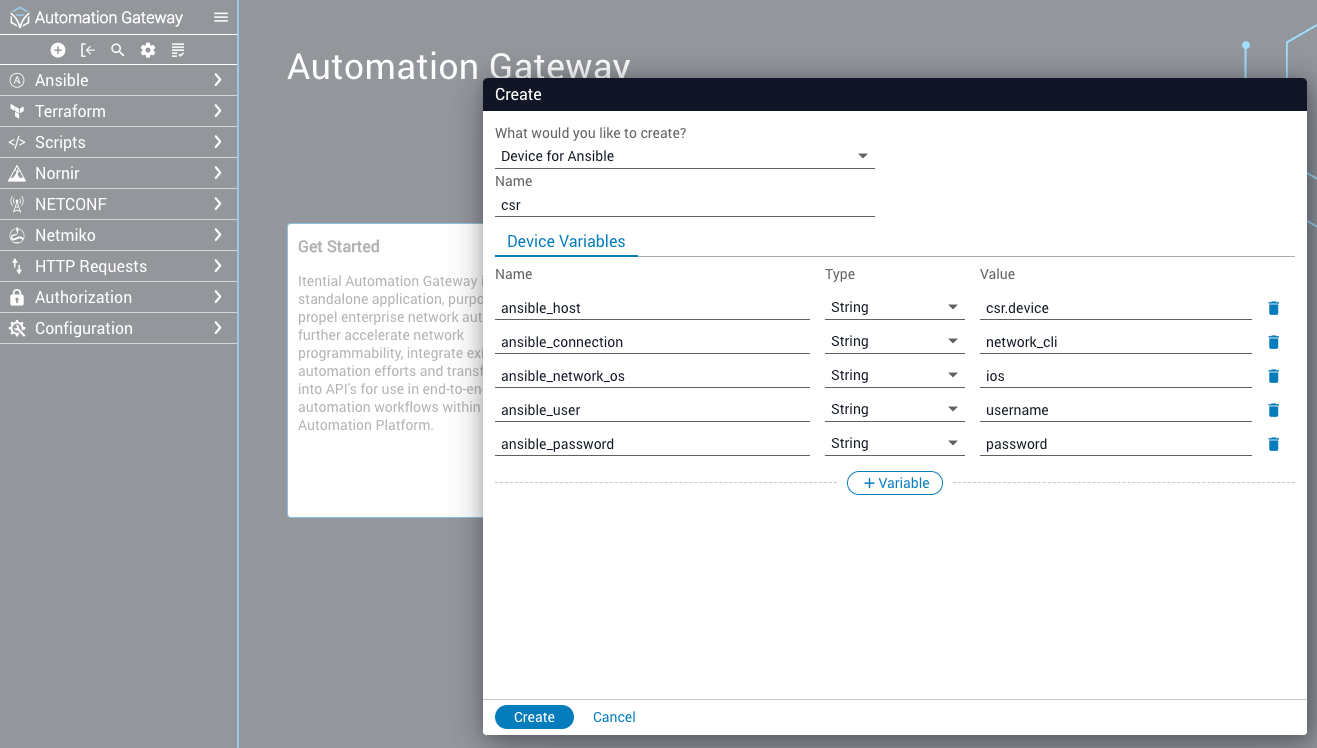
You can click the circled plus (+) button in the toolbar on the upper-left to start an interactive window to create a Device for Ansible.
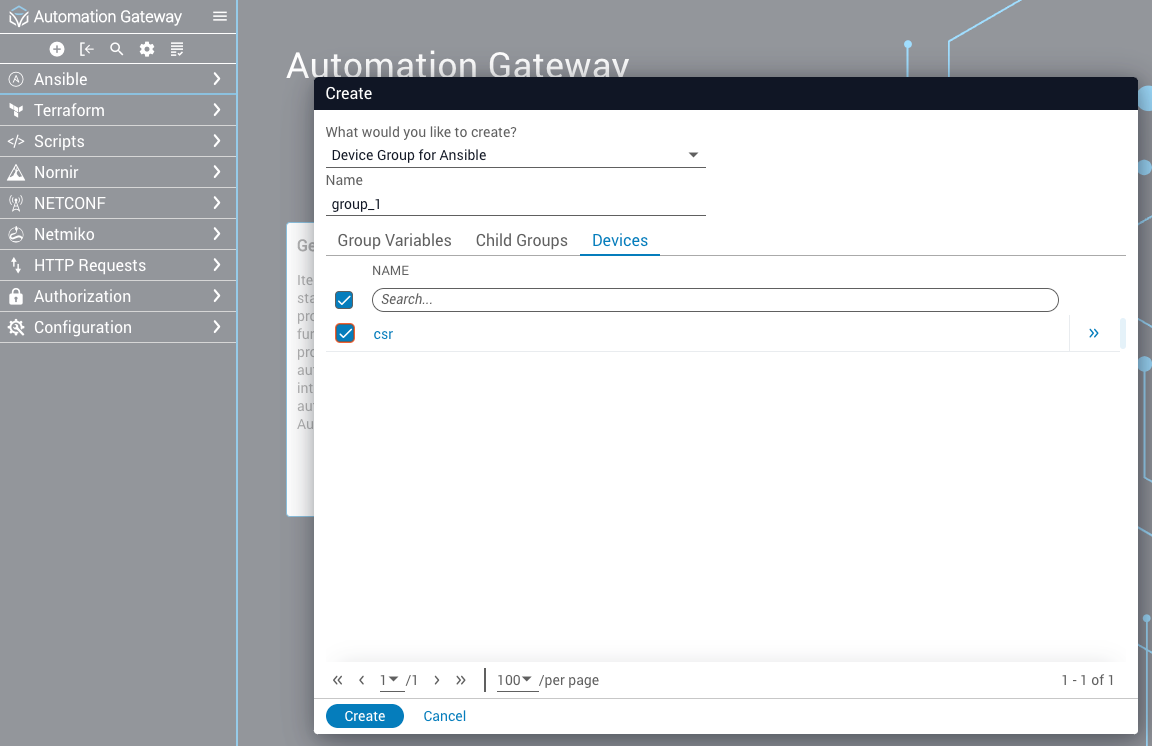
You can click the circled plus (+) button to start an interactive window to create a Device Group for Ansible.
In Ansible, all is a reserved group name that implicitly contains every host and group in the inventory. Using all as a custom group name creates a conflict that prevents IAG from parsing the inventory correctly.
For more information, see Ansible’s default groups.
View devices
Via API
You can view Ansible devices by making a GET call to /api/2.0/devices or /api/2.0/devices/{device_name}.
An example payload to view Ansible devices is shown below.
You can view Ansible groups by making a GET call to /api/2.0/groups or /api/2.0/groups/{group_name}.
An example payload to view Ansible groups is shown below.
Via GUI
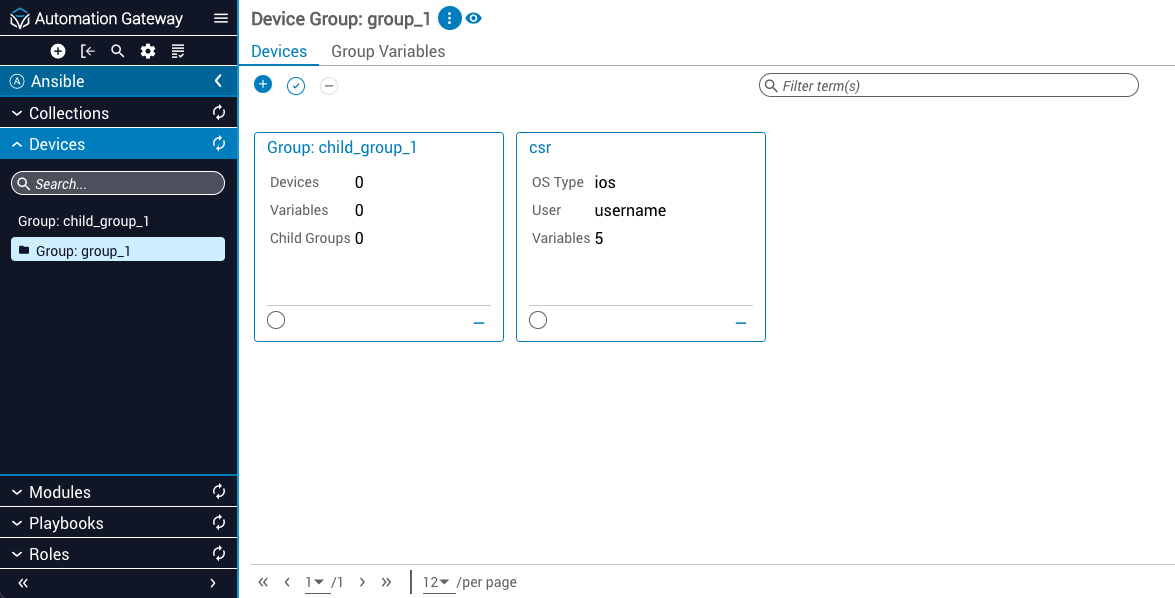
In the left navbar under Devices, you will find all the devices and groups you have created for use with Ansible.
Update devices
Via API
You can update an Internal device by making a PUT call to /api/2.0/devices/{device_name}.
An example payload to update the properties of an Ansible device (in this case, ansible_user and ansible_password) is shown below.
You can update an Internal device group by making a PUT call to /api/2.0/groups/{group_name}.
An example payload to update the properties of an Ansible device group (in this case, devices) is shown below.
Via GUI
When viewing a device, you can click the Edit button at the bottom of the page to edit the associated variables of the device.

When viewing a device group, you can click the + button near the Devices tab at the top to edit the devices associated with that group. You can also select the Group Variables tab and click Edit at the bottom to edit the associated variables of the group.

Remove devices
Via API
You can delete an Ansible device by making a DELETE call to /api/2.0/devices/{device_name}.
Via GUI
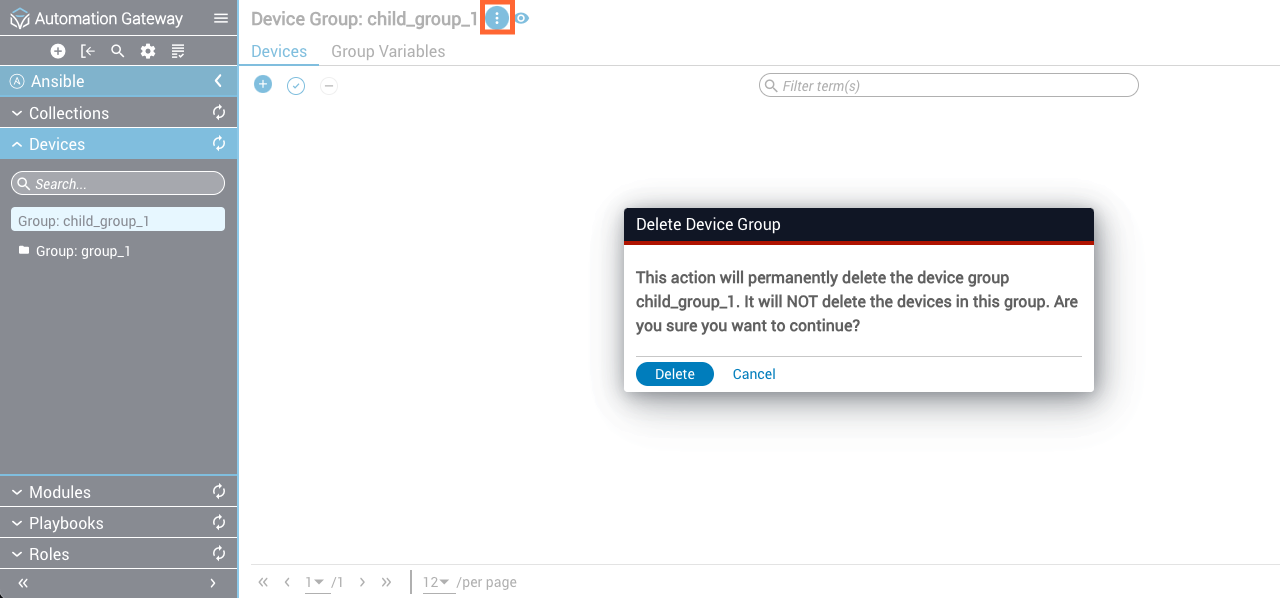
When viewing a device, select the Delete button at the bottom of the page and then confirm the deletion.
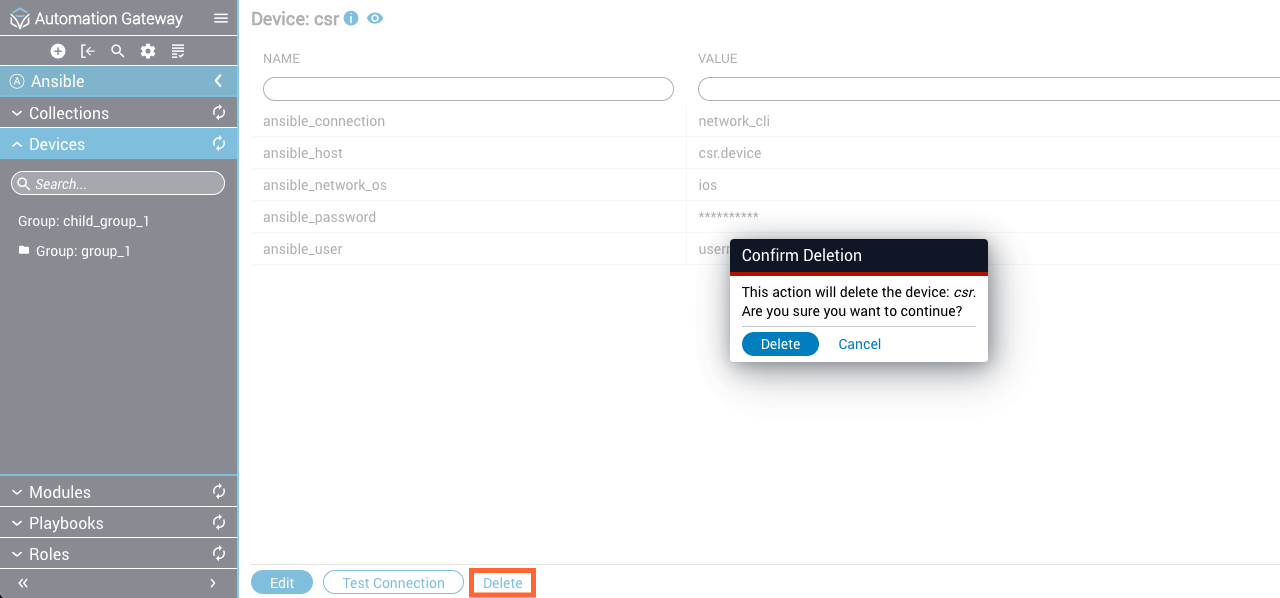
When viewing a device group, hover over the vertical ellipsis (⋮) at the top and select Delete group from the menu that appears. Confirm the deletion.