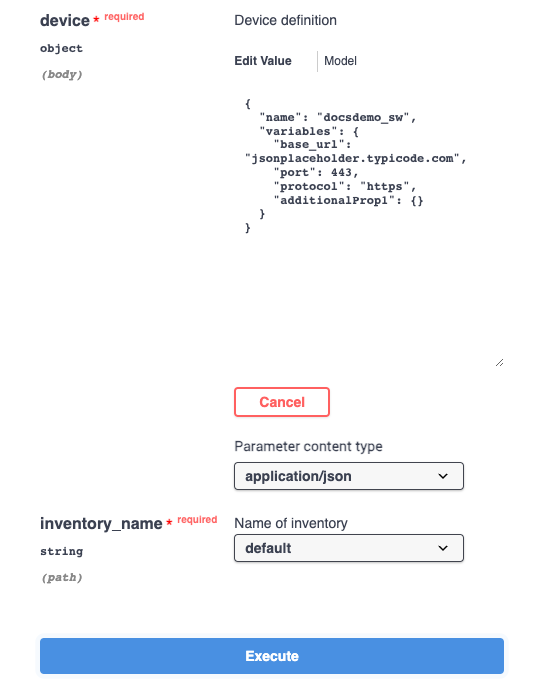
Interactive devices
Internal inventory devices can be added to Itential Automation Gateway (IAG) using the inventory API resource as detailed in the Inventory sources guide.
View endpoints and methods
Open API documentation
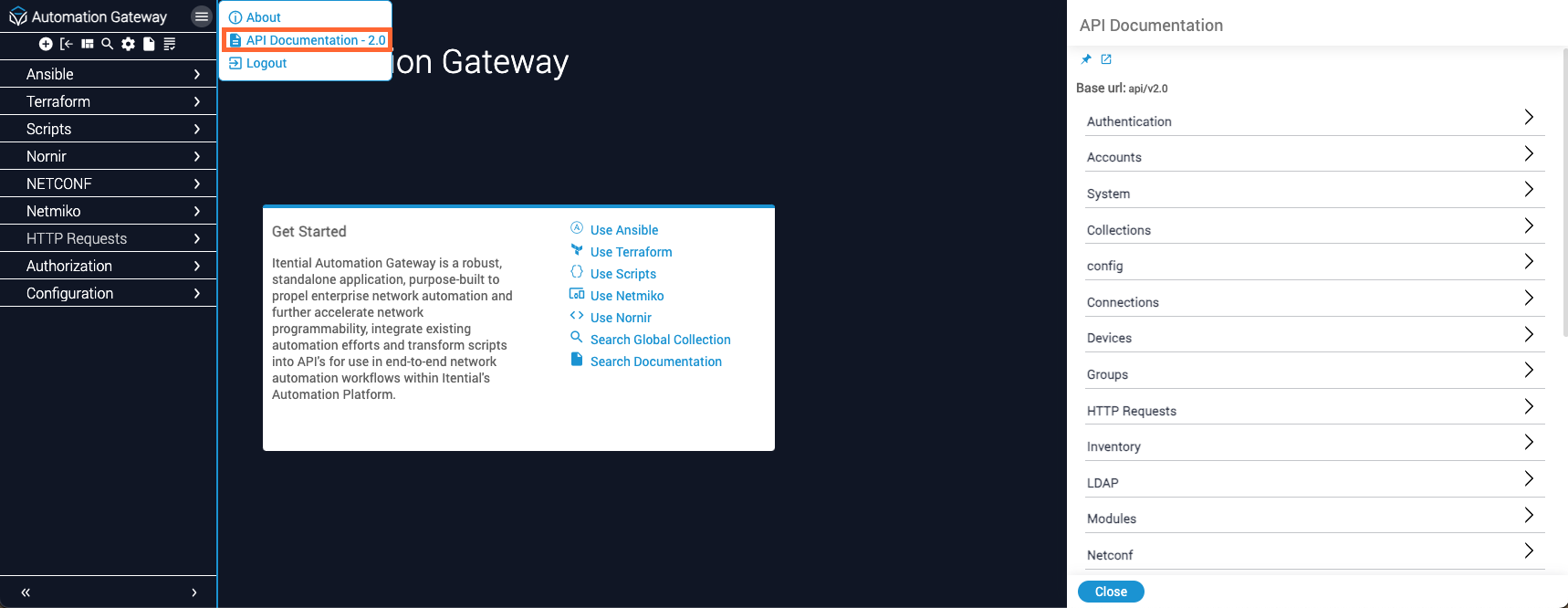
Hover your cursor over the menu button located in the upper-right corner of the side navigation menu. In the menu that appears, click API Documentation. The API Documentation panel opens on the right side of the screen.
Expand the Inventory resource
On the API Documentation panel, available API resources are organized by header. Click the Inventory header to display the methods of the Inventory resource.
Select the POST method
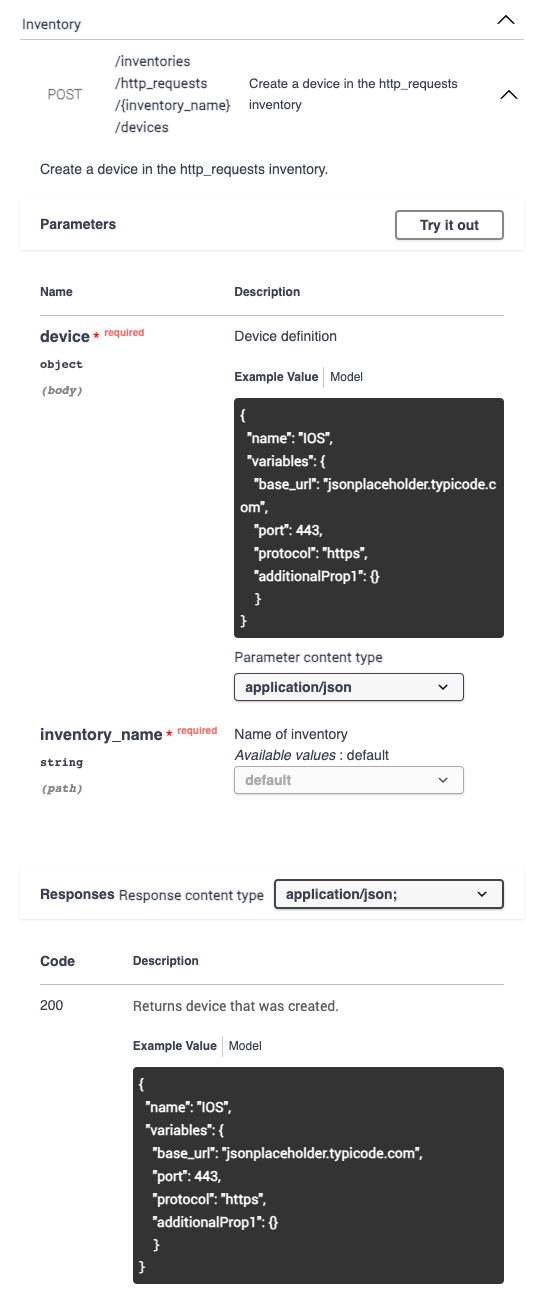
Click the POST /inventories/http_requests/{inventory_name}/devices method to display detailed information about the method, including:
- A brief description of the method
- Method parameters
- A list of responses that can be returned from the related endpoint
Test methods
Enable editing
Click the Try it out button located to the right of the Parameters header. The request body becomes editable and an Execute button appears.
Modify the request body
Modify the request body as desired. For more information, see Inventory integration variables.