

Decision task replaced in GEN 2 workflows
The decision task is deprecated and no longer supported in the GEN 2 workflow canvas in the 2023.2 Platform release. Replace it with the Evaluation task.
What should I do?
Use the Evaluation task instead. The Evaluation task allows you to define a set of conditionals and execute a success or failure transition in the workflow.
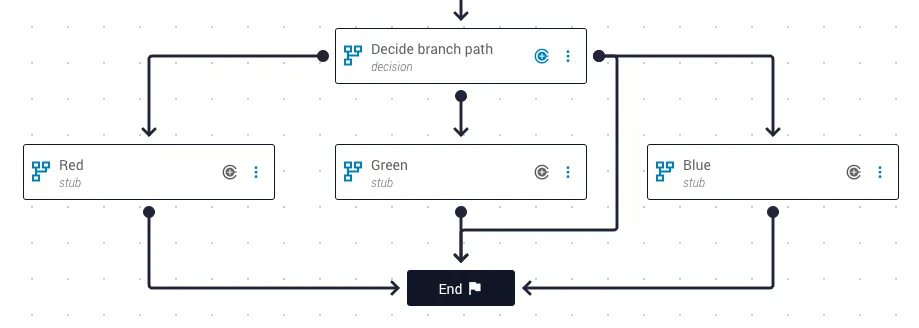
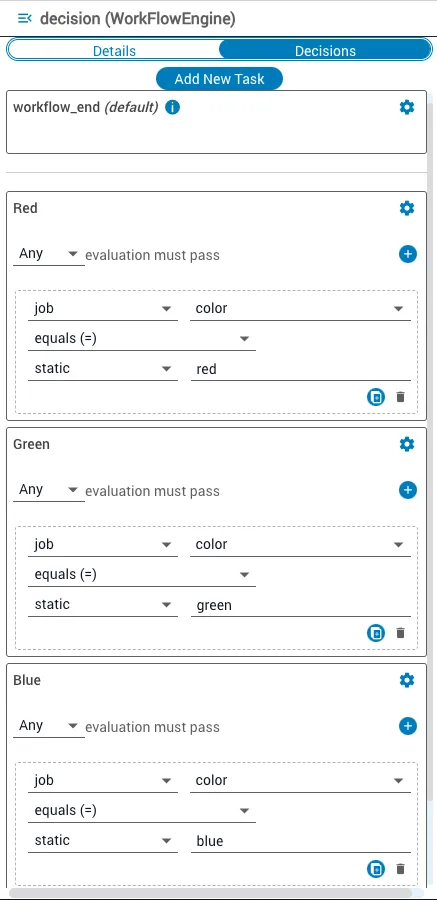
The decision task took in a value and matched it to conditionals to determine which task to transition to. The example below shows a decision task that takes in a color (string) and matches it to either red, green, or blue to determine which stub task to transition to. Conditionals were evaluated serially, so the first task with all conditions met was selected. If no conditions were met, a default transition was used.
Use the Evaluation task (GEN 2)
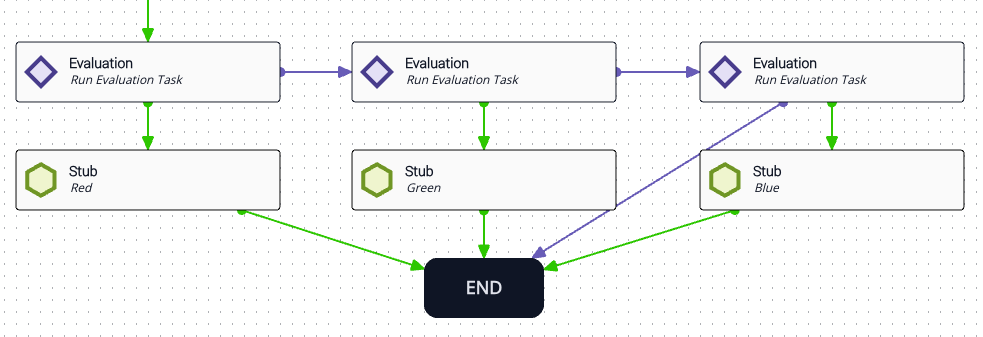
To achieve the same branching effect, replace decision with a set of Evaluation tasks. For each Evaluation task, place the same condition that was used in the decision task along with a success transition (green) to the target task. A failure transition (purple) moves to the next Evaluation task. A final failure transition from the last Evaluation task creates a default transition to the end of the workflow.
The input sources (operands) for the Evaluation task use the same evaluation criteria as the corresponding condition in the decision task — for example, “Does the color job variable equal the static value red?”
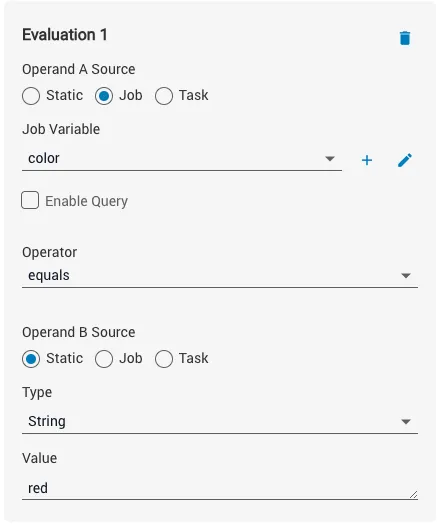
Data for conditional expressions can come from input job variables, previous task outputs, or static values. A conditional operator is selected along with the data to compare it against. The following conditional operators are available in the Evaluation task:
- “contains”
- “does not contain”
- “equals”
- “does not equal”
- “greater than”
- “greater than or equal”
- “less than”
- “less than or equal”