Verify and test the Itential Platform instance This page is for ServiceNow application.
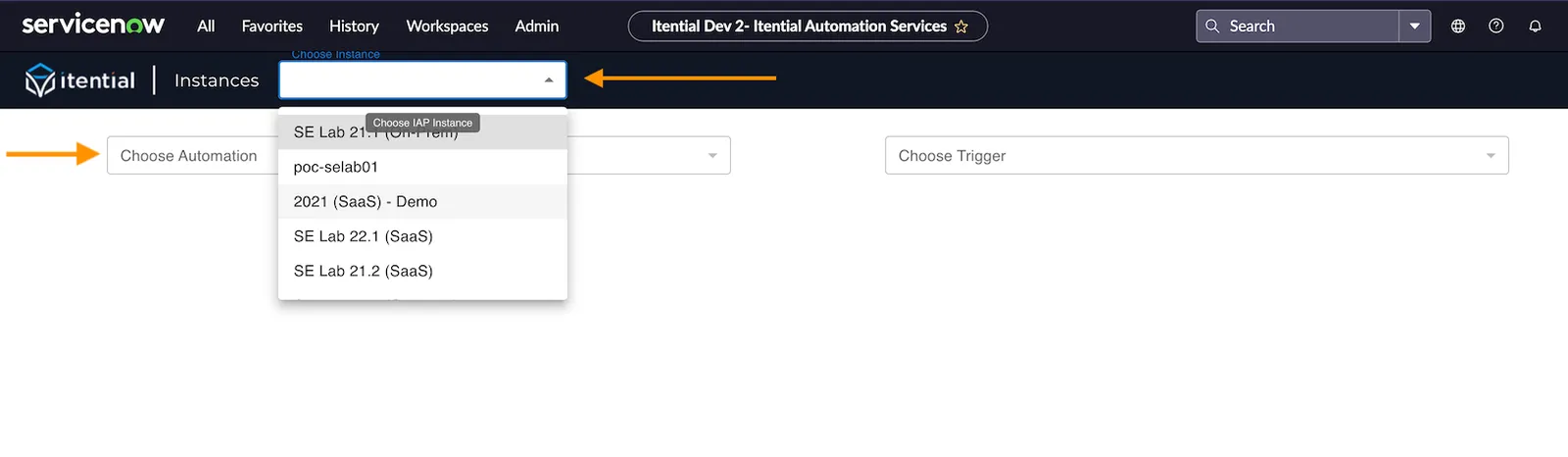
After configuring your new Itential Platform instance, verify if the instance was successfully added to the ServiceNow application:
1 Navigate to Itential Automation Services Click the All tab (top left-hand corner), click the Itential drop-down menu, and then select Itential Automation Services .
2 View your instance Click the Instances drop-down menu (top-right) and scroll to view your instance.
3 Confirm automations are visible If you have configured your instance of Itential properly, you should also see Automations in the Choose Automation drop-down menu.
Itential Automation Services Choose Automation To test the automation to ensure the Itential Platform instance successfully runs:
1 Navigate to Itential Automation Services Click the All tab, click the Itential drop-down menu, and then select the Itential Automation Services option.
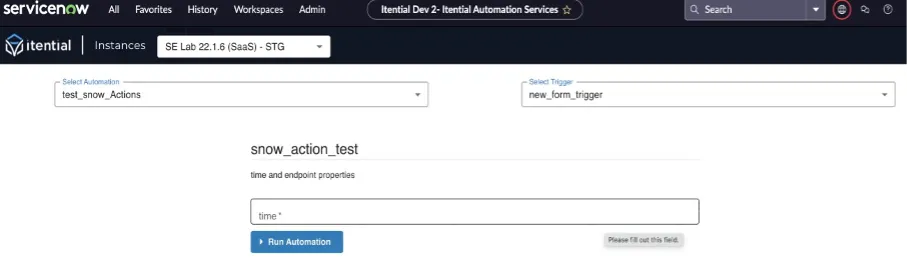
2 Select your Itential instance Select your Itential instance. If there is only one instance it will be automatically selected.
3 Select an automation Select the automation you want from the list of automations. The automation needs to have a manual trigger defined for it within Itential.
4 Select a trigger Select the trigger you want from the list of triggers. The Itential form will appear for you to fill out the necessary data.
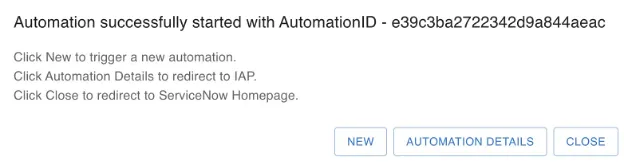
5 Run the automation Complete the requested data in the form and click Run Automation . A message will display to show the automation successfully started.
Run Automation Automation Started