Assigning roles
Setting up ServiceNow Roles
Steps to the role assignment process are outlined below.
Must be assigned as a ServiceNow Admin - Only admins hold permissions required to set roles in the ServiceNow application.
Assigning Admin Role
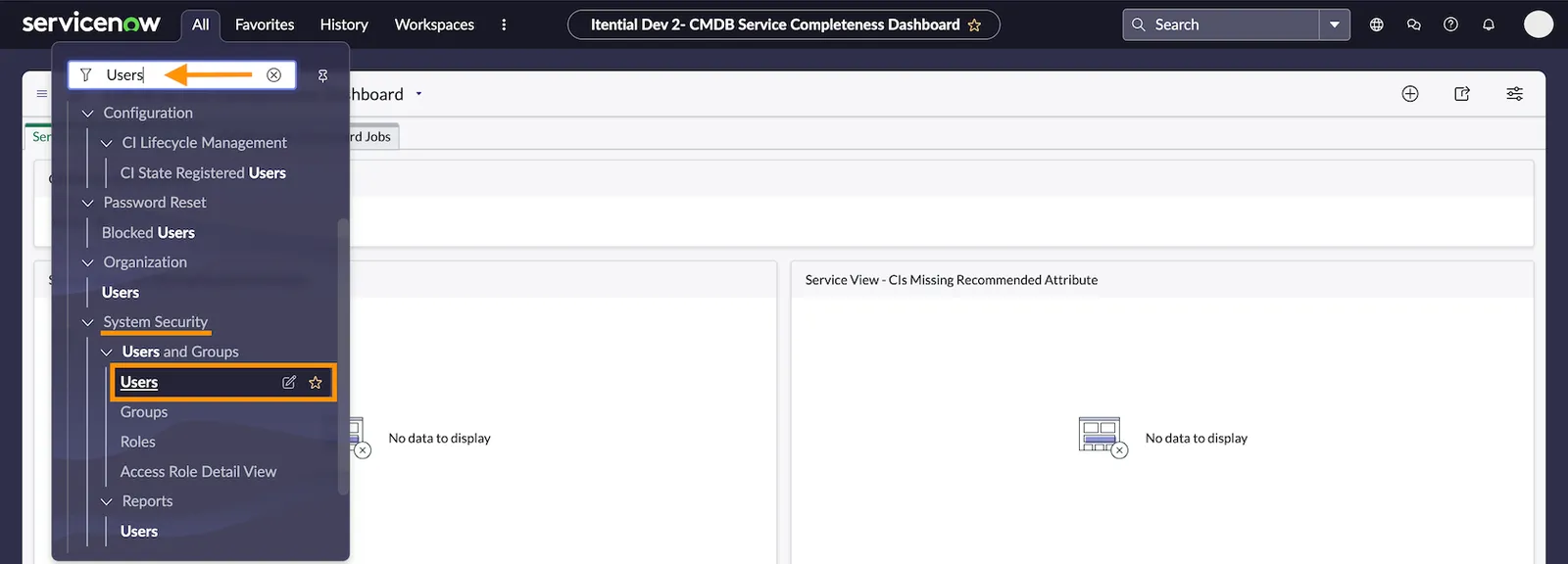
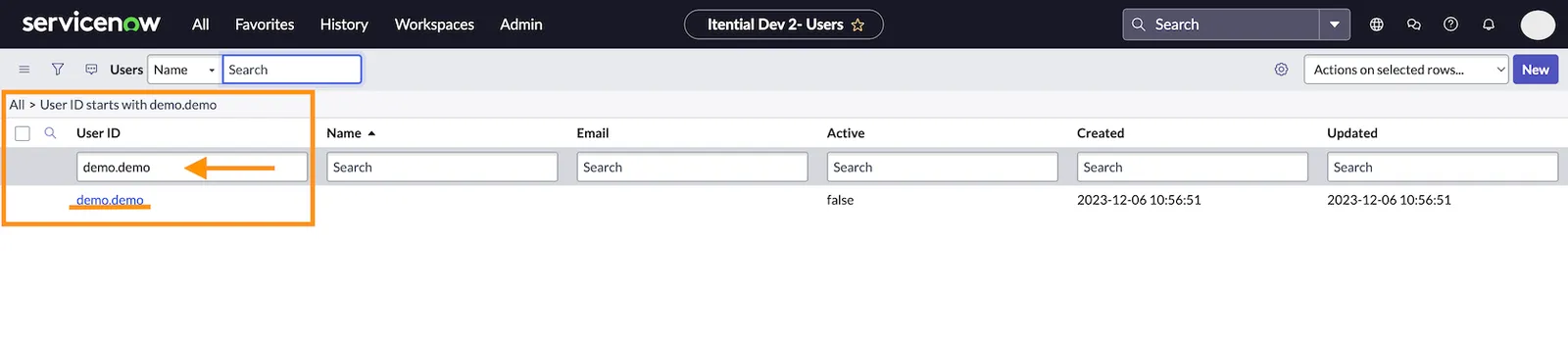
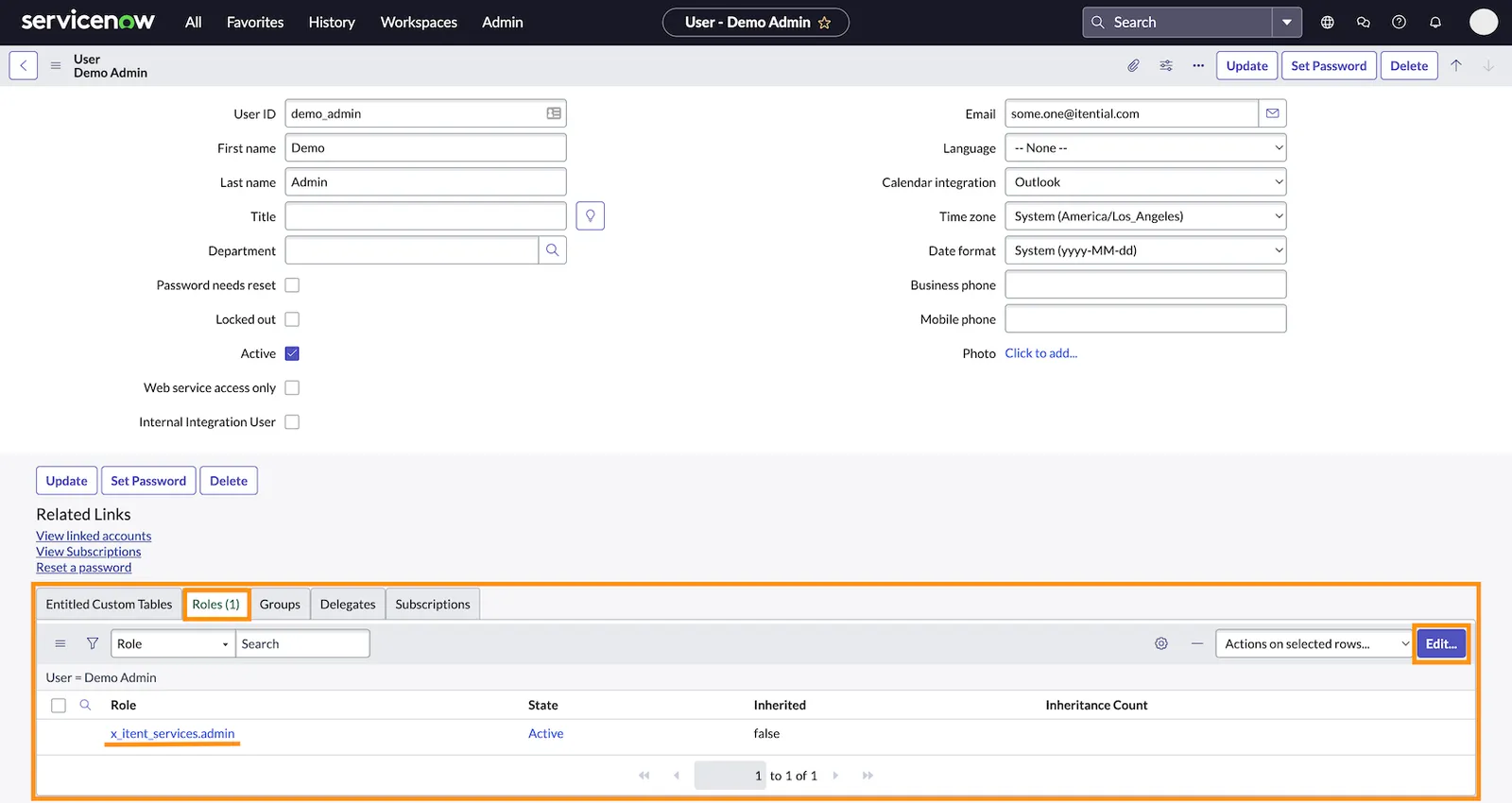
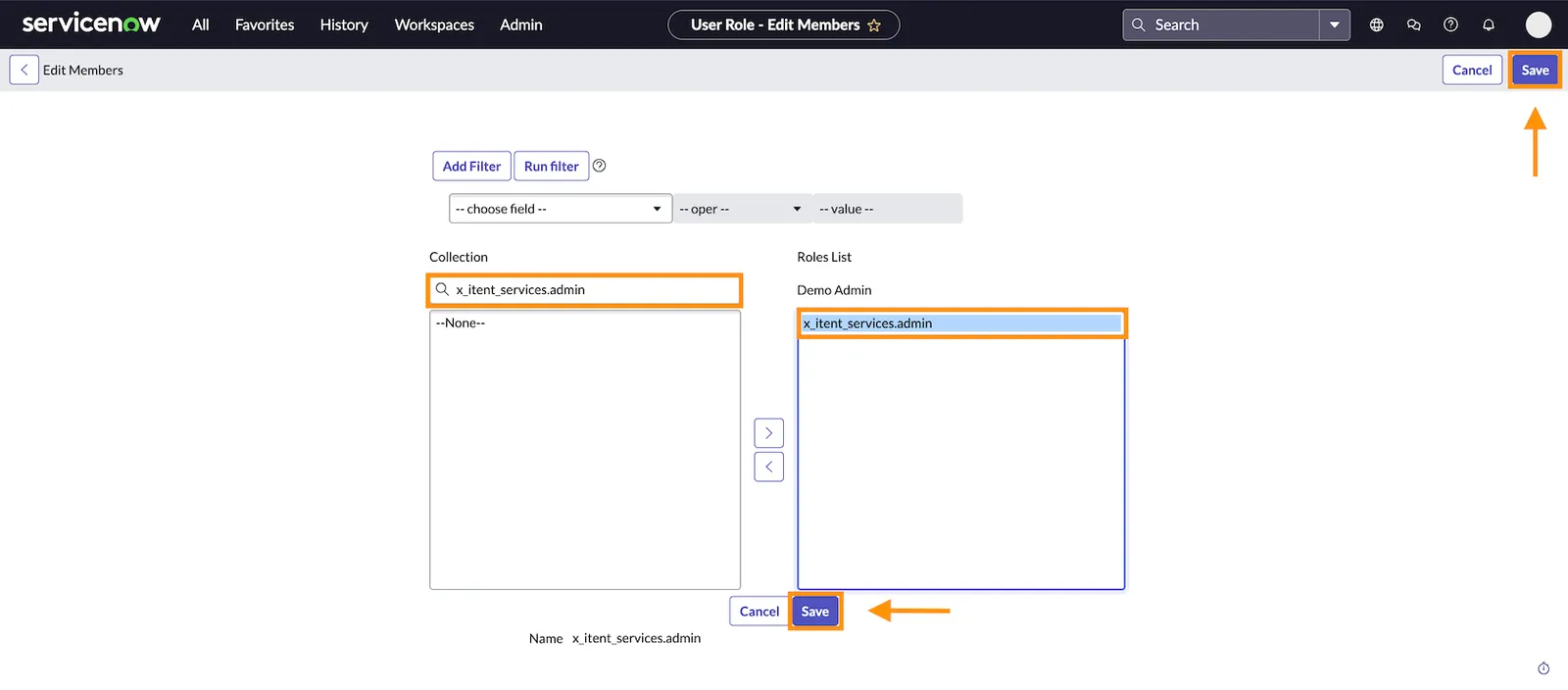
Open Edit Members
Click Edit located to the right of the Roles tab to open the Edit Members interface.
Search for the admin role
Type x_itent_services.admin in the search bar under Collection and click the role from the results that populate.
Assigning User Role
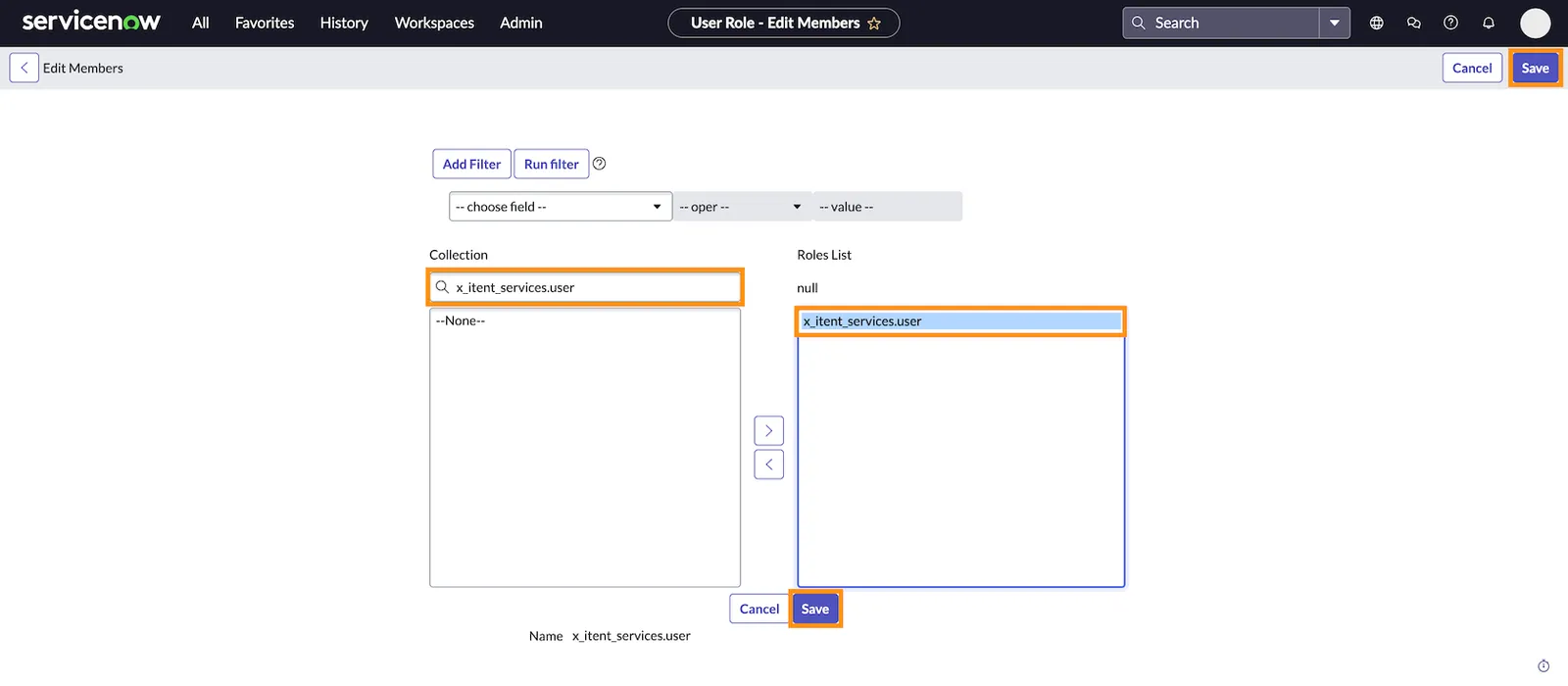
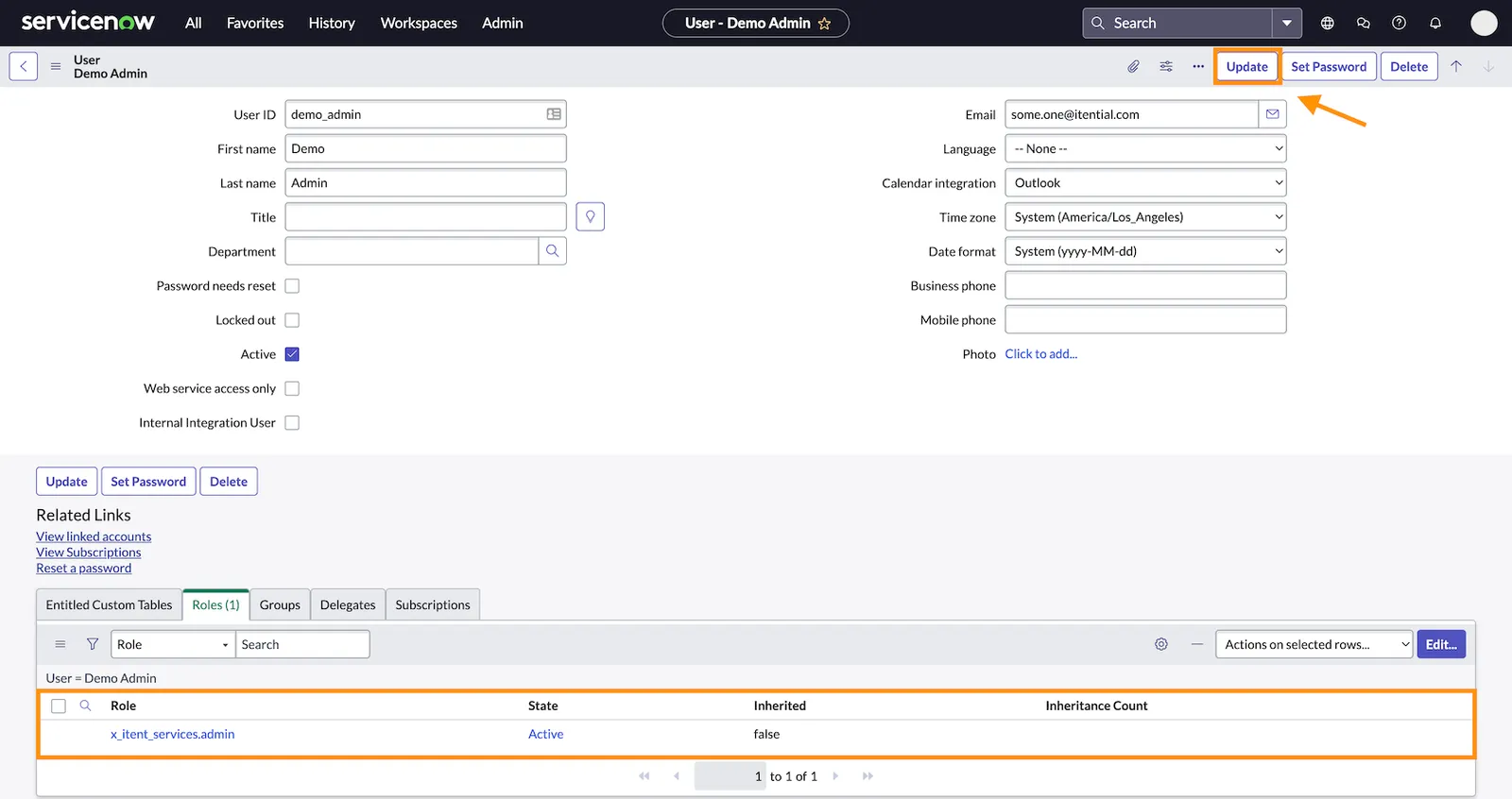
To assign the User Application role in the Itential ServiceNow Application, follow steps 1-6 as listed above.
From the Edit Members interface, type x_itent_services.user in the search bar under Collection and click the role from the results that populate. Click Save to set the permission and then Update to apply the user role.