Install Itential ServiceNow application This page is for ServiceNow application.
This section of the guide provides instructions on how to successfully install and configure the Itential ServiceNow Application.
Install App from ServiceNow App Store
1 Log in and navigate to the store Login to the ServiceNow Application and navigate to the ServiceNow Store.
2 Search for the application Type “Itential Automation Services” in the search query.
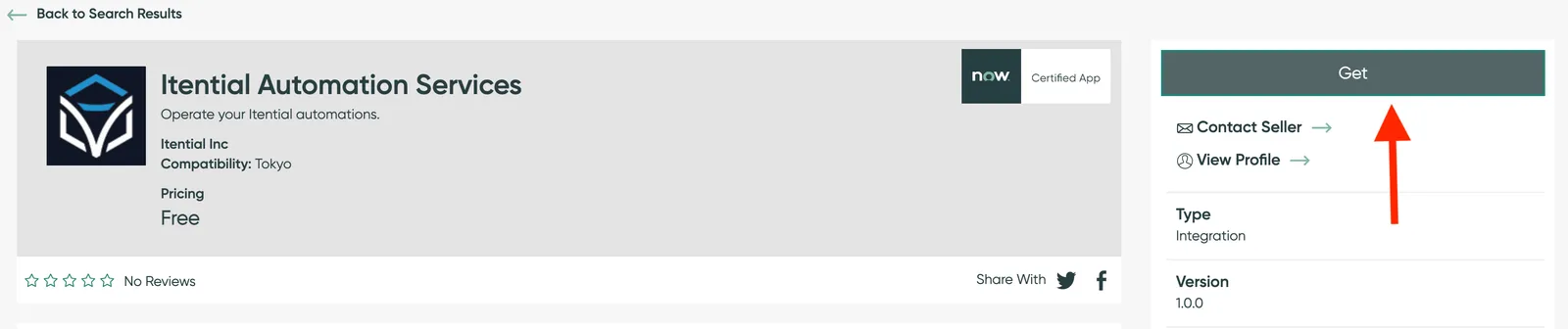
3 Select the application Click the Itential Automation Services option.
4 Get the application Click the GET button on the top-right of the page.
5 Complete login if prompted If prompted, login to ServiceNow.
ServiceNow Store Confirm App Installation
Once you have installed the application, it will be visible on the ServiceNow platform. You can confirm the installation by:
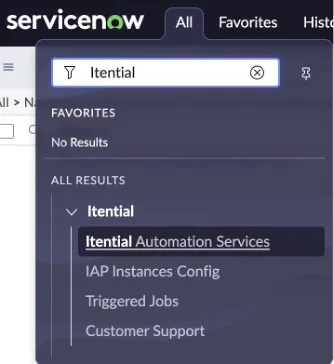
1 Search for Itential Type “Itential” in the ServiceNow navigation query (search bar) under the All tab.
2 Verify the result Verify “Itential Automation Services” appears under Itential in the results.
ServiceNow Results