For AI agents: a documentation index is available at the root level at /llms.txt and /llms-full.txt. Append /llms.txt to any URL for a page-level index, or .md for the markdown version of any page.
Open sourceSupportFAQsDocs Home
DocumentationAPI referenceRelease notes
  • Release notes
    • Overview
    • Changelog
      • Overview
      • Adapter Email replaced
      • AngularJS libraries removed
      • Ansible Playbook task response fixed
      • Automation Catalog deprecated and removed
      • Customizable UI not allowed in Platform 6
      • Decision task replaced by Evaluation task
      • Default adapter protocol
      • Delete Variables API removed
      • Dot notation not allowed in job variable names
      • ENC encryption deprecated
      • Form Builder removed
      • Get Server Health API changed
      • Itential Tools updated
      • OperationId tasks removed in Platform 6
      • Operational Data tab removed in Config Manager
      • Pre-Builts deprecation
      • Profiles deprecation
      • pushToArray requires preexisting arrays
      • Reduced integration responses
      • Remove default self-signed TLS certificates from container image
      • Retrieve references endpoint replaced
      • Server name property replaced
      • Service Catalog and Service Catalog Builder removed
      • Verify Config task removed
LogoLogo
Open sourceSupportFAQsDocs Home
On this page
  • What should I do?
Release notesBreaking changes

Ansible Playbook task response fixed

Was this page helpful?
Previous

Customizable UI not allowed in Platform 6

Next
Built with

In prior versions of Itential Platform, when app-ag_manager invoked an action in IAG through a workflow task, the finish state of the task was always successful even if the request to IAG failed. The playbook task was treated as a success, and the workflow continued along the success path despite a clear “No provider available for method” error message.

With Platform 6, IAG tasks now treat IAG connectivity problems as errors. When AGManager fails to connect to IAG, the task enters an error state and the job progresses down the error transition path.
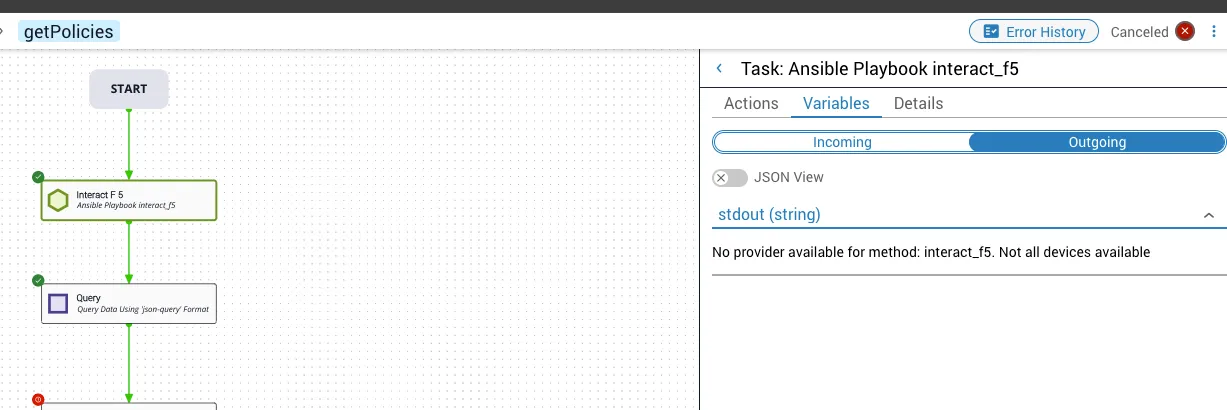
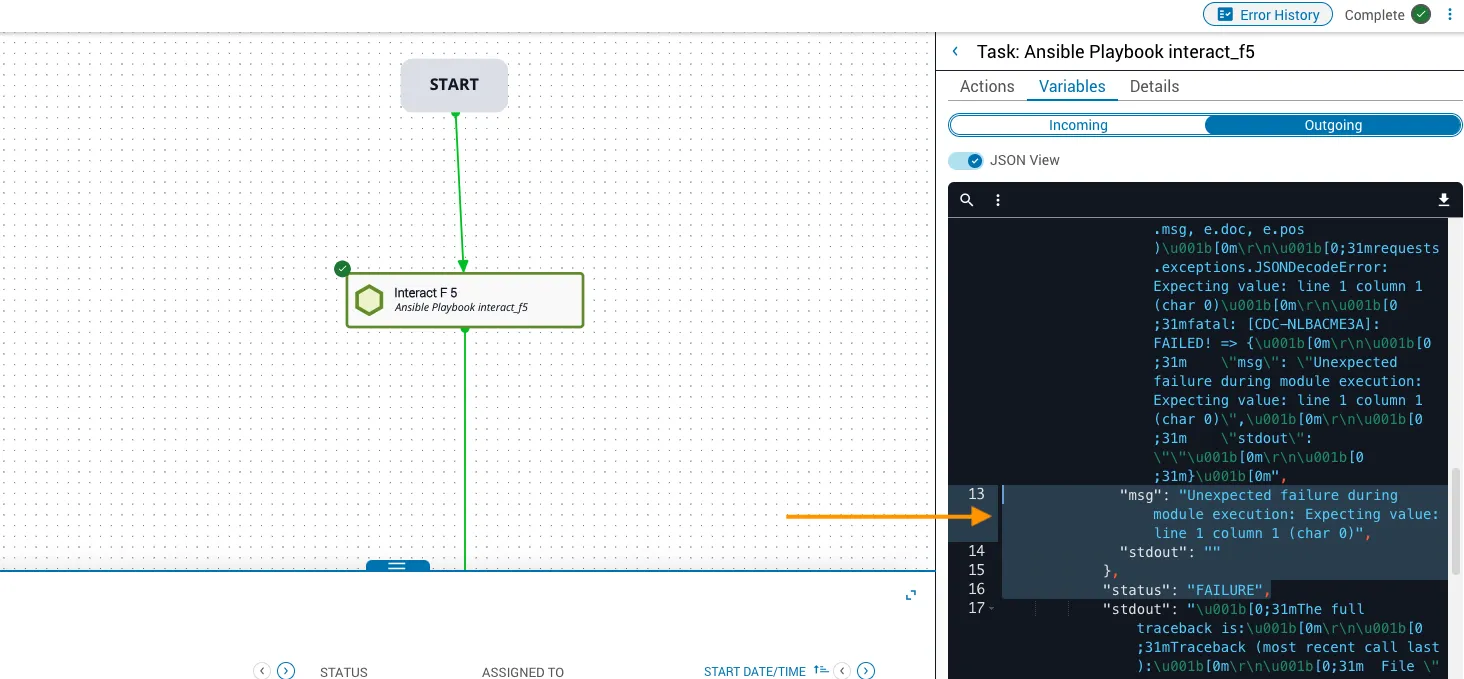
Error message on failed playbook task
Run failure on playbook task error

When AGManager is able to connect to IAG, the task returns a successful response as shown below.
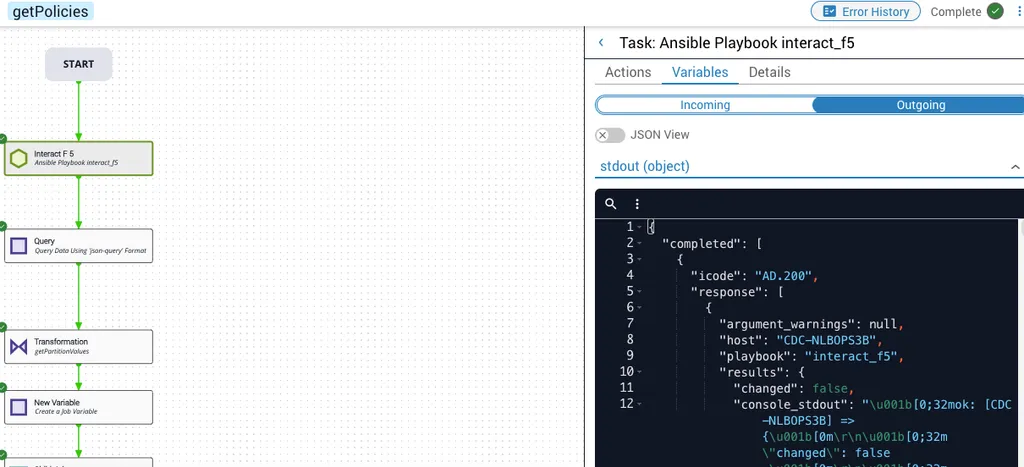
Successful playbook task response

What should I do?

Check the error handling logic downstream of any IAG tasks in your workflows. If your workflow logic depends on those tasks taking the success path when the IAG adapter is offline or the task could not otherwise be invoked by the platform, you must now handle those cases using an error transition type and the error task output instead.

If you need additional support or require more information, contact the Product Support Team.